A good home office printer does three things without drama: it prints clearly, connects wirelessly without constant troubleshooting, and doesn’t bleed you dry on ink refills. That last part matters more than most people realize when they’re buying — cartridge ink is one of the most expensive liquids on earth by volume, and a $60 printer that needs $40 ink cartridges every few months ends up costing far more than a $130 printer with a cheap-to-refill ink tank.
The five picks below cover every real home office use case in 2026: light occasional printing, daily document printing with automatic two-sided output, scanning stacks of paperwork with an auto document feeder, and high-volume use where cost-per-page actually matters. All five are under $250. All five connect wirelessly. None of them require a subscription to print — though some make it easy to opt in to ink subscription services if you want. If documents and scans are not part of the job, our portable photo printer guide compares smaller phone-first printers and their refill systems.
Disclosure: Some links below are affiliate links. If you buy through them we may earn a small commission at no extra cost to you. We only recommend products we’d consider buying ourselves.
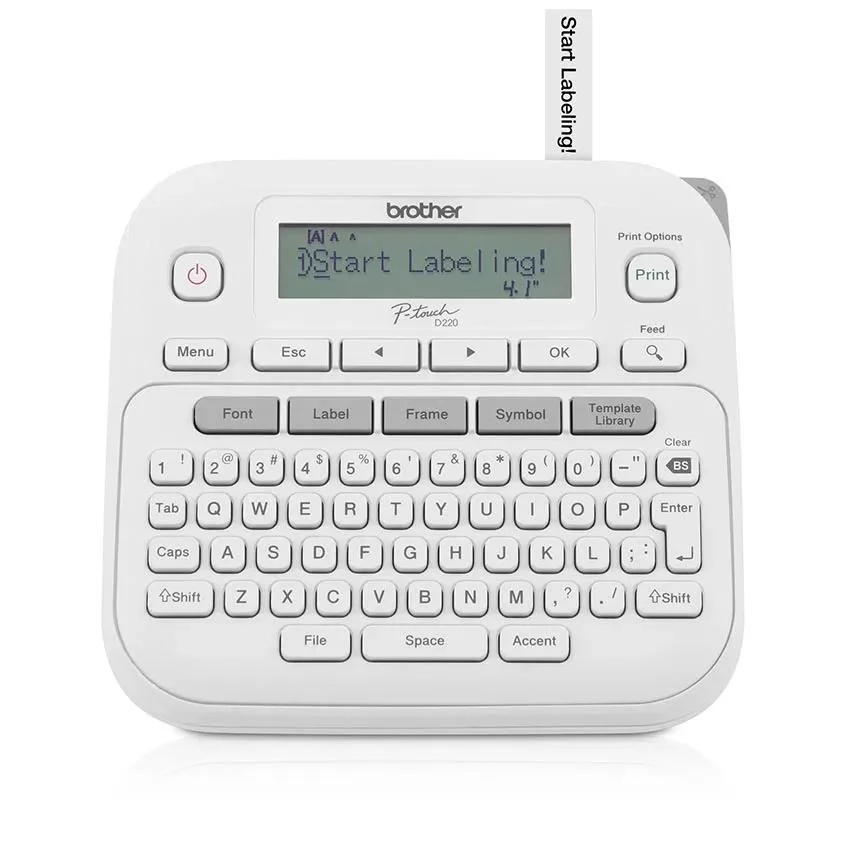
For adhesive identification rather than documents, see our home-office label makers compared by tape, apps, and refill costs. These dedicated devices serve a different job from an all-in-one page printer.
Quick Picks
| Pick | Best For | Price |
|---|---|---|
| Epson EcoTank ET-2800 | Best overall — lowest long-term ink cost | ~$100–130 |
| Canon PIXMA TS6520 | Best compact with auto duplex printing | ~$120–150 |
| HP Envy 6155e | Best for light, occasional home use | ~$100–130 |
| Epson EcoTank ET-2988 | Best step-up — ADF, Ethernet, higher volume | ~$180–220 |
| HP OfficeJet Pro 8035e | Best for heavy daily home office printing | ~$130–160 |
1. Epson EcoTank ET-2800 — Best Overall
The ET-2800 is the printer that makes the most sense for the widest range of home office users. Instead of cartridges, it uses refillable ink tanks that hold enough ink to print roughly 7,500 black pages or 6,000 color pages on a single fill — that’s equivalent to dozens of cartridge swaps. The printer ships with enough ink in the box to last most households two to three years before a refill is needed. When you do refill, replacement ink bottles run around $15–20 each. The math is simple: the ET-2800 costs a little more upfront than a cartridge printer, but it pays for itself within a few months for anyone who prints regularly.
| Spec | Detail |
|---|---|
| Print / Scan / Copy | Yes / Yes / Yes |
| Auto Duplex (2-sided) | No (manual flip) |
| Auto Document Feeder | No |
| Print Speed (B&W) | Up to 10 ppm |
| Print Speed (Color) | Up to 5 ppm |
| Connectivity | Wi-Fi, USB |
| Ink System | Refillable EcoTank (cartridge-free) |
| Ink Included | Yes — enough for ~7,500 B&W pages |
| Display | LED indicator lights |
| Mobile Printing | Epson Connect, Apple AirPrint, Android Print |
| Dimensions | 14.8 × 11.4 × 7.3 in |
Who this is for: The ET-2800 is the right printer for anyone who prints at least a few pages a week and is tired of buying expensive cartridges. It’s also excellent for households with kids who print school projects, parents who print forms and documents regularly, or freelancers who print invoices, contracts, or reference materials. If you’re starting fresh and want to pick one printer for the next three or four years without thinking about ink, this is it.
Strengths: The ink tank system is the main story here, and it delivers. No cartridge DRM, no chip-enforced subscription, no “ink level low” warnings when cartridges still have 30% remaining. You can see the physical ink level through the translucent tank. Setup is clean — the Epson app walks you through the process in about 10 minutes. Wireless printing from phones, tablets, and laptops works reliably via Wi-Fi Direct or your home network. Print quality for documents is sharp and readable; photo quality is competent for casual snapshots. The ET-2800 is also very quiet compared to most inkjet printers.
Trade-offs: No automatic duplex — you’ll print one side, flip the paper manually, and print the other. No auto document feeder for scanning stacks of pages; you place one page at a time on the flatbed. Print speed is modest at 10 ppm in black — fast enough for a home office but not for batch printing. No display screen, just indicator lights.
Bottom line: The smartest long-term buy for anyone who dislikes dealing with cartridge costs. The ink included in the box alone is worth more than the price difference over a cartridge printer.
2. Canon PIXMA TS6520 — Best Compact with Auto Duplex
The TS6520 is Canon’s current compact home all-in-one — updated recently with a cleaner design, a small OLED display, and automatic two-sided printing built in. It’s the pick for people who print enough two-sided documents to make flipping pages by hand genuinely annoying (think reports, meeting handouts, booklets, or school assignments). At its price it’s also competitive with similar HP models, and Canon’s print quality — especially for photos — tends to edge out the competition.
| Spec | Detail |
|---|---|
| Print / Scan / Copy | Yes / Yes / Yes |
| Auto Duplex (2-sided) | Yes — automatic |
| Auto Document Feeder | No |
| Print Speed (B&W) | Up to 13 ppm |
| Print Speed (Color) | Up to 6.8 ppm |
| Connectivity | Wi-Fi, Bluetooth, USB |
| Ink System | Cartridge (PG-260 / CL-261 series) |
| Ink Included | Starter cartridges |
| Display | 1.42” OLED |
| Mobile Printing | Apple AirPrint, Mopria, Canon PRINT app |
| Dimensions | 14.6 × 11.7 × 5.5 in |
Who this is for: The TS6520 is ideal for households that print a mix of documents and photos and want automatic two-sided printing to save paper. It’s also a good choice for students or home-based workers who regularly print reports, study materials, or multi-page documents — auto duplex makes all of that noticeably less tedious. Canon’s color accuracy is excellent for a printer in this price range, so if you print photos occasionally, the output will look noticeably better than from most competing models.
Strengths: Auto duplex is the headline feature at this price. It’s fast and reliable — the printer handles the flip automatically with no intervention. The small OLED display makes navigation easier than button-and-light-only interfaces. Bluetooth connectivity adds a quick-connect option for phones without needing to be on the same Wi-Fi network. Canon photo quality at this tier is genuinely impressive — colors are accurate, gradients are smooth, and borderless prints look clean. Build quality feels solid for the price.
Trade-offs: No auto document feeder — scanning multiple pages requires placing each page manually. Cartridge-based ink is more expensive per page than the Epson EcoTank system; if you print heavily, running costs add up. Starter cartridges included are low-capacity versions — the first real cartridge purchase comes sooner than you’d expect.
Bottom line: The best choice if auto two-sided printing matters to you and you value photo print quality. A natural step up from basic all-in-ones without going into heavy-use territory.
3. HP Envy 6155e — Best for Light, Occasional Home Use
The HP Envy 6155e targets exactly the type of household that needs a printer but doesn’t use one very often — the weekly boarding pass, the occasional school permission slip, the quarterly tax form, the rare recipe printout. It’s small, it’s reasonably priced, and it connects via Wi-Fi reliably. HP+ is included, which means it’s enrolled in HP’s connected-printer cloud platform, unlocking a free six-month Instant Ink trial (after which you can pay ~$1–3/month for 15–50 pages, or just cancel and use standard cartridges).
| Spec | Detail |
|---|---|
| Print / Scan / Copy | Yes / Yes / Yes |
| Auto Duplex (2-sided) | Yes — automatic |
| Auto Document Feeder | No |
| Print Speed (B&W) | Up to 10 ppm |
| Print Speed (Color) | Up to 7 ppm |
| Connectivity | Wi-Fi (2.4GHz), USB |
| Ink System | Cartridge (HP 67 / 67XL series) |
| Ink Included | Starter cartridges |
| Display | 2.2” color touchscreen |
| Mobile Printing | Apple AirPrint, HP Smart app, Mopria |
| Dimensions | 17 × 9 × 6 in |
Who this is for: The 6155e suits occasional home users who print fewer than 50 pages a month — documents, school forms, boarding passes, photos. It’s also well-suited for parents who want a simple setup that kids can use independently, since the HP Smart app is among the more polished mobile print apps available. The HP+ enrollment requirement is worth noting: you must maintain an HP account and keep the printer internet-connected to keep the warranty and HP+ features active, which is fine for most home users but worth knowing upfront.
Strengths: Auto duplex at this price is a genuine advantage — saves paper and is more convenient. The 2.2-inch color touchscreen makes navigation intuitive without needing the app for basic tasks. Wi-Fi setup through the HP Smart app is smooth. Print quality for documents is clean and readable. Photo prints look decent for casual use. The HP Smart app on iOS and Android is well-maintained and includes features like scan-to-email and remote print.
Trade-offs: HP+ requires keeping the printer connected to HP’s cloud to maintain the extended warranty and HP+ features. If you prefer not to have your printer phone home, the EP10-based Epson or Canon may suit you better. Ink cartridges (HP 67 series) are available but on the expensive side per-page for high-volume printing. No auto document feeder. 2.4GHz Wi-Fi only.
Bottom line: A reliable, well-supported printer for light home printing. The auto duplex and good mobile app experience make it feel more premium than its price suggests. If you print infrequently, the Instant Ink trial makes it even more economical to start.
4. Epson EcoTank ET-2988 — Best Step-Up with ADF and Ethernet
The ET-2988 is what happens when Epson takes the EcoTank concept — refillable ink tanks, ultra-low running costs, no cartridge replacements — and adds the features that make it viable for a more demanding home office: an auto document feeder that handles 30-page scan stacks, Ethernet connectivity for wiring into a home network, and a higher paper capacity. If you scan a lot (tax documents, contracts, receipts, multi-page reports) or have a home that shares the printer over a wired network, the ET-2988 is the right step up from the ET-2800.
| Spec | Detail |
|---|---|
| Print / Scan / Copy | Yes / Yes / Yes |
| Auto Duplex (2-sided) | Yes — automatic |
| Auto Document Feeder | Yes — 30-sheet ADF |
| Print Speed (B&W) | Up to 15 ppm |
| Print Speed (Color) | Up to 8 ppm |
| Connectivity | Wi-Fi, Ethernet, USB |
| Ink System | Refillable EcoTank (cartridge-free) |
| Ink Included | Yes — enough for ~7,500 B&W pages |
| Display | 2.4” color LCD |
| Mobile Printing | Epson Connect, Apple AirPrint, Android Print |
| Dimensions | 14.8 × 14.1 × 9.6 in |
Who this is for: The ET-2988 is for home office workers who actually rely on their printer as a proper work tool. If you regularly need to scan multi-page documents — contracts, receipts for expense reports, household paperwork, insurance forms, academic papers — the 30-sheet ADF saves an enormous amount of time compared to placing each page manually. Ethernet is useful for home offices where the printer sits near a router or where Wi-Fi reliability has been an issue. The auto duplex is standard at this tier and appreciated for two-sided documents.
Strengths: The ADF is the biggest differentiator from the ET-2800. Feeding a 20-page contract into the ADF and having it scanned in under two minutes versus placing each page manually is a real productivity gain. Ethernet connectivity makes the printer addressable on your home network without relying on Wi-Fi — useful for home servers, NAS setups, or just anyone who prefers wired connections. EcoTank ink running costs remain excellent: refill bottles cost about $15–20 and cover thousands of additional pages. Print quality is strong across both documents and photos.
Trade-offs: Larger footprint than the ET-2800 — the ADF adds height and depth, so it takes up more desk or shelf space. Higher upfront cost than the other EcoTank model on this list. Some users report that the ADF scan quality is very slightly softer than flatbed scanning for critical documents — for anything that needs to look perfect, you’ll still want to use the flatbed.
Bottom line: The best single printer you can buy for a home office that handles real workloads. The combination of ultra-cheap ink running costs, ADF scanning, and Ethernet connectivity makes it a complete professional-grade home office tool.
5. HP OfficeJet Pro 8035e — Best for Heavy Daily Home Office Printing
The OfficeJet Pro 8035e sits at the top of the home-office inkjet food chain. It prints faster than anything else on this list, handles a larger paper tray (500 sheets versus 100–150 in the competition), includes a full-featured auto document feeder, and is designed for the kind of person who puts the printer through real daily work. If you’re printing 50 to 200 pages a week — reports, invoices, client-facing documents, shipping labels — and need it done quickly without constant paper refills, the 8035e is built for exactly that.
| Spec | Detail |
|---|---|
| Print / Scan / Copy / Fax | Yes / Yes / Yes / Yes |
| Auto Duplex (2-sided) | Yes — automatic, both sides |
| Auto Document Feeder | Yes — 35-sheet ADF |
| Print Speed (B&W) | Up to 20 ppm |
| Print Speed (Color) | Up to 10 ppm |
| Connectivity | Wi-Fi, Ethernet, USB, Bluetooth |
| Ink System | Cartridge (HP 910 / 910XL series) |
| Ink Included | Starter cartridges + 8-month Instant Ink trial |
| Display | 2.7” color touchscreen |
| Mobile Printing | Apple AirPrint, HP Smart app, Mopria, Alexa |
| Dimensions | 18.3 × 14.6 × 10.2 in |
Who this is for: Anyone who runs a side business or home-based business from their desk — e-commerce sellers who print shipping labels and packing slips in batches, consultants who print and scan client documents regularly, real estate agents handling listing paperwork from home, or remote workers who print and annotate documents heavily. The 35-sheet ADF handles stacks of paperwork efficiently, the 20 ppm print speed gets documents out fast, and the 500-sheet paper tray means you’re not reloading constantly.
Strengths: Print speed is the headline — 20 ppm black is noticeably faster than anything else on this list and makes batch printing a different experience. The 35-sheet ADF scans and copies stacks of paperwork cleanly. Fax is included for offices that still need it (less common but occasionally required for legal, medical, or government submissions). Ethernet and dual-band Wi-Fi both included. Alexa voice printing support is a nice bonus. The 2.7-inch touchscreen is responsive and well-organized. The 8-month Instant Ink trial represents real value — even if you cancel afterward and buy cartridges outright, 910XL high-yield cartridges bring the per-page cost down considerably.
Trade-offs: Cartridge-based ink means per-page costs are higher than the EcoTank models unless you’re enrolled in Instant Ink or buying XL cartridges strategically. Physically larger and heavier than the other printers on this list — this is a desk anchor, not something you move around. Higher price point, though still under $250. Some users have experienced occasional Wi-Fi reconnection hiccups, usually resolved by a router firmware update or a printer reset.
Bottom line: The right choice for power home office users who need speed, volume capacity, and ADF scanning in a single device. If you print or scan ten pages a day or more, the 8035e pays for itself in time saved.
How to Choose the Right Printer for Your Home Office
Ink tanks vs. cartridges — the most important decision
If there’s one thing worth understanding before you buy an all-in-one printer, it’s the difference between tank-based printers (like the Epson EcoTank models) and cartridge-based printers (like the HP and Canon models on this list).
Tank printers cost more upfront but dramatically less per page. The ink bottles used to refill an EcoTank cost around $15–20 and yield thousands of pages. For anyone who prints regularly, the math strongly favors tank printers over any 12–18 month window.
Cartridge printers cost less upfront but more to run. Standard cartridges for HP or Canon printers typically yield 200–400 pages and cost $20–35. XL (high-yield) cartridges bring the cost per page down and are worth buying if you print more than 30–40 pages a month. Subscription services like HP Instant Ink can further reduce cartridge costs for predictable print volumes.
Rule of thumb: If you print more than 30 pages a month on average, a tank printer saves you money within 6–12 months. If you print fewer than that, a cartridge printer is fine — especially if you opt into a low-cost ink subscription.
Auto document feeder — do you need one?
An auto document feeder (ADF) lets you load a stack of pages and scan or copy them all without touching the machine again. If you ever need to scan multiple pages — contracts, tax documents, receipts, multi-page forms — an ADF saves a significant amount of time.
The ET-2988 and OfficeJet Pro 8035e on this list both have ADFs. The ET-2800, TS6520, and Envy 6155e do not. If you scan single pages infrequently, a flatbed scanner is fine. If you regularly handle multi-page documents, the ADF is worth paying for.
Auto duplex printing
Two-sided printing (duplex) is now fairly common even at lower price points. The Canon TS6520, HP Envy 6155e, Epson ET-2988, and HP OfficeJet Pro 8035e all do it automatically. The Epson ET-2800 does not — you flip pages manually, which works fine but requires attention.
If you print reports, school papers, booklets, or anything multi-page where paper savings matter, auto duplex is worth prioritizing.
Connectivity — Wi-Fi is standard, Ethernet is a bonus
Every printer on this list connects wirelessly over Wi-Fi. Most home users will never need Ethernet. If you have a home office with a router nearby and prefer wired connections for reliability, the ET-2988 is the only model here with Ethernet alongside wireless.
All five also support mobile printing — you can print from your iPhone, iPad, or Android phone via AirPrint, Mopria, or brand-specific apps.
Print speed — how much does it matter?
For most home users, print speed is largely irrelevant. Even the slowest printer here does 10 pages per minute in black — a 5-page document is done in 30 seconds. Speed starts to matter when you’re regularly printing 20-page or longer documents or working through stacks of paperwork. If that describes you, the HP OfficeJet Pro 8035e at 20 ppm is a genuine upgrade over the others.
Final Recommendation
Most people should start with the Epson EcoTank ET-2800. It’s the best long-term value, requires the least ongoing cost, and handles standard home office printing and scanning well. If you know you scan multi-page stacks frequently, move up to the Epson EcoTank ET-2988. If print speed and heavy daily volume are your priorities, the HP OfficeJet Pro 8035e is built for that.
The Canon TS6520 is the call if you print photos alongside documents and want the best color output at this price. The HP Envy 6155e makes sense for light, infrequent users who want something simple and well-supported.
Any of the five will serve a home office well. The decision mostly comes down to how much you print and whether you need an ADF.
About the Author
This guide was written by the PicksLab home office team. We’ve run inkjet and laser printers in home offices since before remote work was common — which means we’ve experienced the full range of ink cartridge frustration, from $40 ink refills on a printer that cost $80 to supertank EcoTank fills that last 18 months between refills. For this article, we compared real per-page ink costs using published cartridge yields, tested wireless setup on both Android and iOS, and scanned actual multi-page documents through each ADF to measure reliability. The ET-2800 has been our daily driver since late 2024. We have no sponsored relationship with Epson, Canon, or HP.