Affiliate disclosure: PicksLab earns commissions on qualifying Amazon purchases at no extra cost to you.
Have you ever made it halfway to work before wondering whether you closed the garage? A smart garage controller gives you a way to check without turning around. It can also tell you when the door opens, let someone in while you’re away, and warn you when the garage has been left open longer than you intended.
You usually don’t need to replace a working opener to get those features. These kits add a network connection and a door-position sensor to compatible existing hardware. The part worth slowing down for is compatibility: two boxes with almost identical names can require different wiring, support different apps, or include enough sensors for different numbers of doors.
TL;DR - Our top pick: Genie Aladdin Connect ALKT2-R is our starting point for one compatible door because its current kit uses wireless installation and includes free app control and temporary access. For Apple Home, look at the Meross MSG100HK instead. For two doors, the non-HomeKit MSG200 bundle deserves a look before buying two separate controllers.
Prices and the Exact Kits
Prices checked October 27, 2026, for new US Amazon offers. These are ordinary displayed prices, not coupon, credit-card or Prime-only discounts. Taxes and location-dependent shipping are extra where applicable. The myQ offer is from Manny’s Hardware with a later delivery estimate; the others are Amazon-fulfilled. Check the selected model before ordering.
| Product | Price checked | What this kit is for | Important catch |
|---|---|---|---|
| eKyro Smart Garage Door Opener | $34.99 | A single door in a Smart Life household | Wired sensor; some openers need an adapter |
| Meross MSG200, non-HomeKit, two sensors | $39.99 | Two compatible doors from one controller | Third door needs another sensor; no native Apple Home |
| Meross MSG100HK | $49.99 | One door with native Apple Home support | Home app control away from home needs an Apple home hub |
| Genie Aladdin Connect ALKT2-R | $49.99 | One door without running a sensor cable | Not Genie’s older expandable three-door kit |
| Chamberlain myQ MYQ-G0401 | $59.20 | A compatible opener in the myQ ecosystem | A second door needs the separately sold MYQ-G0402 sensor |
What Changes Between Them
The sensor matters as much as the remote-control function. Sending a command tells you that the controller tried to move the door; a correctly installed position sensor tells the app whether the door is open or closed. Neither tells you everything a camera would show about the space underneath it.
| Product | Installation difference | Main app and useful feature | Multi-door plan |
|---|---|---|---|
| eKyro | Control wires and a wired door sensor | Smart Life; left-open alerts and scheduled checks | Separate controller per door |
| Meross MSG200 | Wired sensors; external antenna | Meross; open/close and overtime notifications | Up to three doors; two sensor sets included here |
| Meross MSG100HK | Wired single-door installation | Meross and Apple Home; native HomeKit rather than a Siri shortcut | One door per controller |
| Genie ALKT2-R | Wireless hub-to-opener installation and door sensor | Aladdin Connect; temporary or ongoing Virtual Keys | Single-door kit; older ALDPS-R expansion sensor is incompatible |
| Chamberlain MYQ-G0401 | Wireless pairing to a compatible opener and door sensor | myQ; guest access, status alerts and close schedules | Two doors maximum with an additional sensor |
Check These Four Things Before Buying
First, read the label on the motor unit. Record the exact model, its manufacture date and the learn-button color where applicable. Use the Meross compatibility checker, eKyro model checker, or Chamberlain’s compatibility guidance. For Genie, use the 1-Door Wireless Retrofit Kit instructions in its current support FAQ. Instructions for an older wired Aladdin kit are not interchangeable with this one.
Second, check whether you already own the feature. Chamberlain says a compatible opener with a Wi-Fi or Powered by myQ logo may connect directly without extra parts. Buying another hub would not make that setup more useful. A failing motor, damaged door or missing safety sensors needs a repair, not an app accessory.
Third, plan the whole installation. Count doors, sensor sets, reachable power outlets and cable routes. The $39.99 MSG200 bundle includes two sensor sets; two $49.99 single-door kits would cost $99.98 before tax. That $59.99 difference is simple hardware arithmetic, not proof that the cheaper setup fits your openers. Any required compatibility accessory, installer visit or extra sensor belongs in the decision too.
Fourth, choose the app you actually intend to use. “Works with Siri” does not necessarily mean native Apple Home support. eKyro documents Siri Shortcuts, while MSG100HK is a HomeKit product. Likewise, free garage-door control does not make optional video storage or every car integration free. Check the exact service rather than buying from a row of assistant logos.
1. eKyro Smart Garage Door Opener
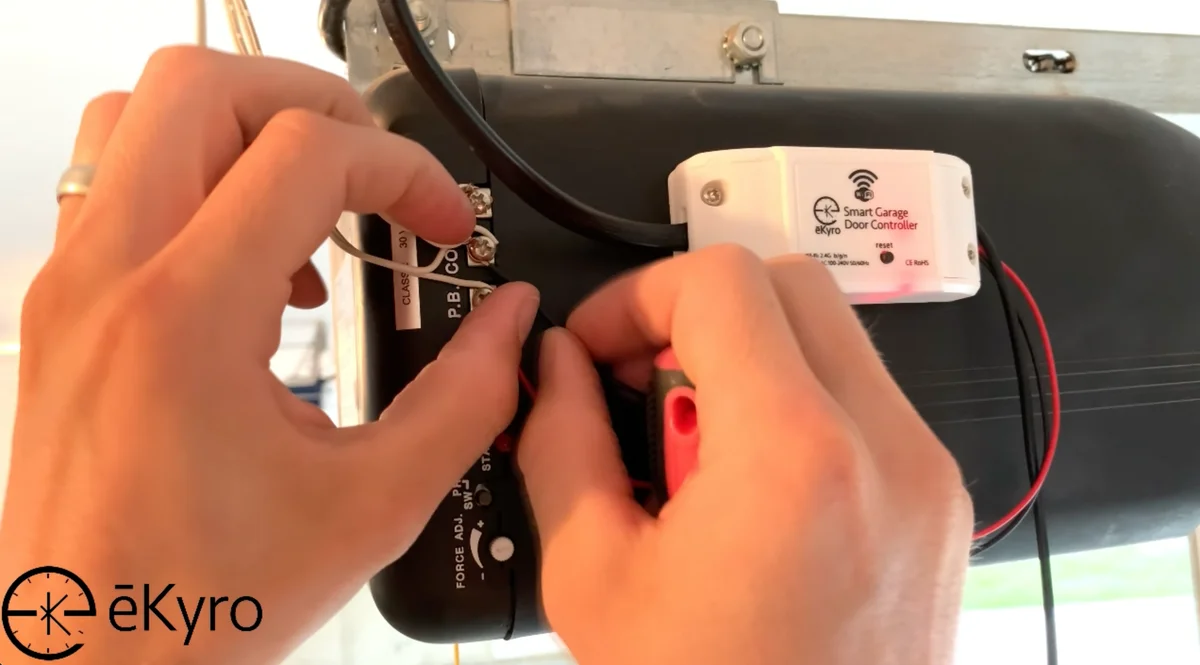 Manufacturer installation photo: eKyro. This is not a PicksLab installation.
Key specs: Network: 2.4GHz Wi-Fi; Door sensing: wired sensors; Configuration: Smart Life app; Siri control: Shortcuts required.
At $34.99, eKyro is worth considering when you already use Smart Life and want garage alerts in the same app. Its setup documentation covers left-open timer alerts and scheduled checks. That is useful if the problem isn’t opening the garage, but noticing that it stayed open after unloading the car.
Use the official Smart Life download links for iOS or Android. Setup needs 2.4GHz Wi-Fi in the garage; Siri control uses the Shortcuts app rather than native HomeKit pairing. Follow the model checker before connecting control wires: eKyro explicitly says some openers need an adapter even when the controller clicks.
Skip it if you want a cable-free sensor installation or native Apple Home integration. The lower purchase price trades away those conveniences. Share the device through app permissions rather than giving everyone the same account password.
2. Meross MSG200, Non-HomeKit Two-Sensor Kit
Buy Meross MSG200 on Amazon ->
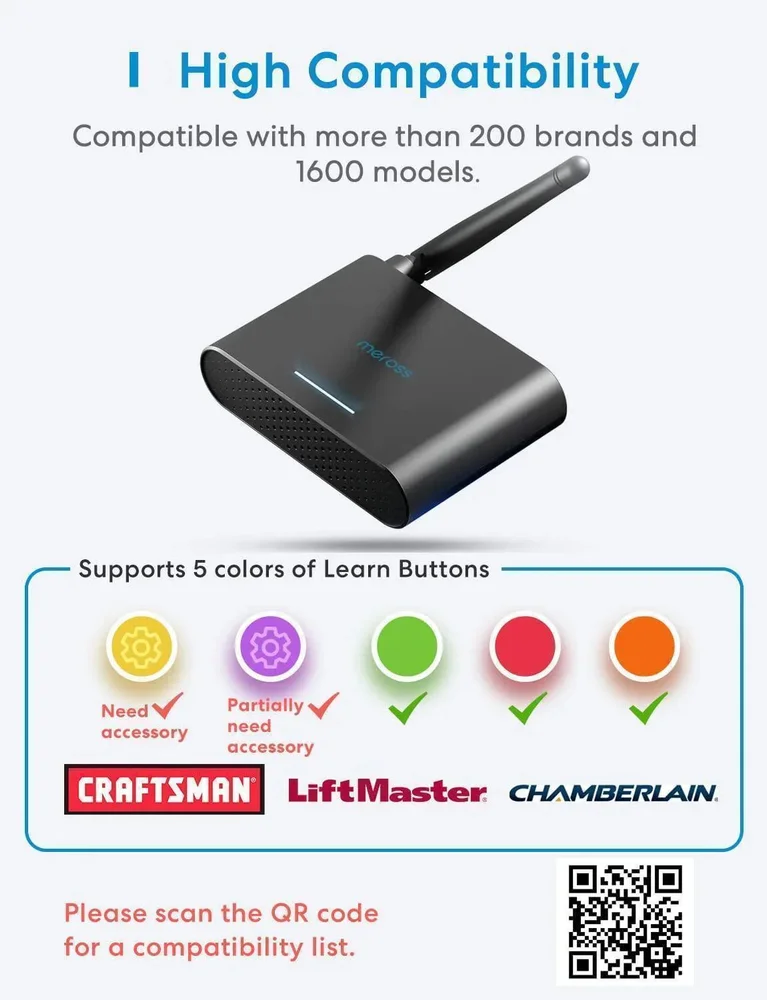 Manufacturer illustration: Meross MSG200 family. Learn-button colors are only a starting point: check the exact opener model and required accessory. The linked offer is non-HomeKit.
Key specs: Door capacity: up to three; Included sensors: two sets in this offer; Antenna: external; Apple Home: not supported by this linked version.
The $39.99 MSG200 makes sense when two compatible doors share one garage. One controller and the included two sensor sets avoid buying separate complete kits for each door. Meross’s family specification documents the three-door design and external antenna; the selected Amazon offer explicitly identifies the non-HomeKit variant. A third door still needs its own sensor, and each opener needs a compatibility check.
Use the Meross app and setup guidance. This non-HomeKit version uses Meross app control on iOS or Android; it cannot be added as a native Apple Home garage door. The more expensive HomeKit version is a different buying decision, not a firmware option we can promise for this kit.
Skip it if Apple Home is a requirement or the doors are too far apart for a practical wired installation. An external antenna is useful hardware to have, but it is not evidence that your detached garage has adequate Wi-Fi. Check the signal where the controller will actually sit.
3. Meross MSG100HK
Buy Meross MSG100HK on Amazon ->
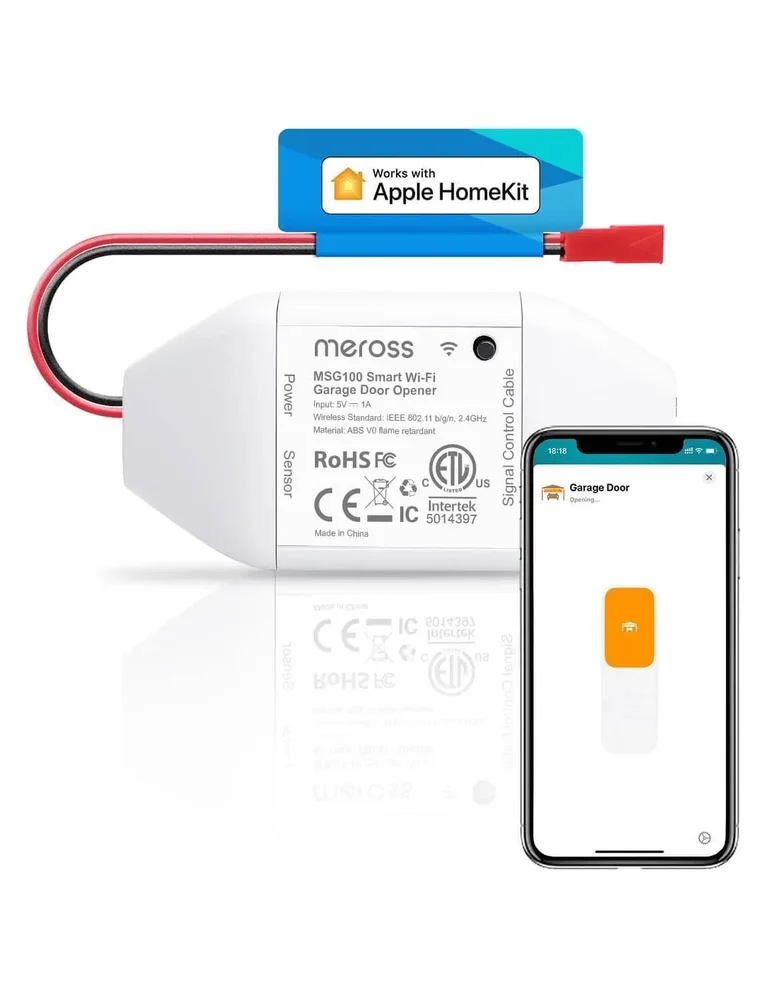 Image: Meross.
Key specs: Door capacity: one; Platform: Apple HomeKit plus Meross app; Alerts: open/close, overtime and overnight; Basic subscription fee: none.
At $49.99, MSG100HK is the straightforward choice here when native Apple Home support is the point of the purchase. Instead of maintaining a separate shortcut just to operate the garage, you can put a compatible door alongside the other accessories in Home. Meross also documents door-status and left-open notifications, which make the controller useful even when you continue using a physical remote most days.
Follow Meross’s HomeKit setup instructions. Pair on 2.4GHz Wi-Fi; remote control through Apple’s Home app requires an Apple home hub. Meross app access and Apple Home remote access are separate paths, so “no Meross hub” is not the same as “no Apple hub needed.”
Skip it if you don’t want to route a sensor cable or your exact opener has not passed the compatibility check. Amazon displayed a frequently-returned notice during our offer check. That notice doesn’t identify a failure rate or its cause, but it’s another reason to resolve the model and accessory requirements before ordering rather than assuming all garage motors work alike.
4. Genie Aladdin Connect ALKT2-R
Buy Genie Aladdin Connect ALKT2-R on Amazon ->
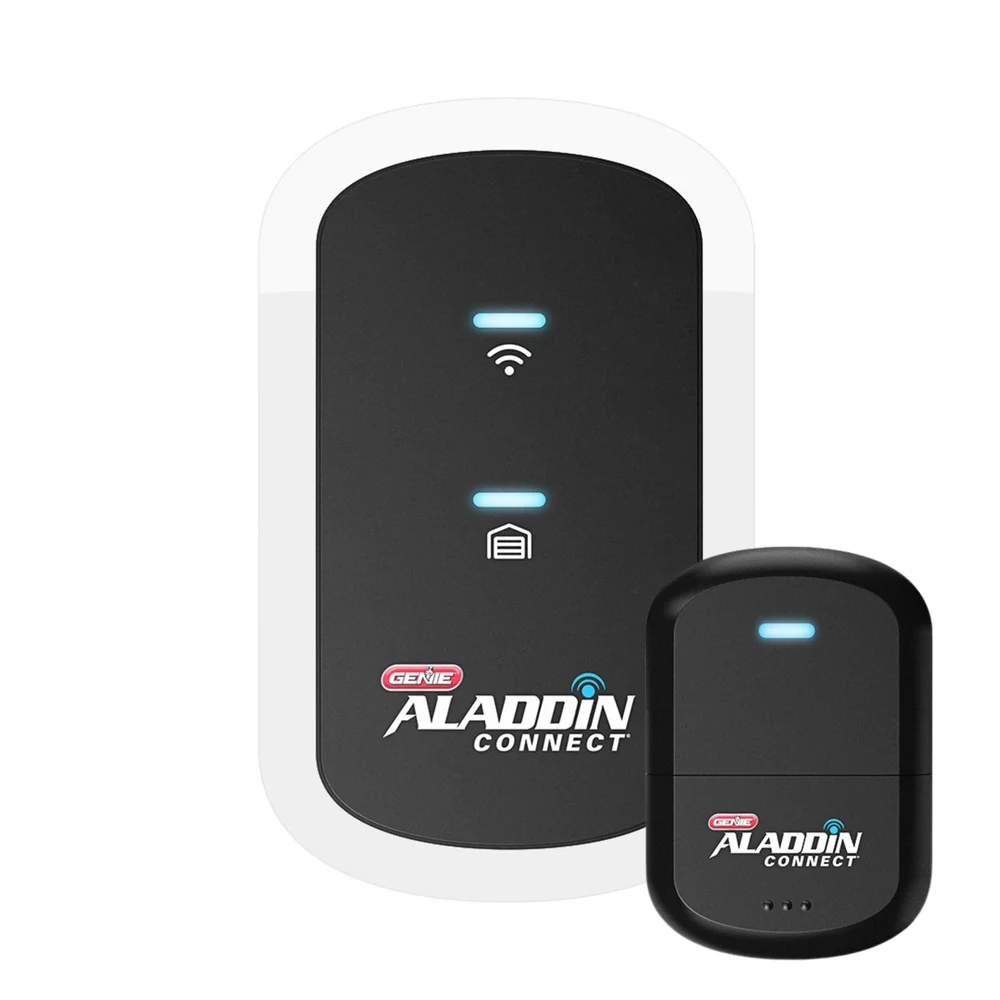 Image: The Genie Company.
Key specs: Kit capacity: one door; Installation: wireless retrofit; Guest access: temporary or ongoing Virtual Keys; App fee: no monthly charge.
The $49.99 ALKT2-R is our first place to look for a single compatible door because wireless installation removes the long sensor-cable run. Temporary Virtual Keys are also a practical distinction: letting a contractor into the garage for an appointment shouldn’t require leaving your usual remote behind. Genie’s current product details describe access sharing and automatic-close rules.
Use Aladdin Connect’s official support and app links. Setup uses the iOS or Android app, Bluetooth pairing and a home Wi-Fi connection. The one-door FAQ says the position sensor must be mounted to the door to finish setup. A wireless kit still needs correct sensor placement and powered hardware.
Skip it if you’re buying one controller expecting to expand it across three doors. This is the ALKT2-R single-door kit, not the older three-door wired model; Genie specifically says the older ALDPS-R sensor is incompatible. The model name on a review matters here just as much as the brand.
5. Chamberlain myQ MYQ-G0401
Buy Chamberlain myQ MYQ-G0401 on Amazon ->
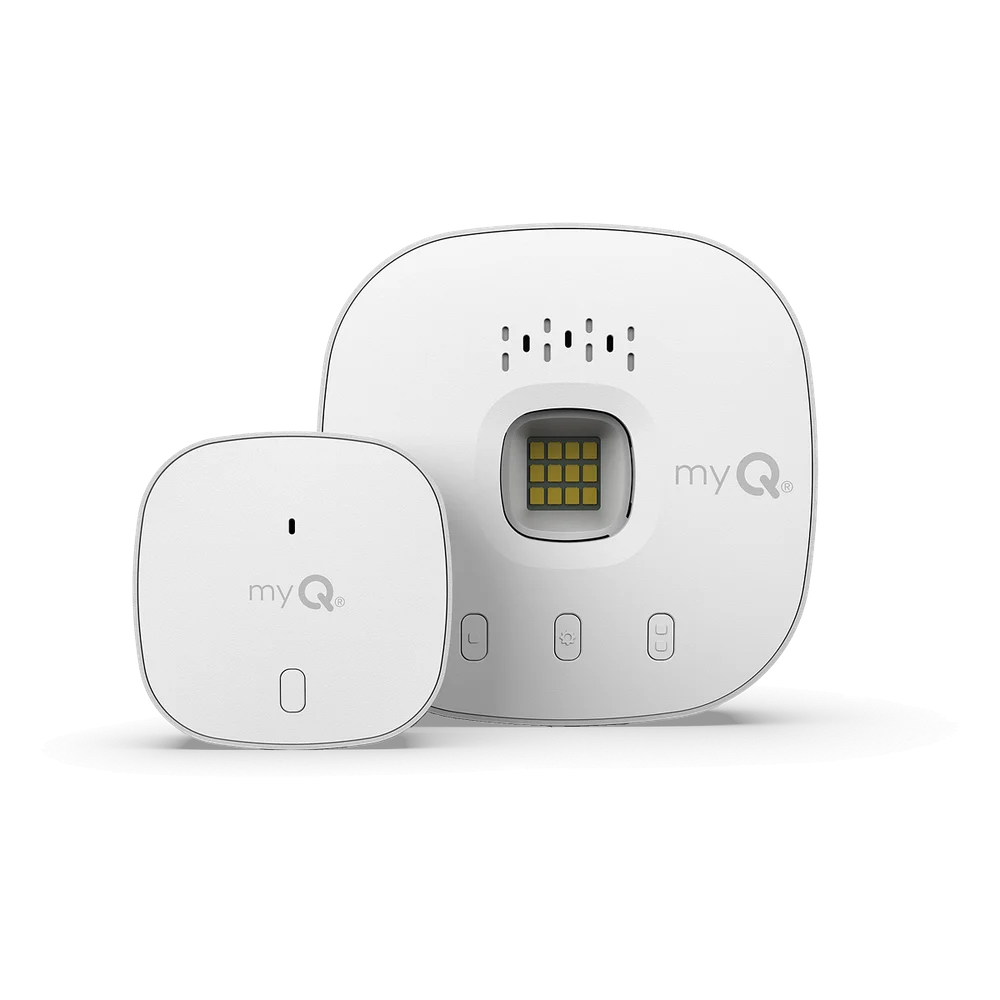 Image: Chamberlain.
Key specs: Door capacity: two with an extra sensor; Second sensor: MYQ-G0402, sold separately; Features: guest access and close schedules; Warranty: one year.
The $59.20 MYQ-G0401 is worth considering when your compatible opener and preferred services already fit the myQ ecosystem. Its documented features include guest access, door-status alerts and scheduled closing. Amazon Key support is relevant only if in-garage delivery is available for your household and you actually want that service.
The official myQ app provides basic remote door control. Use the iOS or Android app and a working internet connection; optional camera subscriptions are separate from basic door control. Don’t treat the hub as a camera or assume every third-party integration is included.
Skip it if your existing Wi-Fi opener already connects to myQ without a hub. Also compare the delivery date before paying: today’s selected seller was Manny’s Hardware, with a November 4 estimate, rather than the next-day Amazon offers shown for some alternatives. A familiar brand isn’t a reason to buy redundant hardware or overlook a slower shipment.
Before You Rely on Remote Closing
Follow the kit and opener manuals, keep all safety sensors and warning systems working, and never bypass a safety device to make an accessory compatible. If wiring or the door mechanism is unfamiliar, use a qualified installer. These products do not repair a binding door or make an unsafe opener safe.
With the garage area clear and the door in sight, check that the app reports its actual position after both an app command and a normal remote-button operation. Then check alerts and permitted guest access. Keep a working physical access method; an internet outage, cloud-service interruption or dead phone shouldn’t leave you depending on a screen.
For a household where several people come and go, our smart-lock guide covers front-door access separately. A security camera can provide a visual check, while water-leak detectors solve a different unattended-home problem. None replaces the garage’s safety system.
Who Should Buy What
- One door, less cable routing: start with Genie ALKT2-R, after checking the current kit’s compatibility.
- Apple Home household: Meross MSG100HK, with an Apple home hub for remote Home access.
- Two doors, no Apple Home requirement: MSG200’s two-sensor bundle, provided the cable routes and both openers qualify.
- Existing Smart Life setup: eKyro keeps configuration in a familiar app.
- myQ-specific services: MYQ-G0401, unless your opener already supplies the connection.
FAQ
Will any of these work with every garage-door opener?
No. Match the exact opener model and the exact controller generation using the manufacturer’s checker or support team. Marketing claims about the percentage of compatible doors are not a substitute for your model result. Any required adapter and functioning safety sensors need to be part of that check.
Is a smart garage controller the same thing as a new opener?
No. A retrofit controller adds monitoring and commands to a compatible working opener. It does not replace the motor, lift mechanism or safety system. If your existing opener already has the app features you want, you may not need another device at all.
Does Siri support mean a controller works with Apple Home?
Not necessarily. eKyro documents Siri through Shortcuts; the MSG100HK is a native HomeKit model. Meross’s cheaper non-HomeKit MSG200 offer must not be confused with MSG200HK. For Home app access away from home, follow Apple’s home-hub requirements.
Does an open-door alert tell me whether the garage is safe to close?
No. A door-position sensor reports position, not a complete view of people, vehicles or objects in the opening. Preserve the opener’s obstruction protection and follow its remote-operation instructions. A camera may add context, but it doesn’t replace those protections either.
Bottom Line
The useful upgrade is being able to answer “did we leave the garage open?” and act on it, without replacing hardware that still works. For one compatible door, the Genie ALKT2-R is a sensible starting point. Choose a different kit when Apple Home, multiple doors or your existing app makes it the better fit. Check the motor label first; the most expensive controller is still the wrong purchase if it can’t operate your door.
This article contains affiliate links. PicksLab may earn a small commission at no extra cost to you. Our recommendations are based on the review method described in this article.