Affiliate disclosure: PicksLab earns commissions on qualifying Amazon purchases via the pickslab-20 tag, at no extra cost to you.
How long would a leak under your kitchen sink go unnoticed? If the answer is “until I need another trash bag,” a small water alarm could be a useful addition to that cabinet. A smart water leak detector adds something you can’t get from a wet floor: a chance to hear about the problem while you’re at work or away for the weekend.
The important difference isn’t which box says “smart.” It’s what you actually get when water reaches the sensor. Some connect straight to Wi-Fi. Others need a separate hub. A cable might detect water along its whole length, or simply let you put a small probe somewhere the main unit won’t fit. And an alarm that sounds downstairs isn’t the same as a notification that reaches your phone.
TL;DR - Our top pick: The YoLink Water Leak Sensor 4 four-sensor kit is our starting point for several rooms: it includes the hub, an audible alarm in each sensor and low-temperature alerts. For just one awkward spot, SwitchBot’s cable model costs much less and doesn’t need a hub, but its documented Wi-Fi wake-up delay matters.
Prices and What Comes in the Box
Prices checked October 16, 2026, lowest package price first. These were ordinary new US offers, not Prime-only, coupon, credit-card or used prices. Tax is extra. Shipping was free for the three higher-priced kits; SwitchBot and Tapo showed free shipping only with an eligible Amazon-shipped order over $35 or Prime. Delivery and checkout totals depend on your address.
| Product | Price checked | Included in this offer | The useful difference |
|---|---|---|---|
| SwitchBot Water Leak Detector with Sensor Cable | $19.99 | One detector, 1 m probe cable and batteries | Direct Wi-Fi; reaches behind an appliance without buying a hub |
| Tapo T300 | $19.99 | One sensor and batteries; no hub | Useful expansion for a compatible Tapo hub, or a local alarm on its own |
| Resideo L1 CHW3610W8001 | $68.00 | One detector, 5 ft sensing cable and batteries | Cable senses along its length; also monitors temperature and humidity |
| YoLink Water Leak Sensor 4 kit | $72.99 | Four Sensor 4 units, batteries and one standard hub | Four separate locations, each with its own audible alarm |
| GoveeLife Water Leak Detector 2 kit | $89.99 | Six H5058 sensors and one H5043 gateway | More separate locations in one starter package |
The Tapo price is not a complete phone-alert system unless you already have a compatible Tapo hub. An Echo speaker or a generic smart-home hub is not automatically a substitute. Our Matter hub guide explains why a familiar ecosystem logo doesn’t settle every accessory’s compatibility.
What Happens When Water Reaches the Sensor?
| Product | Where you hear the alarm | Path to your phone | What senses water | Extra capability or limitation |
|---|---|---|---|---|
| SwitchBot cable model | Detector, rated up to 100 dB | Detector to 2.4 GHz Wi-Fi to SwitchBot app/email | Body contacts plus a probe on a 1 m lead | Wi-Fi connection takes about 30-120 seconds after detection, according to SwitchBot |
| Tapo T300 | Sensor, rated up to 90 dB; hub alarm can be configured | Sensor to compatible Tapo hub to internet/app | Top and bottom contacts | Local alarm works without app setup; remote alerts need the hub |
| Resideo L1 | Detector, rated 100 dBA | Direct Wi-Fi to First Alert app/email | Body contacts and the length of its 5 ft cable | Temperature and humidity alerts as well as water detection |
| YoLink Sensor 4 kit | Each Sensor 4, rated 105 dB | YoLink radio to included hub to internet/app | Top and bottom contacts | Low-temperature alerts; compatible D2D accessories can add local actions |
| GoveeLife Detector 2 kit | Each H5058 sensor, rated up to 100 dB | LoRa to H5043 gateway, then 2.4 GHz Wi-Fi to app/email | Top and bottom contacts | Six sensors; don’t confuse it with the H5059-based 1s system |
Alarm levels are manufacturer ratings, not a measured loudness ranking. A closed cabinet, another floor or hearing needs can change whether you’ll notice one. None of these packages includes a valve that shuts off your plumbing.
1. SwitchBot Water Leak Detector with Sensor Cable
Buy SwitchBot Water Leak Detector with Sensor Cable on Amazon ->
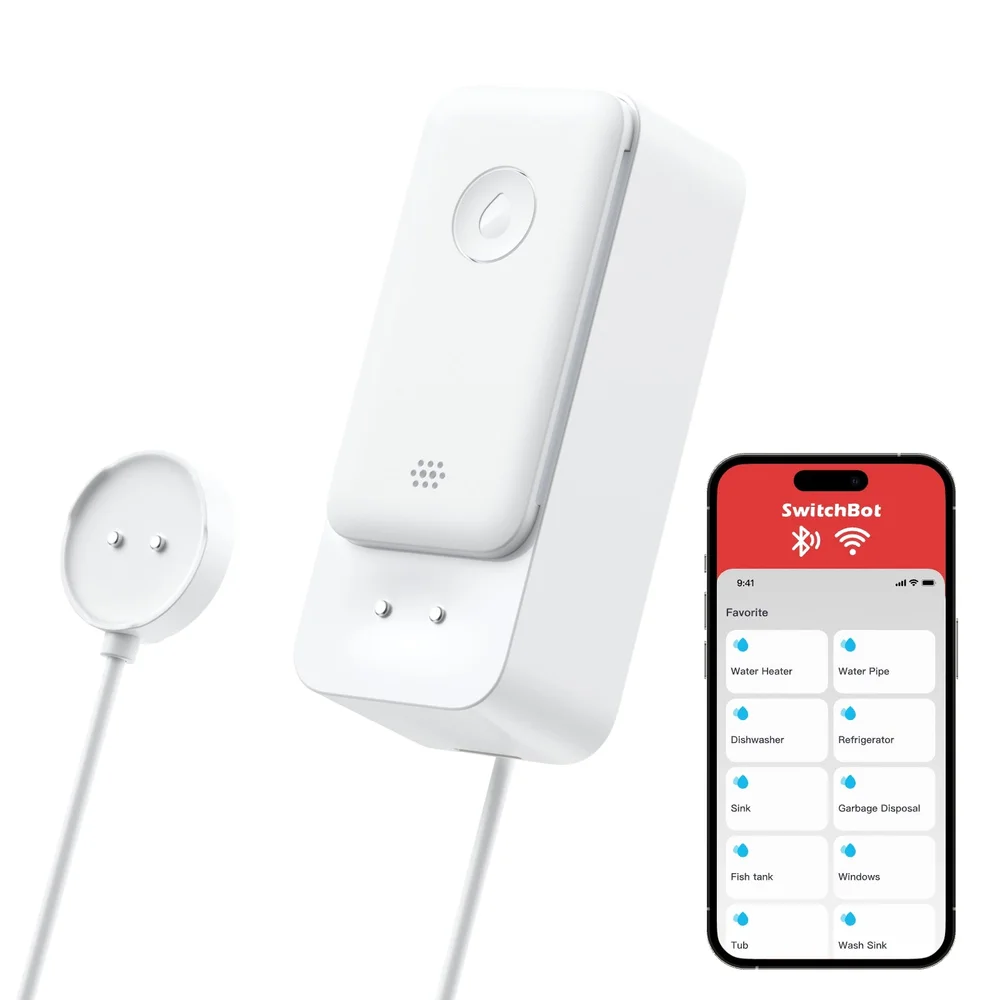 Image: SwitchBot. Phone shown for app illustration; not included.
Price checked: $19.99 for one cable-edition detector, sold by SwitchBot US and shipped by Amazon.
Key specs: Connection: direct 2.4 GHz Wi-Fi; Remote probe: 1 m cable; Alarm: up to 100 dB; Batteries: two AAA; Housing: IP67.
SwitchBot makes sense for a single awkward spot where buying a separate hub feels excessive. The probe can reach behind a washing machine while the main unit stays somewhere you can reach to change batteries or silence it. Its body contacts also detect drips and pooling water. The manufacturer’s product explanation distinguishes this cable edition from the plain detector.
The tradeoff is notification timing. SwitchBot documents a 30-120-second Wi-Fi connection period after a leak triggers the device. That is the connection stage, not a guarantee that a phone notification arrives within two minutes. The local sounder and the remote message are separate events. Skip it if your plan depends on an immediate cloud-triggered response.
Use the SwitchBot app for iOS or Android, enable notifications and configure the detector’s Wi-Fi connection. A hub isn’t required for its own app/email alerts. The 1 m lead positions a probe; don’t treat it as a meter-long sensing rope like the Resideo cable.
2. Tapo T300
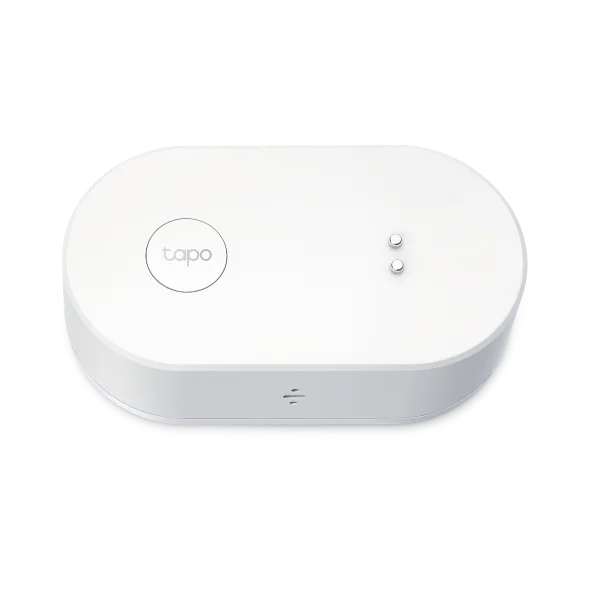 Image: TP-Link Tapo. Sensor only; hub sold separately.
Price checked: $19.99 for one T300, sold and shipped by Amazon.com.
Key specs: Detection: six probes across top and bottom; Alarm: up to 90 dB; Batteries: two AAA; Housing: IP67; Remote alerts: compatible Tapo hub required.
The T300 is a sensible expansion when you already use a compatible Tapo hub. You can put an alarm under another sink without adding a new app ecosystem, and its top contacts give drips a way to trigger it before a puddle reaches the bottom. Tapo’s US specifications also describe hub-triggered alarms and lighting actions.
There is one helpful distinction behind that “hub required” label: Tapo says the sensor’s local alarm works even before app configuration. The hub is needed for connected features. Configure a Smart Action if you want the hub to sound too; don’t assume pairing alone has created every alert you want.
Setup uses the Tapo app for iOS or Android and a compatible hub, such as H100. Follow the official setup and app instructions. Skip this sensor-only offer if you want a complete connected starter kit at the displayed price. Its local alarm is useful, but buying it without a hub won’t give you away-from-home phone alerts.
3. Resideo L1 CHW3610W8001
Buy Resideo L1 CHW3610W8001 on Amazon ->
 Image: Resideo. The checked package also includes a 5 ft sensing cable.
Price checked: $68.00 new, sold by The Portland Group and shipped by Amazon. The lower used offer is not the price compared here.
Key specs: Sensing cable: 5 ft; Alarm: 100 dBA; Batteries: two AA; Additional monitoring: temperature and humidity; Connection: Wi-Fi without a separate hub.
The L1 earns its higher single-location price when a cable is more useful than a puck. Its sensing cable detects water along its length, so you can lay it around the likely leak area rather than betting on water collecting beneath one small sensor. Resideo documents that behavior in its L1 specification sheet. One cable still doesn’t monitor several disconnected rooms.
Its other advantage is context: temperature and humidity alerts can tell you about conditions a basic water-contact alarm doesn’t measure. The exact CHW3610W8001 product page lists those functions, the battery type and the included cable. A temperature alert is a warning about conditions, not proof that every nearby pipe is safe from freezing.
New installations should follow Resideo’s First Alert app guidance, which explicitly lists CHW3610W8001. Older material may refer to the Resideo app. Skip the L1 if your priority is several inexpensive, separate detection points; the multi-sensor kits make that job cheaper.
4. YoLink Water Leak Sensor 4 Kit
Buy YoLink Water Leak Sensor 4 Kit on Amazon ->
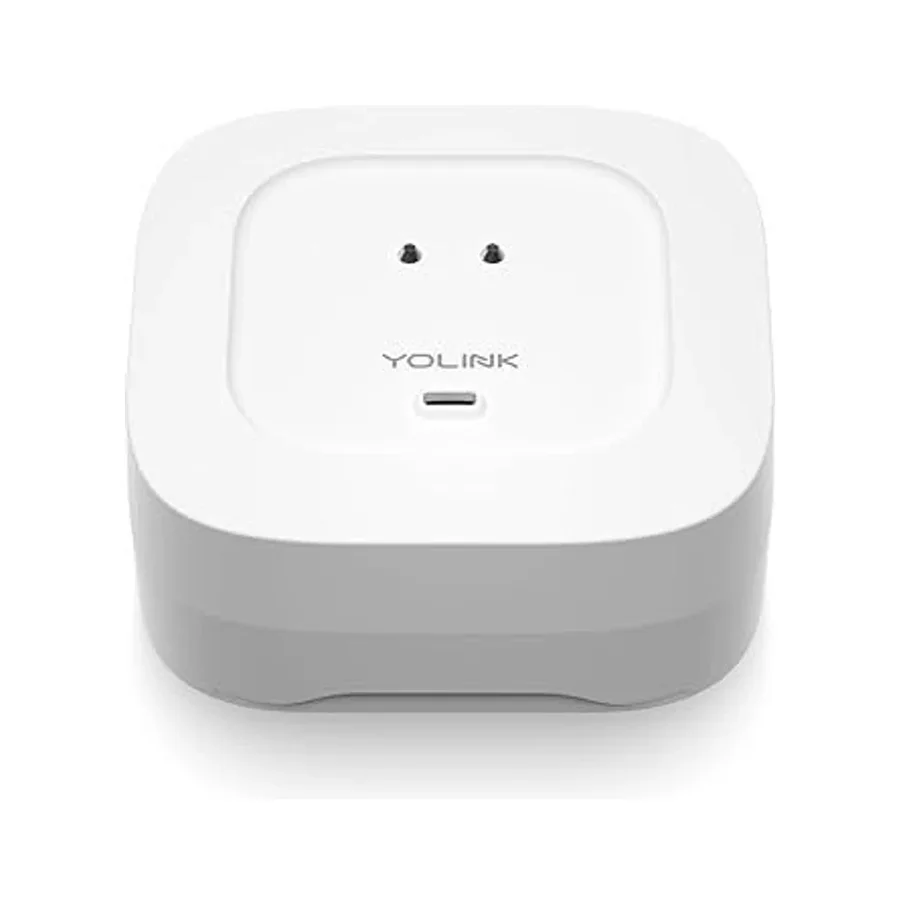 Image: YoLink. One Sensor 4 shown; the linked kit includes four and a standard hub.
Price checked: $72.99 for four sensors plus the hub, sold by Yosmart and shipped by Amazon.
Key specs: Sensor model: YS7906; Alarm: 105 dB in each sensor; Power: two AAA per sensor; Radio: YoLink LoRa through a hub; Low-temperature alert range: adjustable from 23 to 59 F.
YoLink’s four-sensor kit is our starting point for a kitchen, bathroom, laundry area and water heater. Each location gets a separate detector, the hub is included, and each Sensor 4 can sound where the leak occurs. The model number matters: the cheaper Sensor 1 system isn’t the same audible-alarm package. YoLink’s Sensor 4 documentation identifies the added sounder and low-temperature sensing.
The sensors use YoLink’s radio connection rather than joining your Wi-Fi individually. The hub then provides internet access for the YoLink app, available for Apple and Android devices through its setup guide. Give each sensor a location name and configure its alert settings so a message identifies the actual problem area.
YoLink also supports Control-D2D links to compatible sirens or valve controllers without relying on the internet. Those are additional devices and need pairing, radio range and working power. This kit does not include a shutoff valve or a cellular backup connection. Skip it if you want plumbing shutoff out of the box, or need a cable to reach a narrow space that won’t accommodate the sensor.
5. GoveeLife Water Leak Detector 2 Kit
Buy GoveeLife Water Leak Detector 2 Kit on Amazon ->
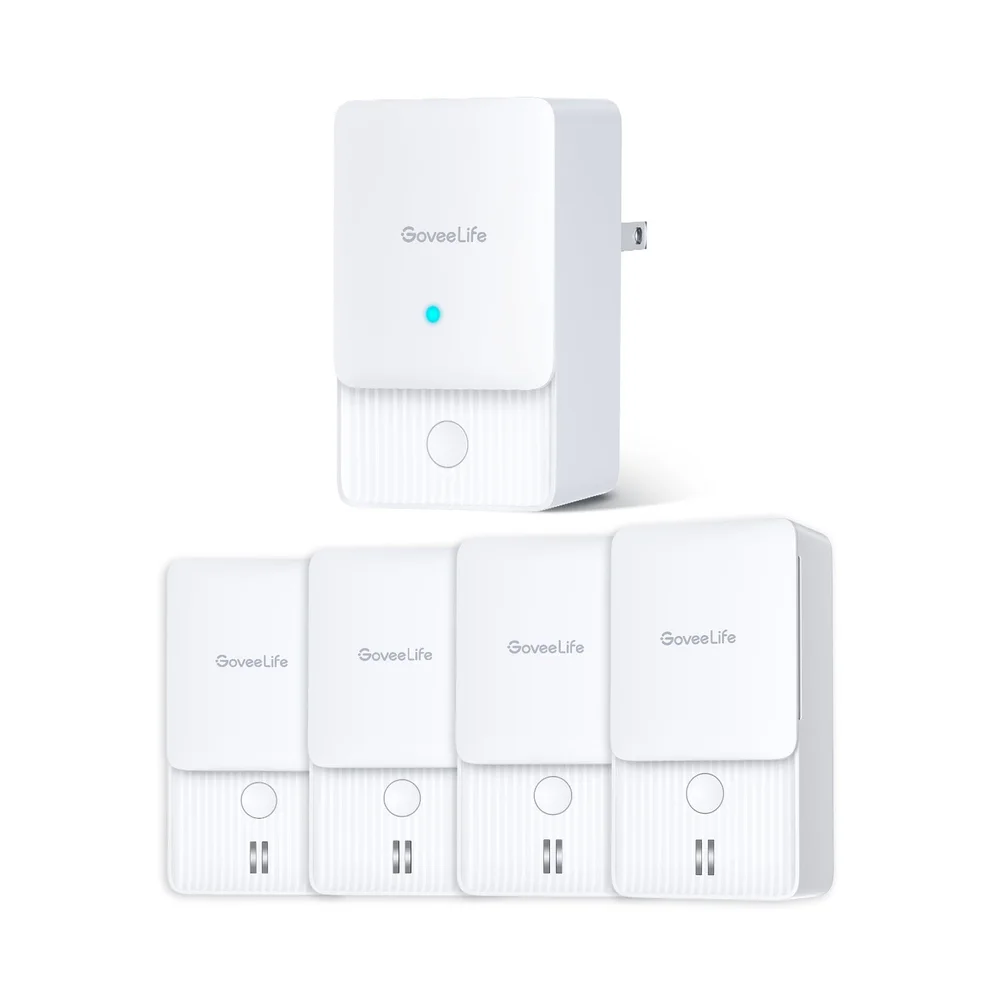 Image: GoveeLife. Catalog photo shows four sensors; the Amazon offer compared here is new and contains six sensors plus the gateway.
Price checked: $89.99 for six sensors plus one gateway, sold by GoveeLife US Direct and shipped by Amazon.
Key specs: Models: H5043 gateway and H5058 sensors; Alarm: up to 100 dB; Detection: two top and four bottom probes per sensor; Sensor housing: IP66; Gateway network: 2.4 GHz Wi-Fi.
GoveeLife’s six-sensor package is the better fit when four locations aren’t enough. A refrigerator water line and a second bathroom can use up the extra pair quickly. The checked listing’s “7 items” means six sensors plus a gateway, not seven sensors. You don’t need an existing Govee setup to start with this package.
The H5058 sensors use LoRa to reach the gateway, which connects to your Wi-Fi. Govee’s official model comparison distinguishes this H5043/H5058 system from the newer H5044/H5059-based 1s. That distinction matters when buying replacement or additional sensors; a shared brand name doesn’t establish pairing compatibility. Its Detector 2 documentation confirms the top/bottom contacts and app/email alerts; that page’s refurbished price is not our recommended offer.
Use the Govee Home app for iOS or Android to set up the gateway and remote notifications. Advertised radio range isn’t a guarantee through your walls. Skip this larger kit if you only need one location or specifically need a remote probe cable; these are separate contact sensors, not cable detectors.
Four Places to Monitor Doesn’t Mean Four Cables
Count separate leak locations before comparing prices. A cable laid around one appliance can cover more of that immediate area, but it doesn’t become a detector under an upstairs sink. Conversely, a six-sensor kit is poor value if five units stay in a drawer.
Using only the exact offers above, four individual SwitchBot cable models total $79.96, before tax. The complete four-sensor YoLink kit is $72.99. That $6.97 difference is small enough that the need for a remote probe, or a preference for one app, should decide it.
For six separate locations, six of those SwitchBot singles total $119.94 versus GoveeLife’s $89.99 kit: $29.95 less for the Govee package. These are package-cost calculations, not claims that no cheaper multipack exists. Tapo needs its hub cost added when starting from nothing; Resideo’s longer sensing cable solves a different placement problem.
A useful first pass is the kitchen sink, each bathroom vanity, the washing machine’s connections and the water heater area. Think about where escaping water would actually run. YoLink’s placement guide emphasizes floor slope and the path of the water, not merely proximity to the appliance. Keep gateways and other mains-powered equipment in dry locations. Don’t move a heavy appliance or reach into wet electrical equipment just to install a sensor.
Test the Notification You Expect to Rely On
A beep proves the local alarm worked. It doesn’t prove your phone will receive a message while you’re out.
After following the model’s setup instructions, test from the intended location using the manufacturer’s recommended method. Then check the remote path with your phone on cellular data and Bluetooth off, leaving the home’s internet connection running. Confirm the location name, the app notification and any email recipient you intend to rely on. This is particularly important for SwitchBot: its notification test procedure says to allow time for Wi-Fi to wake and connect, rather than drying the sensor as soon as it beeps.
An internet outage can interrupt remote alerts even though battery-powered local alarms still have power. A UPS for your network equipment may help through a short household power outage, but it can’t repair an ISP outage. If coverage is poor in the actual cabinet or basement, address that before relying on the alert; our home-router guide separates useful network requirements from headline wireless speeds.
Finally, decide who will respond. A notification during a trip is only useful if you, a household member or someone with authorized access can investigate. Automatic shutoff is a separate purchase and installation decision, not an implied feature of these kits.
Who Should Buy What
- One appliance with an awkward gap: SwitchBot’s cable edition, provided its Wi-Fi delay fits your expectations.
- Adding a sensor to an existing compatible Tapo setup: Tapo T300, with the hub requirement understood.
- Monitoring around a water heater or another continuous area: Resideo L1 for the sensing cable and environmental alerts.
- Starting with four separate locations: YoLink Sensor 4 kit for included hub and sensor-local alarms.
- Covering six separate locations: GoveeLife Detector 2 kit, with the H5043/H5058 model pairing checked.
FAQ
Will these detectors shut off my water automatically?
Not as sold here. They detect water and raise alerts; none of these five offers includes a plumbing shutoff valve. YoLink supports compatible additional valve equipment, and Resideo offers a separate shutoff system. Check the exact controller, valve, installation requirements and offline behavior before treating either as an automatic response system.
Do I need Wi-Fi for the alarm to sound?
The selected detectors have local sounders, so an audible warning and an internet notification are different functions. Tapo explicitly confirms its local alarm works without app configuration. Remote messages need the product’s connected path: working Wi-Fi or a connected hub/gateway, internet service and configured notifications. Don’t interpret a working local beep as proof of away-from-home coverage.
Is the SwitchBot probe cable the same as Resideo’s sensing cable?
No. SwitchBot’s cable lets you position a probe in a hard-to-reach spot. Resideo’s supplied cable detects water along its length. That makes Resideo more suitable for laying around a continuous risk area, while SwitchBot is useful for reaching one narrow gap. Neither cable can tell you about a leak in a separate room that water never reaches it from.
Are these suitable for a sump pump or a permanently wet area?
Don’t assume a waterproof rating makes every detector a continuous water-level monitor. YoLink’s Sensor 4 manual says not to place it where it will always be in water or frequently submerged. A normally dry floor near a sump is a different job from detecting rising water inside the pit. For the latter, select a purpose-built level sensor or a documented probe mode and follow that model’s placement instructions.
Bottom Line
For several rooms, we’d start with the YoLink Sensor 4 kit. For one cramped location, SwitchBot’s cable detector is the less expensive way in. The best water leak detector for your home is the one placed where the water will reach it, with an alert that reaches someone who can act. Buy the right package, name the locations and test that whole path before forgetting about it under the sink.
This article contains affiliate links. PicksLab may earn a small commission at no extra cost to you. Our recommendations are based on the review method described in this article.