Affiliate disclosure: PicksLab earns commissions on qualifying Amazon purchases via the pickslab-20 tag, at no extra cost to you.
TL;DR - Our top pick: The TP-Link Archer BE550 is our researched value pick for a household that wants 6 GHz Wi-Fi and several wired 2.5GbE devices: it leaves four multi-gig LAN ports available after connecting the internet.
You upgrade to fast fiber, connect a NAS, and discover that the router’s one impressive Ethernet socket is already occupied. Or you buy a Wi-Fi 7 router for a new laptop, only to learn it has no 6 GHz radio. Both are avoidable purchasing mistakes. The generation printed on the box does not tell you which connections your household will actually gain.
These five routers cover different combinations of wireless bands, wired connections and management tools. We compared current manufacturer specifications and setup documentation, then checked new US Amazon offers on September 20, 2026. This is research, not a hands-on range, latency or reliability test. Prices below are that day’s observations before tax, not guaranteed checkout prices; the list is ordered from lowest to highest.
| Pick | Checked Price | Best For | Main Compromise |
|---|---|---|---|
| TP-Link Archer BE550 | $199.99 | 6 GHz plus four wired 2.5GbE clients | No 10GbE port |
| GL.iNet Flint 3 GL-BE9300 | $209.99 | VPN configuration and local management | More settings to understand |
| ASUS RT-BE86U | $249.99 | A 10GbE connection without needing 6 GHz | Dual-band; no 6 GHz radio |
| ASUS RT-BE92U | $289.99 | 6 GHz and a flexible 10GbE port | Only one 10GbE socket |
| NETGEAR Nighthawk RS300 | $299.99 | Nighthawk app users with two multi-gig clients | Two LAN ports are only gigabit |
Feature Comparison
LAN means the connections for your own devices. WAN is the connection to your modem or fiber ONT. Shared WAN/LAN sockets have to be assigned a role; one socket cannot serve both cables at once.
| Product | Wireless Bands | Internet Port | LAN Left With That Internet Connection | Management and Optional Costs |
|---|---|---|---|---|
| Archer BE550 | 2.4 / 5 / 6 GHz | 2.5GbE WAN | Four 2.5GbE | Tether or web; HomeShield Pro costs extra |
| Flint 3 | 2.4 / 5 / 6 GHz | 2.5GbE WAN | Four 2.5GbE with second WAN disabled | Local web panel; VPN service purchased separately if needed |
| RT-BE86U | 2.4 / 5 GHz | 10GbE WAN/LAN | Four 2.5GbE when 10GbE is WAN | ASUSWRT or ASUS Router app |
| RT-BE92U | 2.4 / 5 / 6 GHz | 10GbE WAN/LAN | Four 2.5GbE when 10GbE is WAN | ASUSWRT or ASUS Router app |
| RS300 | 2.4 / 5 / 6 GHz | 2.5GbE WAN | Two 2.5GbE plus two 1GbE | Nighthawk app; Armor is optional and paid after its trial |
Count Your Ports Before Buying
Imagine a 2Gbps internet connection, a 2.5GbE NAS and two desktops with 2.5GbE adapters. You need one multi-gig WAN connection and three multi-gig LAN connections. The BE550 and Flint 3 accommodate that directly. The RS300 has enough physical LAN sockets, but only two are multi-gig: the third device would negotiate at gigabit unless you add a suitable switch. This follows from the manufacturers’ port inventories, not a throughput benchmark.
On either ASUS here, putting the internet connection into the 2.5GbE WAN/LAN socket frees the 10GbE socket for a LAN device or switch. You then have one 10GbE and three 2.5GbE LAN connections. Conversely, using 10GbE for the internet leaves four 2.5GbE LAN connections. Neither ASUS provides a direct 10GbE WAN-to-10GbE LAN pair. Buying one for a single wired computer to receive a full 10Gbps internet service would be a mismatch.
If two 10GbE computers need fast local transfers, a suitable switch can connect them locally without sending that traffic through the router’s slower uplink. For a more modest wired expansion, our 2.5GbE switch comparison explains the port count after the uplink is connected. Match the network to your NAS’s actual Ethernet capabilities, too: a faster router cannot upgrade a 1GbE NAS socket.
These are connection-rate ceilings, not promised file-copy speeds. Storage, client adapters, cables, router configuration and protocol overhead can all lower throughput.
1. TP-Link Archer BE550
Buy TP-Link Archer BE550 on Amazon ->
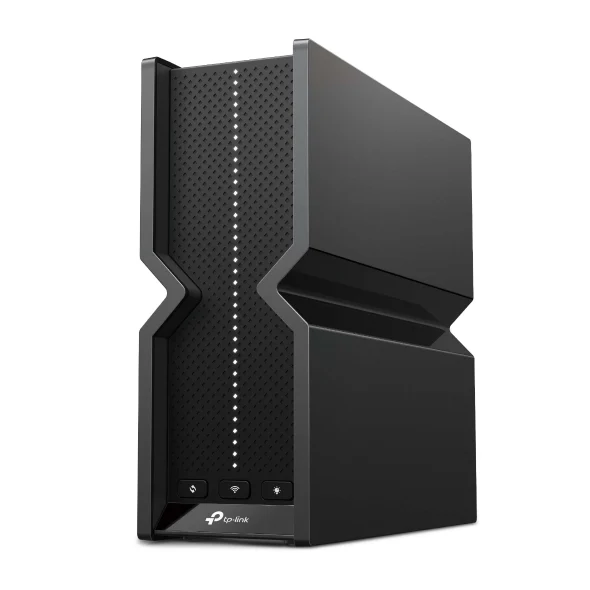 Image: TP-Link.
Key specs: Bands: 2.4, 5 and 6 GHz; Ethernet: one 2.5GbE WAN and four 2.5GbE LAN; USB: one USB 3.0; Wireless channel width: up to 320 MHz on 6 GHz.
Checked price: $199.99. Choose it for a fairly uncomplicated multi-gig household: a NAS, desktop and another wired device can each have a 2.5GbE connection without an extra switch. Its price was the lowest of this verified shortlist, while retaining the 6 GHz band missing from the RT-BE86U.
Configure it through the official Tether app for iOS or Android, or its local browser interface. TP-Link’s specifications and footnotes distinguish HomeShield’s free basic features from the paid Pro plan. Check that distinction before making advanced parental controls the deciding feature.
Skip it if a faster-than-2.5GbE wired link is essential. Its advertised BE9300 class is an aggregate wireless specification, not a 9.3Gbps download guarantee to one computer. Compatible clients are required for features such as 320 MHz channels and Multi-Link Operation.
2. GL.iNet Flint 3 GL-BE9300
Buy GL.iNet Flint 3 on Amazon ->
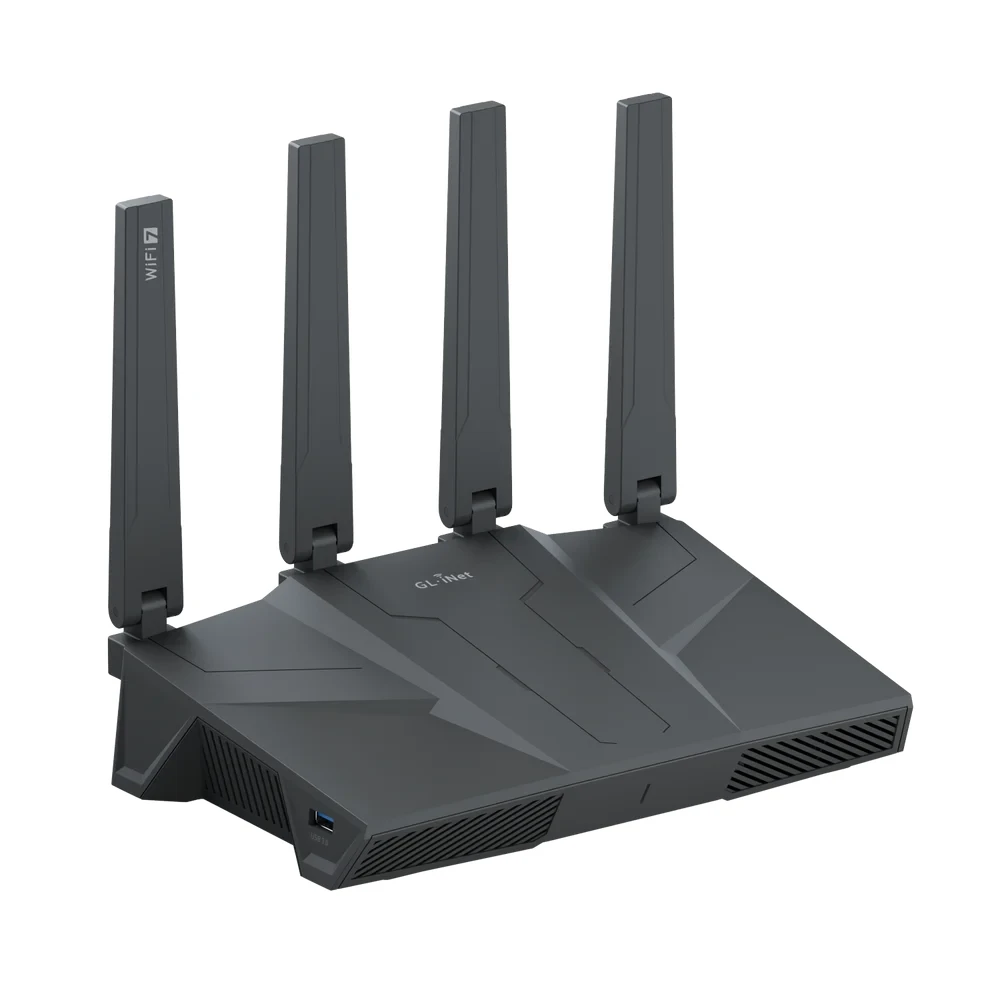 Image: GL.iNet.
Key specs: Bands: 2.4, 5 and 6 GHz; Ethernet: one 2.5GbE WAN, one 2.5GbE WAN/LAN and three 2.5GbE LAN; Memory: 1GB DDR4; Storage: 8GB eMMC.
Checked price: $209.99. Choose it when configuring the network is part of the appeal. The documented OpenVPN and WireGuard client/server controls make it a relevant alternative for someone who wants router-level VPN configuration rather than simply a phone app and a network name. These features do not establish a measured VPN speed advantage.
The Flint 3 setup guide walks through local browser administration after connecting by Wi-Fi or Ethernet. Use the model-specific GL.iNet firmware and documentation; do not assume that arbitrary upstream OpenWrt images or every feature in a general firmware guide are supported. A commercial VPN account, when desired, is separate from the router purchase.
Keep the shared port in LAN mode if you need all four local 2.5GbE connections. A second wired internet connection consumes it. Skip this pick if you will not use the additional configuration options: the BE550 serves the same basic four-client wired layout for less at the checked prices.
3. ASUS RT-BE86U
Buy ASUS RT-BE86U on Amazon ->
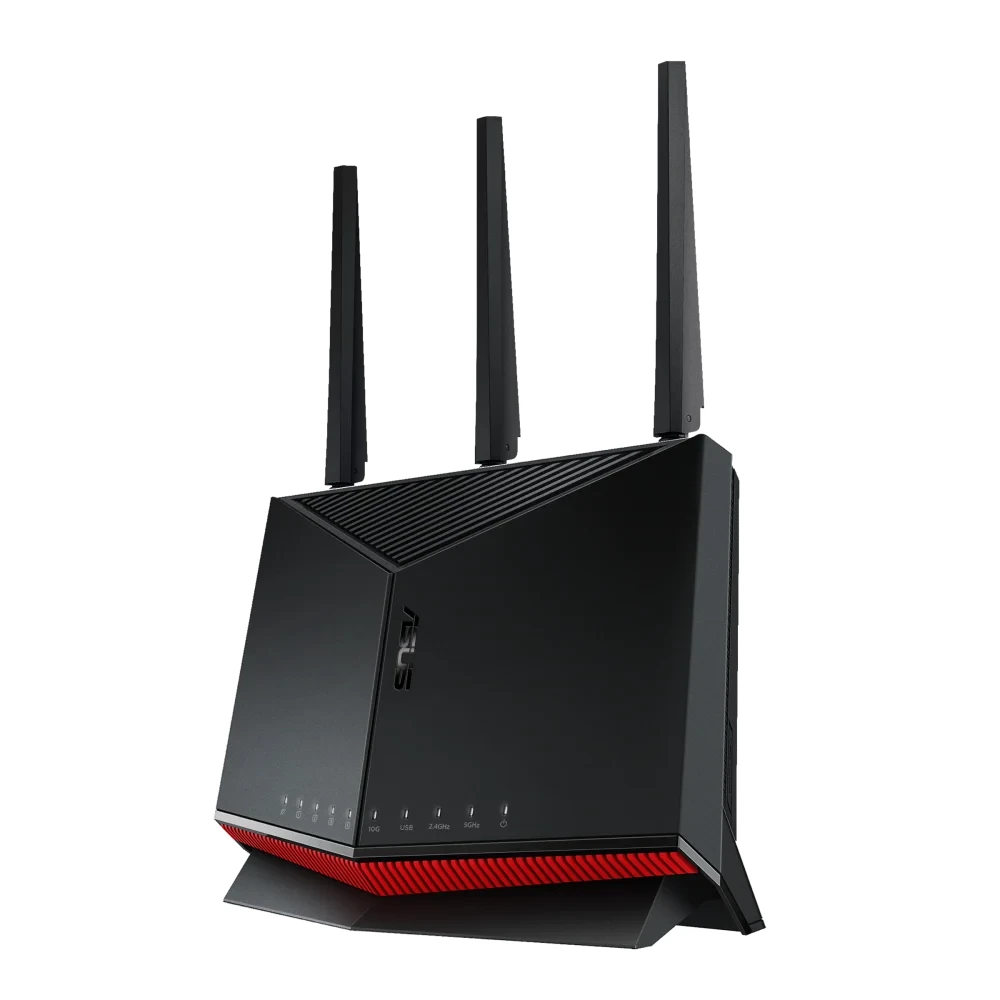 Image: ASUS.
Key specs: Bands: 2.4 and 5 GHz only; Ethernet: one 10GbE WAN/LAN plus four 2.5GbE ports, one WAN/LAN-capable; Processor: 2.6GHz quad-core; Maximum channel width: 160 MHz.
Checked price: $249.99. Choose this model for its wired flexibility, not for access to the 6 GHz band. For example, you can use the 2.5GbE WAN connection for your internet service and reserve the 10GbE socket for a switch uplink. That is a specific reason to spend more than the BE550, even if your current wireless devices do not need a new band.
It supports ASUSWRT browser administration and the official ASUS Router app on supported iOS and Android devices. Install current model firmware before configuring advanced features; ASUS documents feature differences by model and firmware. The RT-BE86U specifications also list AiMesh and WireGuard support.
Skip it if your reason for upgrading is a 6 GHz laptop or phone. Wi-Fi 7 does not automatically mean tri-band, and there is no firmware setting that adds this model’s missing radio. Its single 10GbE port also cannot connect both a 10GbE internet feed and a 10GbE computer directly.
4. ASUS RT-BE92U
Buy ASUS RT-BE92U on Amazon ->
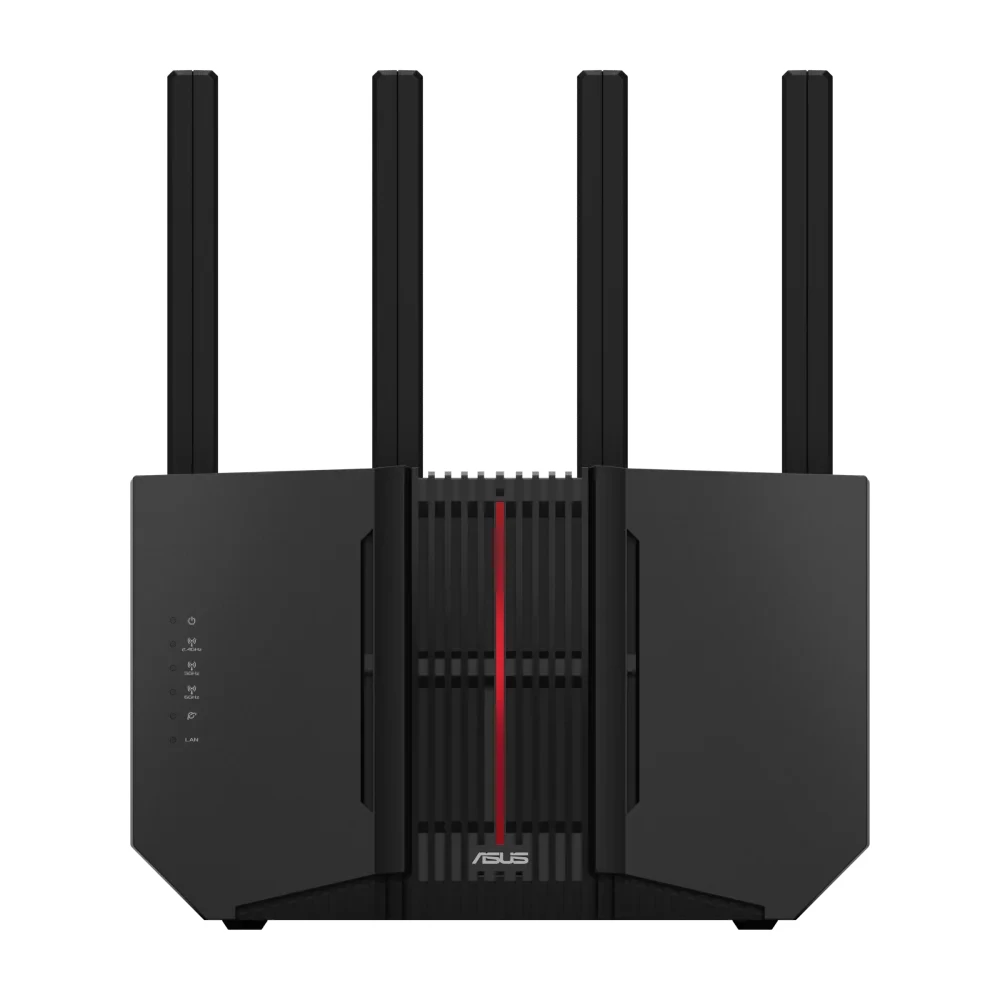 Image: ASUS.
Key specs: Bands: 2.4, 5 and 6 GHz; Ethernet: one 10GbE WAN/LAN plus four 2.5GbE ports, one WAN/LAN-capable; Processor: 2.0GHz quad-core; Included mounting accessory: wall-mount kit.
Checked price: $289.99. Choose it when you need both a 6 GHz radio and the flexible 10GbE connection. At the checked prices it costs $40 more than the RT-BE86U. That is a defensible upgrade for compatible wireless clients, rather than paying more simply because the advertised combined wireless number is larger.
Use ASUSWRT locally or the ASUS Router app; the model’s official specifications list router, access-point and AiMesh modes. Decide the WAN port assignment during setup and check the current firmware instructions for your chosen mode. An access-point configuration is not the same feature set as operating the unit as your router.
Skip it if you only need 2.5GbE and ordinary tri-band Wi-Fi: the cheaper options already cover that. Also skip it for a direct 10GbE-in/10GbE-out requirement. The extra band does not remove the same single-10GbE-socket limitation as the BE86U.
5. NETGEAR Nighthawk RS300
Buy NETGEAR Nighthawk RS300 on Amazon ->
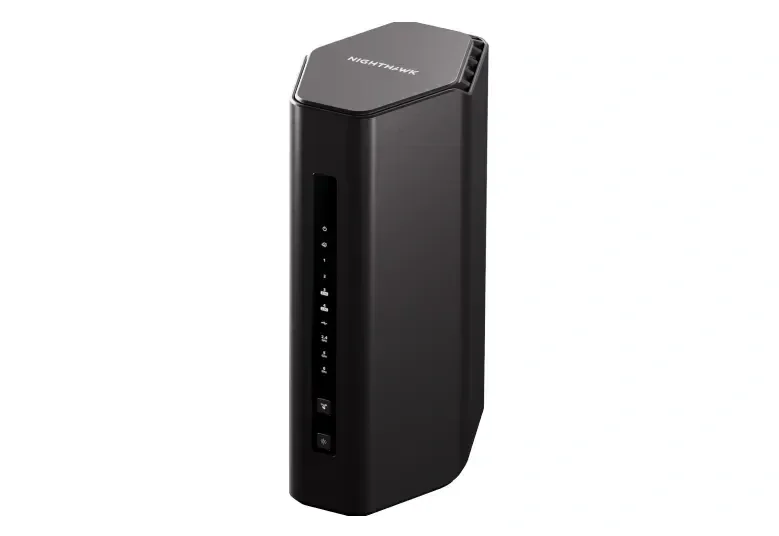 Image: NETGEAR.
Key specs: Bands: 2.4, 5 and 6 GHz; Internet: one 2.5GbE WAN; LAN: two 2.5GbE plus two gigabit ports; USB: one USB 3.0.
Checked price: $299.99. Choose it if you prefer the Nighthawk management experience and need only two wired multi-gig clients. A NAS and a desktop fit; consoles or other gigabit equipment can use the remaining sockets. It is a narrower recommendation at this price because the cheaper BE550 has more multi-gig LAN connections.
The official Nighthawk app supports setup and management on iOS or Android. NETGEAR’s RS300 page specifies a free NETGEAR account for the app setup path. It also distinguishes built-in router security from the optional Armor subscription; the included trial is not permanent free access to Armor.
Skip it if three or four wired clients all need multi-gig connections without a switch. Do not mistake generic Nighthawk-family 10 Gig marketing for this model’s hardware: the RS300 specification table lists a 2.5GbE internet port, not 10GbE. We have not established that its range or reliability justifies a price premium over the others.
When Keeping Your Router Makes More Sense
If your internet plan is below gigabit, coverage is good and local transfers are not a bottleneck, a new badge may change very little. Check the capabilities of the devices you actually use before budgeting for a router replacement. A Wi-Fi 6 device does not gain Wi-Fi 7 features by joining a new network.
For dead rooms or weak upstairs reception, placement and additional access points may matter more than one expensive router. Our budget mesh-system guide addresses that different coverage problem. None of the manufacturer’s square-footage claims is a guarantee for your walls, floors or interference.
Who Should Buy What
- For 6 GHz and several wired devices: choose the Archer BE550.
- For hands-on VPN configuration: consider the Flint 3.
- For a 10GbE LAN uplink without needing 6 GHz: use the RT-BE86U with 2.5GbE assigned to WAN.
- For that port flexibility plus 6 GHz: choose the RT-BE92U.
- For Nighthawk app preference and just two multi-gig clients: consider the RS300.
FAQ
Does every Wi-Fi 7 router support 6 GHz?
No. The ASUS RT-BE86U here uses only 2.4 and 5 GHz. Check the exact model’s operating bands, not just its Wi-Fi generation or BE speed class. A 6 GHz connection also requires a compatible client and supported software; older devices can continue using their supported bands.
Will a BE9300 router give one computer 9.3Gbps internet?
No such result follows from the label. It is an aggregate theoretical wireless class across radios, not one client’s internet throughput. Your service plan, WAN and LAN connections, client capabilities and network conditions remain limiting factors. These routers’ advertised rates are not our benchmark results.
Can I use a 10GbE WAN/LAN port for my NAS?
On the two ASUS models here, you can assign the 2.5GbE WAN/LAN socket to the internet connection and use 10GbE for LAN. The NAS must have a suitable interface, and a second endpoint needs a sufficiently fast path too. One 10GbE socket does not create a direct pair of 10GbE LAN connections.
Do I need to pay a monthly router subscription?
Ordinary routing does not require the optional HomeShield Pro or NETGEAR Armor upgrades discussed here. Advanced security services, some parental controls and commercial VPN services can cost extra. Check the exact feature you need and its current terms instead of assuming that a trial means lifetime inclusion.
Bottom Line
For a 2.5GbE household adding a NAS and compatible 6 GHz devices, start with the Archer BE550. Spend more only for a connection or management feature you can name. Count the ports after assigning WAN, and check the exact wireless bands before checking out.
This article contains affiliate links. PicksLab may earn a small commission at no extra cost to you. Our recommendations are based on the review method described in this article.