Affiliate disclosure: PicksLab earns commissions on qualifying Amazon purchases, at no extra cost to you.
Ever joined a video call with two or three people sitting beside you, then spent half the meeting sliding the laptop toward whoever was talking? The person at the other end keeps asking someone to repeat themselves. Moving the computer helps the microphone, but now nobody can see the screen.
That’s the problem a conference speakerphone is meant to solve. It puts a microphone and speaker near the people at the table while the laptop stays where you can see it. It’s useful for a small team meeting, a client call from a borrowed office, or a family call where everyone wants to join in. You don’t need a permanently installed conference-room system to do that.
We compared five models from EMEET, Yealink, Anker, Poly and Jabra. The important difference isn’t just how many microphones they have. It’s how they connect to your computer, where people will sit, and whether the box includes the adapter you need. One of these doesn’t support phones at all; another advertises Bluetooth but documents it for phones and tablets, not wireless laptop calls.
TL;DR - Our top pick: The Yealink SP92 with dongle is our starting point for a portable laptop setup: the checked bundle includes its computer adapter, USB-C/A connectivity and up to 20 hours of advertised talk time for $85.49. The EMEET Luna costs less and offers a useful wired expansion option.
Prices and What You Get
Prices checked October 26, 2026, lowest to highest, for the new offers described below. These are not used, business-only or Prime-only prices. Tax, shipping, delivery dates and the selected seller can change; Prime delivery labels shown to an account are not a promise of free shipping for everyone.
| Product | Price checked | Useful difference | Check before ordering |
|---|---|---|---|
| EMEET OfficeCore Luna | $69.99 | Included wireless computer adapter; can link to another compatible unit | Original Luna, not Luna Lite or Luna Plus; expansion cable costs extra |
| Yealink SP92 with dongle | $85.49 | BT51C adapter and USB-C/A options in the selected bundle | There is also a cheaper-looking no-dongle version |
| Anker PowerConf S330 | $99.99 | Wired computer-only operation; no battery to keep charged | USB power requirement matters; not a phone speakerphone |
| Poly Sync 20+ USB-C | $134.99 | Computer adapter, phone-charging port and IP64 rating | Selected USB-C adapter bundle; delivery was November 7-9 in our check |
| Jabra Speak2 55, 2025 Edition | $176.40 | Voice-level normalization and integrated USB-C/A computer cable | Plan on USB for laptop calls, not native laptop Bluetooth |
The Luna offer was sold by EMEET OFFICIAL, the SP92 by Yealink Direct Store, and the S330 by AnkerDirect, all shipped by Amazon. The Poly offer was sold by DocStockerStore LLC and shipped by Amazon; Jabra was sold and shipped by Amazon.com. The S330 page also displayed a lower third-party offer, but the table uses the directly checked AnkerDirect purchase box.
The Connection Differences That Matter
| Product | Computer connection | Phone connection | Advertised battery | Expansion or important limit |
|---|---|---|---|---|
| EMEET Luna | USB cable or included USB adapter | Bluetooth | Up to 10 hours | Compatible second unit and EMEET daisy-chain cable required for expansion |
| Yealink SP92 | USB cable, included BT51C adapter, or documented PC Bluetooth pairing | Bluetooth | Up to 20 hours | Manufacturer specifies pickup up to 4m; that is not a room-acoustics guarantee |
| Anker S330 | USB-C cable; supplied USB-A adapter where needed | Not supported | USB-powered, no battery | Manual specifies 5V/2A input; check the computer port or powered hub |
| Poly Sync 20+ | Integrated USB-C cable or included wireless adapter | Bluetooth | Up to 20 hours | Manufacturer specifies 2m pickup and a 3m x 3m room |
| Jabra Speak2 55 | Integrated USB-C cable with USB-A adapter | Bluetooth for smartphones/tablets | Up to 12 hours | Official specification limits Bluetooth support to mobile devices |
Battery figures are manufacturer maxima, not directly comparable runtime tests. Likewise, a claimed participant count doesn’t tell you whether someone at the far end of your particular table will sound clear.
1. EMEET OfficeCore Luna
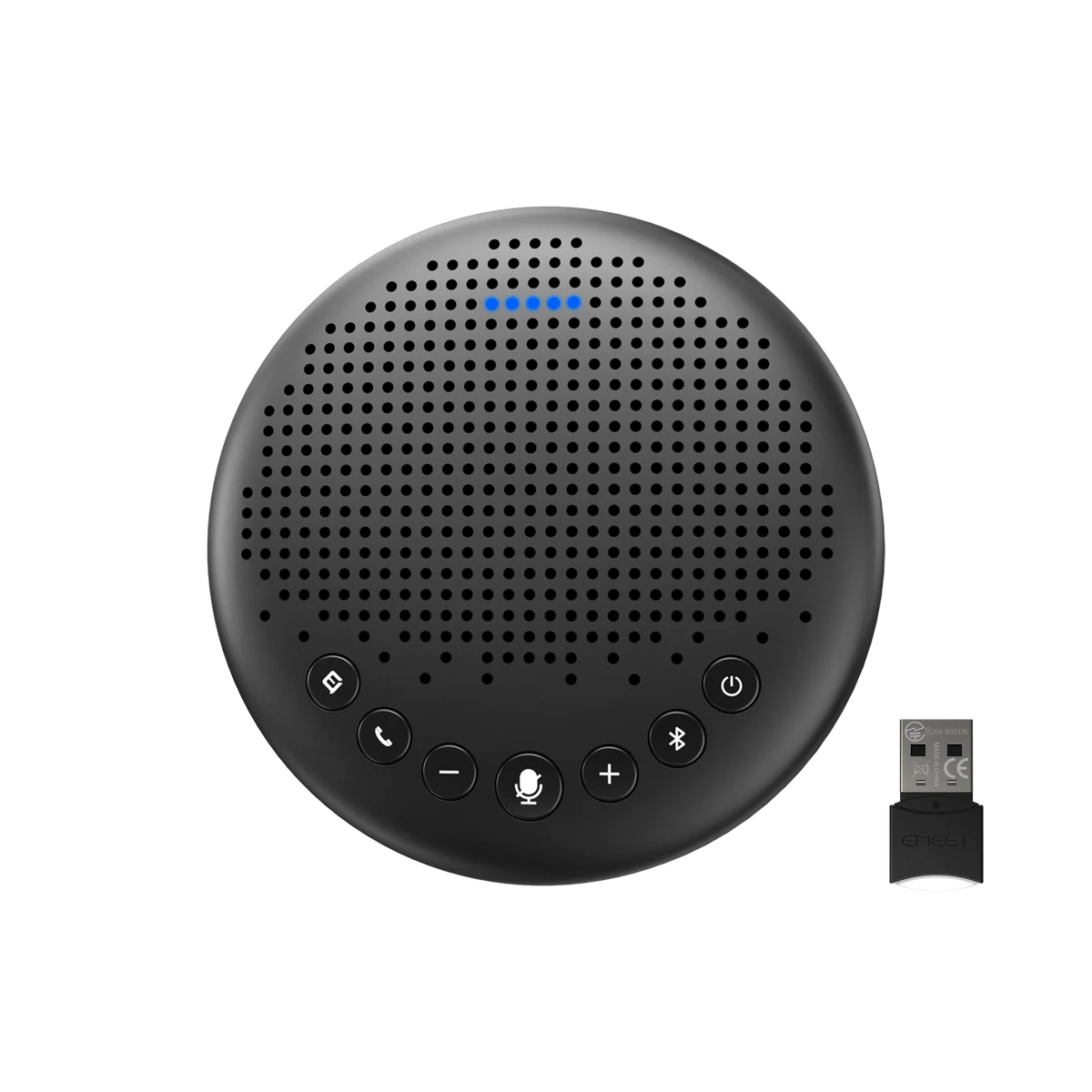 Image: EMEET.
Key specs: Microphones: three omnidirectional; Battery: up to 10 hours of talk time; Connections: USB, Bluetooth, USB adapter and 3.5mm; Weight: 301g.
At $69.99, the Luna is appealing because the included computer adapter and optional wired expansion give it somewhere to go beyond a solo desk. You can start with one speakerphone, then add a compatible second unit and EMEET’s separate daisy-chain cable if people routinely sit farther apart. That extends the shared microphone/speaker setup; it doesn’t create a stereo music system.
Its noise-reduction button deserves more attention than the marketing participant count. EMEET recommends its default mode in a quiet room and says callers should stay within 1.5m when Voice IA is enabled. Turning on stronger processing is not automatically an improvement for someone sitting at the far end. See the Luna support guide for those conditions and the expansion connections.
Use EMEETLINK for supported configuration and updates. The desktop software supports Windows 10 or later on non-ARM systems, and macOS 10.14 or later. Ordinary call audio and the configuration application’s OS support are separate questions. Skip it if you need a single unit to cover a long, reverberant room without checking seating distances.
2. Yealink SP92 With BT51C Dongle
Buy Yealink SP92 with dongle on Amazon ->
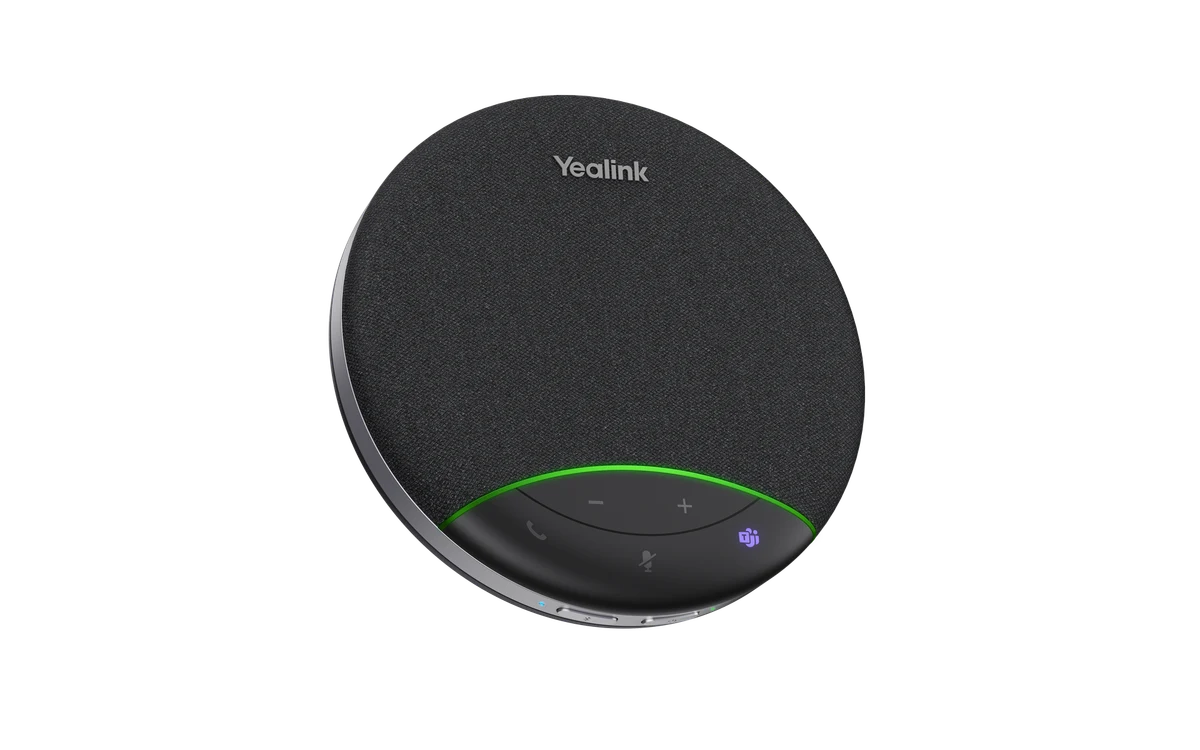 Image: Yealink. Adapter not pictured.
Key specs: Microphone: one omnidirectional; Speaker: 50mm; Battery: up to 20 hours of talk time; Bundle: BT51C dongle plus USB-C/A adapter; Weight: 276g.
The $85.49 SP92 bundle makes sense when your meeting moves between a home office, a shared table and a laptop bag. The included BT51C gives the laptop a supported wireless connection without making its built-in Bluetooth the only option. A USB cable remains available when charging or a wired connection is more convenient.
Yealink specifies full-duplex audio, echo cancellation and pickup up to 4m in its SP92 documentation. Full duplex means the device is designed to carry both sides of a conversation simultaneously, rather than making everyone take turns. It does not mean its one microphone will outperform every multi-microphone competitor in every room.
The computer setup guide covers USB, adapter and PC Bluetooth connections. For management, use the official Yealink USB Connect download guidance. Use the Windows or macOS package for your computer; managed work laptops may require IT approval. Skip it if your main requirement is a documented multi-unit expansion system for a long table.
3. Anker PowerConf S330
Buy Anker PowerConf S330 on Amazon ->
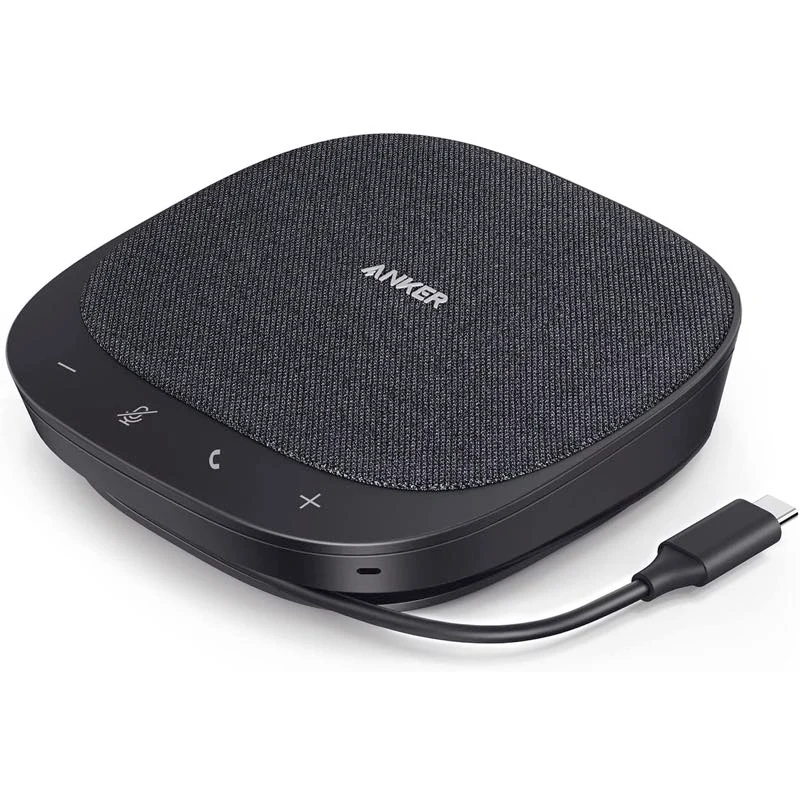 Image: Anker.
Key specs: Microphones: four; Speaker: 3W, 1.75-inch driver; Power input: 5V/2A; Connection: wired USB-C with USB-A adapter; Model: A3308.
The $99.99 S330 is for the desk where calls always run through a computer. Its wired-only design removes charging and Bluetooth pairing from the routine. Plug it into the supported USB connection, select it for microphone and speaker, and leave it there. That simplicity is its reason to exist beside the less expensive wireless Yealink.
There is a catch worth checking before buying: the S330 manual specifies 5V/2A input and warns about insufficient computer USB power. A connector that physically fits isn’t proof that an older port or an unpowered hub can supply it. The same manual explicitly says not to connect the S330 to a smartphone. Skip it if you want Bluetooth phone calls or a portable battery-powered unit.
For firmware, install AnkerWork desktop software. Firmware updates require Windows 10 or later, or macOS 10.14 or later; the Windows 7/8 downloads do not support firmware updates. The call button’s answer/end behavior also depends on supported conferencing software, so confirm it in your actual app instead of assuming every button works in every browser call.
4. Poly Sync 20+ USB-C
Buy Poly Sync 20+ USB-C on Amazon ->
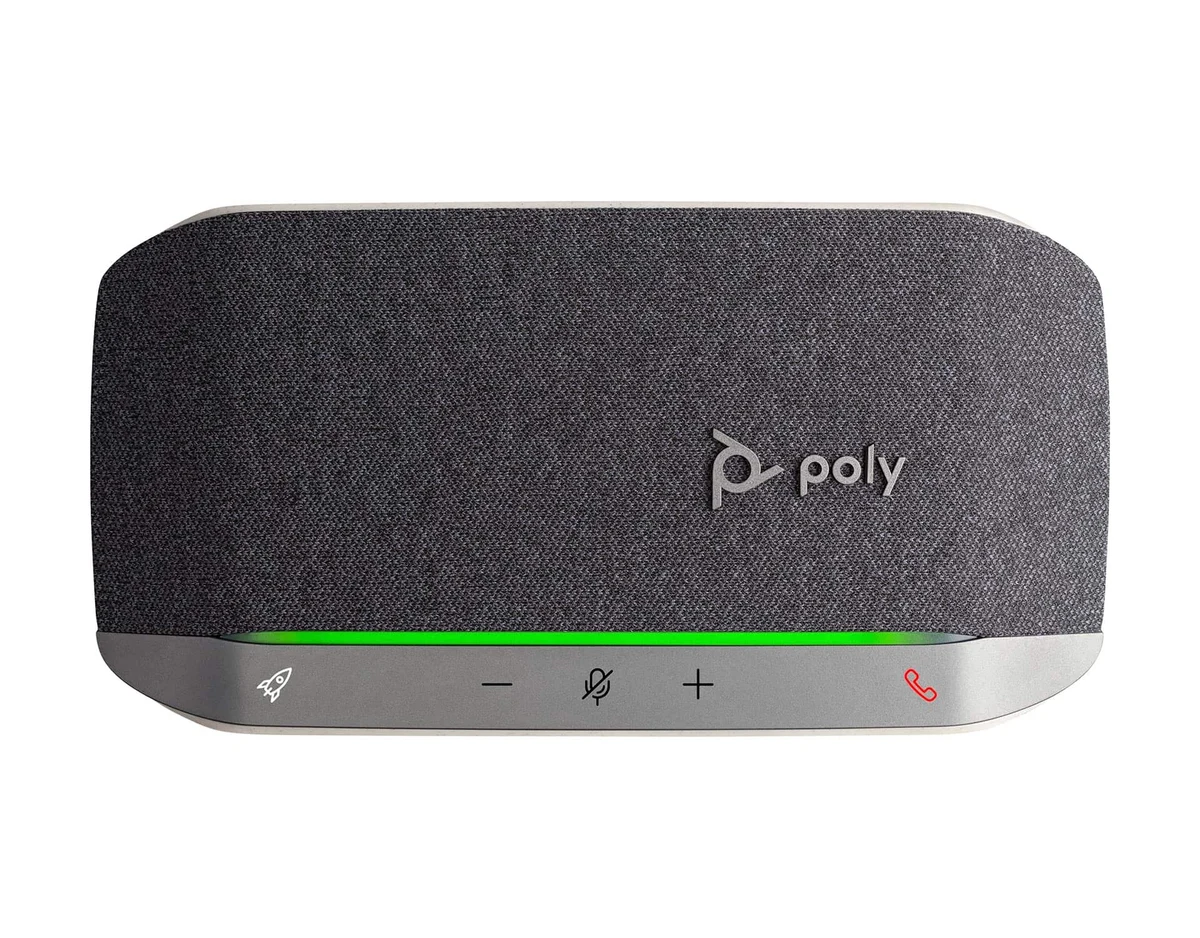 Image: HP Poly. Speakerphone shown; adapter generations differ by bundle.
Key specs: Microphones: three; Battery: up to 20 hours of talk time; Pickup: up to 2m; Protection: IP64; Phone charging: USB-A output.
The $134.99 Sync 20+ is a useful travel option when you want a computer adapter, some dust/splash protection and a phone-charging port in the same bag. Its USB-A output can help a phone get through a call; it isn’t a substitute for a laptop power bank. The elongated body also gives it a different footprint from the round pucks here.
The plus sign matters. The selected offer includes a USB-C Bluetooth computer adapter; a plain Sync 20 listing may not. HP’s Sync 20+ features explain the adapter, full-duplex audio and charging function. The series specifications put pickup at 2m in a 3m x 3m room. Those are much more useful planning limits than assuming any conference speaker covers any conference room.
HP Poly Studio Desktop has replaced Poly Lens App. Choose the Windows or macOS installer for settings and firmware; do not assume the mobile app supports every Sync 20 configuration function. Skip it if you need the speakerphone immediately: the checked seller’s delivery estimate was November 7-9, not next day.
5. Jabra Speak2 55, 2025 Edition
Buy Jabra Speak2 55 on Amazon ->
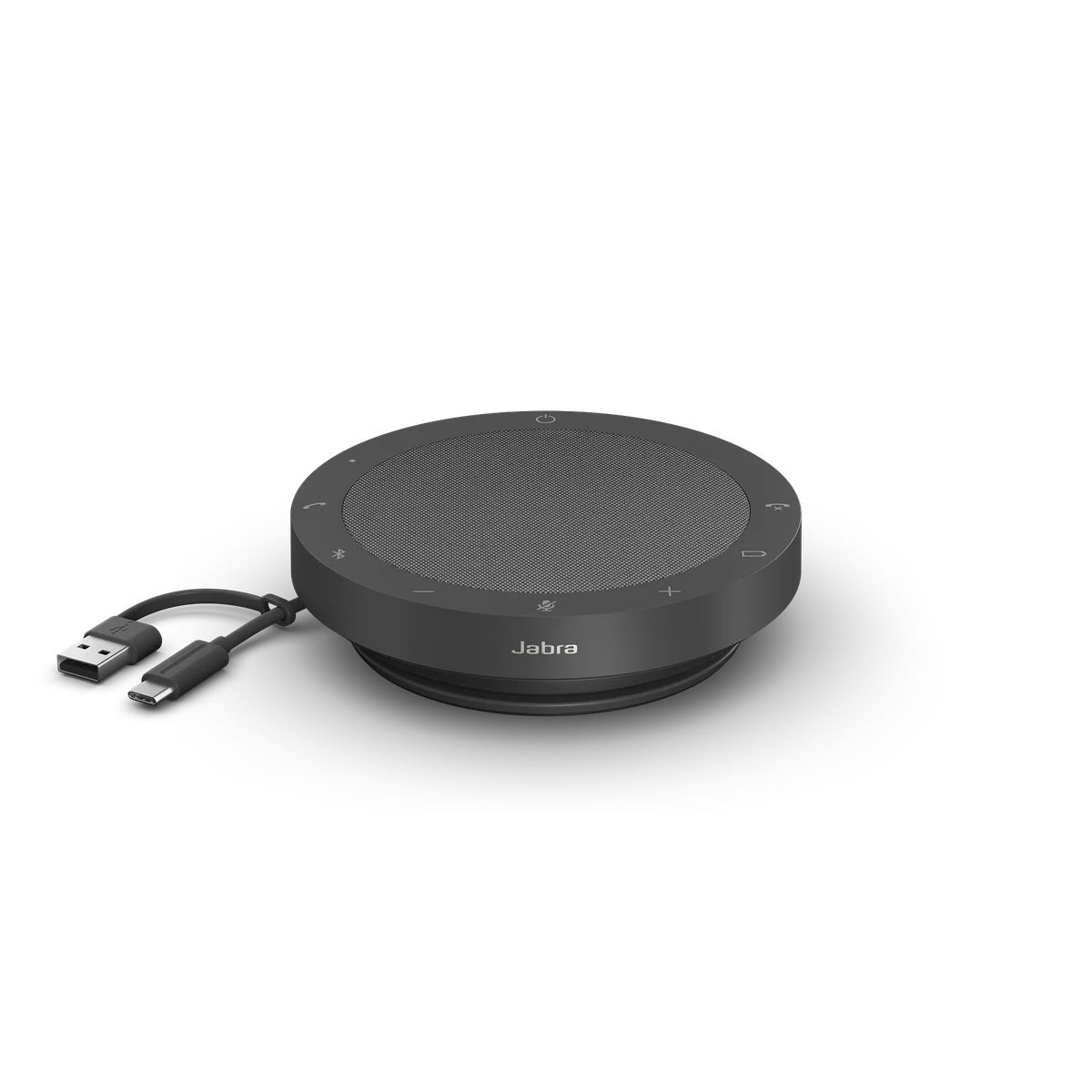 Image: Jabra. USB-C charging adapter from the checked 2025 bundle is not pictured.
Key specs: Microphones: four digital MEMS; Speaker: 50mm; Battery: up to 12 hours of talk time; Pickup: up to 2.3m; Protection: IP64.
At $176.40, the Speak2 55 earns consideration for voice-level normalization and integrated USB-A/C connectivity, not simply for being the most expensive option. Normalization is intended to balance louder and quieter speakers. That addresses a familiar small-meeting problem: one person speaks softly while someone else is much closer to the microphone.
However, read the Bluetooth qualification before treating this as a wireless laptop accessory. Jabra’s specification lists Bluetooth for smartphones and tablets only. The Amazon copy was broader. We would plan a computer setup around the integrated USB cable, not buy it on the assumption that native laptop Bluetooth has the same support. Skip it if a supported wireless laptop connection is the reason you’re shopping.
Use Jabra Direct for device settings and firmware. Connect by USB to a Windows or Mac computer for Jabra Direct; phone Bluetooth is not the firmware-management route. Teams-specific controls depend on the exact edition and application. The checked 2025 package adds a USB-C charging adapter, but that is not a wireless computer dongle.
Set Up the Table, Not Just the Speaker
Picture four people around a kitchen table reviewing a project with someone calling in. One laptop hosts the call and sits where everyone can see its screen. The speakerphone goes nearer the center of the group. The other laptops can display documents, but they shouldn’t also be playing the same call through their speakers.
Use this connection and seating check before deciding whether to keep a new unit:
- Start with one audio host. Select the speakerphone as both microphone and speaker in the meeting app. Disconnect meeting audio on other devices in the same room; muting only their microphones can still leave duplicate playback.
- Test the least convenient seat. Ask the remote participant to listen while someone speaks normally from the far end. Moving the speakerphone or seating people closer may help more than selecting a stronger noise filter.
- Try an interruption. Have the remote person speak while someone at the table briefly responds. Listen for missing first words or one side disappearing. This checks the whole call path, not just a full-duplex label.
- Test the mode you’ll actually use. Try the supplied adapter, then USB if wireless is unreliable. Check mute and answer/end controls in the actual Teams, Zoom or browser application. Repeat with your normal fan or air conditioner running.
- Treat privacy as part of the purchase. Everyone nearby hears the other side of a speakerphone call. For private work or a shared noisy office, a headset is the better tool.
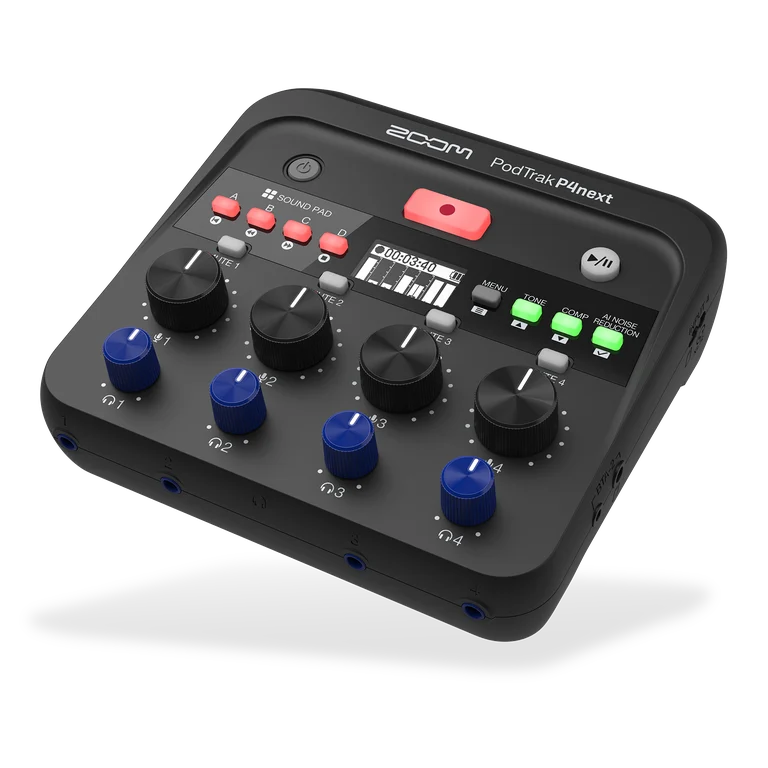
This is also why a speakerphone isn’t automatically a good podcast microphone. For one person recording narration, a close-positioned USB microphone gives you a different kind of control. For several recorded voices with separate microphones, our podcast mixer comparison covers the more involved setup. These five products are primarily about sharing a live call, not creating separate recording tracks.
Who Should Buy What
- A portable laptop setup without adapter guesswork: start with the SP92 dongle bundle.
- A lower-cost first unit with an expansion route: consider the original Luna, remembering the extra unit and cable are separate purchases.
- A permanent computer-only desk: the S330 avoids battery maintenance, provided the USB power requirement is met.
- Travel with phone-charging utility: the Sync 20+ adds useful hardware, but check its delivery date.
- USB meetings with noticeably different speaking levels: consider the Speak2 55 for its normalization feature, without assuming it fixes room acoustics.
FAQ
Is a conference speakerphone better than my laptop microphone?
Its main advantage is placement: a shared microphone can sit closer to everyone while the screen stays where it’s visible. It also combines microphone and playback with conferencing-oriented echo processing. That doesn’t guarantee better results in every room. If you’re alone, close to a laptop and already sound clear, there may be little reason to buy one.
Can I use any Bluetooth speaker instead?
Not every Bluetooth speaker has a call microphone or supports the connection your meeting app needs. A music speaker’s output quality says nothing about how it captures your voice. Check microphone support, the computer connection and simultaneous two-way audio, rather than treating Bluetooth as one universal feature.
Will these work without a subscription?
The basic microphone and speaker functions don’t require a separate speakerphone subscription. Your meeting platform can still have its own account, time-limit or paid-plan requirements. None of these should be bought on the assumption that it includes transcription, recording storage or an AI meeting assistant.
Can two speakerphones cover a bigger table?
Only use a supported linking arrangement. The original Luna documents expansion with a compatible unit and EMEET daisy-chain cable. Two unrelated Bluetooth speakerphones joined to the same meeting are not an equivalent system and can create duplicate audio. Check the second unit, cable and host connection before buying for a larger room.
Why isn’t the Anker PowerConf S3 on this list?
Anker has a serial-number-based A3302 recall covering affected units manufactured in March and April 2023 because of a potential battery fire risk. That does not mean every S3 is affected, but an online stock listing did not establish the serial number of the unit a buyer would receive. We selected the wired S330 instead. Existing S3 owners should use Anker’s recall checker and follow its instructions if their unit is affected.
Bottom Line
Buy a speakerphone because several people need to join the same call, not because a product page promises a bigger microphone count. The Yealink SP92 with its included computer dongle is our practical starting point at the checked price. Put it where the conversation happens, test the farthest seat, and keep a USB cable available. That’s a more useful plan than buying an expensive puck and hoping it can hear through a whole room.
This article contains affiliate links. PicksLab may earn a small commission at no extra cost to you. Our recommendations are based on the review method described in this article.