Affiliate disclosure: PicksLab earns commissions on qualifying Amazon purchases via the pickslab-20 tag, at no extra cost to you.
TL;DR - Our top pick: Brother PT-D220 is the sensible starting point for ordinary home-office labels: a keyboard, laminated TZe tape, and no phone requirement. Choose the PT-D610BT instead for computer-designed labels; choose Epson or Brady when a specific cable-label material is the reason you are buying.
The best label maker is not necessarily the one with the most fonts. A paper drawer label, a wrap around an Ethernet cable, and a large equipment label have different requirements. Start with the surface and refill cartridge, then choose the machine. These are small identification-label printers, not 4-by-6-inch shipping-label printers.
Price Comparison
Ordinary new-item US Amazon prices checked October 6, 2026, sorted from low to high. Taxes are excluded and offers can change. The PT-D220 listing requires an eligible order over $35 for free non-Prime shipping; the other checked offers showed free standard delivery to the checked US location. DYMO and Epson also displayed Prime-only discounts; those are not the prices used below.
| Pick | Price checked | Best for | Important extra cost or limit |
|---|---|---|---|
| Brother PT-D220 | $34.99 | Simple keyboard labeling | Six AAA batteries or adapter sold separately; 12mm tape maximum |
| DYMO LetraTag 200B, three-tape pack | $44.99 | Phone-designed indoor labels | Phone and four AA batteries required; LT cartridges only |
| Epson LabelWorks LW-PX300, no adapter | $64.90 | Specialty labels and small heat-shrink tubing | Six AA batteries or adapter extra; narrow print head |
| Brady M210, printer only | $104.99 | Cable identification and material-specific jobs | Power accessories extra; Brady Authentic M21 cartridges |
| Brother PT-D610BT | $114.99 | Computer layouts and wider office labels | Larger desktop unit; TZe refills remain an ongoing cost |
Feature Comparison
| Product | Label ecosystem | Input and software | Cutter and practical limit |
|---|---|---|---|
| Brother PT-D220 | TZe, 3.5-12mm | Built-in QWERTY keyboard; no mobile app | Manual; up to two text lines |
| DYMO LetraTag 200B | LetraTag LT, 12mm | LetraTag Connect on iOS/Android; no keyboard | Manual; not a D1 or LabelWriter printer |
| Epson LW-PX300 | PX, 6-18mm; 203/205 heat-shrink supplies | Standalone keyboard; no data import | Manual; 9.1mm print head |
| Brady M210 | Authentic M21 cartridges, up to 0.75-inch tape | Standalone ABC keyboard; no PC software | Manual; cartridge material must suit the surface |
| Brother PT-D610BT | TZe, up to 24mm | Keyboard, P-touch Editor, or iPrint&Label | Automatic; select software for the actual computer OS |
Choose the Tape Before the Printer
For folders and storage bins, start with the D220’s laminated TZe ecosystem or the LetraTag’s indoor supplies. Do not assume that all tape from one brand fits: Brother TZe and Btag are different families, just as DYMO LT, D1, and LabelWriter labels are different supplies. Check the cartridge family and width, not merely the brand on the box.
For cables, select the material and attachment method first. Brady’s M21 material guide distinguishes conformable nylon wraps from self-laminating labels with a clear protective tail. A wrap must fit the cable’s circumference and leave enough room for readable text. Heat-shrink tubing is a different job: it must fit over the wire or connector before shrinking. A label printer does not replace a heat tool, and it does not make an unsuitable sleeve fit.
For taller lettering, compare printable height, not just tape width. Epson lists 18mm tape support but a 9.1mm print head on the LW-PX300. Wider tape can provide margins rather than correspondingly larger characters. This distinction matters on storage totes or equipment you want to identify from across a room.
For a shared office, decide who can install software. The D220, Epson, and Brady can create labels without a phone or managed computer. The LetraTag 200B cannot. The D610BT offers a keyboard fallback as well as computer and mobile workflows. Our home-office document printer guide addresses a different purchase: pages, scans, and copies rather than adhesive identification.
A Better Refill-Cost Comparison
Use this calculation before committing to an ecosystem: cost per usable label = cartridge price / usable labels from that cartridge. For continuous tape, estimate usable labels from tape length divided by your finished label length plus feed/cut waste. Keep units consistent, and treat the result as an estimate until you have measured your layout.
For illustration only, an 8,000mm cartridge producing 50mm finished labels yields at most 160 labels with no waste. If the process consumes another 20mm per label, that falls to about 114. These are arithmetic examples, not measured results for any pick. The PT-D220 manual describes margin and chain-print settings; a nominal tape length alone cannot establish your cost per label. Include batteries, an adapter, and the correct specialty tape in the first-purchase total.
1. Brother PT-D220
Buy Brother PT-D220 on Amazon ->
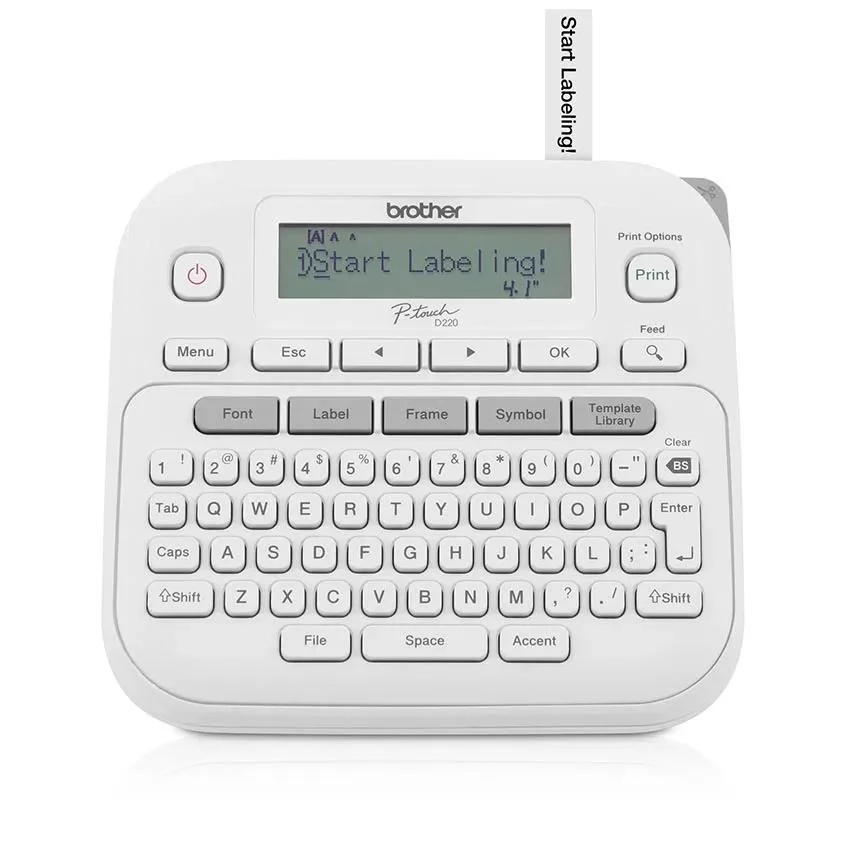 Image: Brother.
Price checked October 6: $34.99, new PTD220, sold and shipped by Amazon.com. Batteries and an AC adapter are not included.
Key specs: Tape family: TZe; Maximum tape width: 12mm; Power: six AAA batteries or optional AC adapter; Text: up to two lines.
Choose the D220 for short, occasional labels without installing an app. Its appeal is having the entire workflow on the desk: type, preview, print, and cut. The included black-on-white laminated starter tape is 4m long, not the full-length refill used in many cartridge comparisons. Brother’s specifications establish the tape, power, and text limits.
Skip it if you need computer-designed graphics or labels wider than 12mm. There is no mobile printing app for this model. For a few bins and folders, those limits may be preferable to paying for connectivity you will rarely use. For dozens of repeated labels, review the manual’s margin settings before cutting each one separately.
2. DYMO LetraTag 200B, Three-Tape Pack
Buy DYMO LetraTag 200B on Amazon ->
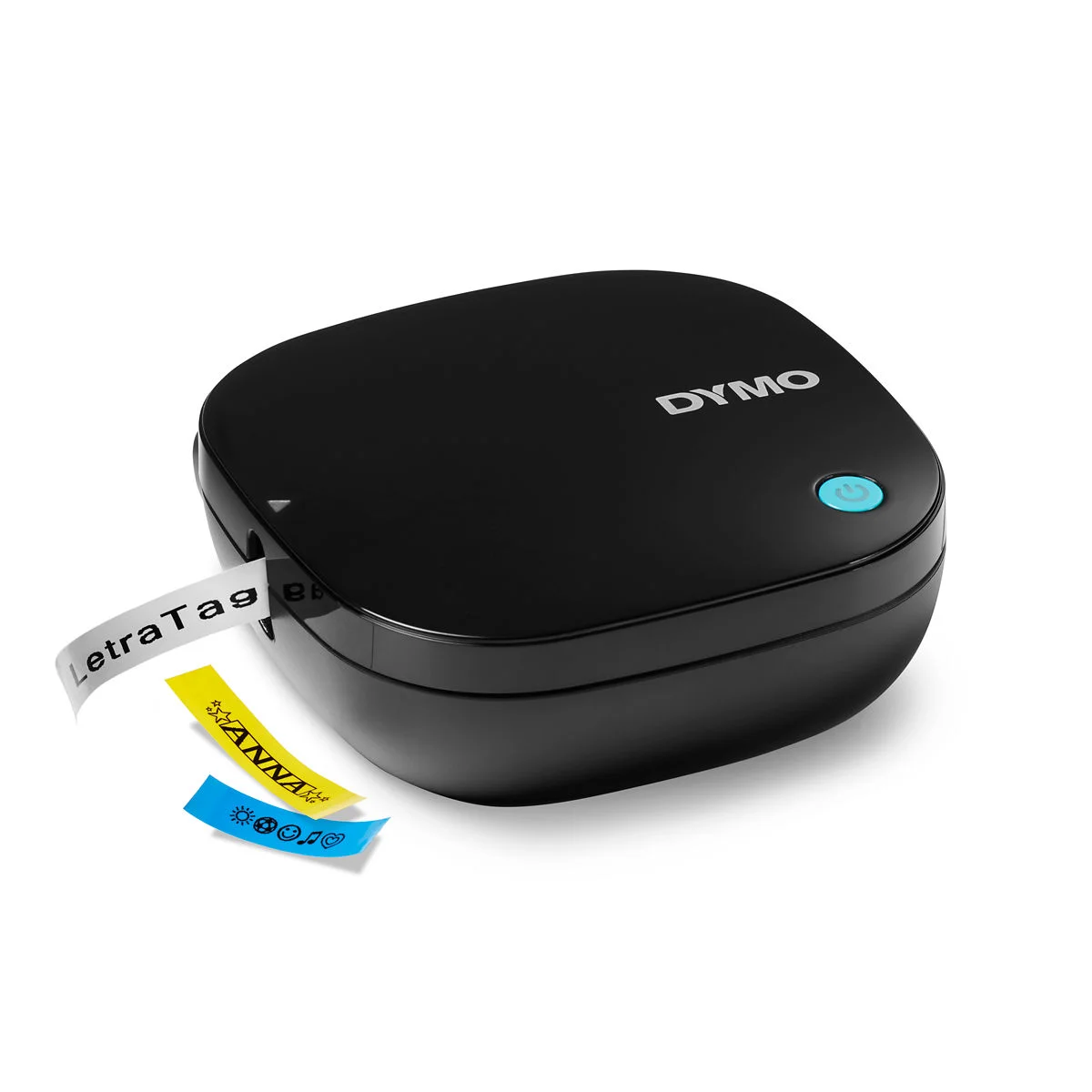 Image: DYMO. Printer shown; pack contents depend on the selected listing.
Price checked October 6: $44.99, black three-tape pack, sold and shipped by Amazon.com. A separate Prime-only offer was $38.24. The checked pack includes white paper, white plastic, and clear plastic tapes; four AA batteries are extra.
Key specs: Tape family: LetraTag LT; Tape width: 12mm; Power: four AA batteries; Cutter: manual button.
Choose the 200B if you prefer designing indoor labels on your phone instead of a small keyboard. Its compact housing makes sense in an office drawer, but the phone is part of the printing system, not an optional remote control. The official product page provides the LetraTag Connect downloads. LetraTag Connect requires a compatible iOS or Android device and Bluetooth; check the current app-store OS requirement before buying. DYMO’s page lists iOS 13/Android 10 minimums, but app requirements can change.
Skip it for labels exposed to strong sunlight or heat, or if you do not want a phone dependency. The user guide warns against extreme heat and sunlight, and describes Bluetooth/location-service permissions during setup. It also confirms the manual cutter. These limits make this an indoor organization choice, not our default cable or outdoor-equipment printer.
3. Epson LabelWorks LW-PX300
Buy Epson LabelWorks LW-PX300 on Amazon ->
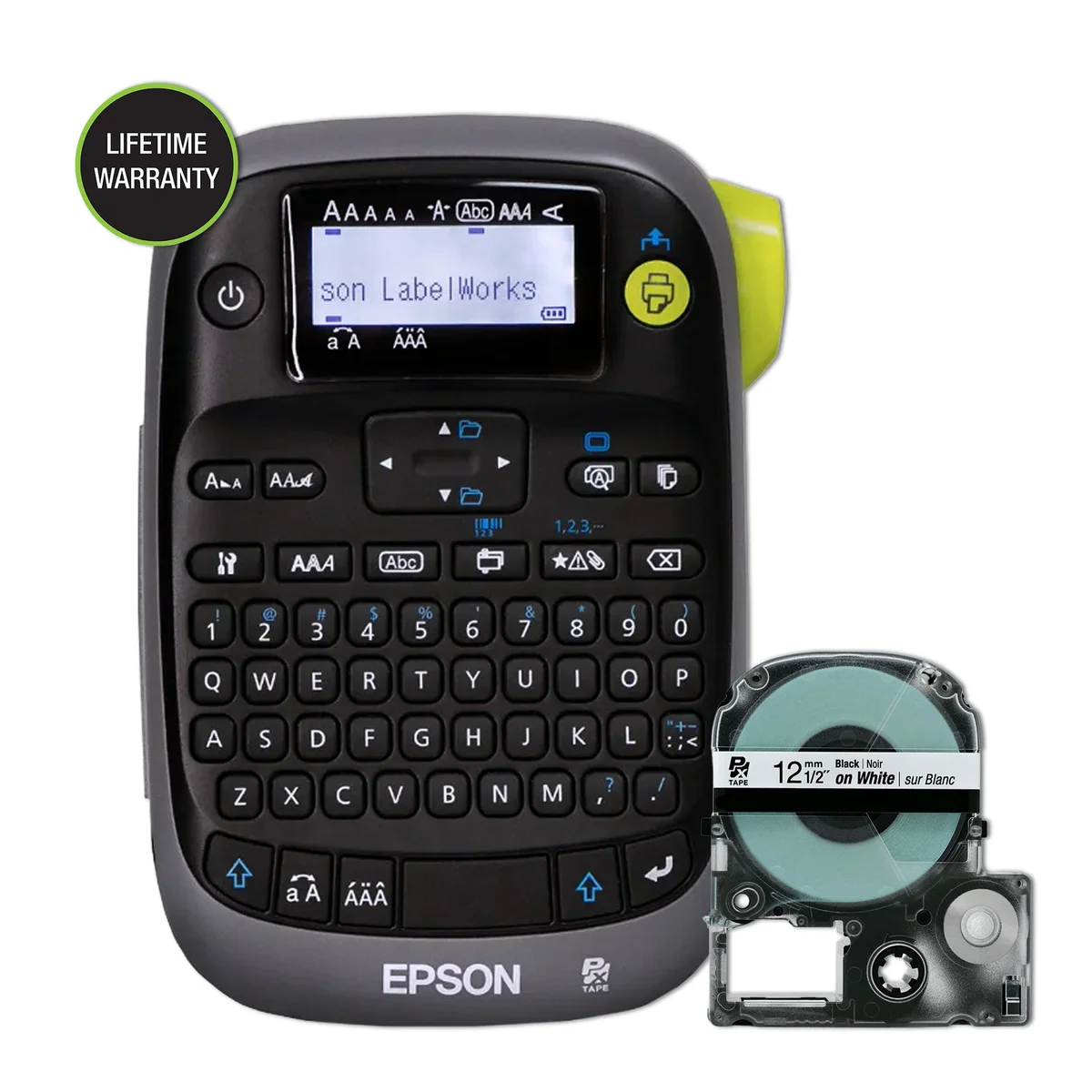 Image: Epson LabelWorks.
Price checked October 6: $64.90, Printer No Adapter, sold by Epson LABELWORKS and shipped by Amazon. The separate Prime-only offer was $47.20. This is not the complete printer kit.
Key specs: Tape width: 6-18mm; Print head: 9.1mm; Power: six AA batteries, not included; Heat-shrink supplies: 203 and 205 sizes only; Cutter: manual.
Choose the LW-PX300 when a supported specialty material matters more than phone connectivity. The manufacturer specifications identify the compatible small heat-shrink supplies, magnetic-label capability, and manual cutter. They also say no data import. Do not buy this expecting the USB workflow or automatic cutting described in parts of the Amazon listing.
Skip it if you need large lettering across the full 18mm tape or larger heat-shrink sizes. Its 9.1mm print head is the important constraint. The basic package includes a half-inch black-on-white cartridge, but Epson reserves the right to substitute polyester for the pictured vinyl. Buy the exact material separately when its properties are essential; add batteries or the appropriate adapter to your budget.
4. Brady M210
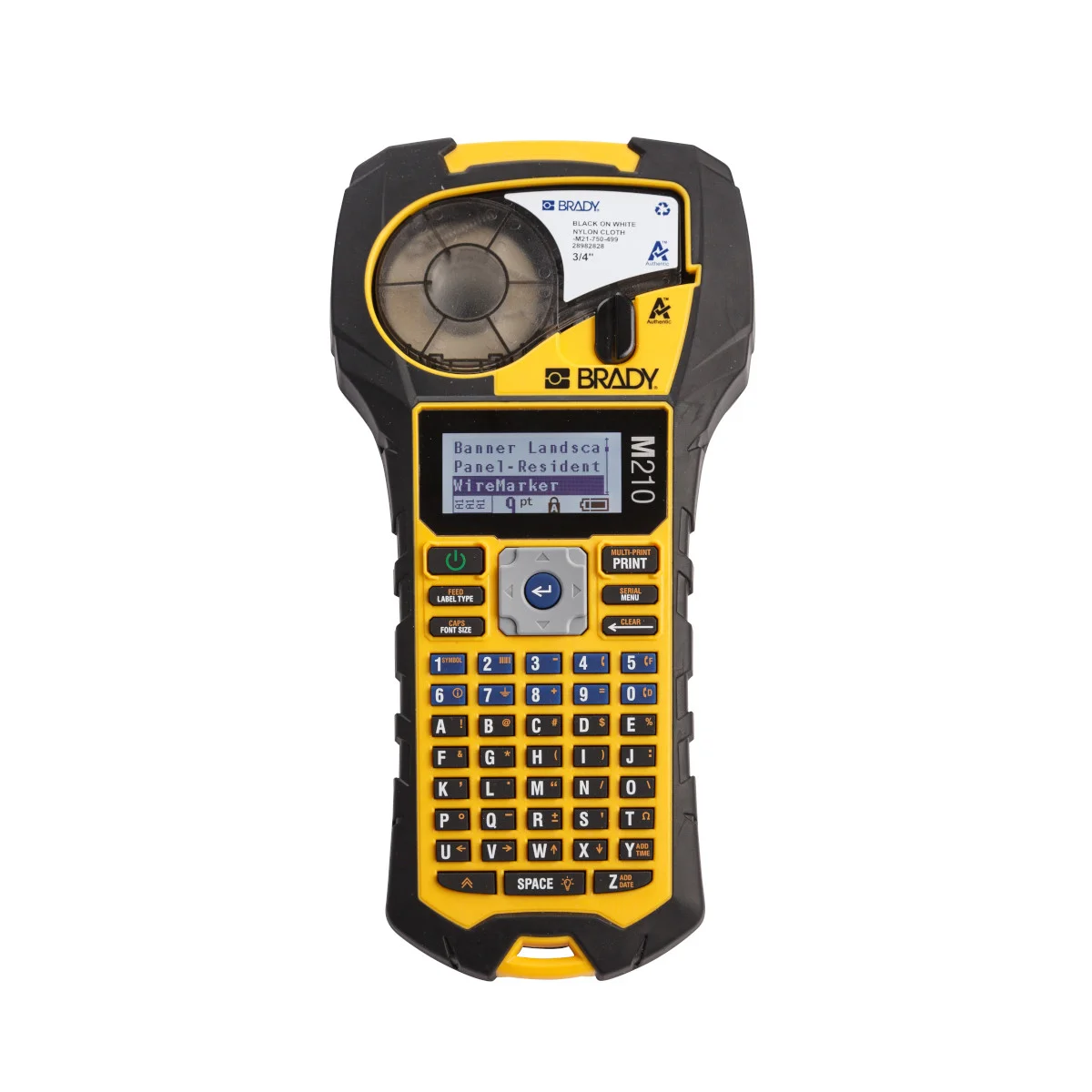 Image: Brady.
Price checked October 6: $104.99, M210 printer-only configuration, sold and shipped by Amazon.com. Do not confuse this with the M210-KIT containing power accessories and a case.
Key specs: Tape family: Brady Authentic M21; Maximum tape width: 0.75 inch; Resolution: 203 dpi; Keyboard: ABC; Connectivity: standalone.
Choose the M210 for a cable-labeling job where selecting the right material is the main challenge. Brady’s product page lists a starter M21-750-499 nylon cartridge; its technical specifications identify the ABC keyboard and no included battery. Price the intended M21 refill and power option before comparing it with the Brother models.
Skip it if you want a computer-connected printer or mostly decorative storage labels. Brady explicitly states that the M210 has no PC software interface; the Bluetooth M211 is a different model. Its material range can justify the expense for a home network or workshop, but it does not make ordinary folder labels inherently more useful. Labeling both ends of a cable complements, rather than replaces, sensible desk cable management.
5. Brother PT-D610BT
Buy Brother PT-D610BT on Amazon ->
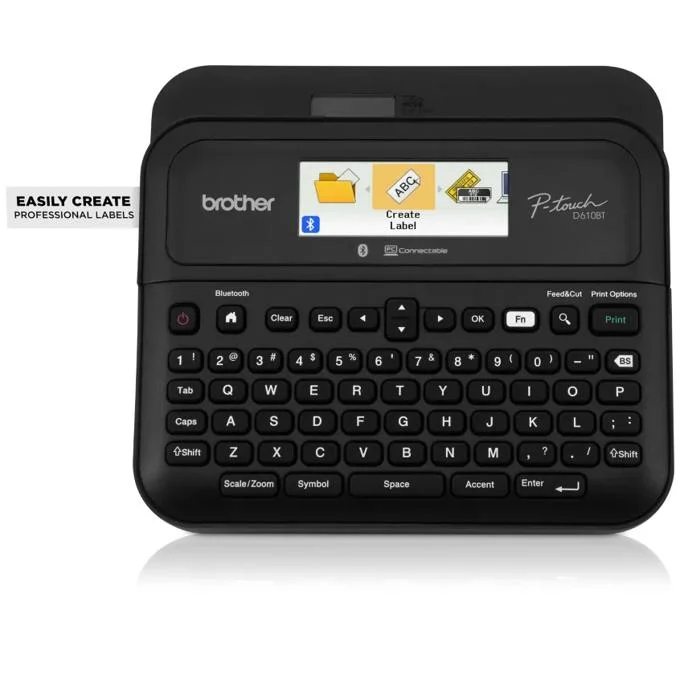 Image: Brother.
Price checked October 6: $114.99, new standard PTD610BT, sold and shipped by Amazon.com. This is not the carrying-case bundle or refurbished option.
Key specs: Tape family: TZe; Maximum tape width: 24mm; Cutter: automatic; Included power: AC adapter; Connections: USB and Bluetooth.
Choose the D610BT for repeat office labeling that benefits from wider tape and computer-designed layouts. Brother’s product specification lists the adapter, USB cable, and 24mm starter tape, making the initial package more complete than the D220’s. The keyboard also works when you do not want to connect another device.
Skip it if you only need occasional narrow text labels. Its price premium buys workflow flexibility, not proof of better adhesion: that still depends on the tape and surface. Use Brother’s model-specific downloads for P-touch Editor and the official iPrint&Label links. Computer features require software compatible with your Windows or macOS version; mobile printing uses iPrint&Label on iOS or Android over Bluetooth. Check the selected OS and connection instructions before buying for a locked-down work computer. We have not tested current software or firmware on these devices.
Who Should Buy What
- Occasional folders, bins, and charger flags: start with the Brother PT-D220, after budgeting for power.
- Small indoor labels designed on a phone: choose the LetraTag 200B, provided its app works on your device.
- Small heat-shrink sleeves or magnetic labels: check the exact material against the Epson LW-PX300 compatibility list first.
- Material-specific cable identification: consider the Brady M210, not just a generic roll of adhesive tape.
- Wider labels and repeat computer layouts: pay for the Brother PT-D610BT.
How We Selected These Label Makers
This is a researched comparison, not a hands-on print-quality or durability test. We checked exact US Amazon variants and active new-item purchase paths on October 6, then used manufacturer specifications, manuals, software pages, and material guides for the distinctions above. Our contribution is matching material, input method, and total starting requirements to the job. We did not measure adhesion, battery life, cutting waste, app reliability, or long-term fading. An older PT-H110 listing without a usable main offer was excluded; a costly D220 refill bundle was not used to stand in for the cheaper base model.
FAQ
Do these label makers need ink cartridges?
They do not use ordinary inkjet cartridges, but they still consume model-specific label supplies. Thermal-transfer cartridges include the required ribbon, while direct-thermal supplies use heat-sensitive media. “Inkless” does not mean free to print. Compare the actual refill cartridge, intended label length, and waste rather than only the printer price.
Which label makers work without a phone?
The Brother D220 and D610BT, Epson LW-PX300, and Brady M210 have onboard keyboards. The LetraTag 200B requires its mobile app. A Bluetooth logo alone does not tell you whether the phone is optional, so this is worth checking before buying for shared or offline use.
Can I use any tape from the same brand?
No. Match the cartridge family, permitted width, and exact printer. DYMO LetraTag LT tape is not interchangeable with D1 or LabelWriter supplies. Brother TZe is not Btag. Brady specifies Authentic M21 cartridges for the M210, and Epson’s PX300 heat-shrink compatibility is narrower than its ordinary tape-width range.
Is a label maker worth buying for one organizing project?
Possibly not. For temporary labels on a few boxes, handwritten labels may solve the problem without another device and refill ecosystem. A printer becomes more compelling when you need repeatable wording, a supported specialty material, or labels that must be revised regularly. Choose for that recurring job rather than a large font or symbol count.
Bottom Line
For straightforward home-office organization, the Brother PT-D220 is our starting recommendation. Move up only for a requirement you can name: app input, a specialty cartridge, wider tape, or computer layouts. The cheapest wrong label material is still the wrong purchase.
This article contains affiliate links. PicksLab may earn a small commission at no extra cost to you. Our recommendations are based on the review method described in this article.