Affiliate disclosure: PicksLab earns commissions on qualifying Amazon purchases via the pickslab-20 tag, at no extra cost to you.
You have an amplifier and speakers you like, but most of your music now lives in an app. Replacing the whole stereo would solve that problem, but so would adding a little box to one of its spare inputs. A network music streamer gives the existing system a way to play from streaming services and your music library, with your phone acting as the controller.
The important question isn’t which box has the more impressive DAC chip. It’s what you want to connect, how you want to control it and whether you already have compatible speakers in other rooms. For a first streaming upgrade, we’d start with the WiiM Pro Plus. The Bluesound NODE NANO becomes easier to justify when this stereo needs to join an existing BluOS system, or you specifically need its USB audio output.
Two Streamers and Their Current Prices
New US Amazon offers checked November 17, 2026. These are displayed item prices, not rewards-card, business or Prime-only discounts. Shipping, tax and seller can change. Neither is established here as a Black Friday bargain or historical low.
| Product | Price checked | What it adds | Best reason to choose it |
|---|---|---|---|
| WiiM Pro Plus | $249.00 | Network streaming, analog/digital output and wired source inputs | A first stereo upgrade, especially if a CD player or preamplified turntable needs to feed other WiiM rooms |
| Bluesound NODE NANO | $429.00 | Network streaming into BluOS, with analog, optical, coaxial and USB audio output | Joining existing BluOS players rather than starting a second multi-room system |
The WiiM offer was sold by WiiM and fulfilled by Amazon; NODE NANO was sold and shipped by WORLD WIDE STEREO. Also compare the WiiM manufacturer listing, which displayed $219.00 during this check. That is an advertised direct price, not a verified delivered checkout total. An Amazon link isn’t a reason to ignore a potentially cheaper way to buy the same model.
What Changes Between Them?
| Product | Network playback and control | Connection to your stereo | Other useful difference | Catch |
|---|---|---|---|---|
| WiiM Pro Plus | WiiM Home; AirPlay 2, Google Cast, Spotify Connect and TIDAL Connect | Stereo RCA, optical or coaxial output | RCA line-in and optical input can feed other WiiM devices; Voice Remote included | Physical-input sharing is not AirPlay rebroadcast to HomePods |
| Bluesound NODE NANO | BluOS; AirPlay 2, Spotify Connect, TIDAL Connect and Qobuz Connect | Stereo RCA, optical, coaxial or USB audio output | Joins other BluOS players; two touch presets | Checked price is $180 more; that doesn’t establish better audible sound |
These are documented capabilities from WiiM and Bluesound, not interchangeable promises about every service, file or multi-room group. Service plans and app support still matter.
Check the Back of Your Stereo Before Buying
An amplifier or receiver with AUX, CD or another line-level RCA input: connect the streamer’s RCA output to that input, select it on the amplifier and keep using the amplifier’s volume knob. A PHONO input is not the same connection. It expects a different signal; don’t plug a streamer’s line output into it.
Powered speakers with their own volume control: the same RCA route can work, or use an optical input if the speakers have one. Our powered bookshelf speaker comparison separates those connections. If the speakers expose only a different connector, budget for the appropriate cable rather than assume the box contains it.
An external DAC or receiver you already like: optical or coaxial output sends the digital audio to that device for conversion. In this route, buying a streamer because of its analog DAC specifications misses the point: you aren’t using that analog output. WiiM itself identifies the ordinary Pro as a relevant alternative for external-DAC use. Compare its exact features and current price rather than automatically paying for Plus.
Passive speakers with no amplifier: neither box completes the system. They are source components, not speaker amplifiers. Someone who only wants better television dialogue may be better served by a soundbar with the right TV connection, not another music source.
For initial setup, start with the amplifier or speakers turned down. Keep one deliberate volume-control point. Fixed output is sensible into a normal integrated amplifier; a direct-to-powered-speaker setup without an accessible volume control needs the streamer’s variable-output configuration checked before playback. Don’t assume a phone’s volume buttons always govern every output mode.
1. WiiM Pro Plus
Buy WiiM Pro Plus on Amazon ->
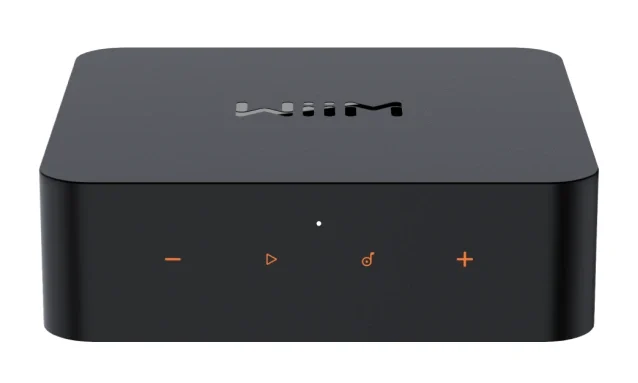
Manufacturer image: WiiM.
At the checked $249.00 Amazon price, this is our starting choice for an existing stereo that needs streaming rather than amplification.
Key specs: Analog output: stereo RCA; Digital outputs: optical and coaxial; Wired audio inputs: RCA line-in and optical. Those connections matter more here than a claim that one DAC sounds better than another.
The inputs give it a second job. A CD player’s line output can go into Line In, then play through other WiiM devices on the network. A turntable needs its own phono preamp, either built in or separate, before that connection. For an optical source such as a TV, WiiM’s input guide requires stereo PCM, not Dolby or DTS. The same feature does not make it a universal bridge to HomePods: physical inputs are shared within WiiM’s multi-room system, not transmitted into an AirPlay group.
Use the official WiiM Home app and setup manual. Set up with the iOS or Android app on the same network as the player, then apply offered firmware updates before configuring sources and output volume. The standard manufacturer package includes power, an RCA lead, an optical lead and the Voice Remote. Those cover a conventional RCA-to-amplifier setup; they don’t supply an amplifier, phono preamp or paid music subscription.
Skip it if the stereo already has the streaming service and control route you need. If this will only feed an external DAC, compare the ordinary WiiM Pro first. Pro Plus isn’t the automatic value choice simply because its spec sheet emphasizes its analog stage.
2. Bluesound NODE NANO
Buy Bluesound NODE NANO on Amazon ->
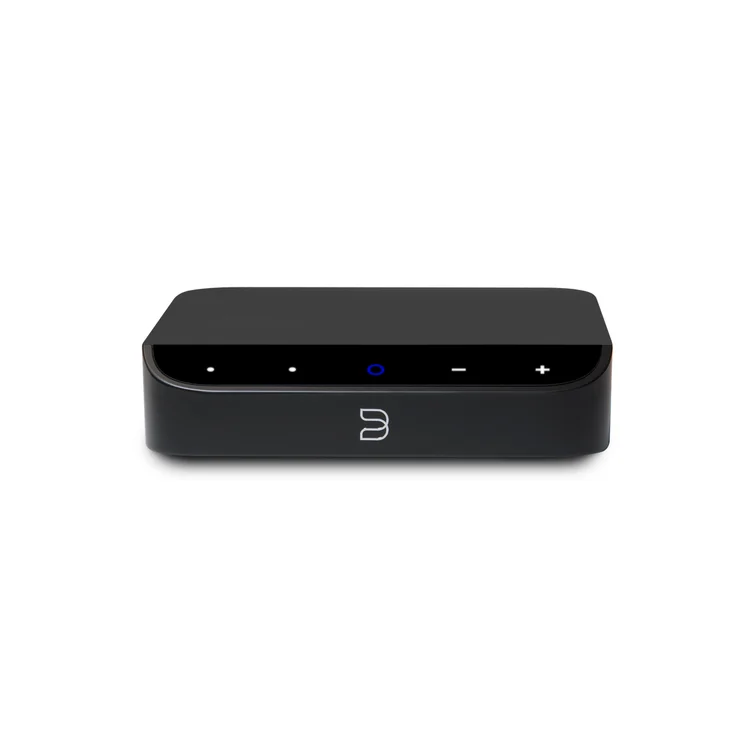
Manufacturer image: Bluesound.
The checked new offer was $429.00.
Key specs: Analog output: stereo RCA with a fixed-output option; Digital outputs: optical, coaxial and USB audio; Network: dual-band Wi-Fi 5 and Gigabit Ethernet.
These are listed in the NODE NANO specifications. USB audio output is a different purpose from plugging a drive into its USB storage input.
This makes the most sense when you already use BluOS and want the older stereo in that system. One app and compatible room grouping can be more useful than another list of theoretical audio resolutions. USB audio output also gives an owner of a compatible USB DAC a connection that Pro Plus doesn’t offer. Confirm that DAC’s compatibility before treating a USB socket as a guaranteed match.
Get the official BluOS Controller downloads and follow the BluOS app guide. BluOS has iOS, Android, Windows and macOS controller apps; check the current download’s OS requirements and keep the player and controller on the same local network. Music-service sign-ins and paid plans are separate from owning the player. The package includes an RCA cable, Ethernet cable and USB power supply/cable; a handheld remote is not part of that listed kit.
Skip it if you’re starting from scratch and don’t need BluOS grouping or USB audio output. At these Amazon prices, those need to be worth the extra $180 to you. We wouldn’t pay that difference on a DAC-chip name alone. For a wireless-headphone purchase, check current firmware and explicit transmitter support first: the manufacturer’s page still mixes a future-update note with its Bluetooth specifications, so that isn’t the basis of our recommendation.
Which Setup Is Worth Paying For?
If you want Spotify or another supported service on one old amplifier, WiiM is the simpler price argument, subject to checking that manufacturer-direct offer too. You retain the stereo, add a source and use the amp normally.
If you’re extending several existing BluOS rooms, NODE NANO avoids introducing a separate ecosystem. That’s the practical reason to spend more. Neither AirPlay support nor a shared service name means two brands will behave as one native multi-room system for every source.
If you’re buying this as a gift, ask for a photo of the recipient’s amplifier inputs and the name of their music service. That small check is more useful than surprising them with a box they can’t connect. If their music is stored on a server, verify the player’s supported library-sharing method as well; a home server and a streamer solve different parts of that setup.
Cambridge’s MXN10 is another relevant network-player alternative. We checked grey and black Amazon listings, but neither had a current purchase offer, so it isn’t a third shoppable recommendation here. This compares two named models, not a claim that the whole streamer market consists of two good products.
FAQ
Do I need a subscription just to use a music streamer?
A music-service subscription is separate from the hardware. Local music and supported radio options differ from paid on-demand catalogs. Check your chosen service’s current plan, country and connection support; a Spotify, TIDAL or Roon logo does not include a subscription or promise that every tier has every feature.
Is this different from connecting my phone over Bluetooth?
With supported network-native playback such as Connect, the phone controls a player that retrieves the music over the network. Bluetooth playback sends audio from the paired device instead. If Bluetooth already does everything you want, a streamer isn’t necessary. Network library access, compatible room grouping and source inputs are better reasons to add one than an unsupported promise that all streaming sounds better.
Can these connect straight to passive speakers?
No. Both provide audio signals to an amplifier, powered speakers or compatible DAC. Passive speakers still need amplification. Check the complete path from streamer output to amplifier input to speakers before ordering.
Can the WiiM send a record to HomePods?
Don’t buy Pro Plus on that assumption. Its current documentation permits sharing Line In and Optical In within a WiiM group, but explicitly excludes rebroadcasting those physical inputs into an AirPlay group. A turntable also needs a phono stage before the WiiM’s line input. Receiving AirPlay music and transmitting a physical input are different capabilities.
Bottom Line
Start with the connections you have, not the price of the stereo you’re keeping. The WiiM Pro Plus is the stronger starting point for a first upgrade and wired-source sharing. Pay more for the NODE NANO when BluOS or a verified USB-DAC connection is actually part of your plan.
This article contains affiliate links. PicksLab may earn a small commission at no extra cost to you. Our recommendations are based on the review method described in this article.