Affiliate disclosure: PicksLab earns commissions on qualifying Amazon purchases, at no extra cost to you.
TL;DR - Our top pick: Edifier R1280DBs is our value pick for a computer with a headphone output or a TV with optical audio: it includes both useful cable types and does not need a receiver. For a USB-only laptop, choose the Audioengine A2+ Next Gen instead. The Edifier has no USB audio input or built-in phono preamp.
Buying powered speakers should remove equipment from your shopping list. It can instead add an unexpected DAC, phono preamp or cable if you choose from a front-facing photograph. These five pairs cover different connections and desk sizes; they are not interchangeable, even though all contain amplification and support Bluetooth.
Quick Comparison
Prices below are for new speaker pairs in the linked finishes, checked on US Amazon September 21, 2026, before tax. They can change. Rows and numbered sections run from lowest to highest checked price, not listening-test rank.
| Pick | Checked Price | Best For | Main Catch |
|---|---|---|---|
| Edifier R1280DBs, wood grain | $195.94 | Analog PC or optical TV on a smaller budget | No USB audio or phono stage |
| Audioengine A2+ Next Gen, matte green | $279.00 | A small desk and USB-C computer | No optical TV input |
| Fluance Ai41, Lucky Bamboo | $299.99 | Optical TV with room for larger cabinets | Source cables and phono preamp are extra |
| Kanto YU4, matte black | $429.99 | A turntable plus two optical sources | USB port charges devices; it does not play audio |
| Klipsch R-50PM, black | $552.49 | One pair shared by computer, TV and turntable | Largest cabinets here; no HDMI ARC |
Start With Your Source, Not the Speaker Photo
If you own no audio equipment, start with the socket on the device you actually use. A PC’s 3.5mm headphone output can feed a line-level speaker input. USB audio needs a speaker with a USB DAC, or an extra USB audio adapter. A USB port labeled Charge is not one.
For a turntable, identify whether its output is already line-level. If it has no phono preamp, the YU4 and R-50PM include that stage; the other three require a preamp in the turntable or an external one. A phono/line switch must match the source. Do not feed an amplified receiver’s speaker terminals into any of these line inputs.
| Product | Wired Computer Route | TV Route | Turntable Without a Preamp | Included vs Extra |
|---|---|---|---|---|
| Edifier R1280DBs | 3.5mm-to-RCA; no USB audio | Optical or coaxial stereo PCM | External phono preamp needed | RCA, 3.5mm-to-RCA and optical cables included |
| Audioengine A2+ Next Gen | USB-C, 3.5mm or RCA | Analog output only; no optical/HDMI | External phono preamp needed | USB-C and 3.5mm cables included; adapter may be needed for USB-A-only computers |
| Fluance Ai41 | RCA from compatible analog output; no USB audio | Optical stereo PCM | External phono preamp needed | Speaker wire included; RCA/optical source cable extra |
| Kanto YU4 | 3.5mm, RCA or optical; no USB audio | Two optical inputs, stereo PCM | Built-in phono stage | 3.5mm cable included; optical cable extra |
| Klipsch R-50PM | USB digital, 3.5mm or RCA | Optical; no HDMI ARC | Built-in phono stage | USB-A-to-B cable included; USB-C-only computer needs a compatible cable/adapter |
These are stereo systems, not surround decoders. For optical connections, check your TV’s output settings and use the format specified in the speaker manual; Edifier, Kanto and Fluance call for PCM/stereo rather than Dolby/DTS. None of these five offers HDMI ARC volume control. Our soundbar comparison covers the alternative when TV integration matters more than separated left/right speakers.
Powered does not mean cable-free. Each pair still needs wall power and a wire between its two speakers. Bluetooth replaces the source cable, not those connections. Leave space for rear connectors rather than ordering by cabinet width alone.
1. Edifier R1280DBs
Buy Edifier R1280DBs on Amazon ->
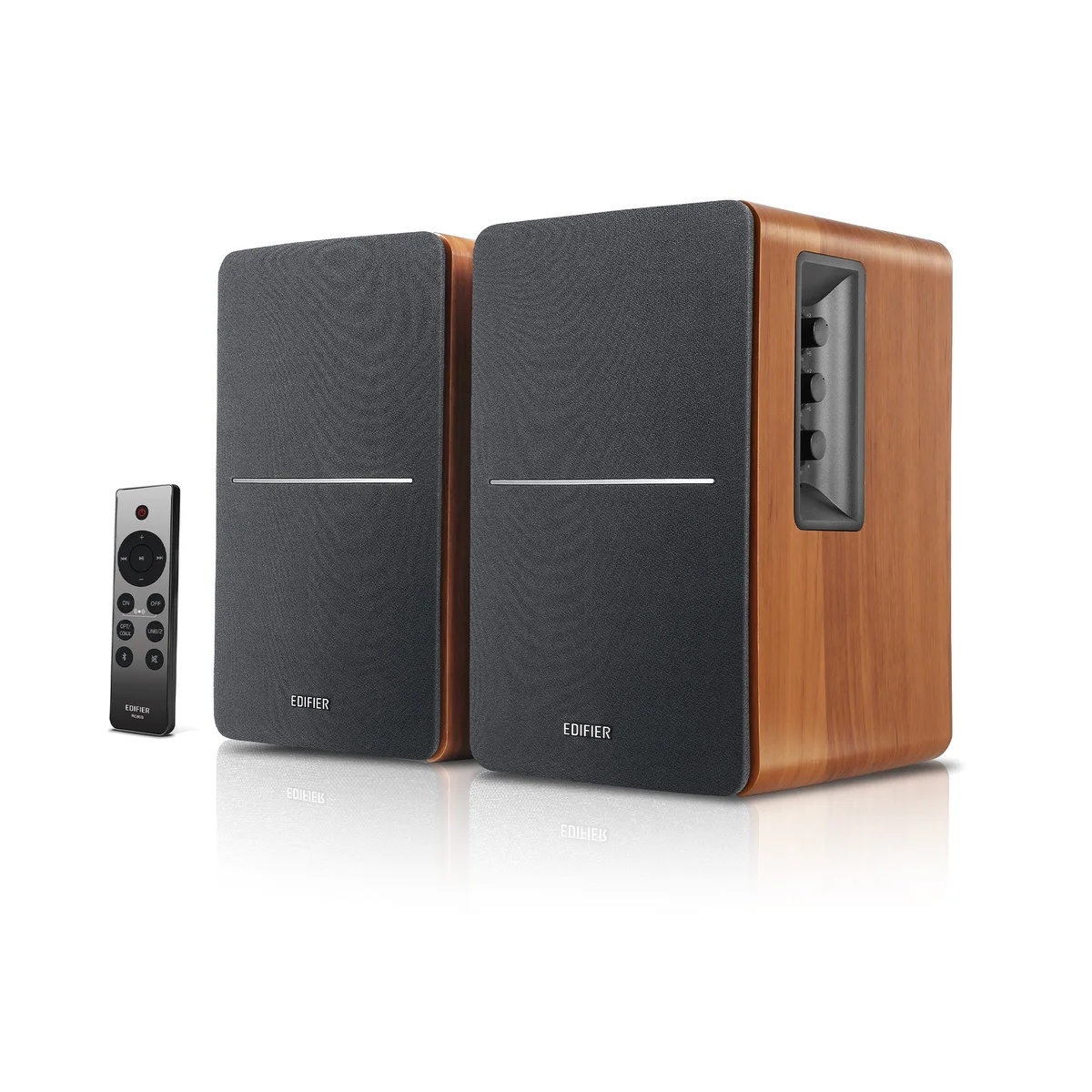 Image: Edifier.
Checked price: $195.94 per pair.
Key specs: Amplification: 21W + 21W RMS; Woofer: 4 inches; Cabinet: 146 x 234 x 196 mm each (W x H x D); Inputs: line-in, optical, coaxial and Bluetooth.
Why pick it: The included optical and 3.5mm-to-RCA cables cover common TV and desktop outputs without buying a separate receiver. That makes the R1280DBs the most economical complete starting point here when your device has one of those outputs. Side controls handle bass, treble and volume, and a remote avoids reaching around the desk.
Skip it if: Your only available wired output is USB and you do not want an extra DAC. Its two RCA input pairs accept line-level sources, not a bare turntable cartridge. The subwoofer output leaves an expansion route, but a powered subwoofer is a separate purchase; the listed price is just the speaker pair.
No companion app is needed; select the physical input and use the speaker controls or remote. The official specifications and R1280DBs manual, connections and specifications establish those routes. This recommendation is about cost and connections, not a measured claim that it sounds better than the larger alternatives.
2. Audioengine A2+ Next Gen
Buy Audioengine A2+ Next Gen on Amazon ->
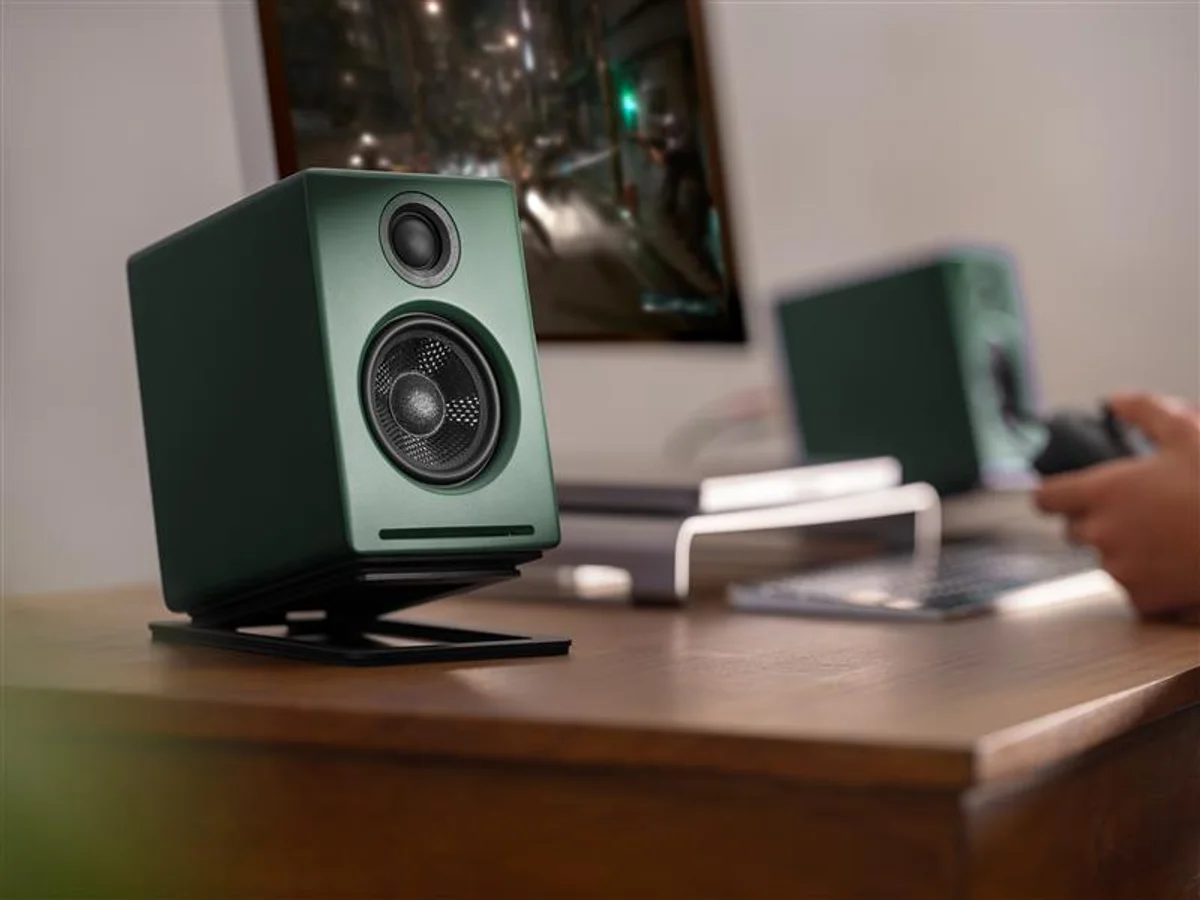 Image: Audioengine’s matte-green A2+ announcement. Other desk equipment is not included.
Checked price: $279.00 per pair.
Key specs: USB input: Type-C audio; Woofer: 2.75 inches; Amplification: 15W RMS per channel; Cabinet: approximately 6 x 4 x 5.25 inches each (H x W x D).
Why pick it: USB-C audio and compact cabinets make this the straightforward choice for a small computer desk. Unlike a USB charging socket, its port carries sound from the computer into the internal DAC. The linked offer is the matte-green Next Gen version with USB-C and Bluetooth 5.3, not an older A2+ listing with different digital hardware.
Skip it if: Your main source is a TV with optical output and no usable analog output. There is no optical input or HDMI ARC here. A separate converter would erode its simplicity, and the tiny cabinets should not be treated as evidence of full-size bass performance. An RCA variable output allows a separately powered subwoofer later.
No Audioengine account or app is required; select the speakers as your computer’s USB audio output, or pair through its Bluetooth settings. The current technical specifications and Next Gen quick-start guide cover setup. Wired USB is the sensible starting point for desk video and games when you want to avoid a Bluetooth link; we did not measure end-to-end latency.
3. Fluance Ai41
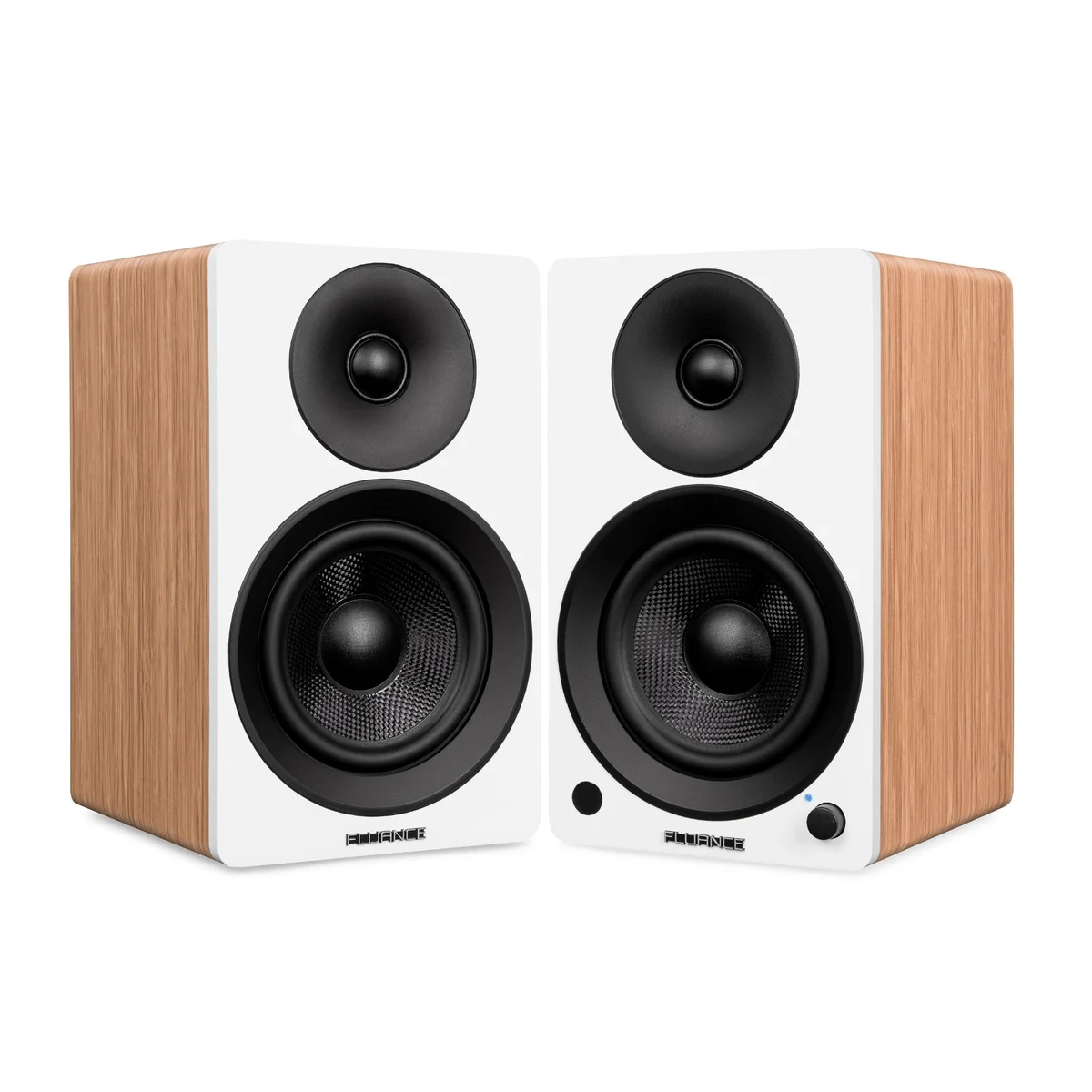 Image: Fluance.
Checked price: $299.99 per pair.
Key specs: Woofer: 5 inches; Amplification: 2 x 45W RMS; Inputs: RCA, optical and Bluetooth; Cabinet: 10.9 x 6.5 x 7.6 inches each (H x W x D).
Why pick it: It combines larger 5-inch woofers with an optical input below the Kanto and Klipsch prices checked here. The cabinet size is a better starting point for someone furnishing a shelf or TV stand than someone squeezing speakers beside a laptop. That is a fit distinction, not a promise of superior measured bass.
Skip it if: You need direct USB audio or a built-in turntable phono preamp. Budget for the source cable too: Fluance supplies the inter-speaker wire, but not the RCA or optical lead. A turntable’s RCA plugs fitting the sockets does not mean its unamplified cartridge signal is compatible.
No app is required; use the remote or front control, and set an optical TV source to PCM/stereo. The Ai41 specifications identify the hardware. The manual, pages 9-12 explains the required preamp, excluded source cables and subwoofer behavior: inserting a subwoofer cable removes frequencies below 80Hz from the main speakers. Do not leave an unused sub cable connected.
4. Kanto YU4
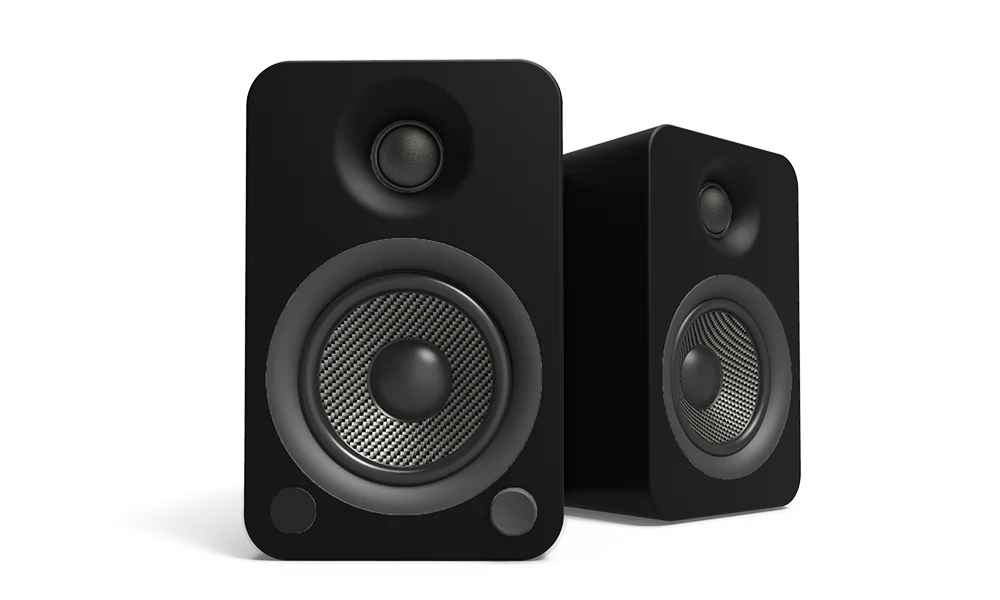 Image: Kanto Audio.
Checked price: $429.99 per pair.
Key specs: Woofer: 4 inches; Amplification: 70W total RMS; Optical inputs: two TOSLINK; USB port: 5V/1A charging only.
Why pick it: Two optical inputs and a switchable phono stage suit a shared TV-and-turntable setup. It solves a connection problem the Edifier cannot: taking a compatible turntable’s phono-level output without adding a separate preamp. A remote handles input changes, and the cabinets measure 5.5 x 7.5 x 8.7 inches each (W x D x H).
Skip it if: You are choosing it because the USB socket appears to promise computer audio. The port is a power output, so a USB-only laptop still needs an audio adapter or a different speaker pair. Kanto includes a 3.5mm cable, not an optical cable. Check the selected seller’s warranty eligibility before paying: the new offer observed was from bexpress, not directly from Kanto.
No companion app is needed; use the remote and physical phono/line switch, with stereo PCM on optical sources. See Kanto’s model specifications, optical troubleshooting guidance and the YU4 manual, rear-panel and source-connection sections. For a computer plus a USB microphone or recording interface, our audio-interface guide explains the separate recording side of the setup.
5. Klipsch R-50PM
Buy Klipsch R-50PM on Amazon ->
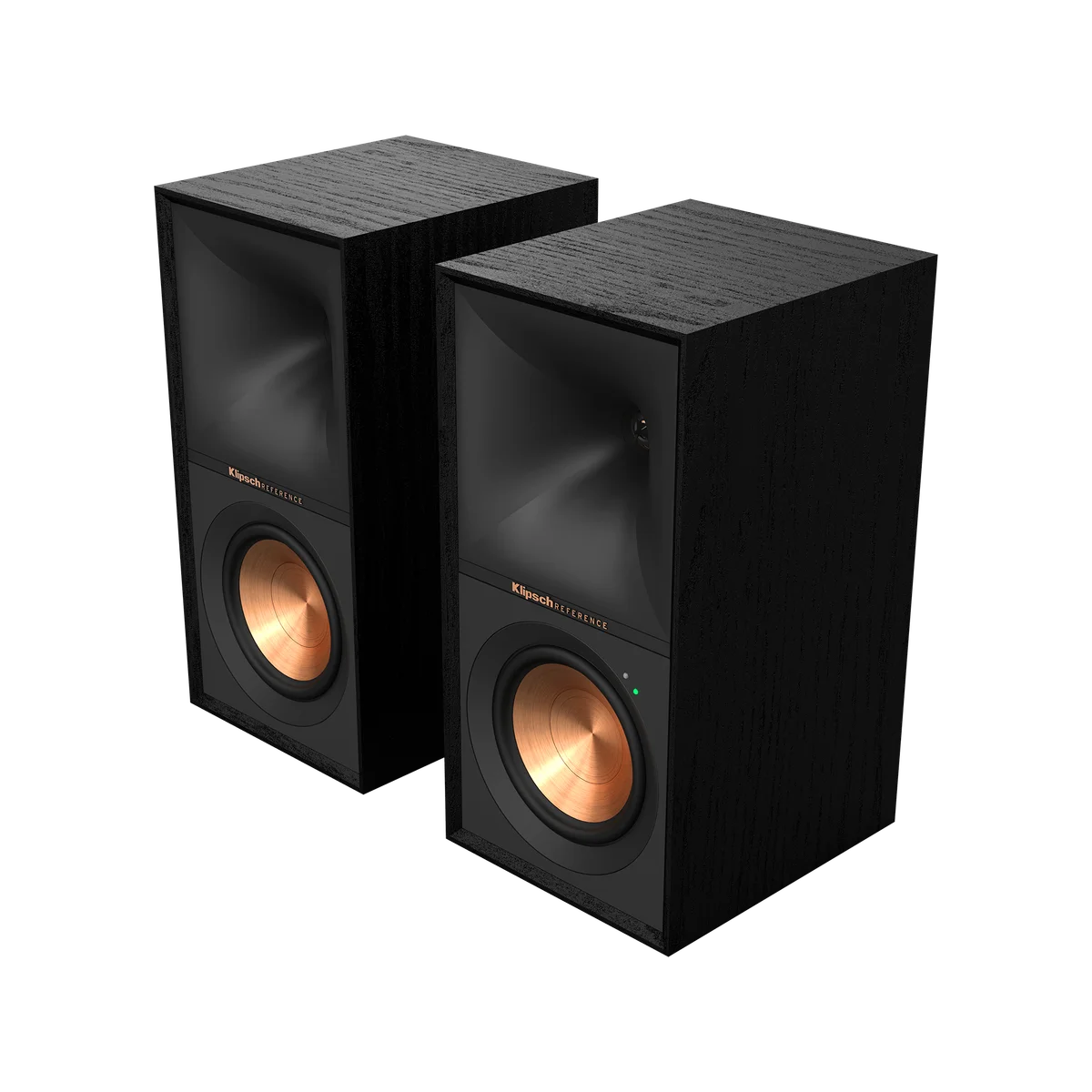 Image: Klipsch.
Checked price: $552.49 per pair.
Key specs: Woofer: 5.25 inches; Amplification: 120W total continuous system power; Cabinet: 14 x 7 x 10.8 inches each (H x W x D); Inputs: USB digital, optical, phono/line, 3.5mm and Bluetooth.
Why pick it: It is the only pair here combining USB audio, optical and a built-in phono stage. That can remove separate interface boxes when one pair serves a computer, TV and record player. Buy the R-50PM, not the similarly named passive R-50M, which needs external amplification.
Skip it if: Your desk cannot accommodate 14-inch-tall cabinets and rear cable space, or you need HDMI ARC. More inputs do not make it a surround receiver. The price premium is hardest to justify when you will use only a computer’s headphone output; the Edifier already covers that simpler route.
No companion app is necessary; select inputs using the controls or remote and follow the source’s audio settings. The R-50PM specification sheet confirms that the supplied computer cable is USB-A to USB-B. A USB-C-only computer needs a compatible replacement cable or adapter. Use the official setup resources for the selected source. We have not independently measured output or distortion.
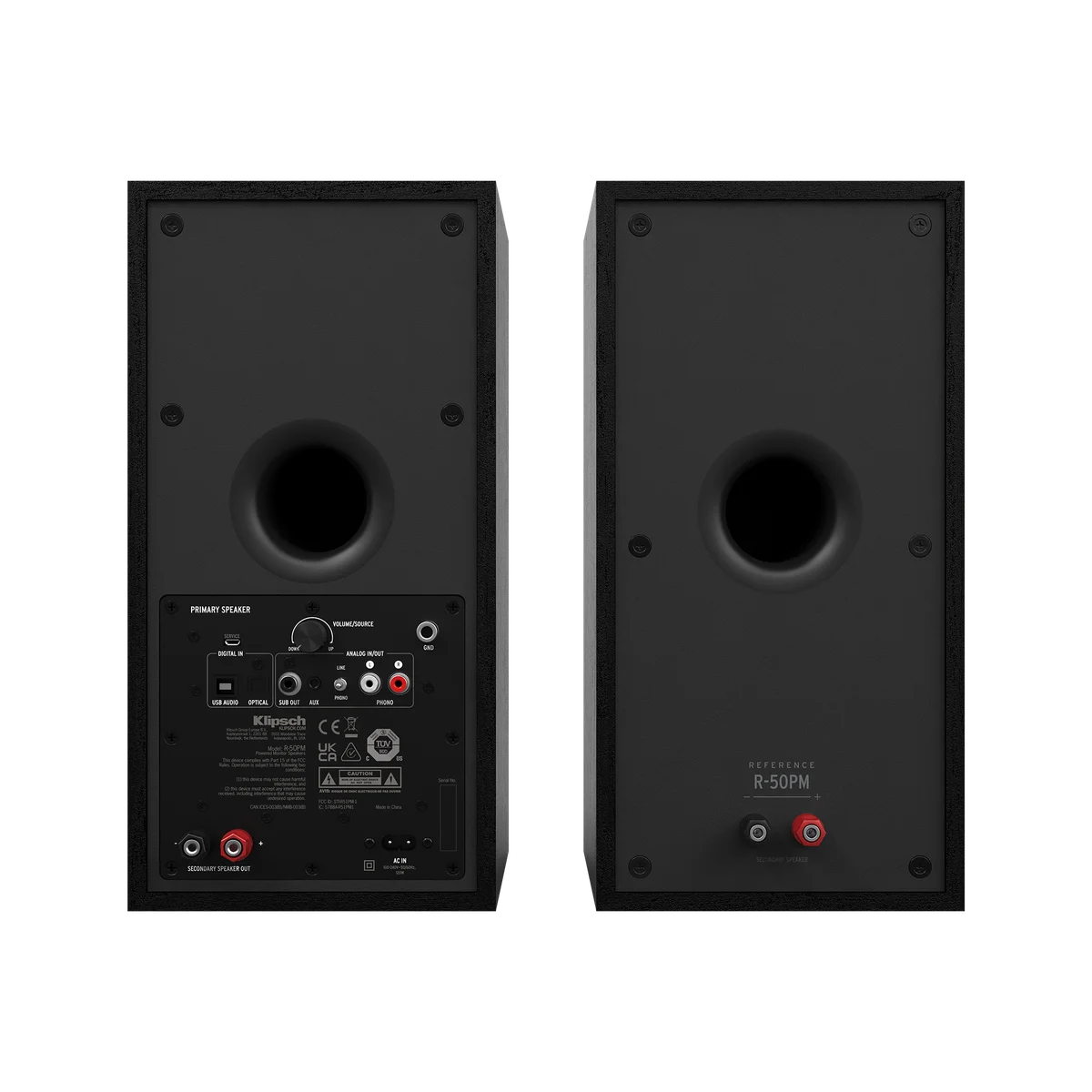 Rear-panel image: Klipsch. The different sockets matter more than a generic “wireless” label.
How We Chose
This is an expert-researched comparison, not a listening test. We matched US offers to exact variants, checked manufacturer specifications and connection instructions, and compared the extra equipment needed for common setups. We did not test sound quality, long-term reliability, room coverage or noise at low volume. Power figures are manufacturer ratings, not a cross-brand loudness ranking. Seller, finish and generation can change the offer; confirm those details before checkout.
Who Should Buy What
- First desktop pair with a headphone socket: Edifier R1280DBs keeps the source-cable purchase simple.
- Small USB-C laptop desk: Audioengine A2+ Next Gen avoids the separate USB DAC.
- TV stand with room for larger speakers: Fluance Ai41, plus an optical cable, is the mid-priced route.
- Turntable and two optical sources: Kanto YU4 adds the phono stage without the Klipsch cabinet size.
- Computer, TV and turntable on one pair: Klipsch R-50PM provides the broadest wired input set here.
FAQ
Do powered bookshelf speakers need a receiver?
Not these pairs: the amplifier is inside one cabinet. Connect the source to that speaker, connect the supplied wire between speakers, and provide mains power. A turntable may still need a phono preamp; that is a different job from the power amplifier.
Can I connect any USB port to a computer for sound?
No. The A2+ Next Gen and R-50PM accept USB audio. The YU4 USB port supplies charging power only, and the R1280DBs and Ai41 have no USB audio input. Check the exact generation as well as the connector shape.
Why might my TV produce no sound over optical?
First check the cable, selected input and TV’s external-audio output. Then check its digital format against the speaker manual: a Dolby/DTS bitstream will not work with a PCM-only stereo input. Optical also does not provide HDMI ARC’s control behavior, so expect to use the speaker remote where necessary.
Are these suitable for recording and mixing music?
They can play an interface’s compatible analog output, but this article does not establish studio-monitor accuracy. Check the interface’s output connectors and levels before buying cables. For private monitoring rather than room playback, see our closed-back mixing headphone comparison.
Bottom Line
For an analog computer or optical TV, start with the Edifier R1280DBs. Spend more when the extra money removes a real obstacle: USB-C on a cramped desk, a missing phono preamp, a second optical source, or several devices sharing one pair. Buying the right connection is more useful than buying the highest wattage number.
This article contains affiliate links. PicksLab may earn a small commission at no extra cost to you. Our recommendations are based on the review method described in this article.