Affiliate disclosure: PicksLab earns commissions on qualifying Amazon purchases via the pickslab-20 tag, at no extra cost to you.
You’ve moved your desk, the Ethernet cable no longer reaches, and the computer that worked perfectly yesterday can’t get online. You don’t necessarily need a new PC or an afternoon fitting a wireless card. A USB Wi-Fi adapter gives that desktop a wireless connection through an external port, which is also useful when a laptop’s built-in adapter is failing.
The important finding here isn’t that the newest adapter wins. At the prices below, $29.98 buys a basic Wi-Fi 6 connection, while $59.99 buys a Wi-Fi 7 adapter with a desk cradle. Spending the difference makes sense when your router, Windows installation and placement can use it. It won’t turn an older router into a Wi-Fi 7 network or fix slow broadband coming into the house.
TL;DR - Our starting picks: The NETGEAR A7500 is the lower-cost route onto an existing 2.4/5GHz network. For a Windows 11 desktop and a compatible newer router, the MSI BE6500 adds 6GHz and an included cradle without the A9000’s higher price. Those are connection-and-package judgments, not a promise of faster downloads in every room.
Five Adapters and Their Checked Prices
| Product | Price checked November 15, 2026 | What the extra money buys | Main limit |
|---|---|---|---|
| NETGEAR Nighthawk A7500 | $29.98 | Wi-Fi 6 on 2.4/5GHz; separate driver thumb drive | No 6GHz; no desk cradle in the listed box |
| TP-Link Archer TXE70UH | $48.84 | Wi-Fi 6E and a cradle with a 1.2m cable | Not Wi-Fi 7; check OS/driver conditions for 6GHz |
| MSI BE6500, GUBE65 | $59.99 | Tri-band Wi-Fi 7, two antennas and a cradle | Windows 10 has limited features; no measured range advantage established |
| ASUS ROG USB-BE92 | $62.98 | Tri-band Wi-Fi 7 with embedded installation software | Not the BE92 Nano; confirm any USB-C cable/adapter needed |
| NETGEAR Nighthawk A9000 | $84.99 | Tri-band Wi-Fi 7, adjustable antenna, cradle and driver thumb drive | Windows 11 only; advertised band totals aren’t one connection’s speed |
These were active new US Amazon offers, not used prices or a controller/router bundle. A7500, MSI and A9000 were sold and shipped by Amazon.com; TXE70UH was sold by Ironleaf Partners and shipped by Amazon; ROG USB-BE92 was sold and shipped by AR TECH USA. Prices weren’t marked Prime-exclusive and no coupon was applied. Delivery, tax and seller eligibility can vary. An advertised percentage off a list price isn’t our evidence of the usual price or a Black Friday low.
Match the Adapter to the Computer and Router
| Product | Wireless standard and bands | Computer connection / placement | Official Windows support and setup |
|---|---|---|---|
| A7500 | Wi-Fi 6; 2.4/5GHz | USB 3.0; adjustable antenna, direct port connection | Windows 10/11; installation program on supplied thumb drive or official download |
| Archer TXE70UH | Wi-Fi 6E; 2.4/5/6GHz | USB 3.0; two antennas, 1.2m cradle cable | Windows 10/11 listed; preloaded driver and official hardware-version downloads |
| MSI BE6500 | Wi-Fi 7; 2.4/5/6GHz | USB 3.2 Gen 1; two antennas and cradle | Windows 11; Windows 10 limited; embedded installer and official driver |
| ROG USB-BE92 | Wi-Fi 7; 2.4/5/6GHz, up to 160MHz channels | USB adapter with cradle; ASUS advertises Type-A/Type-C compatibility | Windows 10/11 listed; embedded installation software, official download fallback |
| A9000 | Wi-Fi 7; 2.4/5/6GHz | USB 3.0; flip-open antenna and cradle | Windows 11; separate installation thumb drive and official download |
Microsoft says Wi-Fi 7 support starts with Windows 11 version 24H2. You still need an adapter driver and router that support the particular feature. A manufacturer’s Windows 10 compatibility line doesn’t promise Wi-Fi 7 operation there. Nor does this list establish macOS, Linux, console or television support: check the exact platform’s official driver before buying.
What Do You Gain by Spending More?
Consider a desktop on a 300Mbps internet plan, connected to a Wi-Fi 5 router. Paying another $55.01 to move from the A7500 to A9000 won’t create a 6GHz network; that router doesn’t provide one. The cheaper adapter is the more proportionate starting point if the goal is simply getting that PC online. Actual speed still depends on signal, interference and the router.
Now put the desktop on Windows 11 beside a compatible Wi-Fi 6E router. The TXE70UH adds access to its 6GHz band for $18.86 more than the A7500. Its cradle also lets you move the adapter away from the back of a metal tower. That’s a useful upgrade to investigate for a nearby busy network, not a guarantee that 6GHz will reach farther through walls.
If you’re buying around a Wi-Fi 7 router, the MSI costs $11.15 more than the TXE70UH in this snapshot. The A9000 then costs $25 more than the MSI, without adding a fourth band. Its physical installation thumb drive, antenna and cradle may suit your setup, but the price alone isn’t evidence of better reception. If the computer is already fast and stable, keeping its existing adapter costs nothing.
The headline numbers also need translating. NETGEAR’s A9000 specification sheet lists separate 2.4/5/6GHz signal rates and says the bands alternate, rather than operate concurrently. Don’t add the rates together and expect a 6.5Gbps file transfer. Advertised PHY rates, usable USB bandwidth and real application throughput are different quantities. MSI and ASUS advertise MLO, but using a particular multi-link mode still depends on router, driver and OS support; it isn’t a basis for promising a faster game here.
1. NETGEAR Nighthawk A7500: The Inexpensive Way Onto an Existing Network
Buy NETGEAR A7500 on Amazon ->
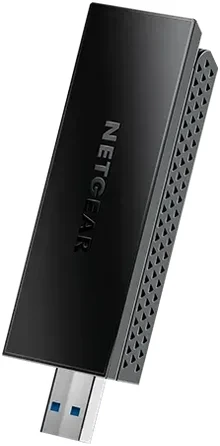 Image: NETGEAR.
Price checked: $29.98, new.
Key specs: Standard: Wi-Fi 6; Bands: 2.4GHz and 5GHz; Host interface: USB 3.0; Listed OS: Windows 10 and 11.
It adds wireless networking without charging you for a 6GHz band your existing router may not have. NETGEAR specifies up to 1,200Mbps on 5GHz and 600Mbps on 2.4GHz, but those are separate wireless link limits, not a speed-test result. The adjustable antenna gives you some freedom to position it; the box doesn’t list the desk cradle supplied with the A9000.
This is the lower-cost pick for an existing 2.4/5GHz network. Skip it if access to a router’s 6GHz band is the reason you’re upgrading. A tower pushed into a cabinet can also be a poor place for a directly connected adapter; price an appropriate USB extension or consider a cradle-equipped model rather than assuming the antenna fixes the location.
The A7500 specifications list the included driver thumb drive. Use NETGEAR’s A7500 driver downloads and installation guide: copy the installer from the supplied thumb drive or download it on a connected computer, then follow the Windows installation steps. A USB socket doesn’t make it a driver-free adapter for every operating system.
2. TP-Link Archer TXE70UH: Wi-Fi 6E With Room to Move the Antennas
Buy TP-Link Archer TXE70UH on Amazon ->
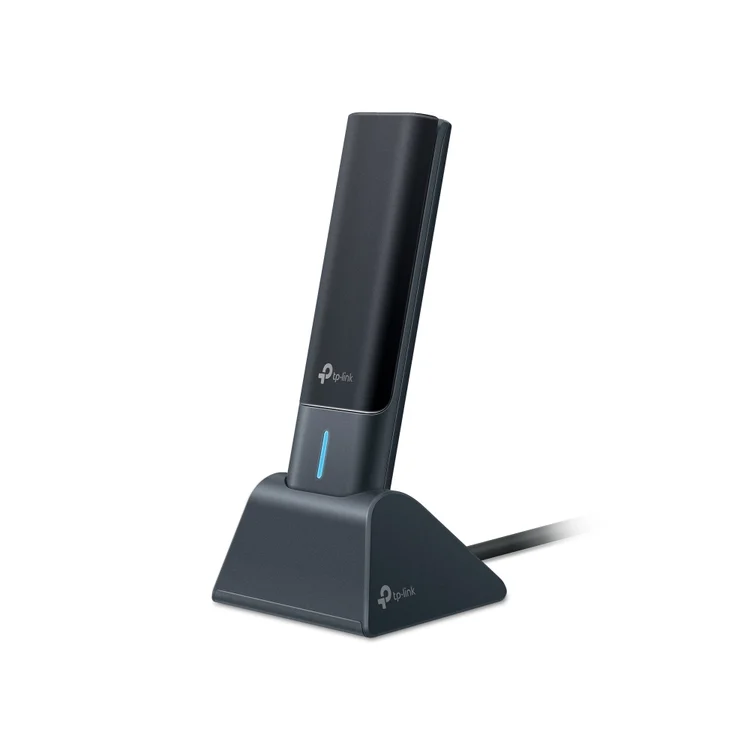 Image: TP-Link’s US TXE70UH gallery.
Price checked: $48.84, new.
Key specs: Standard: Wi-Fi 6E; Bands: 2.4GHz, 5GHz and 6GHz; Host interface: USB 3.0; Cradle cable: 1.2m.
The TXE70UH combines a 6GHz-capable radio with an included 1.2m cradle cable. You can put the antennas on the desk while the tower stays underneath it. That’s a practical distinction from a tiny dongle hidden behind the computer, although placement still needs trying in the actual room.
It is the lower-priced cradle-equipped 6GHz option in this group. Skip it if you specifically need Wi-Fi 7 rather than Wi-Fi 6E. TP-Link lists up to 2,402Mbps on each of 5GHz and 6GHz; neither number establishes what your internet plan or NAS transfer will deliver.
The manufacturer’s specifications list Windows 10/11 and a preloaded driver. Use the TXE70UH download page for the exact hardware revision and current OS instructions; confirm the 6GHz conditions for that installation. A new adapter isn’t a replacement for a compatible 6GHz router. Our Wi-Fi 7 router guide separates router-side band and wired-port choices.
3. MSI BE6500: The Lower-Priced Wi-Fi 7 Cradle Kit
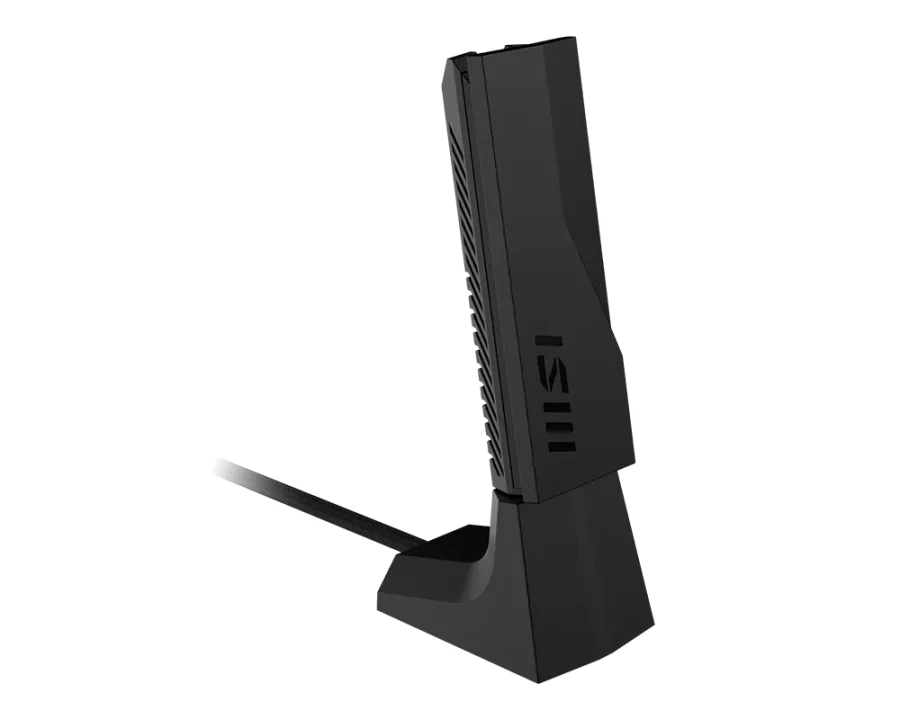 Image: MSI product gallery.
Price checked: $59.99, new.
Key specs: Standard: Wi-Fi 7; Bands: 2.4GHz, 5GHz and 6GHz; Host interface: USB 3.2 Gen 1; Antennas: two high-gain tri-band antennas; Package: adapter, cradle and quick-start guide.
MSI puts the adapter, cradle and two-antenna design into one kit. The supplied cradle is the useful part when a desktop’s rear ports are hard to reach: it gives you another placement option without opening the case. The manufacturer lists up to 2,880Mbps per 5/6GHz band, separately, and advertises MLO subject to compatible equipment.
It is our starting Wi-Fi 7 pick when you want a cradle and already have the Windows/router requirements. Skip it if a supported Mac or Linux driver is essential; the current specification lists Windows, not those platforms. A higher advertised standard also doesn’t establish a range or latency win over the cheaper TXE70UH.
Use MSI’s BE6500 support and driver page for the current installer. The model specification lists Windows 11 and Windows 10 with limited features. Keep the embedded installer as a setup route, not a promise that future Windows versions will never need an updated download.
4. ASUS ROG USB-BE92: An Embedded Installer and a Different Cradle Design
Buy ASUS ROG USB-BE92 on Amazon ->
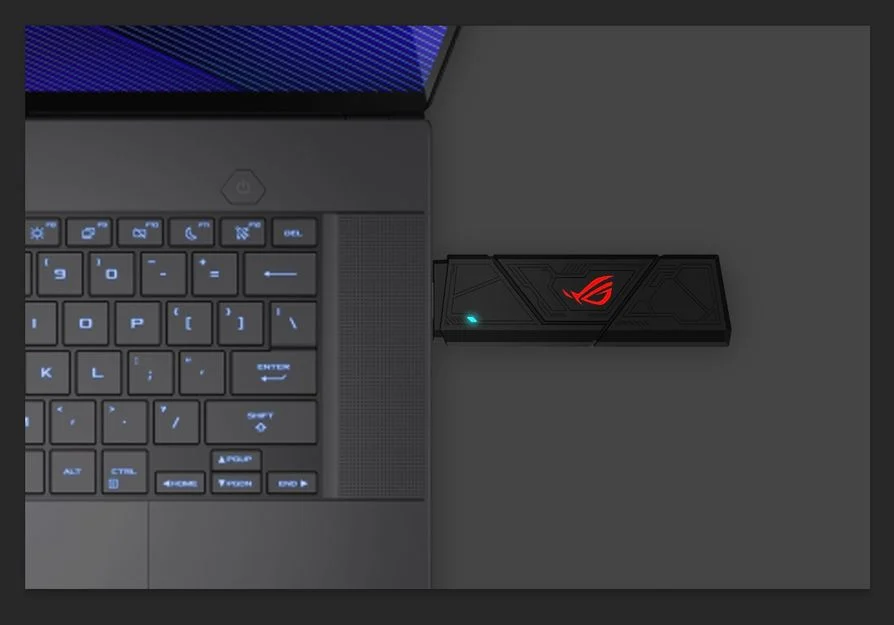 Image: ASUS public product press gallery.
Price checked: $62.98, new.
Key specs: Standard: Wi-Fi 7; Bands: 2.4GHz, 5GHz and 6GHz; Advertised channel width: 160MHz; Security: WPA3.
The ROG model is a full-size adapter with a cradle, not the similarly named USB-BE92 Nano. ASUS’s embedded installation software is useful when the desktop you’re upgrading doesn’t already have a network connection. Its advertised Type-A/Type-C compatibility is also worth checking against the ports on a newer laptop, but compatibility wording alone doesn’t establish which adapter or cable a particular seller includes.
It is an alternative when you want ASUS’s embedded-installer and cradle arrangement. Skip it if your purchase depends on a bundled USB-C cable that the exact package doesn’t confirm. The checked seller was AR TECH USA; confirm regional package and warranty eligibility rather than treating an ASUS logo as proof of seller authorization.
The ROG USB-BE92 product page documents the bands, 160MHz limit and WPA3. Use the official driver/support page for Windows 10/11 setup; Wi-Fi 7 features still require an appropriate Windows 11 build and compatible router. Don’t buy it expecting 320MHz channels from the Wi-Fi 7 label.
5. NETGEAR Nighthawk A9000: Cradle, Folding Antenna and Separate Driver Media
Buy NETGEAR A9000 on Amazon ->
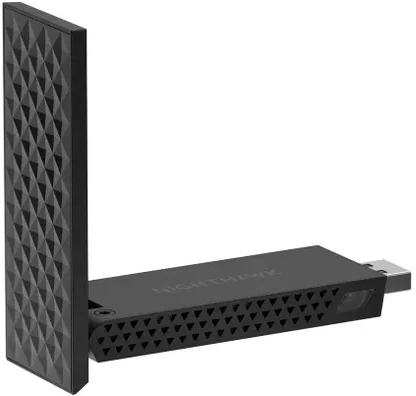 Image: NETGEAR.
Price checked: $84.99, new.
Key specs: Standard: Wi-Fi 7; Bands: 2.4GHz, 5GHz and 6GHz; Host interface: USB 3.0; Required OS: Windows 11; Package: adapter, USB cradle/cable, installation thumb drive and quick-start guide.
The A9000 supplies both the placement hardware and a separate installer thumb drive. Its flip-open antenna lets you change the physical arrangement without moving the computer. That package can be convenient when you’re setting up an offline desktop, but it costs $25 more than the MSI at these prices.
Consider it when the separate driver thumb drive and adjustable-antenna kit are what you want. Skip it if you need Windows 10 support or are paying extra solely because 6.5Gbps sounds like a promised download speed. NETGEAR explicitly says its bands alternate; it also says you can use a compatible router from another brand, so buying this doesn’t commit you to Nighthawk or Orbi.
The A9000 specification sheet supplies those package and operating-system limits. Follow NETGEAR’s current A9000 downloads for the Windows driver. A Wi-Fi 7 router is needed for the corresponding newer features, not for basic backward-compatible networking.
Before Giving One as a PC Upgrade
Check three things with the recipient: the computer’s OS, a free compatible USB port and the router model. Save the correct official installer while another connection is available. Don’t include a paid subscription in the gift budget unless there’s a separate service they actually want; these adapters don’t require a networking subscription, but they also don’t provide internet service.
An adapter with a cradle is easier to place away from the tower, not evidence that it can cure a dead zone. If the room itself has poor coverage, investigate router placement or additional network coverage before blaming the computer. If a desktop already has Ethernet within reach, a cable avoids the wireless-driver question. A motherboard-supported PCIe or internal wireless option can be another route when opening the case is acceptable; neither is the same purchase as an external USB adapter.
For a home server, think about the workloads and network path before adding wireless. An occasional desktop download and a storage server feeding several clients aren’t the same requirement. Keeping a wired server connection while adding Wi-Fi to a moved client may solve the practical problem without rebuilding the network.
FAQ
Will a USB Wi-Fi adapter give a computer internet by itself?
No. It connects the computer to an existing compatible wireless network. The router still needs an internet connection if you want to reach the internet; the adapter doesn’t include a cellular plan or replace your broadband subscription.
Do I need the same brand of router and adapter?
Not generally. These products use standard Wi-Fi protocols, and NETGEAR explicitly documents cross-brand router compatibility. The useful check is whether both ends support the band and feature you need, with appropriate firmware and driver support, not whether their logos match.
Is Wi-Fi 7 worth buying for a Wi-Fi 5 router?
It can be a backward-compatible adapter purchase, but the old router won’t supply Wi-Fi 7 or 6GHz. At the checked prices, the A7500 is the cheaper way to establish a 2.4/5GHz connection. Pay more for an actual placement, compatibility or planned router-upgrade benefit, not an assumed immediate speed multiplier.
Does a Wi-Fi adapter also add Bluetooth?
Don’t assume so. The purchase here is a Wi-Fi network adapter; none is selected as a Bluetooth solution for a mouse, controller or headphones. Look for separately documented Bluetooth support or buy a dedicated supported Bluetooth adapter for that job.
For a couch-gaming setup, our PC controller comparison separates Bluetooth pads from packages with their own USB wireless receiver, so the network upgrade and game-input connection aren’t confused.
Will USB-C make one of these adapters faster?
A connector shape doesn’t establish the USB data rate, and an adapter plug doesn’t change the radio or router. Use a data-capable connection meeting the product’s USB specification and verify any extra cable or converter. A charging-only cable or an unsupported OS isn’t fixed by having a newer-looking connector.
Bottom Line
For a desktop that simply needs to join an existing network, the A7500 at $29.98 keeps the upgrade proportionate. The TXE70UH adds a useful desk cradle and 6GHz capability, while the MSI BE6500 is the starting Wi-Fi 7 kit here for a compatible Windows 11 setup. Start with the computer and router you actually own. That’s more likely to answer the problem than the largest number on the box.
This article contains affiliate links. PicksLab may earn a small commission at no extra cost to you. Our recommendations are based on the review method described in this article.