Affiliate disclosure: PicksLab earns commissions on qualifying Amazon purchases, at no extra cost to you.
Ever finished recording a conversation and discovered that your guest was barely audible, someone kept bumping the table, and all of it is baked into one audio file? A podcast mixer can give each person a microphone, their own headphone volume and a separate recording track. That last part matters when you need to turn one voice up without turning everything else up with it.
The expensive models don’t necessarily record more people. The small Zoom P4next already handles four XLR microphones, while the pricier RODECaster Duo and Mackie DLZ Creator XS have two. What changes is how you manage the conversation: physical faders, touchscreen controls, caller routing and the way recordings get into your editing software.
TL;DR - Our top pick: The Zoom PodTrak P4next is our value pick for recording up to four local voices without buying a large console. For a permanent four-person desk where you want faders under your fingers, the RODE RODECaster Pro II is the more capable control surface.
Prices and Practical Differences
Prices checked October 14, 2026, for new US Amazon offers, ordered lowest first. These are ordinary displayed prices, not Prime-only discounts or coupon prices; tax is extra. Each offer displayed free delivery to the US location checked, but seller, delivery and price can change. Microphones, headphones, stands and recording cards are separate unless the selected listing explicitly includes them.
| Product | Price checked October 14, 2026 | What the extra hardware gets you | Selected seller |
|---|---|---|---|
| Zoom PodTrak P4next | $179.99 | Four mic seats and separate recordings in a small recorder | Amazon.com |
| RODE RODECaster Duo | $415.00 | Two mic seats, four physical faders and flexible USB routing | AudioWattStore |
| TASCAM Mixcast 4 | $499.00 | Four mic seats plus dedicated controls for USB, phone and Bluetooth audio | TASCAM US; ships from Amazon |
| Mackie DLZ Creator XS | $499.99 | Two mic seats with guided setup on a 7-inch touchscreen | Amazon.com |
| RODE RODECaster Pro II | $575.00 | Four mic seats, four headphone outputs and six physical faders | DealB |
What Actually Gets Recorded?
An advertised channel count isn’t a head count. Stereo music, a phone return and sound pads all consume channels without adding another microphone socket. These counts describe physical XLR inputs and independently controlled headphone outputs, not every virtual source the software can mix.
| Product | XLR mic inputs / headphone outputs | Recording without a computer | Computer recording | Important routing limit |
|---|---|---|---|---|
| Zoom P4next | 4 / 4 | microSD stereo or multitrack | USB stereo or multitrack | Analog phone input replaces mic input 4; USB calling is a different route |
| RODECaster Duo | 2 / 2; additional front headset connection | microSD or USB storage | Multitrack through USB 1 | Two combo sockets, not four; USB 2 is not the multitrack connection |
| Mixcast 4 | 4 / 4 | SD, up to 14 recorded tracks | 14 channels to computer, 2 back | Front headset output shares headphone 1, not a fifth independent mix |
| DLZ Creator XS | 2 / 2 | microSD or USB flash drive | 14 channels to computer, 4 back | Extra digital channels don’t create extra XLR sockets |
| RODECaster Pro II | 4 / 4 | microSD or USB storage | Multitrack through USB 1 | Enable multitrack; a stereo recording won’t separate voices afterward |
1. Zoom PodTrak P4next
Buy Zoom PodTrak P4next on Amazon ->
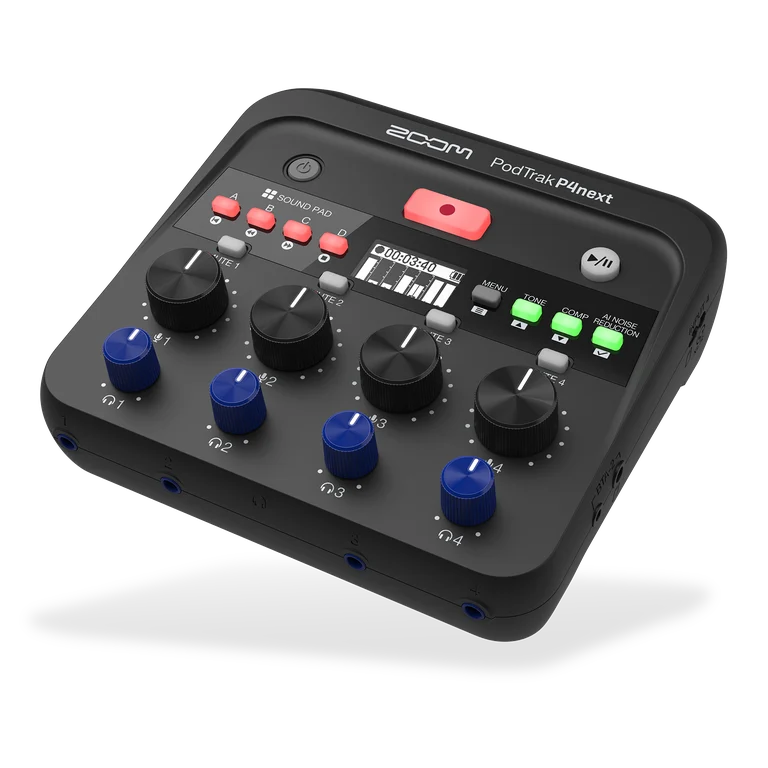 Image: Zoom.
Price checked: $179.99, new, October 14, 2026.
Key specs: Mic inputs: four XLR; Headphone outputs: four with individual volume; Recording: 48 kHz/24-bit WAV; Storage: microSD; USB: stereo or multitrack modes.
The P4next is the most economical way here to put four people on separate microphones and headphones. Its small knobs and sound pads suit a recorder you set up before the conversation, rather than a large desk you constantly ride during a live show. You can record locally and edit afterward without keeping a laptop at the table.
There is one connection to plan carefully. Its analog phone connection takes the place of microphone input 4. Three local speakers and an analog phone guest fit; four local speakers plus that same phone connection do not. A USB call uses a separate route, with USB mix-minus available to keep the caller from hearing their own voice fed back. The P4next manual documents those switches and recording modes. This is the newer P4next, not the original P4, so older advice about USB recording limits can be misleading.
Its noise reduction and compression are conveniences for the mixed recording, not proof that a noisy room will sound good. Zoom documents that these processes aren’t baked into the individual microphone files on the card, leaving more choices during editing. For Windows recording software that uses ASIO, install the P4next driver from Zoom’s official downloads; standalone card recording does not need a computer driver. Skip it if you want long-throw faders and a large screen for frequent live adjustments.
2. RODE RODECaster Duo
Buy RODE RODECaster Duo on Amazon ->
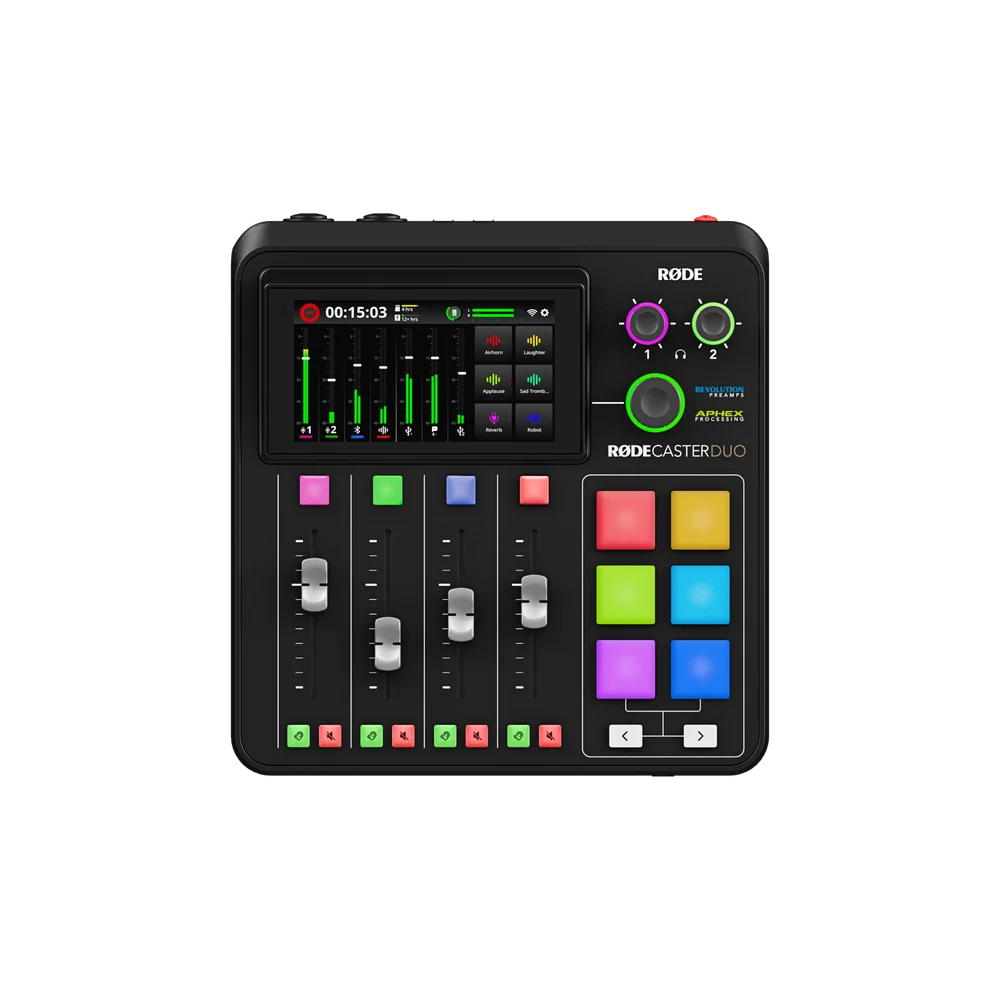 Image: RODE.
Price checked: $415.00, new, October 14, 2026.
Key specs: Mic inputs: two XLR/TRS combo; Headphone outputs: two quarter-inch plus a front TRRS headset connection; Physical faders: four; SMART pads: six; Storage: microSD or USB storage.
The Duo makes sense for a two-person desk that also handles computer audio and remote interviews. Faders give you a direct way to lower music or an excited cohost without hunting through a menu. The pads can trigger recurring sounds, while the touchscreen handles processing and routing that would otherwise live in computer software.
It is not a four-XLR console in miniature. RODE’s Duo and Pro II comparison shows two combo inputs and two quarter-inch headphone outputs on the Duo. A compatible headset or wireless source can broaden a specific setup, but that doesn’t help when your third guest arrives with an ordinary XLR microphone. Skip it if three or four XLR microphones will be a regular requirement.
Use the current RODECaster App for desktop configuration and firmware management on Mac or Windows, not the general RODE Central app. Standalone recording doesn’t require the desktop app. For computer multitrack, connect USB 1, enable the recording mode, and follow RODE’s DAW and Windows ASIO setup. Pre-fader files preserve an editing route that isn’t tied to every live volume adjustment.
3. TASCAM Mixcast 4
Buy TASCAM Mixcast 4 on Amazon ->
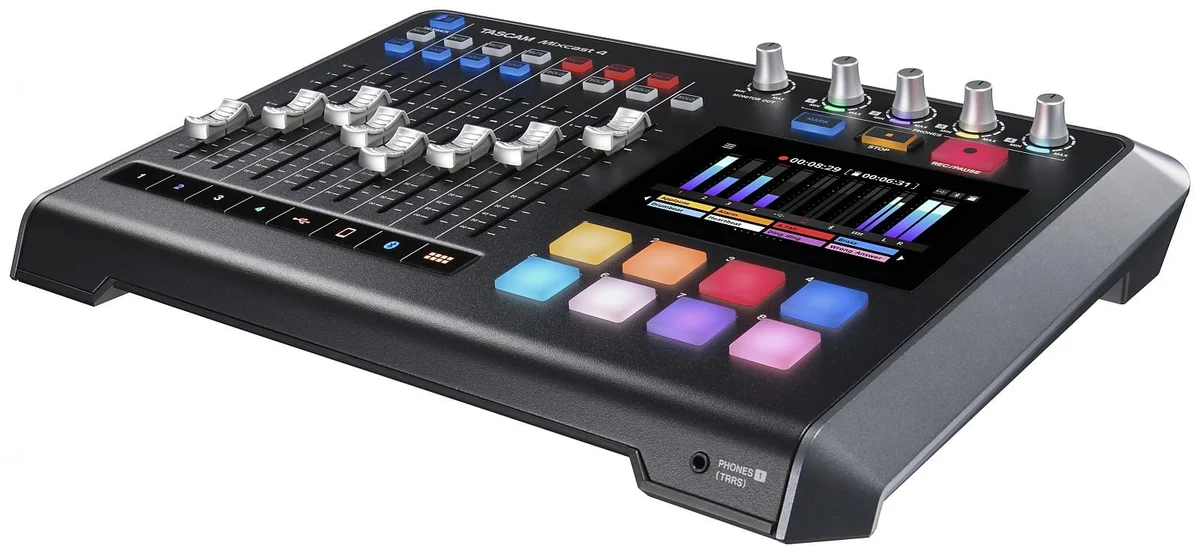 Image: TASCAM.
Price checked: $499.00, new, October 14, 2026.
Key specs: Mic inputs: four; Headphone outputs: four independently controlled; USB interface: 14 channels to computer and two back; SD recording: up to 14 tracks; Display: 5-inch touchscreen.
The Mixcast 4 suits a four-person show that brings in phone audio, computer audio and sound clips. Its dedicated channel faders make those sources easy to identify. Instead of remembering which virtual page contains a caller, you have separate controls for the microphone channels, USB, smartphone, Bluetooth and pads.
TASCAM’s specifications and downloads distinguish the four microphone channels from the additional stereo sources. Its 14-track SD recording includes the stereo master alongside individual sources. The front headset socket shares headphone channel 1; it isn’t an extra independently controlled seat. Mix-minus on the call paths keeps a guest’s incoming audio out of the feed sent back to them.
The included TASCAM Podcast Editor supports editing and transferring recordings and configuring pad sounds. Use TASCAM’s model download page for the Windows driver and check its current OS compatibility before installing; SD recording itself doesn’t depend on the editor. Skip it if a compact two-person desk matters more than dedicated controls for all those inputs. You would be paying for and finding room for a four-person console you aren’t using.
4. Mackie DLZ Creator XS
Buy Mackie DLZ Creator XS on Amazon ->
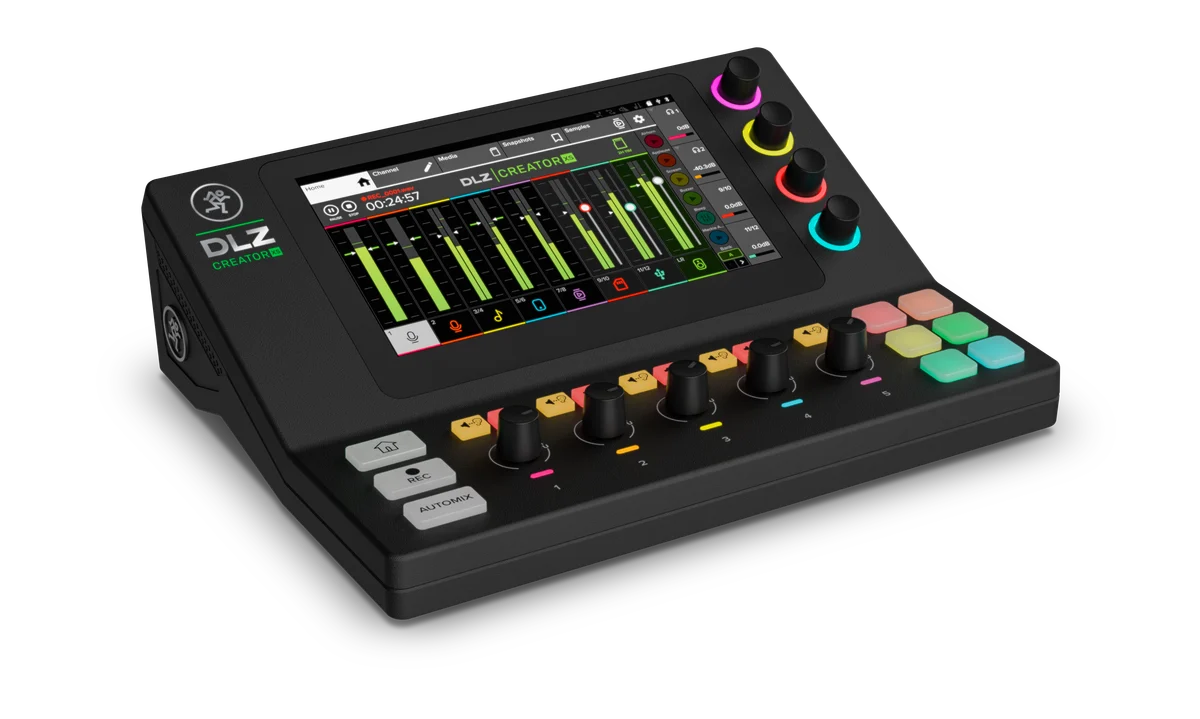 Image: Mackie.
Price checked: $499.99, new, October 14, 2026.
Key specs: Mic inputs: two XLR/TRS combo; Headphone outputs: two independent; Display: 7-inch touchscreen; USB interface: 14 channels to computer and four back; Storage: microSD or USB flash drive.
The DLZ Creator XS is for someone who wants help setting up a two-microphone show, not just more sockets. Mackie’s Mix Agent walks through setup, and its Easy, Enhanced and Pro modes expose different amounts of control. That can be useful when one person has to host, record and watch levels without an engineer beside them.
The screen is the main attraction, but the physical connections still set the room size. The XS specifications and manual identify two combo microphone inputs and two headphone outputs. Its 14-by-4 USB specification describes recording and playback channels, not fourteen microphone inputs. Bluetooth and mix-minus help with a remote conversation; multitrack recording gives you separate material to edit.
Guided setup isn’t a guarantee that automatic settings will suit every voice or room. Run a rehearsal and listen back. The Mackie support portal supplies current firmware, drivers and OS-specific instructions; standalone recording is controlled on the console. Skip it if you already know you need four local microphone inputs. At today’s prices, the Pro II costs $75.01 more and supplies those extra physical seats.
5. RODE RODECaster Pro II
Buy RODE RODECaster Pro II on Amazon ->
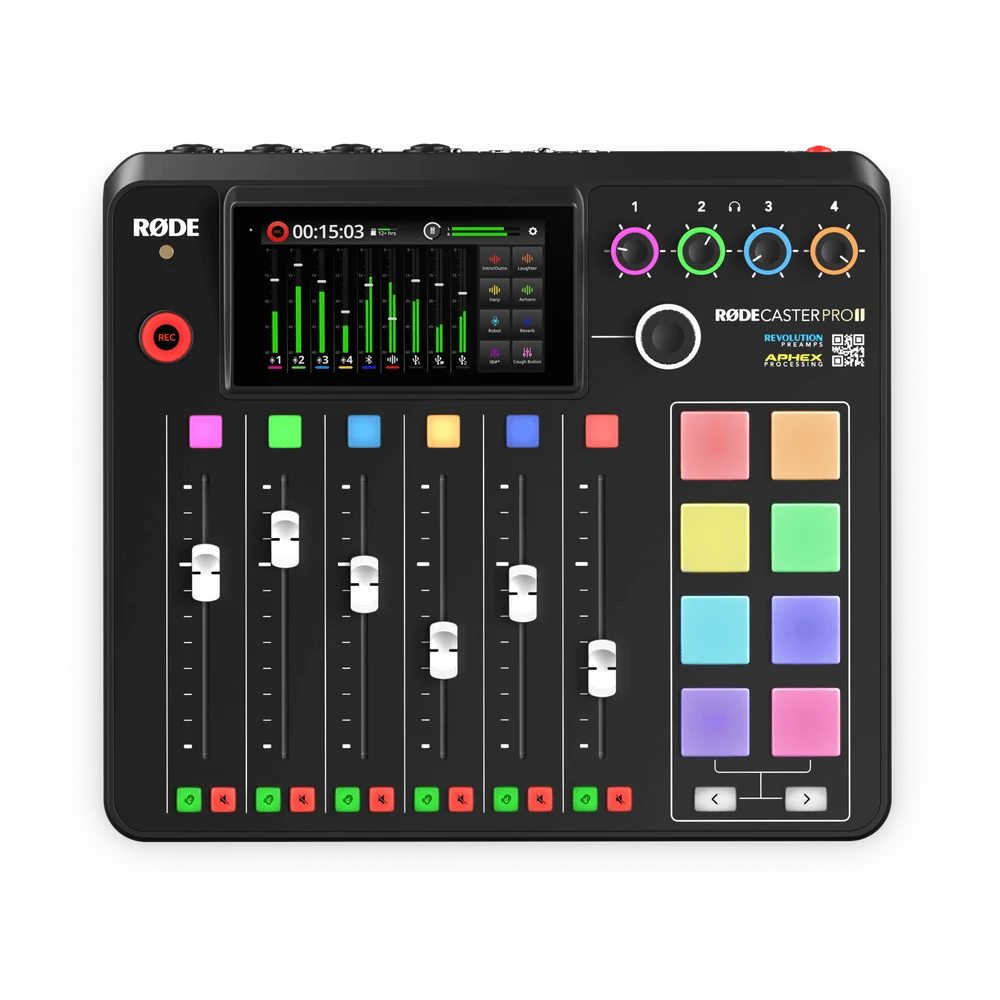 Image: RODE.
Price checked: $575.00, new, October 14, 2026.
Key specs: Mic inputs: four XLR/TRS combo; Headphone outputs: four quarter-inch; Physical faders: six; SMART pads: eight; Storage: microSD or USB storage.
The Pro II earns its place when four people regularly record at the same desk and someone needs hands-on control of the mix. Four XLR microphones and four headphone connections are already accounted for. The additional faders and pads leave more room to manage music and other sources without turning the session into a computer-mouse exercise.
Compared with the Duo, the reason to spend more is the larger physical setup, not an assumed leap in voice quality. RODE’s hardware comparison is especially useful here. Both support local multitrack recording and configurable processing. Skip it if your show is one person at a laptop and you don’t need live mixing controls.
The RODECaster App handles desktop configuration and firmware management on Mac or Windows; standalone recording doesn’t require it. As with the Duo, USB multitrack requires USB 1 and an enabled multitrack mode. Make a short recording, open the actual individual files and check every voice before trusting the setup with an hour-long interview.
Plan Your Seats, Caller and Recording Destination
Before choosing a console, write down these three things. They catch more expensive mistakes than comparing the number of effects.
- Count physical seats. Four people with XLR microphones need four mic inputs and a way for all four to monitor. A stereo Bluetooth channel doesn’t count as another mic socket. Two-person consoles are fine until your format grows.
- Name the caller connection. Write “USB laptop call,” “analog phone” or “Bluetooth,” not just “remote guest.” On the P4next, an analog phone costs you mic input 4. On any console, check that the caller receives the local voices without receiving their own return audio.
- Name the file you need afterward. A stereo mix is convenient to publish, but separate tracks let you lower one person’s cough or raise a quiet answer. Enable multitrack on the destination you will actually use: card, USB drive or computer. Computer software must also be configured to record those inputs, rather than only its default stereo pair.
For example, four local hosts plus a USB guest can justify the P4next without a full-size desk. Four hosts plus hands-on music cues point toward the Mixcast 4 or Pro II. A host and cohost who want guided setup are the XS audience. None of those scenarios proves one unit has better-sounding preamps; they establish which connections and controls you will use.
For the rest of the setup, our XLR microphone guide covers what to put in front of each speaker. A solo voiceover may need only an audio interface, while a fully remote show can often start with one USB microphone per participant and recording software. Don’t buy a mixer just because the show is called a podcast.
Who Should Buy What
- Four local voices on a limited budget: Zoom P4next, after checking the caller connection.
- Two-person desk with faders: RODECaster Duo.
- Four microphones with dedicated phone and playback controls: Mixcast 4.
- Two microphones with guided touchscreen setup: DLZ Creator XS.
- Permanent four-person production desk: RODECaster Pro II.
FAQ
Do I need a podcast mixer for one microphone?
Usually not. An audio interface or USB microphone can handle a solo recording. A console becomes useful when you need several microphones, separate headphone volumes, live playback controls, local recording or caller routing in one place.
Will a mixer stop a remote guest hearing an echo?
Mix-minus can prevent the console from sending the guest’s own voice back to them. It doesn’t fix every echo: the guest’s loudspeakers can still feed their microphone, and a second monitoring path in software can create duplication. Use headphones and rehearse the exact call application and connection.
Is multitrack recording the same as having lots of inputs?
No. Inputs describe what you can connect; multitrack describes what you save separately. A mixer can accept several sources and still record only a combined stereo file in its current mode. Enable the correct recording mode and inspect a test file before the real session.
Can I plug a USB microphone into any of these mixers?
Do not assume so. A USB connection may be intended for a computer or storage device, not an arbitrary USB mic. Start with the console’s supported-device list. An ordinary XLR microphone connected to a physical mic input is the common route covered in this comparison.
Bottom Line
The P4next covers a surprising amount of a small show’s recording needs. Spend more when you can name the control or connection you’re missing. For a regular four-person desk, the Pro II gives you room to run the conversation without constantly rearranging the equipment around it.
This article contains affiliate links. PicksLab may earn a small commission at no extra cost to you. Our recommendations are based on the review method described in this article.