Affiliate disclosure: PicksLab earns commissions on qualifying Amazon purchases via the pickslab-20 tag, at no extra cost to you.
Ever opened something that stopped working and found a wire hanging loose? That’s the sort of repair that makes a soldering station worth owning. It can also help you assemble an electronics kit or connect the wiring inside something you’ve built. You get an iron with adjustable temperature and a proper place to put it down, rather than trying to make do with a tool that’s either heating or unplugged.
The harder question is how much station you actually need. A higher wattage isn’t a higher quality score, and a very fine tip isn’t automatically better for a small circuit board. We compared five stations by their controls, tip systems, included equipment and current US offers. The useful divide is between an affordable first bench and a cartridge system you’ll appreciate when you solder regularly.
TL;DR - Our top pick: The Weller WE1010NA is our starting point for ordinary hobby electronics: a 70W iron, included tip and rest, and standby controls for $115 at our check. The YIHUA costs less; the Hakko FX-971 is a much more expensive upgrade whose tip is sold separately.
Prices and What You’re Buying
Prices checked October 11, 2026, in ascending order. These were ordinary new-item US offers with active purchase controls, not used prices or Prime-only discounts. Tax, delivery date, seller and available variants can change. Recheck the selected bundle before paying.
| Product | Price checked | What makes it worth considering | Cost or compatibility catch |
|---|---|---|---|
| YIHUA 939D+ | $58.99 | Lowest-cost separate bench station here | Original US black model, not the I or III EVO |
| Weller WE1010NA | $115.00 | First permanent bench with standby controls | ET tip system, not a cartridge station |
| Hakko FX-888DX | $122.15 | Rotary control and T18 replacement tips | Included FX-8801 iron is 65W, not the optional handpiece |
| FNIRSI DWS-200 | $145.99 | F210 and F245 handles in the selected kit | Confirm handle-connector revision for replacements |
| Hakko FX-971 | $329.97 | T39 cartridges and configurable sleep | Budget for a T39 tip: none is included |
The YIHUA offer was sold by EVERSTONE US and shipped by Amazon. Both Hakko offers were sold by Tequipment and shipped by Amazon. Weller’s separate lower-priced resale offer is not the $115 new offer above. The FNIRSI price is for the F210 and F245 kit, not its cheaper one-handle variant.
Buy for the Joint, Not the Wattage
Start with the connection you want to make. A small pad and a thick connector don’t draw heat out of an iron in the same way. Hakko’s tip-selection guidance emphasizes matching the contact area to the work. An undersized needle can make a joint harder to heat; an oversized tip can touch things you didn’t intend to solder.
| Your project | What to plan for | What not to assume |
|---|---|---|
| Reattaching a wire or assembling a through-hole kit | A suitable chisel tip, something to hold the work and room to reach the joint | That the smallest available tip is the safest choice |
| Working on tiny surface-mount parts | Appropriate tip geometry, magnification and practice on a board you can afford to lose | That buying a fine handle supplies the skill or visibility |
| Soldering a connector or a joint attached to a large copper area | Adequate tip contact and a station that can replenish heat | That turning the temperature to maximum fixes poor contact |
| Removing a multi-pin connector | A removal plan, possibly desoldering or hot-air equipment | That a soldering station alone can heat every connection at once |
This is also why we haven’t ranked these by the largest wattage on the box. Weller’s iron rating, Hakko’s station input rating, YIHUA’s “equivalent” label and FNIRSI’s maximum-power claim describe different things. None establishes how quickly these exact stations recover on the same joint. For a first purchase, the right tip, a supported handpiece and a manageable repair are better reasons to choose than an isolated power figure.
Feature Comparison
| Product | Temperature range | Tip or handle system | Controls and practical difference |
|---|---|---|---|
| YIHUA 939D+ | 200-480 C | Detachable 907F iron | Temperature dial and C/F display; don’t assume upgraded-model sleep features |
| Weller WE1010NA | 100-450 C | WEP70 with ET tips | Button controls, standby and auto-setback |
| Hakko FX-888DX | 50-480 C | FX-8801 with T18 sleeve tips | Push-and-turn dial; supplied 1.6 mm chisel tip |
| FNIRSI DWS-200 | 100-450 C | F210 and F245 cartridge handles | Three presets and standby holder; connector revisions matter |
| Hakko FX-971 | 50-450 C | FX-9701 with T39 cartridges | Sleep settings and optional computer control/logging |
Those are adjustment ranges, not recommended working temperatures. Follow the solder, component and station instructions for your task.
1. YIHUA 939D+
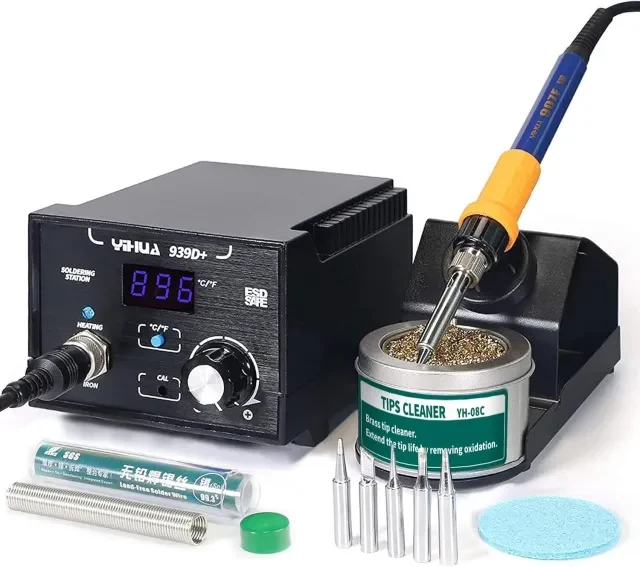 Manufacturer image: YIHUA’s US 939D+ page. Check the selected seller’s accessory list.
Key specs: Temperature range: 200-480 C; Input: 110-127V AC, 60Hz; Handpiece: detachable 907F. Checked price: $58.99. Specifications are for the US model linked above.
The 939D+ is the low-cost way into a separate, temperature-controlled bench station. Its dial and temperature display give you a straightforward adjustment without needing a computer. For someone deciding whether electronics repair will become a regular hobby, the price leaves more of the budget for practice boards, a work holder and the right consumables.
The model name needs care. YIHUA sells similarly named stations with different controls and features, and its international documentation isn’t interchangeable with this US version. Skip it if automatic sleep is a requirement: don’t borrow that feature from the similarly named 939D+ I or III EVO. Buy replacements against the actual handpiece model rather than a photo of a similar-looking iron.
2. Weller WE1010NA
Buy Weller WE1010NA on Amazon ->
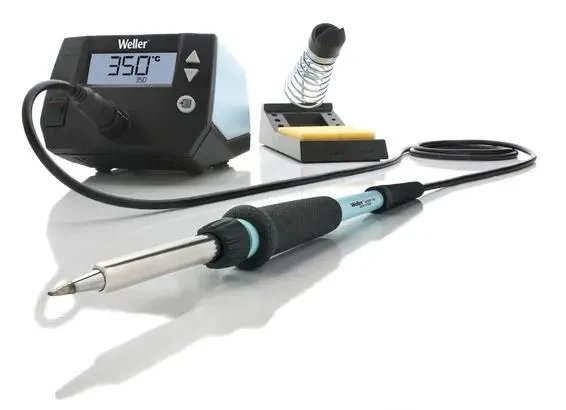 Manufacturer image: Weller.
Key specs: Iron power: 70W; Temperature range: 100-450 C; Tip family: ET; Input: 120V. Checked price: $115.00. Weller specifications.
The Weller is our starting point for a first permanent electronics bench. Its temperature buttons, standby mode and auto-setback address the ordinary routine of working, setting the iron down and coming back to the next connection. The standard kit includes the WEP70 iron, PH70 rest and ETA 1.6 mm screwdriver tip, so this isn’t a controller-only price.
The reason to spend more than the YIHUA price is that particular equipment and control set, not a claim that every joint will come out better. ET tips are replaceable, but Weller lists compatibility exceptions for certain older shapes: use the WE1010NA compatibility list when ordering. Skip it if your main reason to upgrade is quick cartridge changes or computer logging. It operates from the front panel without an app.
3. Hakko FX-888DX
Buy Hakko FX-888DX on Amazon ->
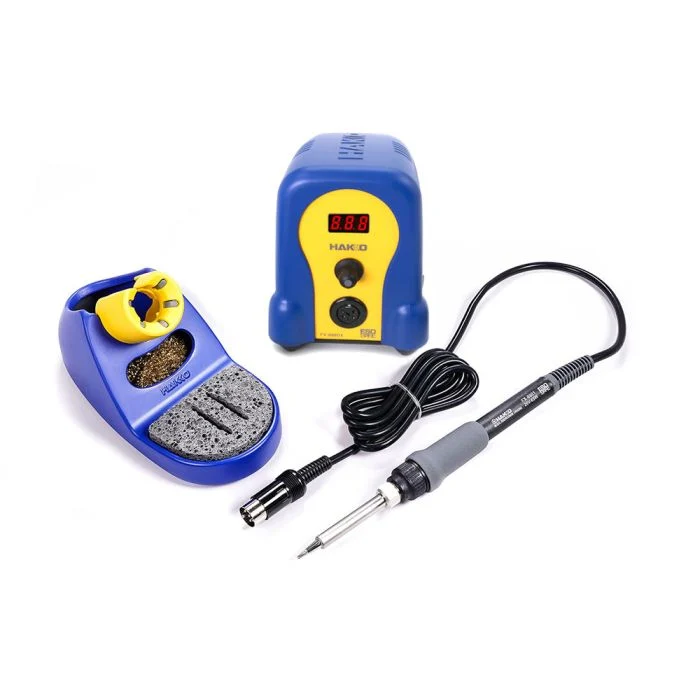 Manufacturer image: Hakko.
Key specs: Included iron: FX-8801, 65W; Temperature range: 50-480 C; Included tip: T18-D16, 1.6 mm chisel. Checked price: $122.15. Hakko specifications and FX-888DX manual.
The FX-888DX is the alternative for someone who prefers a rotary temperature control and Hakko’s T18 parts ecosystem. Push-and-turn adjustment is a tangible difference from the Weller’s buttons. The supplied chisel is a useful starting shape, though the workpiece still determines which tip you need. The manual also covers presets and temperature offset adjustment; none requires an app.
At just over $7 more than the checked Weller price, this is a choice between controls and replacement systems, not two dramatically different budgets. Skip it if you are buying specifically for cartridge tips: the included FX-8801 uses T18 sleeve tips, not the FX-971’s T39 system. Also distinguish station input power from the supplied 65W iron; an optional higher-powered handpiece isn’t part of this package.
4. FNIRSI DWS-200
Buy FNIRSI DWS-200 on Amazon ->
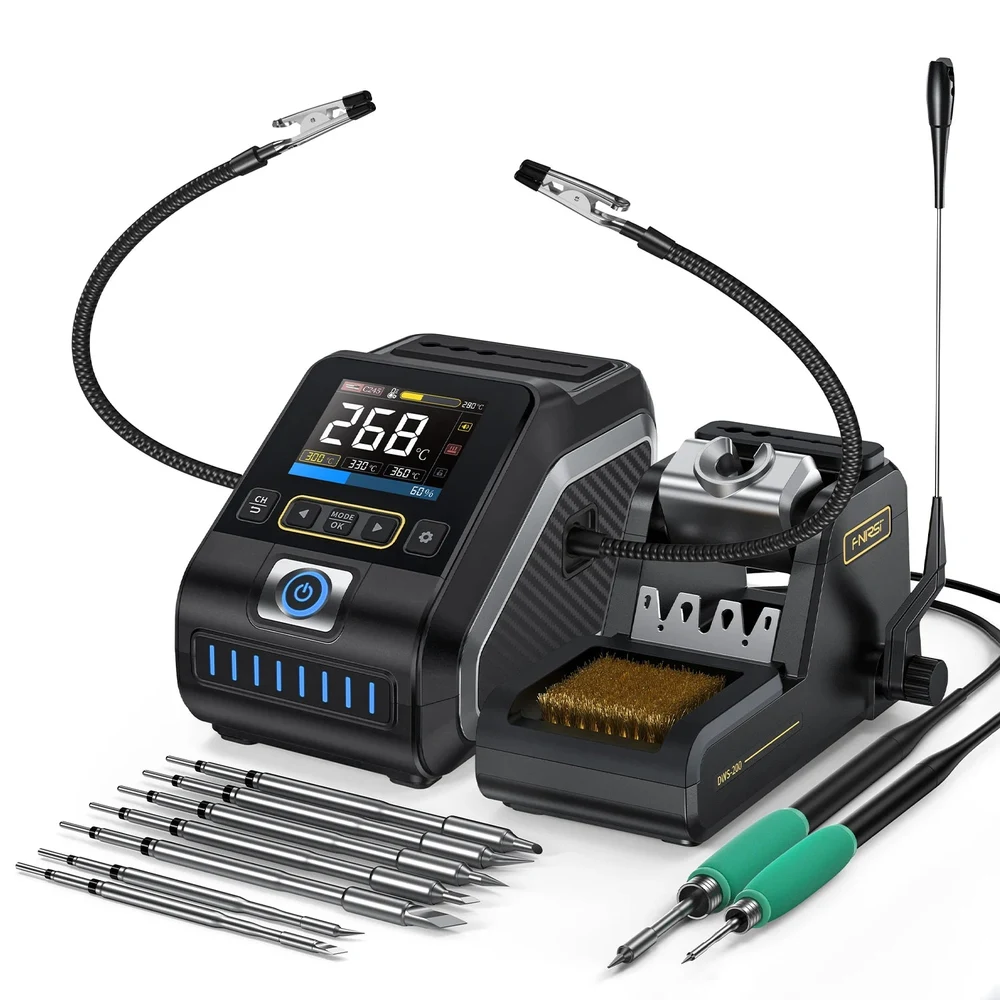 Manufacturer image: FNIRSI. Confirm the shipped connector revision; the manufacturer has revised this system.
Key specs: Temperature range: 100-450 C; Temperature presets: three; Included handles: F210 and F245. Checked price: $145.99. FNIRSI specifications and full-set contents.
The DWS-200 kit is the option for trying fine and general-purpose cartridge handles without buying two stations. The selected bundle includes both handles; they aren’t two simultaneously powered channels. Three presets let you keep recurring settings ready on the front panel. That equipment is more useful to compare than its headline 200W maximum.
The important limitation is parts matching. FNIRSI explicitly warns that its upgraded handle interface is incompatible with the older one. Skip it if you need a guaranteed replacement-handle match without first checking the connector revision. Use the official DWS-200 manuals and firmware downloads, matching the hardware revision and download requirements; ordinary soldering needs no PC. FNIRSI’s website-only warranty offer should not be assumed to cover an Amazon purchase.
5. Hakko FX-971
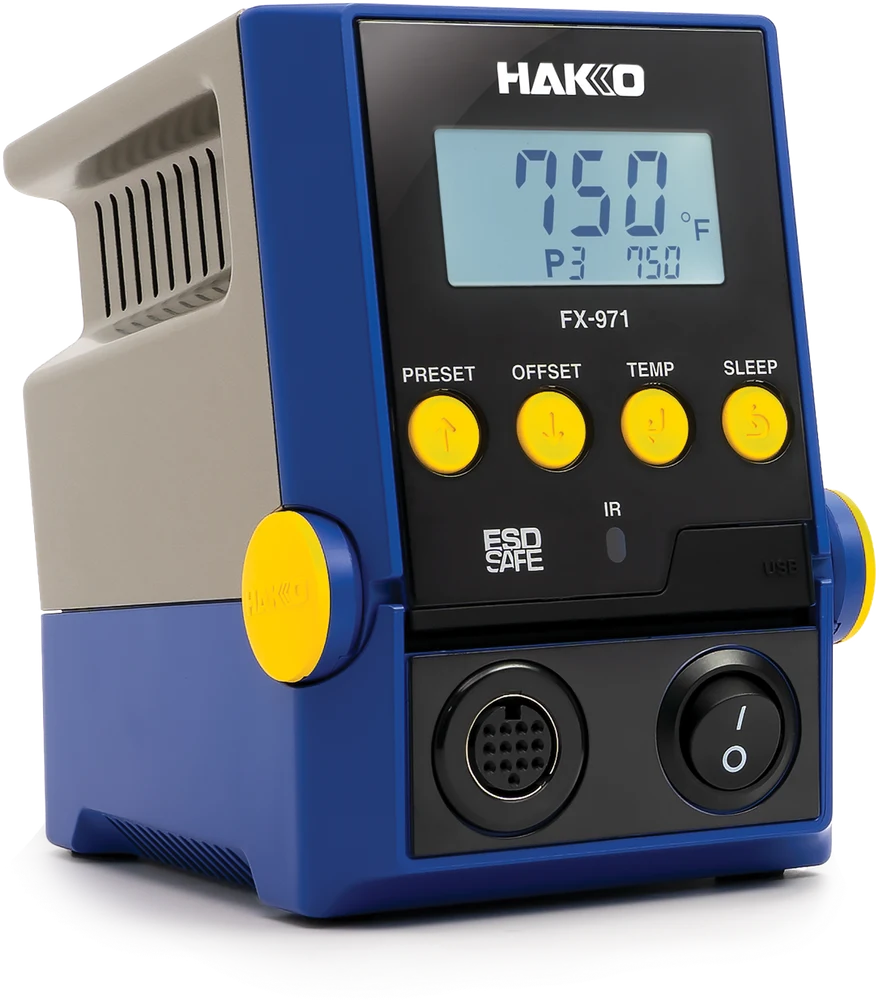 Manufacturer image: Hakko. Controller shown; the linked kit also supplies the FX-9701 iron and FH-215 holder, but not a tip.
Key specs: Station input rating: 100W, 120V; Temperature range: 50-450 C; Tip family: T39; tip not included. Checked price: $329.97. Hakko specifications and package contents.
The FX-971 is the upgrade for frequent bench work where cartridge changes and a configurable sleep routine justify the cost. The included FX-9701 takes T39 cartridges; the FH-215 holder provides tip-removal and storage features. That starts to make sense when you regularly move between different joints, rather than owning one iron for a rare repair.
Budget beyond the station price: choose a compatible T39 shape separately. Optional HAKKO Control Software adds computer control and logging, but normal soldering works without it. Check the current installer’s system requirements rather than assuming Mac support. Skip it for an occasional loose wire unless you already know why you need the T39 system. The optional micro handpiece is another purchase, not an included second iron.
What the Station Doesn’t Replace
A station heats a connection. It doesn’t diagnose why a device failed, hold the board still or remove a damaged connector for you. Before ordering, write down the repair and check these needs:
- A suitable tip and consumables. Check inclusion first, particularly with the FX-971. Match solder and flux to electronics work and their handling instructions.
- A stable, visible work area. A holder and appropriate lighting matter when both hands are occupied. Our work-light comparison distinguishes broad illumination from a narrow inspection beam; a bright spotlight alone isn’t a detailed bench setup.
- A way to manage fumes. The HSE’s soldering guidance identifies rosin-based flux fumes as an asthma risk. Plan suitable extraction close to the work, keep your face out of the plume and don’t treat a small fan or “lead-free” label as proof of adequate protection.
- A realistic repair boundary. Practice first. Don’t work on energized equipment or solder directly to lithium cells. Mains-powered equipment can retain dangerous charge after unplugging; a new station doesn’t make that an appropriate first repair.
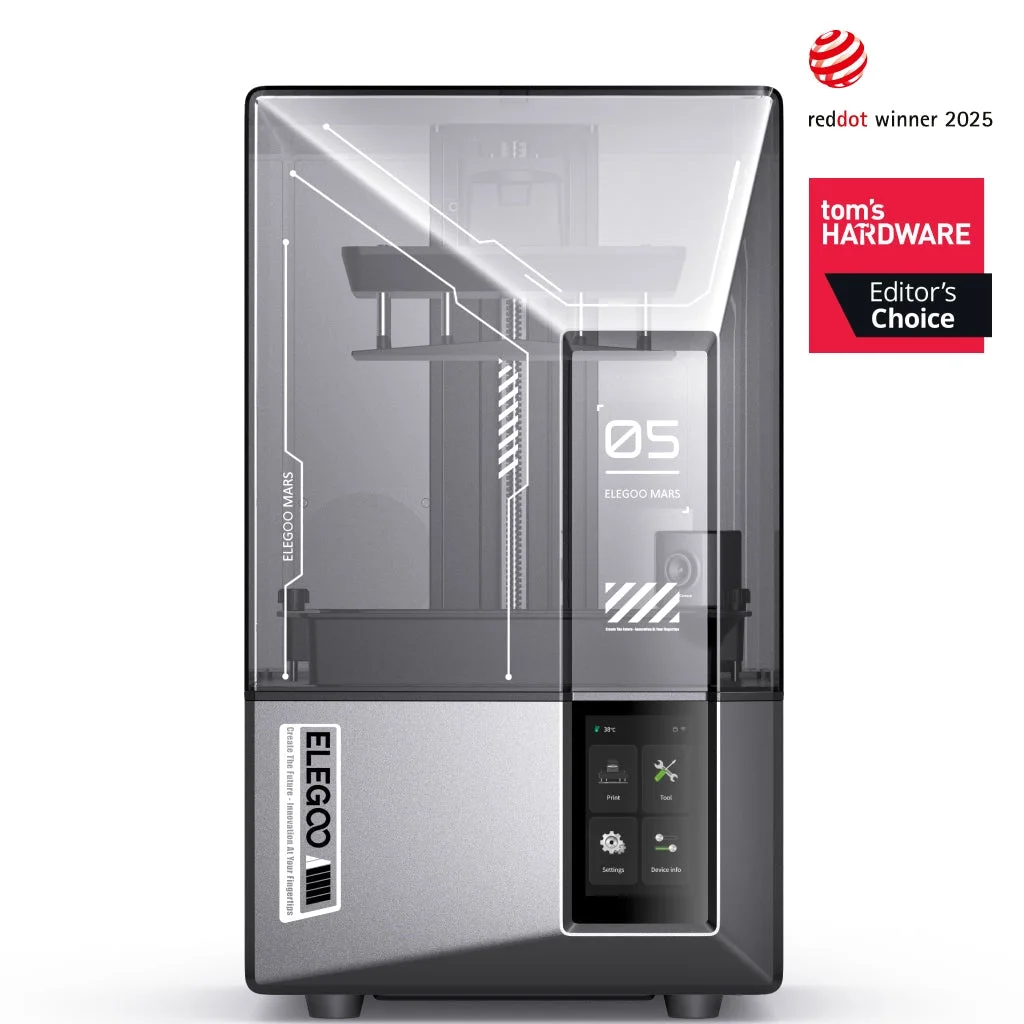
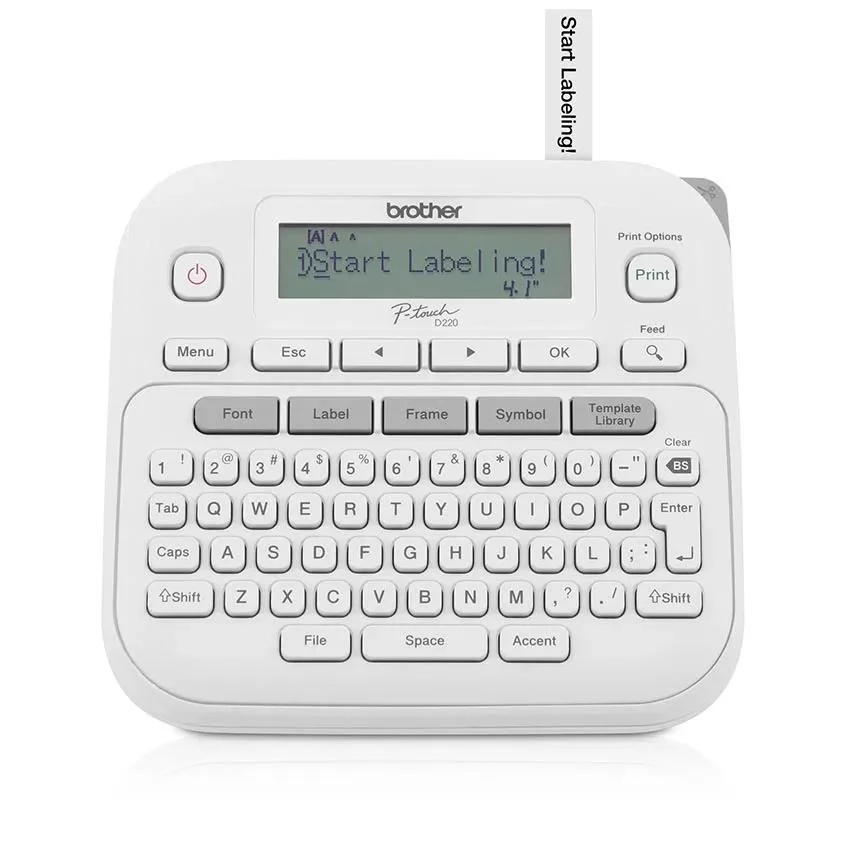
For a maker workspace, a filament 3D printer can make a project’s enclosure while a soldering station handles its connections. Keep printed plastic away from the hot iron and use the proper iron rest. A label maker is useful for identifying wires and parts drawers after the assembly grows beyond a few components.
These five aren’t the whole market. Portable USB irons solve a different space-and-power problem; JBC, Metcal and Pace also serve buyers shopping for professional bench systems. A repair service may be the better purchase when the fault is unknown or the device is too valuable to learn on.
Who Should Buy What
- First permanent hobby bench: Weller WE1010NA, for its included equipment and standby controls.
- Lowest initial outlay: YIHUA 939D+, with careful model matching and no assumption of automatic sleep.
- Prefer a rotary dial and T18 tips: Hakko FX-888DX, close to the Weller’s checked price.
- Want two handle sizes in one package: FNIRSI DWS-200, after resolving replacement-connector compatibility.
- Frequent work with different tip shapes: Hakko FX-971, including a separate tip in the budget.
FAQ
Is a 200W station too powerful for electronics?
The wattage label alone doesn’t tell you that. Available power and the selected temperature are different quantities, and manufacturers don’t all label power the same way. Tip contact, temperature control, the joint and your technique matter. Choose the setting and tip for the actual work instead of assuming a high maximum means you should run the station at maximum temperature.
Can I use any replacement tip that looks the same?
No. Match the station, handpiece and tip family. The Hakko FX-888DX’s included iron uses T18 tips, while the FX-971 uses T39 cartridges. The FNIRSI adds a further complication: its manufacturer documents incompatible handle-interface revisions. A similar silhouette is not a compatibility specification.
Can a soldering station fix a broken console charging port?
Possibly as one part of a properly equipped repair bench, but it isn’t a complete port-replacement kit or a diagnosis. Removing a multi-pin port without damaging pads can require other equipment and considerable practice. If that’s your only planned repair, get a professional quote before buying a station and assuming the rest is straightforward.
Do I need an app or subscription?
None of these stations needs a subscription or phone app for ordinary front-panel soldering. The FX-971’s computer software and FNIRSI’s firmware downloads are separate support features. Check exact hardware and computer requirements before relying on either; they aren’t prerequisites for making a connection.
Bottom Line
For a first permanent electronics bench, we’d start with the Weller WE1010NA. Its included iron, tip, rest and standby controls make a coherent $115 purchase at the checked price. Spend less on YIHUA if you’re still finding out how often you’ll solder, or move to a cartridge system because you have work that benefits from it. Either way, buy for the repair in front of you and leave money for the equipment around the iron.
This article contains affiliate links. PicksLab may earn a small commission at no extra cost to you. Our recommendations are based on the review method described in this article.