Affiliate disclosure: PicksLab earns commissions on qualifying purchases. We also participate in Creator Connections campaigns for the two ELEGOO models and Creality K2 Combo and may earn additional commission, at no extra cost to you.
TL;DR - Our top pick: The ELEGOO Centauri Carbon 2 Combo is our researched pick for a beginner who specifically wants enclosed, four-color printing: its checked $399 offer includes the color system rather than requiring that upgrade later. Choose the Flashforge below for single-color projects, or the Anycubic if filament drying is the priority.
The best 3D printer for beginners is not necessarily the one with the biggest speed number. Think about your first useful project: drawer dividers, a labeled organizer, tabletop scenery or a multicolor nameplate. That choice determines whether you need a color-changing system at all, how much space to reserve and what filament to buy. Automatic bed leveling helps with setup; it does not select a suitable model, material or print profile for you.
Five Picks, From Lowest to Highest Checked Price
Prices are new-item Amazon offers checked September 24, 2026, before tax and optional promotions. They can change. These are five researched choices across four brands, not a hands-on print-quality ranking.
| Pick | Checked price | Best for | Important distinction |
|---|---|---|---|
| ELEGOO Centauri 2 Combo | $329.00 | Lower-cost four-color PLA projects | Open-frame, despite its similar name to the Carbon |
| Flashforge Adventurer 5M Pro | $379.00 | Single-color organizers and practical parts | No automatic four-spool system in this package |
| ELEGOO Centauri Carbon 2 Combo | $399.00 | Enclosed four-color starter setup | Side-mounted spools need clearance |
| Anycubic Kobra S1 Combo | $459.99 | Four colors plus filament drying | Includes ACE Pro, not just the base S1 |
| Creality K2 Combo | $549.00 | A slightly larger build area and CFS expansion | K2 is not the heated-chamber K2 Pro or Plus |
Before Your First Print
Budget for filament, not just the machine. Sample filament is for getting started, not a promise of four full-size colored rolls. Choose a model you are allowed to print, install the matching slicer profile and start with a manufacturer-supported PLA preset. A slicer converts the model into printer instructions; a drawing tablet or modeling app does not replace it. Our beginner drawing-tablet guide covers input hardware if you also want to design your own artwork.
Compare the sliced job, not the headline speed. Import the same model, select the correct printer/nozzle and inspect estimated time, total material and color-change waste before purchasing. ELEGOO’s slicer release notes explicitly discuss flushing volumes and revised multicolor time estimates. Four-color capability does not mean four colors are extruded simultaneously. A plain storage divider can be a better first project than a tiny model with hundreds of color changes.
Measure the working setup. Leave room for the door, spool changes, freely moving tubes and waste removal. A printer’s build volume is the space available for a model, not its footprint. The Carbon 2 manual lists a 500 x 480 x 743 mm machine size; the K2 manual lists 404 x 436 x 545 mm for the printer, with its CFS adding another unit. Do not treat those figures as a universal shelf-clearance requirement.
| Printer | Model space, W x D x H | Included color hardware | File/software route | Plan beyond the box |
|---|---|---|---|---|
| Centauri 2 Combo | 256 x 256 x 256 mm | CANVAS, four colors | ELEGOO Slicer with the Centauri 2 profile; offline/account behavior not independently established here | Full filament rolls and room around exposed spools and hot/moving parts |
| Adventurer 5M Pro | 220 x 220 x 220 mm | None; single-color setup | USB files; Wi-Fi/Ethernet; official Orca profiles | Filament; verify your firmware/software pairing before relying on remote control |
| Centauri Carbon 2 Combo | 256 x 256 x 256 mm | CANVAS, four colors | USB G-code; same-network ELEGOO Slicer workflow in manual | Filament, side clearance and dry storage for exposed rolls |
| Kobra S1 Combo | 250 x 250 x 250 mm | ACE Pro, four colors and active drying | USB files; Anycubic Slicer Next; account binding for app control | Filament and clearance to open the ACE Pro lid |
| K2 Combo | 260 x 260 x 260 mm | One CFS, four colors | USB files; Creality Print LAN; account binding for Creality Cloud | Filament and room for CFS, tubes and rear waste access |
Choose the room before buying an enclosure. NIOSH’s 3D-printing guidance recommends ventilation, lower-emitting materials and following printer/material safety instructions. An enclosure or included filter does not establish that bedroom use is safe. Keep hot parts and moving mechanisms away from children and pets; check the model manual before trying materials beyond your starter filament.
1. ELEGOO Centauri 2 Combo
Buy ELEGOO Centauri 2 Combo on Amazon ->
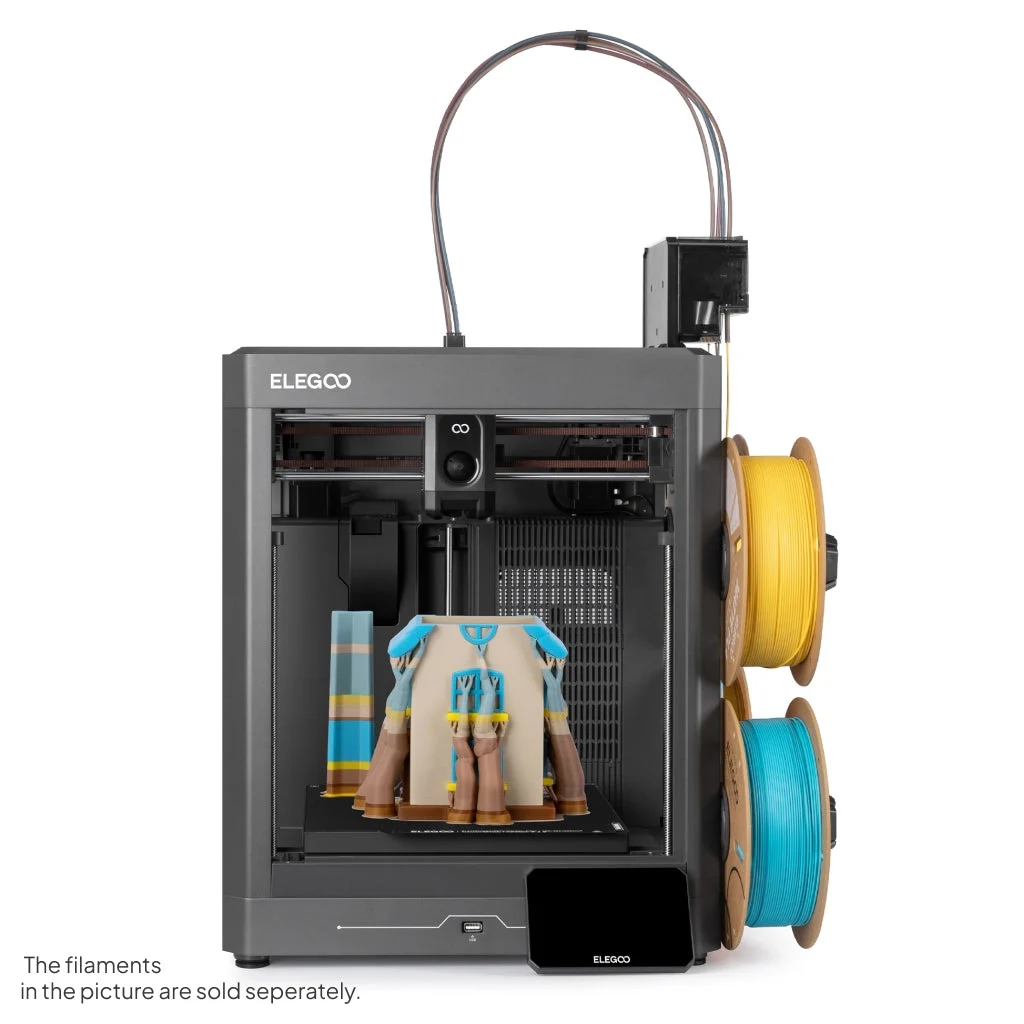 Manufacturer image: ELEGOO. The pictured full filament rolls are sold separately.
Key specs: Build volume: 256 x 256 x 256 mm; Frame: open; Color system: four-color CANVAS; Calibration: automatic bed leveling. Checked price: $329.00.
This is the lowest checked price here for an included four-color system. It suits a maker who wants colorful labels or decorations and has an appropriate dedicated work area. Its official specifications establish the open design: this is not a discounted Carbon 2 with the same enclosure.
Use ELEGOO Slicer for Windows, macOS or Linux with the exact Centauri 2 profile; support was added in version 1.5.2.2. We have not independently established this model’s offline/account requirements, so do not choose it on an assumption of cloud-free operation. Its open spool arrangement also means the color system should not be mistaken for enclosed, heated filament storage.
Choose it because: It includes four-color hardware at the lowest checked price in this comparison. Skip it if: You require an enclosed machine or a fully verified offline workflow. For the former, the Carbon 2’s checked premium was $70, not the price of another color system.
2. Flashforge Adventurer 5M Pro
Buy Flashforge Adventurer 5M Pro on Amazon ->
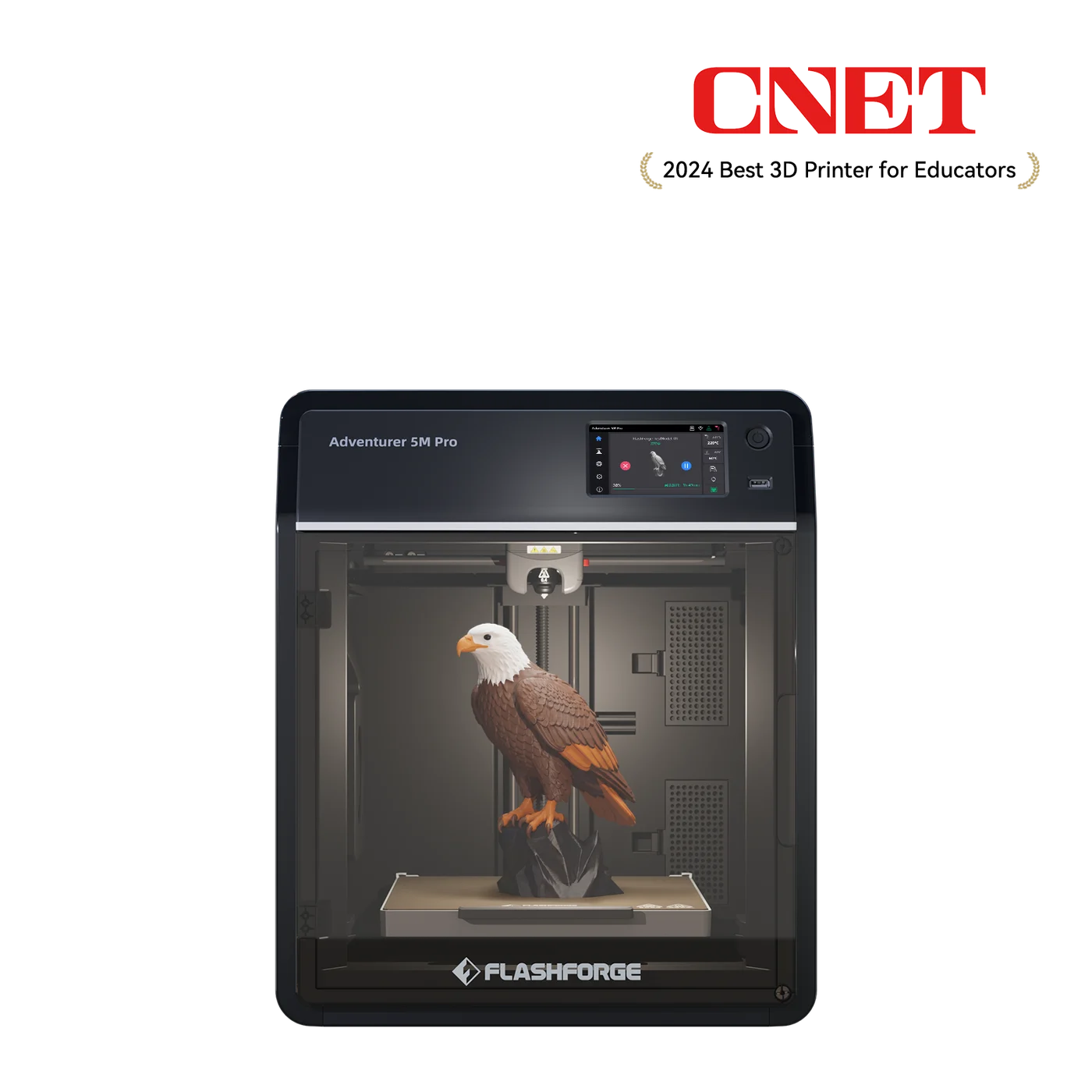 Manufacturer image: Flashforge.
Key specs: Build volume: 220 x 220 x 220 mm; Maximum nozzle temperature: 280 C; Connections: Wi-Fi, Ethernet and USB; Frame: enclosed. Checked price: $379.00.
For cable guides, storage trays and other single-color parts, paying for four spools and automatic changes may solve a problem you do not have. The 5M Pro offers a smaller enclosed work area without a multicolor feeder to set up. That is a workflow distinction, not a claim that it prints better or is more reliable than the competing machines.
The model-specific download page provides Windows, macOS and Linux slicer options plus Adventurer 5M Pro profiles. Use its matching profile and firmware documentation; USB-file printing is separate from app-based remote control. Do not assume a newer mobile app works with the firmware shipped in your box. Flashforge’s specifications confirm the connections and smaller build area.
Choose it because: It avoids an automatic color-feeding system for buyers making single-color parts. Skip it if: Automatic multicolor printing is central to your plans. The checked package does not include that function, and this guide does not promise a later multicolor upgrade.
3. ELEGOO Centauri Carbon 2 Combo
Buy ELEGOO Centauri Carbon 2 Combo on Amazon ->
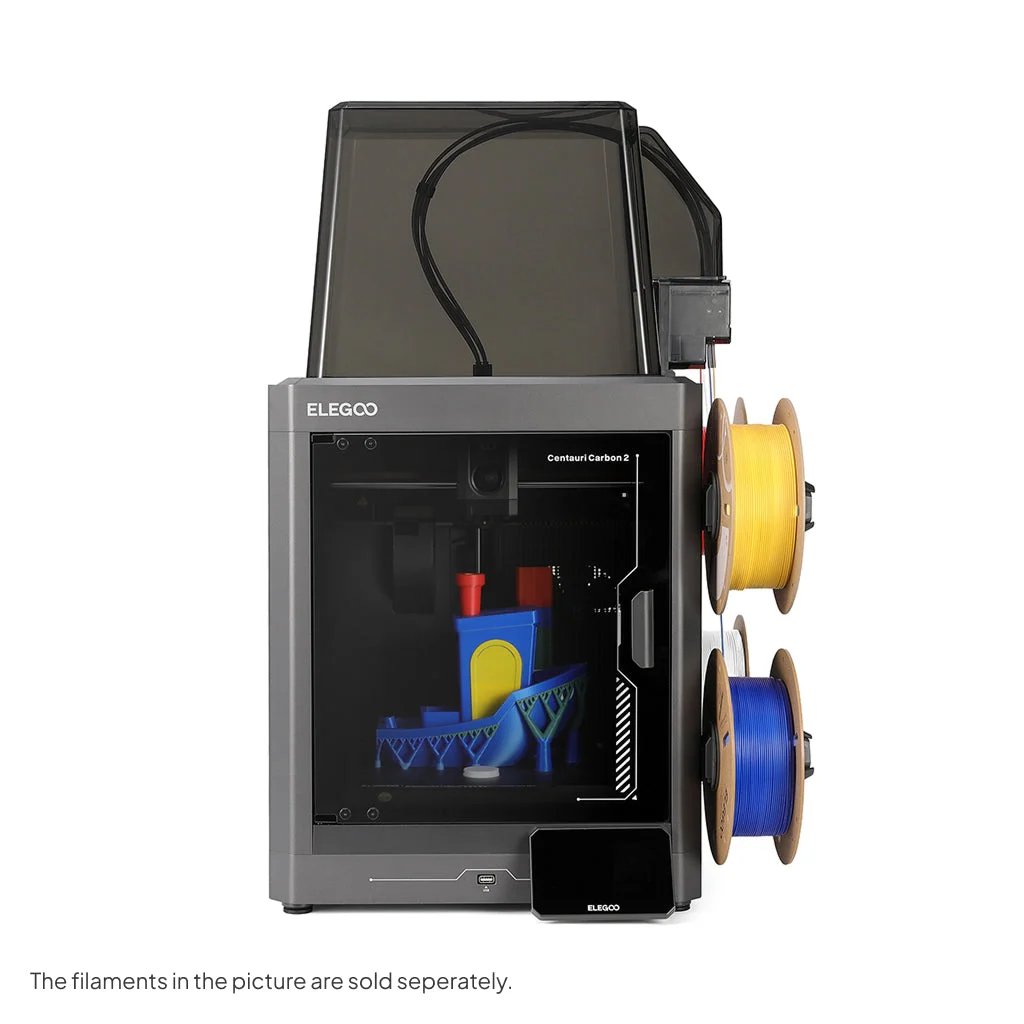 Manufacturer image: ELEGOO. Full pictured rolls are not a promise of included filament.
Key specs: Build volume: 256 x 256 x 256 mm; Maximum nozzle temperature: 350 C; Included nozzle: 0.4 mm; Connections: USB drive and Wi-Fi. Checked price: $399.00.
This is our pick for someone who already knows they want multicolor printing and an enclosure. Compared with the open Centauri 2, it changes the physical setup rather than just adding a cosmetic shell to the comparison. Compared with the Flashforge, it includes four-color CANVAS and a larger model envelope for a checked $20 difference. That close price makes its feature set attractive, but does not establish superior print quality.
The Carbon 2 manual, pages 16-20 documents export to a USB drive and same-network pairing. Install ELEGOO Slicer with the Carbon 2 profile; the manual covers Windows and Intel/Apple-silicon Macs, while current releases also include Linux. USB G-code printing does not require the remote-cloud workflow. Network/app behavior can change with firmware; we have not tested it ourselves.
Choose it because: It combines an enclosure and included four-color hardware at the checked $399 price. Skip it if: You need included active filament drying. The side-mounted rolls remain exposed; Anycubic’s ACE Pro addresses a different requirement. Also do not read the 350 C nozzle limit as permission to use every material without checking its handling and ventilation requirements.
4. Anycubic Kobra S1 Combo
Buy Anycubic Kobra S1 Combo on Amazon ->
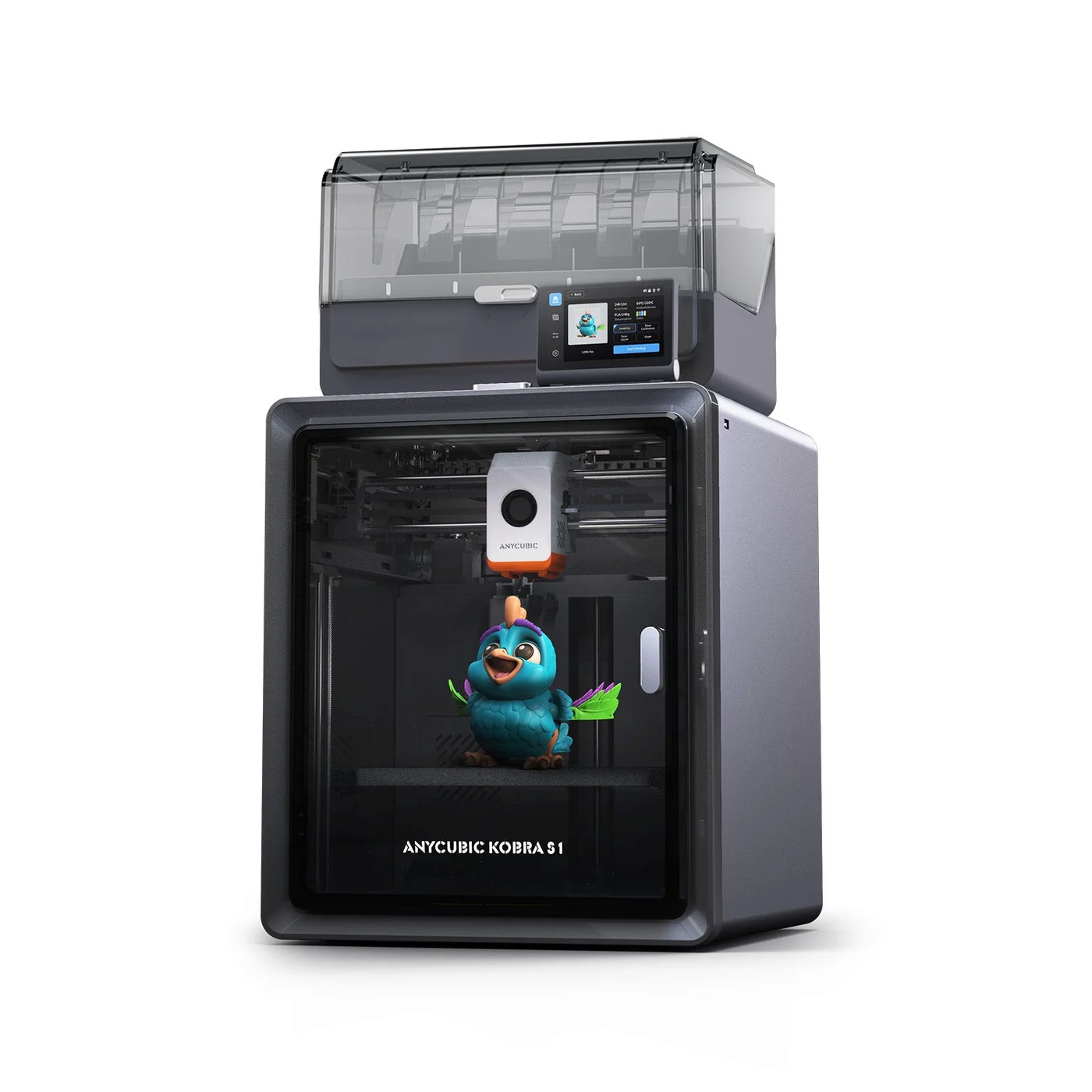 Manufacturer image: Anycubic.
Key specs: Build volume: 250 x 250 x 250 mm; Included color unit: four-slot ACE Pro; Active drying: up to 55 C; Maximum hotend temperature: 320 C. Checked price: $459.99.
The reason to move up from the Carbon 2 is not six millimeters less build width or another advertised speed figure. It is the ACE Pro’s documented active drying while printing. That puts color feeding and drying in one included unit. It does not mean every wet material can be restored at 55 C, or that every material the printer accepts can travel through the feeder.
Use Anycubic Slicer Next, with Windows and Intel/Apple-silicon Mac downloads, and select Kobra S1. The Combo manual documents local/USB file selection and account binding for the Anycubic app. Those are different workflows; a phone account is not a substitute for learning the slicer. Reserve access to the ACE Pro’s top lid and budget for full filament rolls beyond the sample.
Choose it because: The included ACE Pro adds active drying to four-color feeding. Skip it if: Your work area cannot accommodate opening and loading the upper filament unit. We have not measured drying effectiveness or print consistency, so this recommendation is based on the documented equipment, not a performance test.
5. Creality K2 Combo
Buy Creality K2 Combo on Amazon ->
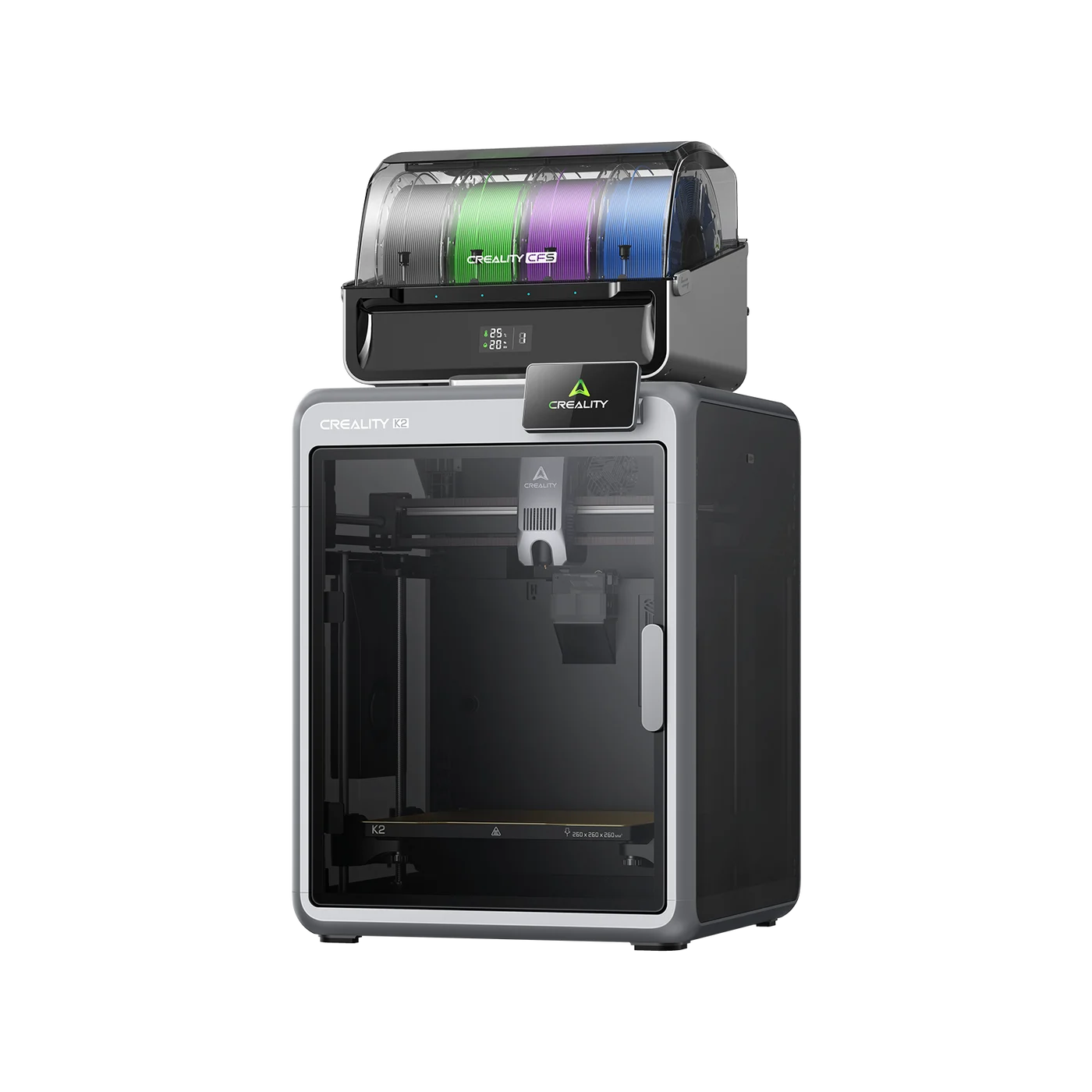 Manufacturer image: Creality.
Key specs: Build volume: 260 x 260 x 260 mm; Maximum nozzle temperature: 300 C; Included nozzle: 0.4 mm; Color hardware: one four-slot CFS. Checked price: $549.00.
The K2 offers the largest model envelope in this five-printer set, but the difference from 256 mm is small. Choose it for a project that genuinely needs that space or because you want Creality’s CFS workflow, not because the product family includes larger machines. The K2-series comparison explicitly reserves active chamber heating for the Pro and Plus. This K2 is neither of them, and a single included CFS is not a sixteen-color package.
The K2 manual specifies Creality Print 6.0 or newer, USB-file printing and LAN binding by IP address. Get a supported stable Creality Print release for your Windows, macOS or Linux system and select the K2 profile. Creality Cloud remote access uses account binding; local file transfer is a separate route. Follow the manual when positioning the CFS and its tubes, and keep rear waste access clear.
Choose it because: It provides a 260 mm build envelope and an included CFS for the Creality workflow. Skip it if: You are paying extra expecting active chamber heating or sixteen included filament positions. Neither is supplied by this exact package.
How We Selected These Printers
We compared exact bundles, manufacturer specifications, manuals, slicer downloads and current new-item Amazon purchase options. We did not run print tests, measure noise, benchmark speed or receive samples. The verdict is a documented feature-and-setup recommendation for the stated use cases, not an exhaustive market ranking. Campaign participation did not remove competing brands or the campaign products’ limitations from the comparison.
Who Should Buy What
- Colorful PLA projects on the lowest checked budget: Centauri 2 Combo, with an appropriate open-printer workspace.
- Single-color brackets, trays and organizers: Adventurer 5M Pro, without assuming a later color upgrade.
- An enclosed four-color first setup: Centauri Carbon 2 Combo, our feature-value choice at the checked prices.
- Included filament drying: Kobra S1 Combo, when the ACE Pro fits your space.
- A project needing the slightly larger build area or the CFS ecosystem: K2 Combo.
For tabletop projects, start with terrain or an organizer rather than assuming an FDM printer will reproduce every tiny miniature detail. Our tablets for D&D guide covers the digital side of the table; metal dice sets cover finished accessories when you would rather buy than make them.
FAQ
Do I need four colors for my first 3D printer?
No. A one-color organizer or bracket does not require automatic filament changes. A color system becomes useful for designs with multiple colored regions, but adds spool loading, color assignment and flushing to the workflow. Look at the sliced version of a project you actually want to make before deciding that you need it.
Is an enclosed 3D printer safe to use in a bedroom?
An enclosure alone does not establish that. Follow the printer and filament safety instructions and plan ventilation using the NIOSH guidance linked above. Filters, doors and a supported material list are not evidence of zero emissions. Location, access to hot parts and the material being printed all matter.
Can these printers work without a cloud account?
The Carbon 2, Flashforge, Anycubic and Creality documentation supports USB-file workflows; cloud monitoring and phone-app binding are separate features. We have not independently established the open-frame Centauri 2’s offline/account behavior, so it is not our recommendation for that specific requirement. Confirm the current manual and firmware before buying for a restricted network.
Does a multicolor combo include enough filament to start?
A color feeder is not the same as four full rolls. Packaging may include sample filament, while manufacturer photos show separately sold spools. Check the exact bundle and buy compatible filament in the colors you need. Allow material for setup, supports and flushing rather than budgeting only the weight of the finished object.
Bottom Line
For an enclosed multicolor first printer, the ELEGOO Centauri Carbon 2 Combo is our researched starting point at the checked $399 price. The best 3D printer for beginners still depends on the project: choose Flashforge for single-color work or Anycubic for included drying. Buy the setup you can accommodate and learn, not a speed claim or a color count you will never use.
This article contains affiliate links. PicksLab may earn a small commission at no extra cost to you. Our recommendations are based on the review method described in this article.