Affiliate disclosure: PicksLab earns commissions on qualifying Amazon purchases via the pickslab-20 tag, at no extra cost to you.
You’ve got a console game worth streaming, a camera pointed at your face and something to say about what’s happening. Getting all three into the same broadcast is where a capture card starts making sense. It sends the console’s HDMI picture to your computer, where software can add your camera, microphone, alerts and overlays. A second HDMI connection keeps the game on your TV rather than making you play through a software preview.
The expensive mistake is buying a card because its box says “4K” without checking which part of the setup gets that resolution. Elgato’s 4K S and AVerMedia’s Live Gamer ULTRA S can send a 4K60 SDR recording to a suitable computer. RODE’s Streamer X stops at 4K30 capture, but adds an XLR microphone input and hands-on audio controls. All three stop at 4K60 passthrough, so none is the right answer if keeping 4K120 on your TV is essential.
Our starting point: Elgato Game Capture 4K S for console video when you already have a USB microphone. Consider RODE Streamer X when you also need to connect an XLR mic. This is a comparison of three specific approaches, not a ranking of every capture card on sale.
Prices and What Comes With Them
Ordinary new US Amazon offers checked November 3, 2026, lowest price first. No coupon, business price or Prime-only product discount is included. Shipping, tax, stock and seller can change; Prime delivery messaging is not a promise of free shipping for everyone.
| Product | Price checked | What it adds to a console setup | What still needs attention |
|---|---|---|---|
| AVerMedia Live Gamer ULTRA S GC553Pro, white | $139.99 | 4K60 SDR capture; HDMI 2.0 passthrough | No analog microphone input; demanding Mac requirement for 4K60 |
| Elgato Game Capture 4K S | $146.99 | 4K60 SDR capture plus a stereo line input | Line input isn’t an XLR microphone preamp |
| RODE Streamer X | $224.00 | Capture card, XLR interface and audio controls together | 4K30 capture ceiling; HDMI cables are extra |
Elgato and RODE were sold and shipped by Amazon.com. The white AVerMedia was sold by AVerMedia and shipped by Amazon. These prices are for the listed devices, not a computer, microphone or complete streaming kit.
What Reaches the TV, and What Gets Recorded?
Passthrough is the picture sent onward to your display. Capture is the copy sent to the computer. A 4K60 TV picture does not establish a 4K60 recording, and HDR passthrough does not establish HDR capture at the same resolution.
| Product | 4K capture | Display path | Commentary connection | Computer connection |
|---|---|---|---|---|
| AVerMedia GC553Pro | Up to 4K60 SDR; Mac conditions below | Up to 4K60 HDR/VRR | HDMI audio; separate computer mic for commentary | USB 3.2 Gen 1, 5Gbps |
| Elgato 4K S | 4K60 SDR in MJPEG; NV12 tops out at 4K30 | Up to 4K60 HDR/VRR | HDMI audio and 3.5mm stereo line-in | USB 3.2 Gen 1, 5Gbps |
| RODE Streamer X | Up to 4K30 | Up to 4K60 HDR; VRR supported | One XLR/quarter-inch combo input, headset connection and compatible RODE wireless input | SuperSpeed USB through USB 1; USB 2 is a secondary audio connection |
The Elgato codec table, AVerMedia specifications and RODE specifications establish those differences. Maximum modes depend on the source, software, host and selected format, not just the connector fitting.
1. AVerMedia Live Gamer ULTRA S GC553Pro
Buy AVerMedia Live Gamer ULTRA S on Amazon ->
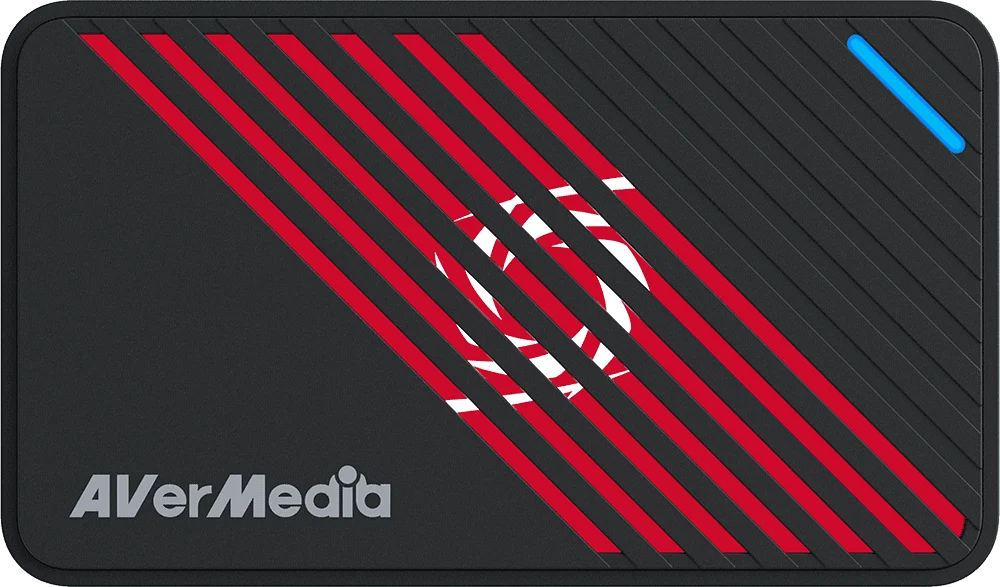 Manufacturer image: AVerMedia. Black housing is shown; the checked purchase link is the white GC553Pro version.
Key specs: Host link: USB 3.2 Gen 1 Type-C, 5Gbps; HDMI: 2.0 input and output; Capture: up to 2160p60 SDR; HDR capture: up to 1440p30 or 1080p60, not on macOS.
At $139.99, the ULTRA S is the lowest-priced route here to documented 4K60 SDR capture. It takes HDMI game audio with the picture, while your commentary mic connects separately to the computer. That’s a sensible arrangement when you already own a USB microphone and want to keep buying decisions separate.
The Mac qualification is unusually important: AVerMedia specifies M1 Ultra or M2 Ultra or above for 4K60 MJPEG capture, and excludes HDR capture and RGB24 on macOS. Don’t read a general “Mac compatible” label as approval for 4K60 recording on a base-model MacBook. Its Windows requirements list Windows 10/11 x64, appropriate CPU/GPU resources and 8GB dual-channel RAM; the model page’s System Requirements and Download sections provide the exact platform conditions.
Use the official Assist Central Pro for supported configuration/firmware updates; Streaming Center is Windows-only and is required for the maker’s VRR-recording modes. Basic capture in another app does not promise every proprietary feature. The supplied cable is USB-C to USB-A, and an HDMI 2.0 cable is included. Skip it for an XLR microphone connection or a Mac 4K60 plan that doesn’t meet AVerMedia’s stated requirements.
2. Elgato Game Capture 4K S
Buy Elgato Game Capture 4K S on Amazon ->
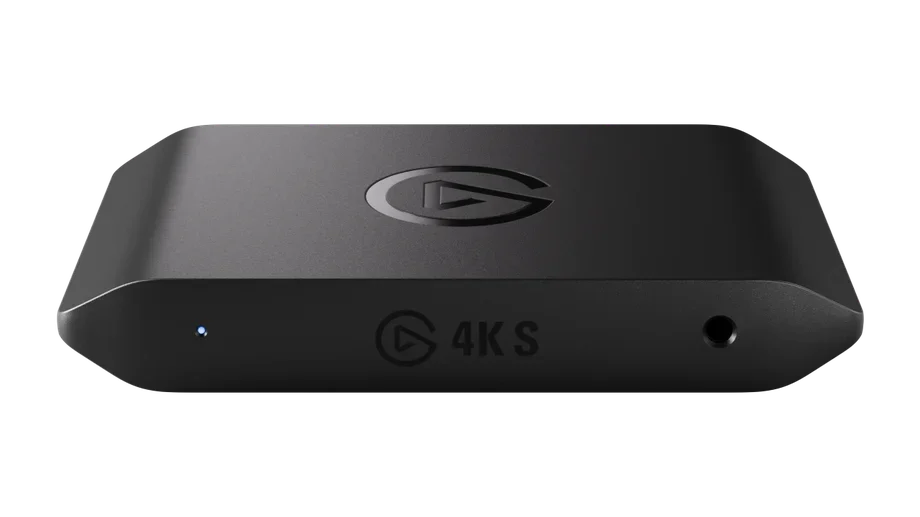 Manufacturer image: Elgato technical specifications.
Key specs: Host link: USB 3.2 Gen 1, 5Gbps; Capture: 2160p60 SDR using MJPEG; Passthrough: 2160p60 with HDR10/VRR; Analog audio: 3.5mm stereo line-in.
At $146.99, the 4K S costs $7 more than the checked AVerMedia offer. Its stereo line input makes it the more flexible starting point when controller/headset audio may need a separate cable. That is a line-level input, not a mic preamp: an XLR microphone cannot plug straight into it, and a headset-chat cable doesn’t automatically record your own voice.
There is also a useful distinction inside that 4K60 claim. Elgato’s detailed capture-format table lists 4K60 using MJPEG, while NV12 at 4K tops out at 30 fps. Those aren’t interchangeable formats; select the supported one in your capture app rather than assuming every format offers every resolution. HDR capture is limited to 1080p60 on Windows, even though HDR can reach the TV at 4K60.
The current product page specifies Windows 11, an eighth-generation Core i5 or equivalent Ryzen, suitable graphics and a USB 3 connection. For its current Mac software route it lists Apple M1 or better and macOS 14.2 or later; a separate requirements article lists an older macOS floor, so use the current app requirement when planning a purchase. Elgato Studio is the official recording app; OBS is another supported route. The box includes USB-C-to-C and HDMI 2.0 cables. Skip it if you need 4K120 passthrough or a direct XLR mic input.
3. RODE Streamer X
Buy RODE Streamer X on Amazon ->
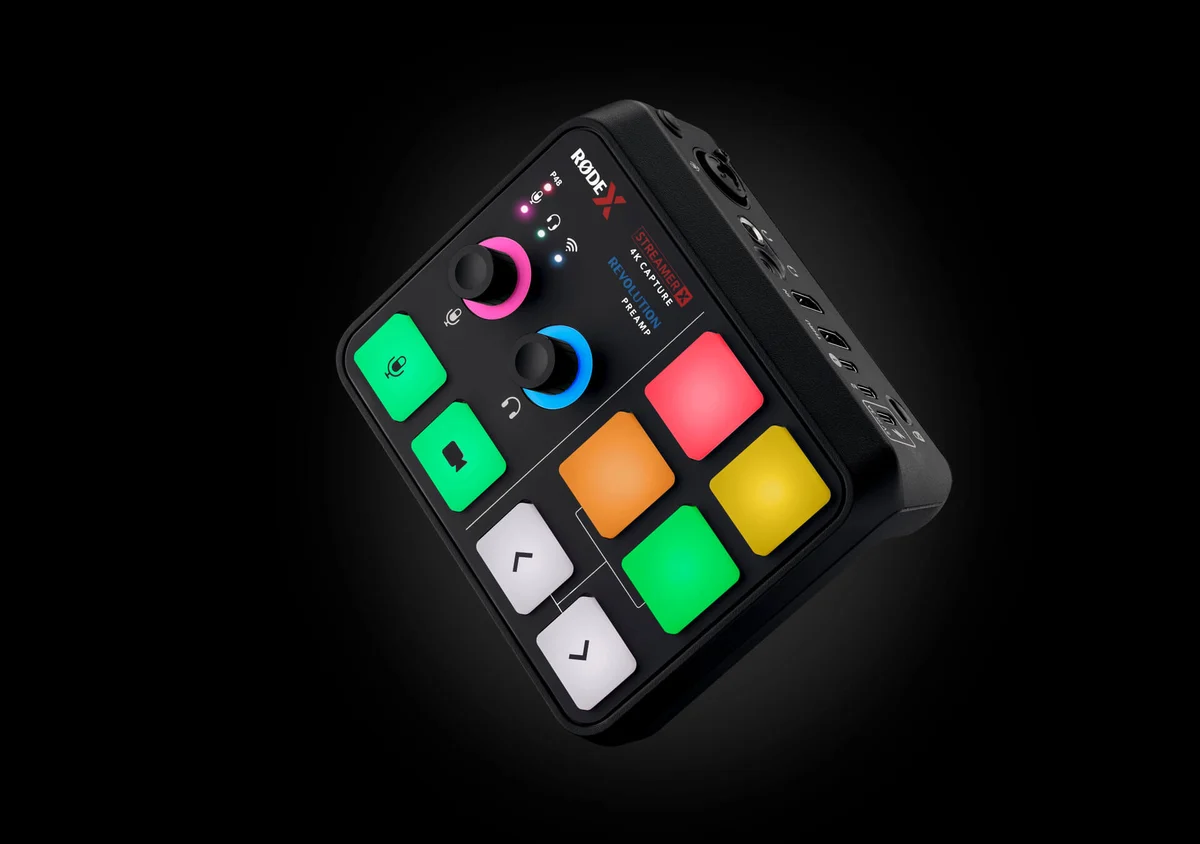 Manufacturer image: RODE Streamer X.
Key specs: Capture: up to 4K30, 1440p60 or 1080p120; Passthrough: up to 4K60 HDR; Microphone input: one XLR/quarter-inch combo socket; Preamp gain range: 0-76dB; Power: 5V/3A via suitable USB power or supplied adapter.
At $224.00, Streamer X makes sense for a different reason than a higher video number. It combines a capture card and an XLR microphone interface with physical mute and level controls. Plug a suitable microphone into the combo input and you have a commentary path without buying a separate USB audio interface. The SMART pads add configurable sounds/actions rather than more microphone sockets.
You give up 4K60 capture to get that integration. RODE’s capture guidance lists 4K30, 1440p60 and 1080p120; a 4K60 input can still reach the display but won’t become a 4K60 recording. There is only one XLR mic input, so this isn’t a two-host podcast interface. Skip it if your main requirement is a 4K60 archive or two simultaneous XLR microphones.
Use the supplied SuperSpeed cable in USB 1 for video; the two-computer guide identifies USB 2 as the secondary audio connection, not a second video output. Official companion-app downloads are on the RODE product page: RODECaster App lists macOS 11+/Windows 10 version 1803+, while UNIFY lists macOS 12+/the same Windows floor. UNIFY provides expanded mixing/routing; update using the model’s current official tools. The included SC27 USB-C cable and power adapter don’t supply the HDMI cables, microphone or XLR lead.
Build the Signal Chain Before Buying Accessories
For a console and a TV, the connections are: console HDMI out -> capture HDMI in -> capture HDMI out/thru -> TV. USB then carries capture to the computer. That means two HDMI leads in total, plus the computer connection. Existing console cables count; don’t buy a second set just because the card includes one cable.
That HDMI input is occupied by the console. A USB webcam can connect separately to the computer and become another source in the streaming app. An HDMI-only face camera needs its own compatible capture/input path to appear at the same time; none of these cards turns its single HDMI input into two simultaneous camera-and-console inputs. Include that extra connection in the budget before buying a camera.
With an existing USB microphone, the $146.99 Elgato route already has a separate commentary input at the computer. Moving to the $224 Streamer X costs $77.01 more at these snapshots and adds the XLR input and controls. That extra hardware is useful if you need an XLR connection, but redundant if your existing mic already does the job. Neither device price includes the microphone itself. Our XLR microphone guide covers the remaining mic choice.
On a Mac, settle the capture-mode requirement before choosing the cheaper card: AVerMedia’s Ultra-chip qualification changes the shortlist for 4K60. On any computer, use a suitably rated data cable and host port. A charging-only USB-C lead won’t carry capture video; our USB-C cable comparison explains that trap.
None of these is a standalone recorder. The computer and recording software still have work to do. Play using the passthrough display rather than treating the computer preview as a guaranteed low-latency gaming monitor.
Editorial Fit Ratings
These are documented-feature fit scores for a console streaming desk with commentary and occasional 4K recording, not customer stars or measured image-quality ratings. The weights are editorial choices. Capture earns 3 points for documented 4K60 SDR, 2 for 4K30; the 4K60 HDR/VRR display path earns 2. Commentary earns 3 for an XLR preamp, 1 for line-in, 0 for HDMI audio alone. Checked device price earns 2 at $150 or less, 1 above $150 through $250. Maximum: 10. Host/OS conditions in the product sections are eligibility gates, not something a score can override.
| Product | Capture /3 | Display /2 | Commentary /3 | Price /2 | Fit /10 |
|---|---|---|---|---|---|
| AVerMedia GC553Pro | 3 | 2 | 0 | 2 | 7/10 |
| Elgato 4K S | 3 | 2 | 1 | 2 | 8/10 |
| RODE Streamer X | 2 | 2 | 3 | 1 | 8/10 |
AVerMedia loses three commentary points because it needs a separate mic path. Elgato loses two because line-in isn’t an XLR preamp. RODE loses one capture point for 4K30 and one price point. If you already own an interface or USB mic, RODE’s three commentary points may have little personal value. Don’t buy a duplicate device to win a score.
When to Buy Something Else
For 4K120 play on a compatible TV, investigate an HDMI 2.1 model such as the Elgato 4K X, including its host-bandwidth and mode requirements. That’s an official alternative to research, not another Amazon offer verified in this comparison.
For PC-only recording on the same machine, OBS Studio may capture the game directly without extra hardware. For several XLR microphones, a separate audio interface or podcast console is a better audio starting point than assuming Streamer X has more inputs than it does. A capture card solves getting an external HDMI source into the computer; it doesn’t automatically solve every recording problem.
FAQ
Will these let me keep playing at 4K120?
No. Each selected model has a 4K60 passthrough ceiling. Lower-resolution high-refresh modes don’t establish 4K120 support. Look at a suitable HDMI 2.1 alternative and check the exact source/display/host chain.
Does 4K60 capture mean 4K60 HDR?
No. The Elgato and AVerMedia 4K60 routes here are SDR. Elgato documents Windows HDR capture up to 1080p60; AVerMedia documents Windows HDR modes up to 1440p30/1080p60. RODE’s 4K capture stops at 30 fps. Passthrough HDR is a separate capability.
Will a capture card record my party chat and my own microphone?
Not automatically. Audio depends on console/headset routing and the card’s inputs. Elgato’s line-in can accept a suitable analog feed, while RODE adds a microphone preamp. Check the console and headset setup, and record a short private test of game, guest and commentary channels before going live.
Why might the capture picture be blank?
Check the selected HDMI input, USB data connection, supported resolution/format and software source. These cards aren’t a way to record HDCP-protected entertainment. Follow the console maker’s capture-compatible gameplay settings and don’t expect protected movie or streaming-service video to pass through as a recording.
Bottom Line
Start with the picture you want to keep playing and the microphone you already own. Elgato 4K S is the sensible middle route here for a separate-mic console setup. AVerMedia trims the price when its platform conditions fit; RODE earns its extra desk space and cost when the XLR input replaces another box. If the TV must stay at 4K120, move to a different class of card before spending anything.
This article contains affiliate links. PicksLab may earn a small commission at no extra cost to you. Our recommendations are based on the review method described in this article.