Affiliate disclosure: PicksLab earns commissions on qualifying Amazon purchases, at no extra cost to you.
TL;DR - Our top pick: The Innova 5610 is our starting point for a home mechanic who wants a standalone scanner with supported active tests and free updates. Check your vehicle and intended procedure first: Innova explicitly excludes AutoAuth access for its handheld tools on 2018-and-newer FCA vehicles. The Autel below is the tablet alternative; neither earns a blanket recommendation for every car.
The expensive mistake is buying a scanner that connects to your car but cannot do the job you bought it for. Reading an engine fault, registering a replacement battery and commanding a component for diagnosis are different capabilities. A long list of supported brands does not establish any of them for your particular vehicle.
We compared current manufacturer specifications, manuals, software requirements and US purchase offers. This is researched buying guidance, not a hands-on test of diagnostic accuracy, repair success or speed. These five options represent different levels of access, not five interchangeable ways to clear a warning light.
| Pick | Best For | Key Difference |
|---|---|---|
| Innova 5610 | Standalone DIY diagnostics on a confirmed compatible car | Physical controls, supported active tests, free updates |
| Autel MaxiCOM MK808S | A larger diagnostic tablet | All-system access and active tests where supported; renewal considerations |
| FOXWELL NT710 BMW version | Owners concentrating on a compatible BMW | Brand-specific diagnostic software, not an all-brand license |
| TOPDON ArtiDiag600S | Four-system diagnostics and supported maintenance resets | Engine, transmission, ABS and SRS; not an all-system substitute |
| OBDLink MX+ | Drivers who prefer an app-based tool | Adapter flexibility; the chosen app determines the workflow |
Will It Perform Your Actual Repair?
Start with the job, then work backward to the tool. Use this distinction before comparing screen size or the number of advertised reset functions.
| Your Actual Job | Capability to Confirm | What Does Not Establish Support |
|---|---|---|
| Investigate a check-engine light | Engine codes, freeze-frame information and relevant live data | A code description alone does not identify the failed part |
| Investigate ABS or airbag warnings | Access to the specific ABS or SRS controller | Generic OBD2 engine-code compatibility |
| Register a battery or retract an electronic parking brake | That exact service procedure for your model and year | An advertised count of reset functions |
| Command a component during diagnosis | The particular bidirectional active test | Live data or a service-reset menu |
| Work on a security-gateway vehicle | Supported, authorized gateway access and any required account | A connector that physically fits |
| Replace or configure TPMS sensors | The required sensor activation/programming capability | A TPMS reset feature |
Before ordering, send the seller or manufacturer your year, make, model, engine and the exact procedure. Supply the VIN privately when requested. Ask which license, subscription, gateway authorization or accessory the job requires. Save the answer: “supports BMW” is much less useful than confirmation that the selected software supports your specific battery-registration procedure.
This is also where spending more can stop helping. If you only need engine-code information, a diagnostic tablet may be unnecessary. If you need an unsupported security-gateway operation, buying a bigger screen will not solve it. A car that will not crank may instead call for battery and starting-system diagnosis; our portable jump-starter comparison covers emergency starting equipment, not fault-code interpretation.
Feature Comparison
Coverage below describes the product’s scope, not a guarantee for every vehicle or function.
| Product | Interface | Diagnostic Scope | Updates and Important Exclusion |
|---|---|---|---|
| Innova 5610 | Standalone handheld | All-system scanning and supported active tests | Free updates; no handheld AutoAuth access for 2018+ FCA |
| Autel MK808S | Wired 7-inch tablet | Available controllers and supported active tests | Initial update period, then optional renewal; not the TPMS-programming TS version |
| FOXWELL NT710 BMW | 5.5-inch tablet | Purchased brand’s supported controllers and procedures | On-device updates; other manufacturers require appropriate software |
| TOPDON ArtiDiag600S | 5-inch tablet | Engine, transmission, ABS and SRS; nine advertised reset categories | Free lifetime updates; four-system scope is the limit to notice |
| OBDLink MX+ | Phone or computer plus adapter | Base app and compatible third-party app coverage | Free adapter firmware; third-party licenses and OS support vary |
1. Innova 5610
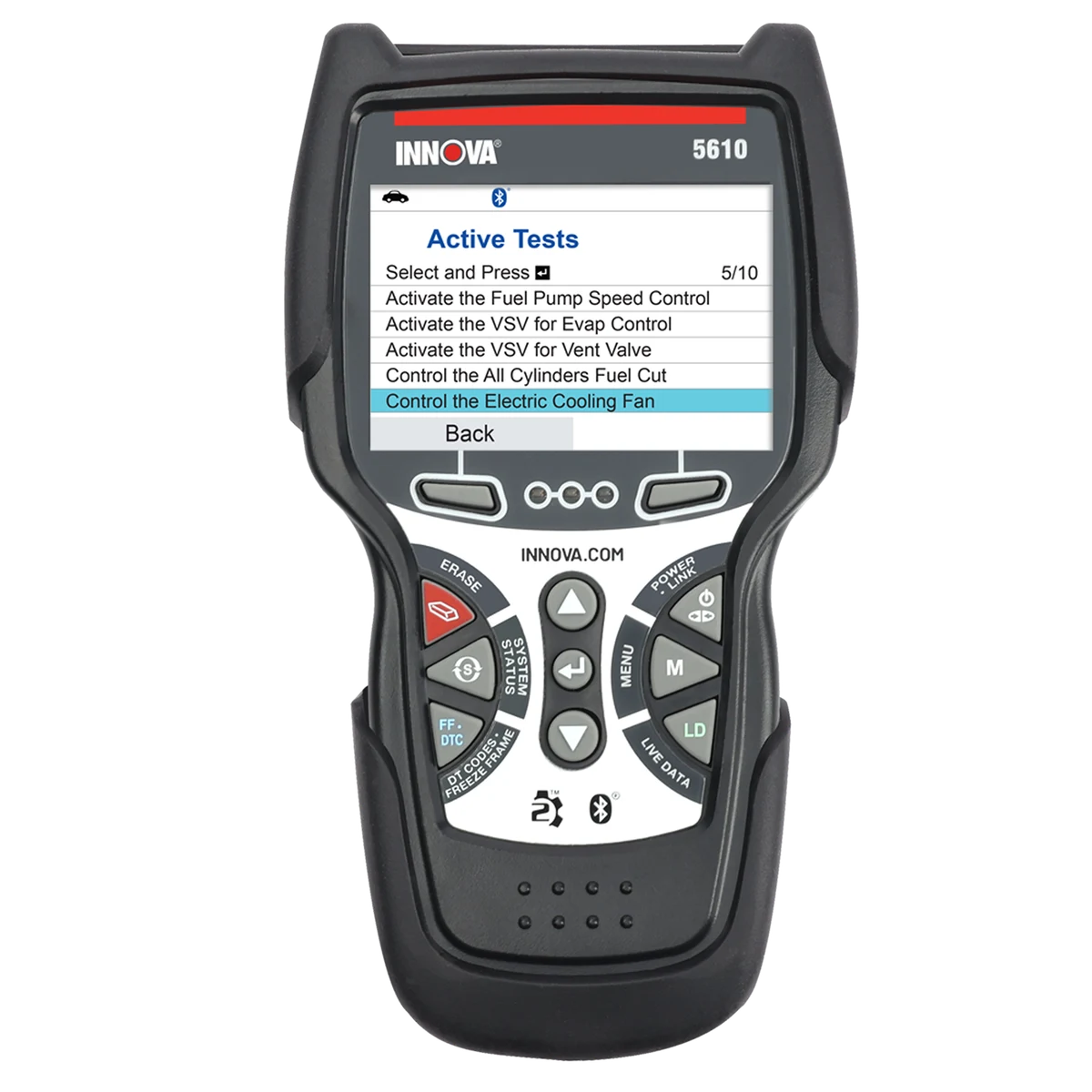
Image and specifications: Innova 5610.
Key specs: Form factor: standalone handheld; Diagnostic scope: all-system scanning where supported; Active tests: supported bidirectional controls; Updates: free, without a subscription.
Choose it for standalone diagnostics with supported active tests and no annual update bill. The physical controls and self-contained display suit an owner who does not want their phone to be the scanner screen. Its supported live-data and service functions make it a step beyond a basic code reader, but those functions still need a vehicle-coverage check.
Skip it if your required repair needs AutoAuth access on a 2018-or-newer FCA vehicle. Innova’s own restriction is more important than the broad compatibility headline: a tool may communicate with a car without being authorized to perform the operation you need. For other vehicles, compare the exact active test or reset against the manufacturer coverage information before choosing this over the Autel.
Firmware updates use Innova’s Windows or Mac updater and a USB data cable; RepairSolutions2 is optional. The official firmware update instructions and RepairSolutions2 app page explain the two paths. You do not need to buy an app subscription simply to justify choosing this handheld.
2. Autel MaxiCOM MK808S
Buy Autel MaxiCOM MK808S on Amazon ->
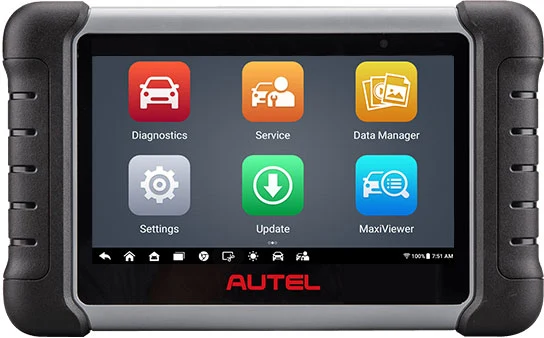
Image and specifications: Autel MK808S/MK808Z.
Key specs: Display: 7-inch, 1024 x 600; Current platform: Android 11; Memory: 4 GB RAM and 64 GB storage; Battery: 5000 mAh.
Choose it for a larger tablet with supported all-system diagnostics and active tests. This is the wired MK808S, not a Bluetooth-interface kit. Its value is easier navigation through diagnostic functions and a wider range of supported procedures than a four-system tool, provided your vehicle and intended operation appear in its coverage.
Skip it if you need TPMS sensor activation or programming from this exact model. Autel distinguishes those functions from the ordinary MK808S: the similar-looking TS models have different TPMS hardware and capabilities. Oil, brake or battery service functions should not be read as a promise of every coding or programming job either.
Updates use the tablet’s Update app and an Autel account; the initial update period is followed by optional paid renewal. Autel’s update guidance says basic diagnostics continue without renewal, but some online or advanced functions may not. Confirm the included term and ongoing requirements for your job. Its vehicle-coverage lookup displayed a maintenance notice during our check, so request written confirmation from Autel rather than assuming that an unavailable lookup means compatibility.
3. FOXWELL NT710 BMW Version
Buy FOXWELL NT710 BMW Version on Amazon ->
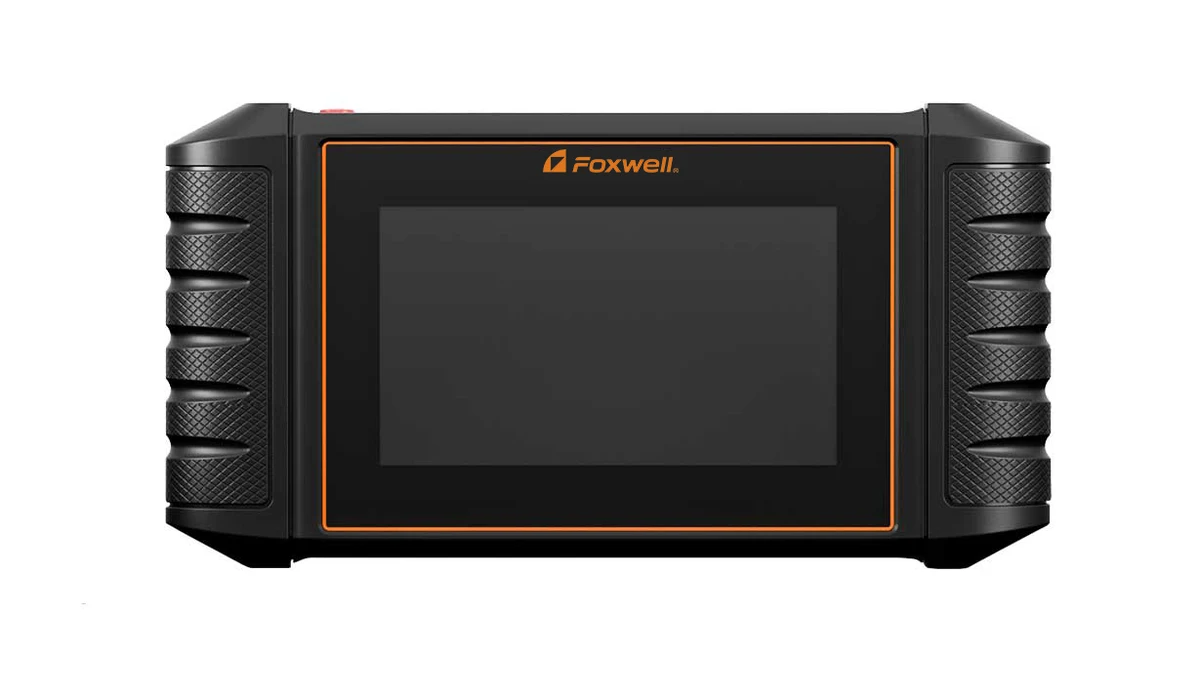
Image and specifications: FOXWELL NT710, including its linked user manual.
Key specs: Display: 5.5-inch, 1280 x 720; Platform: Android 9; Storage: 32 GB; Battery: 4000 mAh.
Choose it when your main requirement is supported BMW diagnostics rather than an all-brand package. The linked offer is specifically the BMW version. The NT710 hardware name alone does not describe the software entitlement, which is why a cheaper listing for a different manufacturer is not automatically an equivalent purchase.
Skip it if you expect the selected license to provide deep diagnostics for every brand in your driveway. FOXWELL documents purchasing additional manufacturer software separately. Even within the correct package, the manual warns that listed controllers and functions depend on the vehicle; a menu entry does not prove the controller exists or that every service operation is supported.
Registration and updates run through the NT710’s built-in client over Wi-Fi; additional manufacturer software is separate. Use the official NT710 downloads and licensing instructions to confirm the package before ordering. We would ask specifically about the BMW chassis, year and required service procedure, not choose it on screen size or an unverified claim of universal coding.
4. TOPDON ArtiDiag600S
Buy TOPDON ArtiDiag600S on Amazon ->
Image: TOPDON ArtiDiag600S. Specifications: current model sell sheet.
Key specs: Display: 5-inch, 1280 x 720; Diagnostic systems: engine, transmission, ABS and SRS; Service categories: 9 reset functions; Protocol addition: CAN-FD support.
Choose it for supported four-system diagnostics and maintenance resets without an annual update fee. The current CAN-FD version makes sense when your jobs fit those four systems and its documented service coverage. That is a narrower, more useful buying reason than assuming the largest advertised vehicle count wins.
Skip it if you need general access to body, climate or other controllers beyond its four-system scope. Nine reset categories are not a substitute for all-system diagnostics or a guarantee of the active command you need. Also match the revision: TOPDON’s current sell sheet lists Android 11 and 32 GB storage, while older documentation for similarly named hardware describes different specifications.
Software updates run over Wi-Fi on the tool and are advertised as free for life. The official support downloads are the place to match the current version, not an unrelated seller’s generic specification table. Confirm your exact procedure and any security-gateway restriction with TOPDON before buying.
5. OBDLink MX+
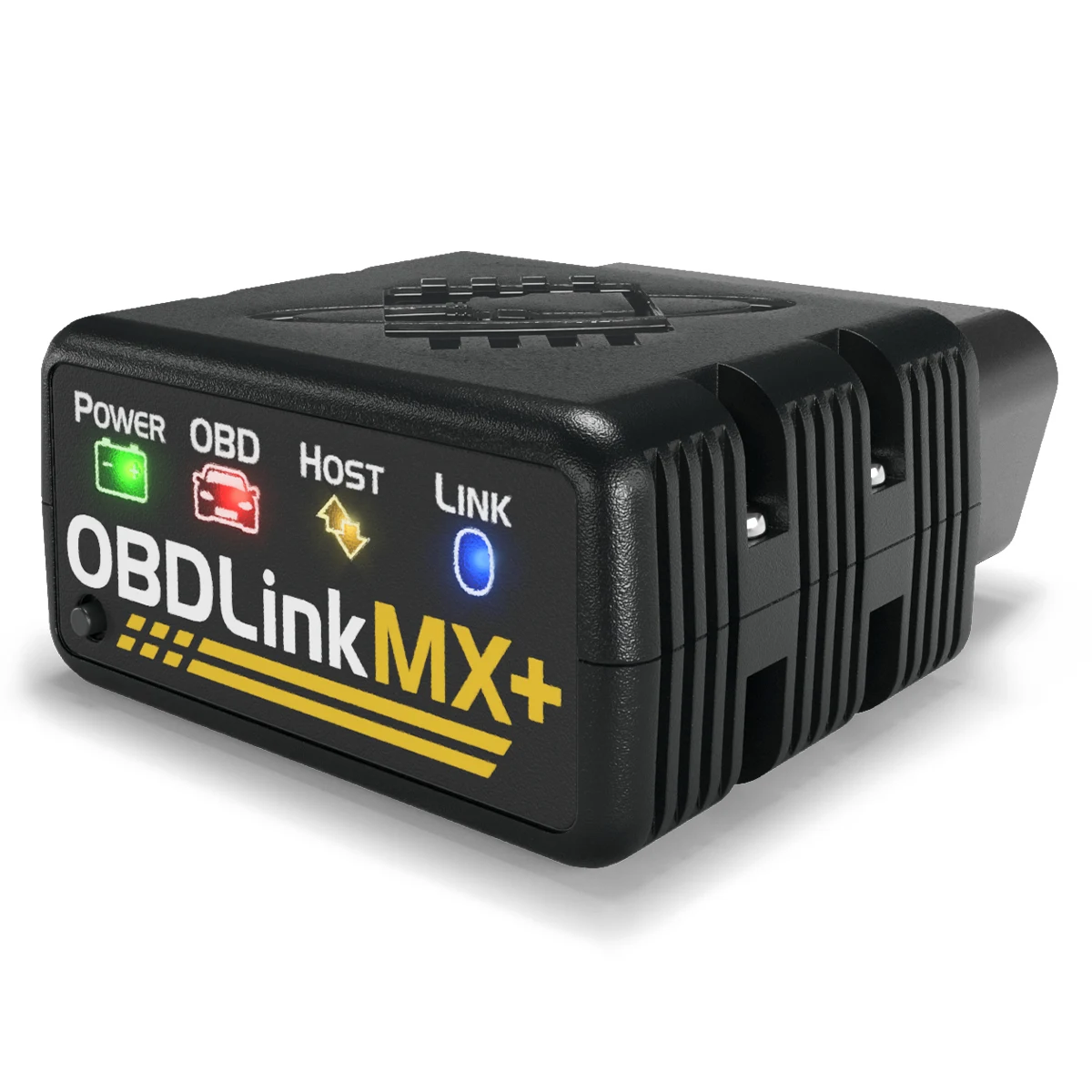
Image and specifications: OBDLink MX+.
Key specs: Supported platforms: iOS, Android and Windows; Connection: Bluetooth; Vehicle supply: 12 V systems; Additional networks: Ford MS-CAN and GM SW-CAN.
Choose it if you want to select an app workflow instead of carrying another tablet. The included OBDLink app provides code and live-data functions, with enhanced OEM coverage and maintenance capabilities subject to the vehicle. That can be enough for an owner interested in diagnosis and monitoring rather than a standalone workshop interface.
Skip it if you want every advertised third-party function included in the hardware purchase. The adapter is only one part of the system. An app may support a different operating system, require its own license or cover only particular vehicles and operations. Compatibility with an adapter does not establish compatibility with your repair.
The OBDLink app and adapter firmware updates are free; third-party app licenses, operating systems and functions vary. Start with the official OBDLink app and check the compatible-app matrix before buying for FORScan, BimmerCode or another specialized workflow. Do not assume an app name in a listing means that app and all its features are bundled.
Who Should Buy What
- For a standalone tool without an annual update bill: Start with the Innova 5610, after checking the exact procedure and FCA restriction.
- For a larger all-system tablet: Compare the Autel MK808S, including renewal and online-function requirements.
- For a compatible BMW-focused driveway: Investigate the FOXWELL NT710 BMW version and its actual license.
- For engine, transmission, ABS and SRS work: Consider the TOPDON ArtiDiag600S if its reset coverage meets your needs.
- For an app-based setup: Match your vehicle and app to the OBDLink MX+.
FAQ
Will an OBD2 scanner tell me which part to replace?
Not by itself. A fault code identifies a detected condition or circuit problem, not necessarily the failed component. Preserve codes and freeze-frame information before clearing anything, then use the vehicle’s diagnostic procedure and appropriate checks. Clearing a warning is not a repair, and safety-critical brake or airbag work should go to someone qualified to perform it.
Is a service reset the same as a bidirectional test?
No. A service reset performs a defined maintenance operation; an active test commands a supported component during diagnosis. A tool can offer one without the other. Check the exact command or procedure for your vehicle, rather than relying on the word “professional” or a reset-function count.
Do I need a subscription to use these scanners?
Not universally. Innova and TOPDON advertise free updates for these models; OBDLink provides free adapter firmware and its base app. Autel’s tablet has an initial update period followed by optional renewal, with some online capabilities potentially affected by expiry. FOXWELL’s manufacturer software entitlement and third-party OBDLink app licenses are separate questions. Confirm what your intended job needs before comparing total cost.
Can these tools replace a TPMS sensor programmer?
Do not assume so. Reading a tire-pressure controller or resetting a TPMS function is different from activating or programming a replacement sensor. Autel specifically distinguishes the MK808S from its TS variants for this purpose. For simply correcting low pressure, our portable tire-inflator comparison addresses a different job; an inflator is not a sensor programmer either.
Bottom Line
Buy the scanner that can perform your next real repair, not the one with the longest menu. The Innova 5610 is our conditional standalone pick for supported vehicles because it combines deeper diagnostics with free updates. The Autel, FOXWELL, TOPDON and OBDLink alternatives become better choices when their interface, software or coverage matches your situation more closely. Written confirmation of the exact vehicle and procedure is worth more than an extra screen specification.
This article contains affiliate links. PicksLab may earn a small commission at no extra cost to you. Our recommendations are based on the review method described in this article.