Affiliate disclosure: PicksLab earns commissions on qualifying Amazon purchases via the pickslab-20 tag, at no extra cost to you.
TL;DR - Our top pick: IOGEAR GUS432 shares four USB 3.0 peripherals between two computers and includes a wired selector that can stay within reach while the switch is tucked away.
A USB switch is the right tool when two computers need the same keyboard, mouse, webcam, printer, audio interface, or USB hub but do not need to share a monitor. It moves the USB connection from one host to the other. It does not carry video or charge a laptop like a USB-C dock.
We verified the five direct US Amazon listings and active purchase controls on September 1, 2026. We also checked port layouts, included cables, switching controls, and compatibility against current manufacturer documentation. If the monitor also needs to switch, use our HDMI and DisplayPort KVM comparison for two computers, which separates single-screen and dual-screen setups and lists the required host connections.
| Pick | Best For | Shared USB Ports | Key Difference |
|---|---|---|---|
| IOGEAR GUS432 | Most complete desk setup | 4 | USB 3.0 plus a wired selector |
| UGREEN 30767 | Keyboards, mice, and printers | 4 | Four USB 2.0 ports at a simpler spec |
| Plugable USB3-SWITCH2 | One device or a powered hub | 1 | Strong documentation and lifetime support |
| Sabrent USB-SW30 | Compact one-device switching | 1 | Small USB 3.0 switch with host LEDs |
| Monoprice 38298 | USB-A and USB-C host computers | 4 | Includes both host cable types and a remote selector |
Feature Comparison
| Product | USB Standard | Host Computers | Switching Control | Power Option |
|---|---|---|---|---|
| IOGEAR GUS432 | USB 3.0, up to 5Gbps | 2 | Wired remote button | Optional Micro-USB input |
| UGREEN 30767 | USB 2.0, up to 480Mbps | 2 | Button on switch | Optional Micro-USB input |
| Plugable USB3-SWITCH2 | USB 3.0, up to 5Gbps | 2 | Button on switch | Bus powered |
| Sabrent USB-SW30 | USB 3.0, up to 5Gbps | 2 | Button on switch | Bus powered |
| Monoprice 38298 | USB 3.1 Gen 1, up to 5Gbps | 2 | Wired remote button | Optional Micro-USB input |
1. IOGEAR GUS432
Buy IOGEAR GUS432 on Amazon ->
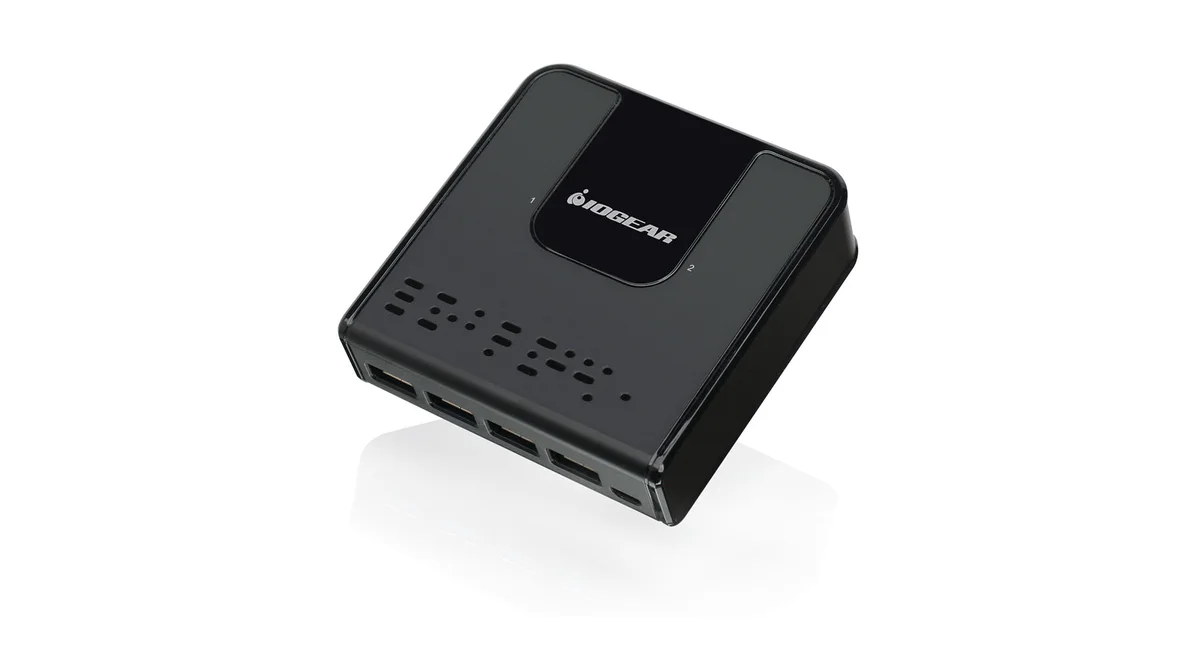
Image: IOGEAR.
The GUS432 gives two computers access to four USB 3.0 ports, so it can take a keyboard, mouse, webcam, and printer without adding a separate hub. Its wired selector is useful when the switch and cable bundle live behind a monitor or under the desk. LEDs identify the active computer.
IOGEAR lists support for data rates up to 5Gbps, hot plugging, over-current protection, and an optional Micro-USB power input. Extra power can matter when several peripherals draw from the shared bus, but it does not turn the switch into a laptop charger.
Choose it for a permanent two-computer workstation where four shared ports and a reachable button are worth the larger enclosure. Skip it if you only need to move one low-bandwidth device; a one-port switch costs less and leaves less cable on the desk.
2. UGREEN 30767 USB 2.0 Switch
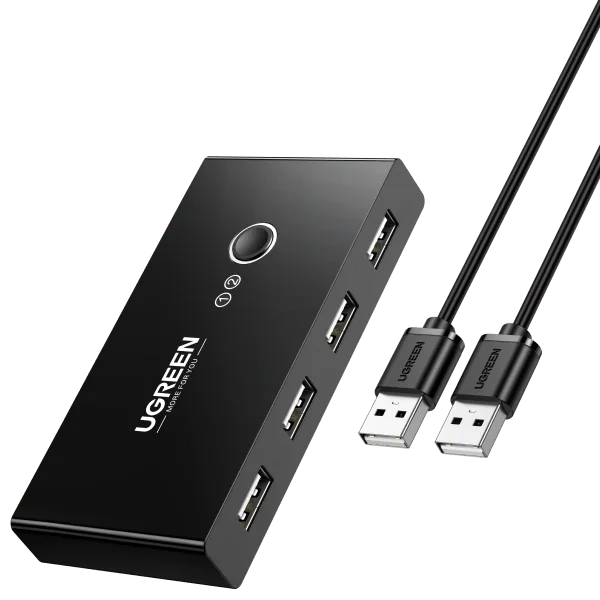
Image: UGREEN.
UGREEN’s 30767 shares four USB-A peripherals between two computers. The USB 2.0 ceiling is enough for keyboards, mice, printers, scanners, and many headset receivers. A button on the unit changes hosts, and the included pair of USB-A host cables covers the basic installation.
This is the practical budget route when the shared devices do not move large files. The four downstream ports avoid the extra hub required by the one-port Plugable and Sabrent models.
Skip it for webcams, fast storage, capture hardware, or a USB 3.0 dock. Those uses benefit from the 5Gbps models below, and storage should always be ejected before switching to reduce corruption risk.
3. Plugable USB3-SWITCH2
Buy Plugable USB3-SWITCH2 on Amazon ->
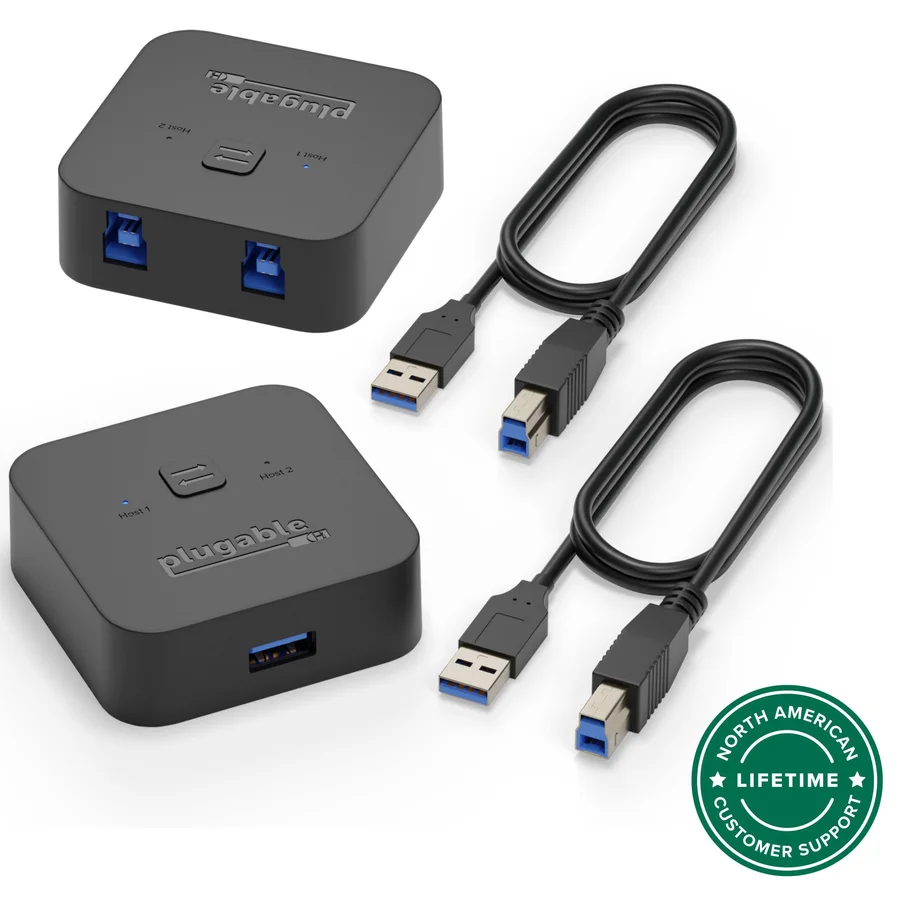
Image: Plugable.
The USB3-SWITCH2 shares one USB 3.0 device between two computers. That device can be a printer, scanner, webcam, external audio device, or a compatible powered USB hub. The single button and two host LEDs keep operation unambiguous, and Plugable documents Windows, macOS, Linux, and ChromeOS compatibility.
Its strength is the narrow, well-documented design. Plugable includes two USB-A-to-USB-B host cables and explicitly warns that USB-C and Thunderbolt docks using Alt Mode or Power Delivery are not supported. A DisplayLink-based USB 3.0 dock can work, but a typical one-cable USB-C dock will not.
Buy this when you prefer one supported connection and will add a powered hub only if needed. Skip it when four native downstream ports or a remote selector would make the desk cleaner.
4. Sabrent USB-SW30
Buy Sabrent USB-SW30 on Amazon ->
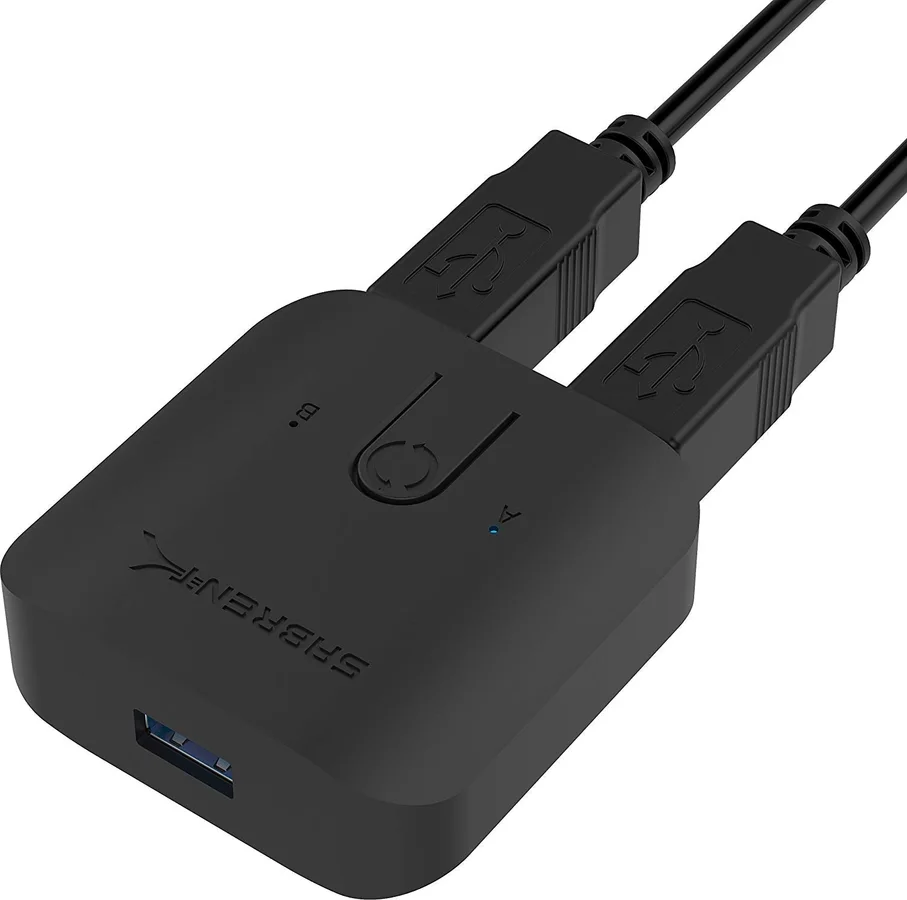
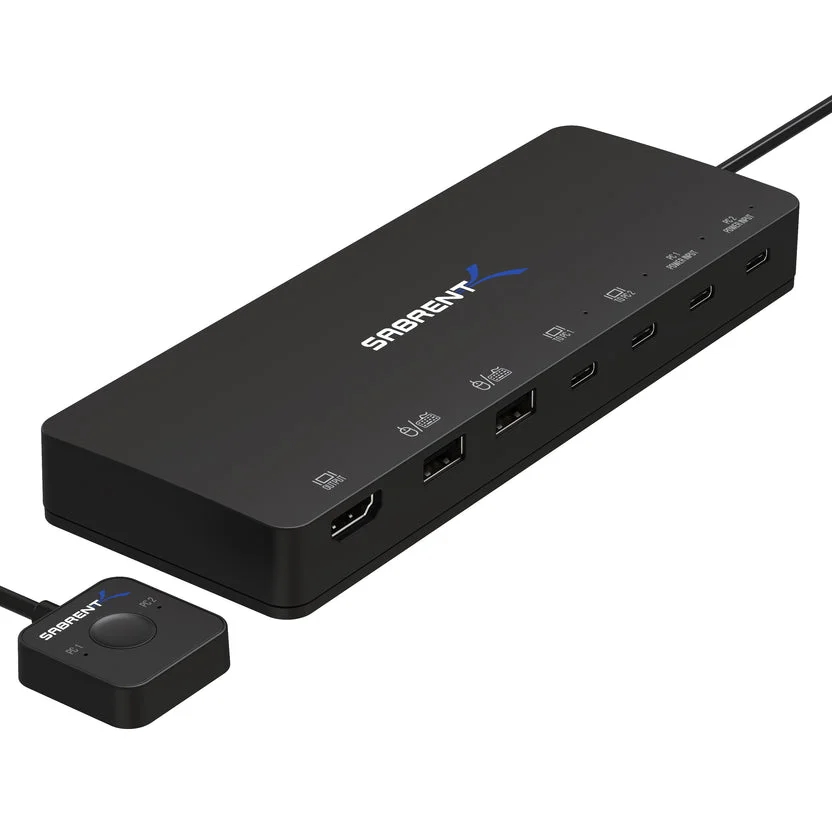
Image: Sabrent.
Sabrent’s USB-SW30 is another one-device USB 3.0 switch. It supports up to 5Gbps, includes two host cables, and uses blue LEDs to show which computer currently owns the peripheral. No driver is required for the switch itself, although the connected device may still need its own driver on both computers.
Its compact body is easy to place near a shared printer, scanner, or audio interface. It also works with a USB hub, but the switch is bus powered, so a powered hub is the safer route when several attached devices need meaningful current.
Choose it for a small, direct setup where the switch can remain within button reach. Skip it if you want the main box hidden away or need a built-in bank of four ports.
5. Monoprice 38298
Buy Monoprice 38298 on Amazon ->
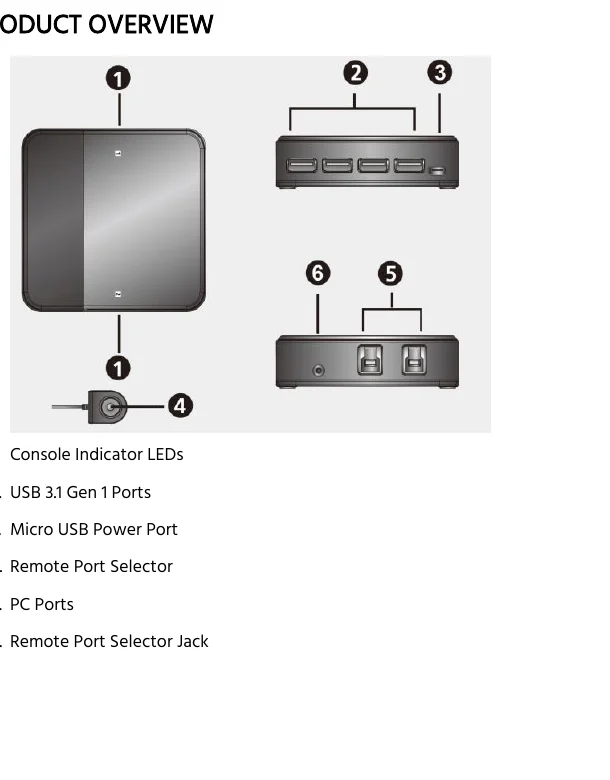
Image: Monoprice 38298 user manual.
Monoprice’s 38298 shares four USB 3.1 Gen 1 ports between two computers and includes a wired remote selector. The package documentation lists two USB-B-to-USB-A host cables plus one USB-B-to-USB-C host cable, which makes it the most flexible pick here for a mixed desktop-and-laptop pair.
An optional Micro-USB input can supplement power for attached devices. As with the IOGEAR, that input supports the USB peripherals; it does not provide USB-C Power Delivery to a laptop or carry a display signal.
Choose it when one host has only USB-C data ports and you want the correct cable included. Skip it if both computers already have USB-A and the limited remaining Amazon stock makes another four-port model easier to replace later.
Who Should Buy What
Before choosing a keyboard to share, check its actual connection mode. Our mechanical keyboards for developers guide distinguishes USB-data models from charging-only wireless keyboards and links each manufacturer’s configuration software. A USB-C socket alone does not establish compatibility with a USB switch.
- For four shared USB 3.0 devices: choose the IOGEAR GUS432.
- For basic keyboards, mice, and printers: the UGREEN 30767 keeps four ports without paying for bandwidth those devices will not use.
- For one device or a powered hub: choose the well-documented Plugable USB3-SWITCH2.
- For a USB-C host computer: the Monoprice 38298 includes a USB-C host cable, but it still does not carry video or charging.
- For shared monitors as well as peripherals: use a full HDMI KVM switch. For two USB-C laptops, check our USB-C KVM display, charging and software comparison first: a peripheral switch does not add video, and a dual-output MST model does not give a Mac two independent external desktops.
Good cable routing matters more once two host cables and several peripherals meet at one box. Our desk cable-management guide covers trays, sleeves, and under-desk mounting options.
FAQ
Is a USB switch the same as a KVM switch?
No. A USB switch moves USB peripherals between computers but normally has no video path. A KVM switch handles keyboard, video, and mouse together so the computers can also share a monitor.
Can two computers use the shared USB devices at the same time?
No. One host controls the switch at a time. Pressing the button disconnects the peripheral set from one computer and presents it to the other.
Can I connect a USB hub to a one-port switch?
Yes, when the switch and hub are compatible. Use a powered hub for several devices or higher power loads, and remember that every connected device shares the switch’s bandwidth and host connection.
Will a USB switch carry video from a USB-C dock?
Usually not. USB-C docks often depend on DisplayPort Alt Mode and Power Delivery, which ordinary USB-A data switches do not pass. Use a purpose-built USB-C KVM or Thunderbolt setup when the dock carries monitors and charging.
Is it safe to switch an external drive between computers?
Only after the operating system has finished writing and the drive has been safely ejected or unmounted. Switching while storage is active is equivalent to unplugging it and can corrupt files or the file system.
Bottom Line
The IOGEAR GUS432 is the strongest general USB switch for a two-computer desk because it combines four USB 3.0 ports with a wired selector. Choose a one-port Plugable or Sabrent when the job is smaller, and move to a true KVM when the monitor must switch too.
This article contains affiliate links. PicksLab may earn a small commission at no extra cost to you. Our recommendations are based on the review method described in this article.