Affiliate disclosure: PicksLab earns commissions on qualifying Amazon purchases via the pickslab-20 tag, at no extra cost to you.
TL;DR - Our top pick: The Keychron V6 Max with Jupiter Brown switches is our starting point if you want a numpad, familiar navigation keys and configurable mappings. Choose the Q1 Max instead when a smaller aluminum keyboard matters more than a numpad.
A keyboard can have excellent switches and still be wrong for your coding setup. Perhaps End sits behind an Fn combination, the configuration app cannot run on your work laptop, or the USB socket charges the battery without carrying keystrokes. Those are the differences this guide prioritizes, ahead of lighting patterns or polling-rate claims.
These are researched recommendations based on manufacturer specifications, manuals and configuration-software documentation, not a hands-on typing test. We have not measured noise, comfort, latency or reliability. Prices are new-item US Amazon offers checked September 24, 2026, before tax and shipping; they can change. The linked switch and color variants matter.
| Pick | Checked price | Best fit | Main reason to skip |
|---|---|---|---|
| Keychron V6 Max, Carbon Black / Jupiter Brown | $107.99 | Full-size layout and firmware-level remapping | Wide footprint |
| Razer BlackWidow V4 75%, Black / Orange | $129.99 | Wired Windows desk with tactile switches | No wireless connection |
| Corsair K65 Plus Wireless, Midnight Grey / MLX Red | $159.00 | Compact wireless board with onboard macro recording | End and Insert use Fn combinations |
| Logitech MX Mechanical, Graphite / Tactile Quiet | $169.99 | Low-profile full-size keyboard shared among devices | USB is charging only |
| Keychron Q1 Max, Shell White / Jupiter Red | $229.99 | Compact aluminum board with QMK mappings | Higher cost; no numpad |
Check Your Work Computer Before Your Switches
Write down five keys or shortcuts you use without looking. Include your terminal, debugger and editor: F5, Ctrl+Home, End, Insert or a numpad might matter more than shaving a few inches off the case. A 75% layout keeps a function row and arrows, but does not promise a dedicated key for every navigation function. The Corsair manual assigns Insert to Fn+[ and End to Fn+]. If that would interrupt you repeatedly, choose a full-size layout or plan an allowed remap before buying.
Check what your work computer permits. Ordinary typing, changing keyboard mappings and running an application-specific automation are different capabilities. Keychron’s browser configurator still needs a supported browser, a USB connection and permission to access the keyboard. A locked-down laptop may prevent that even though no installer is involved. Ask IT rather than bypassing a device policy.
Decide whether the mapping must travel with the keyboard. Reassigning Caps Lock to Escape is a keyboard-level task. Launching a particular IDE executable is an operating-system task whose path, permissions and supporting software may differ on the next machine. Onboard storage is not a promise that every vendor-app action works everywhere. Check the exact action you need; the table below separates configuration from normal use.
Decide what wired means at your desk. If you require USB data for a KVM, a computer without Bluetooth, or an environment that prohibits radios, the MX Mechanical is not a wired fallback. Our USB-sharing-switch guide explains sharing peripherals without switching a display. Neither guide certifies every keyboard/receiver/KVM combination.
Feature Comparison
| Product | Layout and connection | Configuration route | Important condition |
|---|---|---|---|
| Keychron V6 Max | Full-size; USB data, 2.4 GHz, Bluetooth | Keychron Launcher, QMK | Configure wired in current Chrome, Edge or Opera; device access must be allowed |
| Razer BlackWidow V4 75% | 75%; USB data only | Razer Synapse | Windows configuration assessed here; app-dependent actions are not universal onboard shortcuts |
| Corsair K65 Plus Wireless | 75%; USB data, 2.4 GHz, Bluetooth | iCUE, onboard macro recording | Mode switch off for USB data; firmware updates require cable |
| Logitech MX Mechanical | Full-size low-profile; Bluetooth or Logi Bolt | Logi Options+ | Windows/macOS customization; USB cable cannot replace wireless |
| Keychron Q1 Max | 75%; USB data, 2.4 GHz, Bluetooth | Keychron Launcher, QMK | Wired configuration in supported browser; no numpad |
1. Keychron V6 Max
Buy Keychron V6 Max on Amazon ->
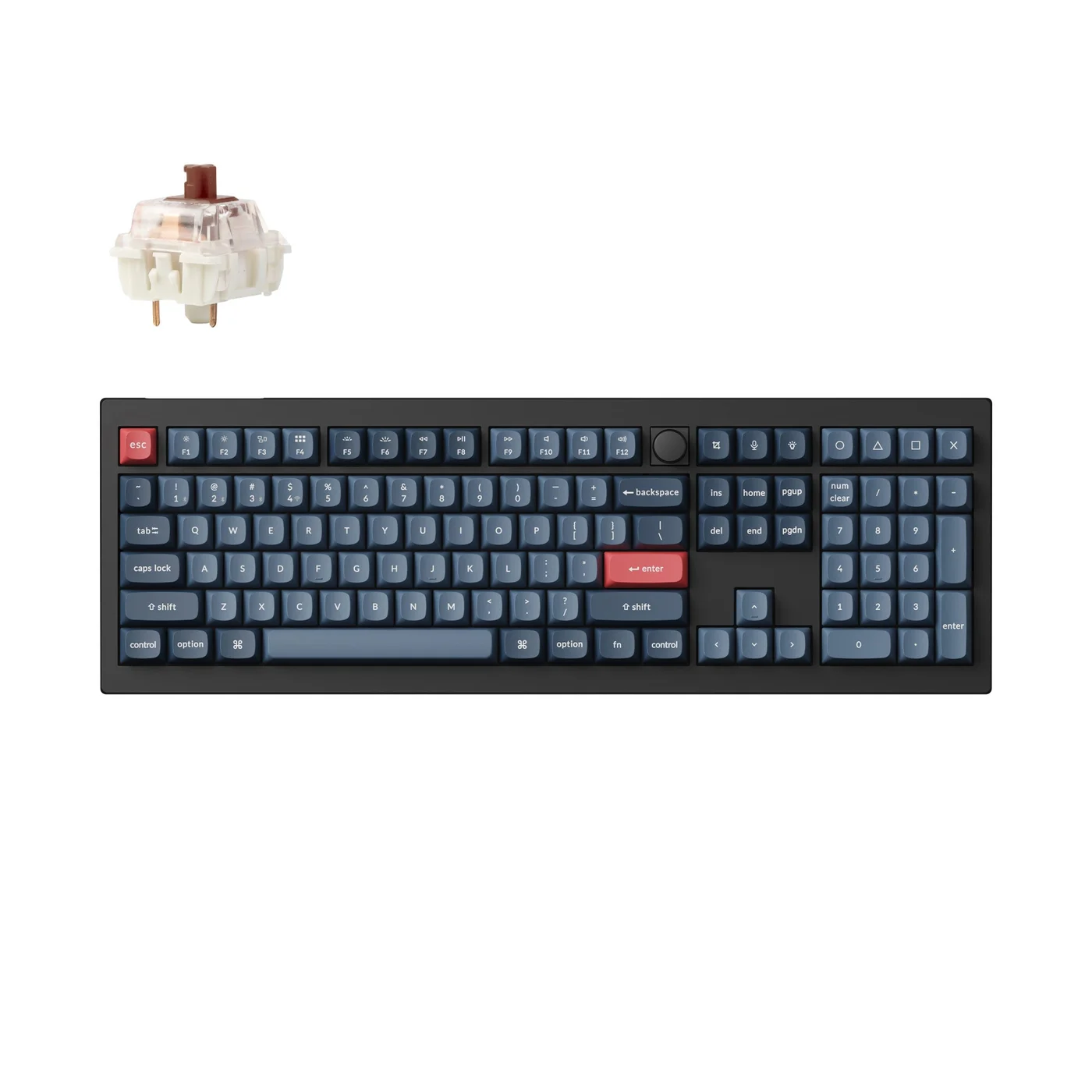 Image credit: Keychron.
Key specs: Layout: full-size with numpad; Switches: Gateron Jupiter Brown tactile; Connections: USB, 2.4 GHz and Bluetooth; Case: ABS plastic; Switch sockets: 3-pin and 5-pin MX hot-swap. Checked price: $107.99.
Choose it because: You want conventional navigation and a numpad without giving up programmable mappings. Skip it if: Your priority is a narrow keyboard that leaves more room for the mouse.
The V6 Max makes fewer layout demands than the compact options below. Its separate navigation cluster suits anyone who edits with Home/End and regularly enters numbers. The linked board is fully assembled, not a barebones kit. Brown switches are tactile; that describes their mechanism, not a guarantee of quiet typing or reduced fatigue. Keychron’s specifications identify its plastic case and replaceable MX-style switches. It is not the Q1’s aluminum construction at a lower price.
Use Keychron Launcher in current Chrome, Edge or Opera with the keyboard connected in wired mode. Keychron documents Windows, macOS and Linux support for that workflow. Configure the appropriate Mac/Windows layer, then check your actual editor shortcuts. The supplied OSA-profile PBT caps are not shine-through: RGB around the keys should not be confused with illuminated legends. This is the practical default if the extra width fits; it does not require owning another Keychron product.
2. Razer BlackWidow V4 75%
Buy Razer BlackWidow V4 75% on Amazon ->
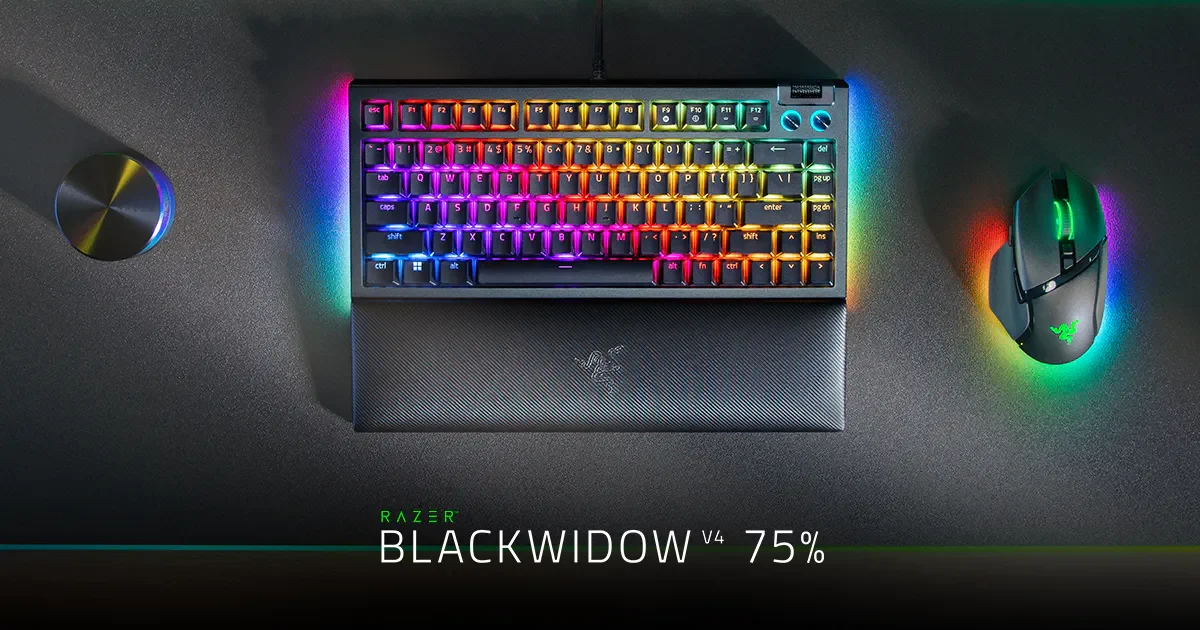 Image credit: Razer. The mouse and desk accessories shown are not included with the keyboard.
Key specs: Layout: 75% with function row and arrows; Switches: Razer Orange Gen-3 tactile; Connection: detachable USB-C wired; Keycaps: doubleshot ABS; Switch sockets: 3-pin and 5-pin compatible hot-swap. Checked price: $129.99.
Choose it because: You want a compact tactile keyboard for a wired Windows setup. Skip it if: Wireless switching or verified non-Windows configuration is essential.
The BlackWidow V4 75% keeps arrows and a function row while removing the numpad. The Black/Orange model is a mechanical-switch board, not a Hall-effect keyboard or a wireless Pro variant. Hot-swap sockets let an owner change compatible switches later; that is useful flexibility, not a reason to buy spare switches immediately.
Start with Razer Synapse on supported Windows 10/11 systems for the configuration path covered here. Razer also advertises a Mac preview and browser tools, but their existence does not establish every function on this exact model, so we have not made them a buying promise. The model manual distinguishes key assignments, macro modules and application-launch actions. Verify the needed software is permitted on a managed workstation. Basic wired use is the simpler reason to consider it.
3. Corsair K65 Plus Wireless
Buy Corsair K65 Plus Wireless on Amazon ->
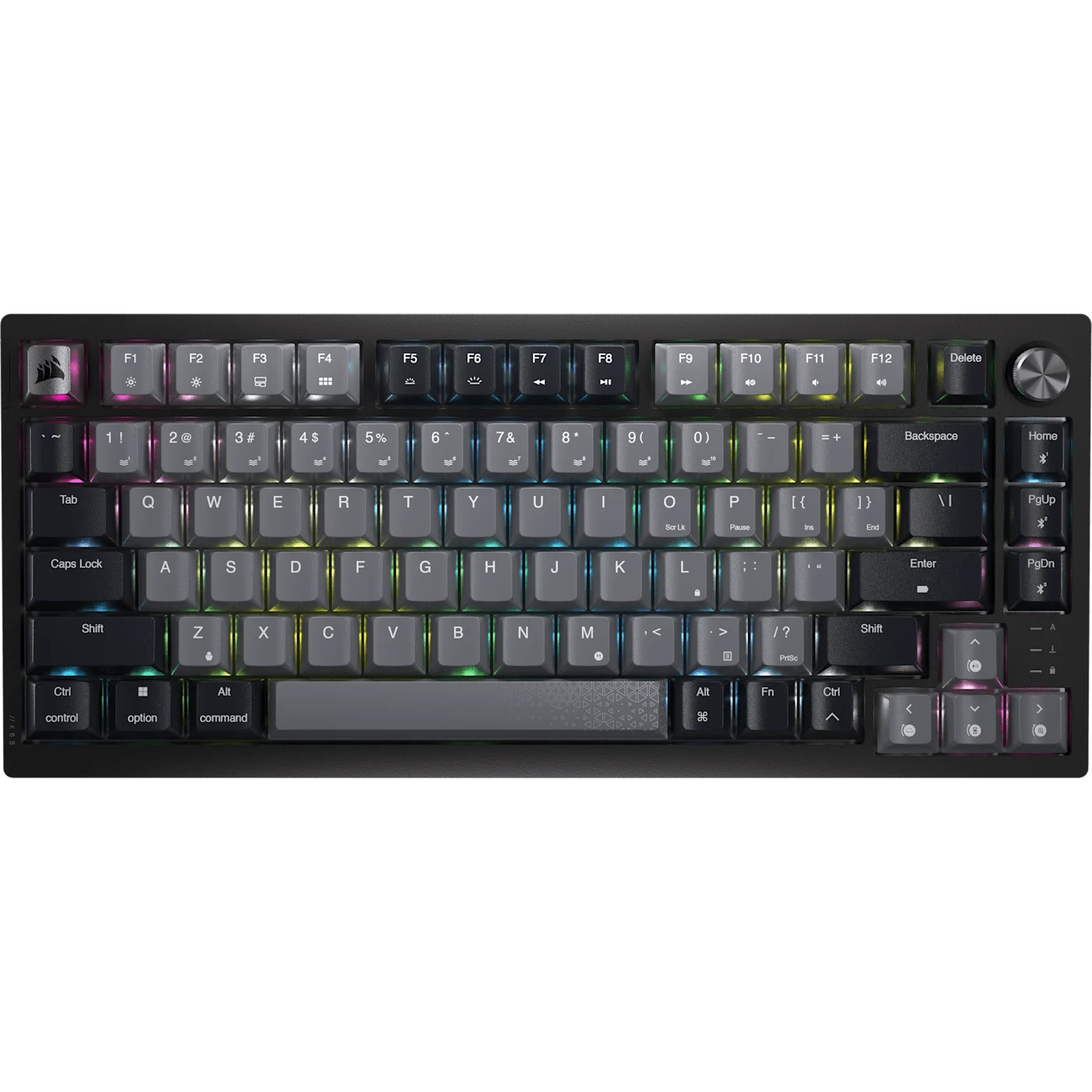 Image credit: Corsair.
Key specs: Layout: 75%; Switches: Corsair MLX Red linear; Connections: USB, 2.4 GHz and Bluetooth; Keycaps: dye-sublimated PBT; Controls: rotary dial and Windows/Mac switch. Checked price: $159.00.
Choose it because: You want compact wireless hardware with documented onboard recording of ordinary key sequences. Skip it if: Dedicated End and Insert keys are non-negotiable.
The original Midnight Grey K65 Plus combines linear switches, a dial and three connection modes. The product specifications cover this MLX Red model, not the tactile or Apple-special-edition variants. Its compact layout suits a shared work/gaming desk, but missing dedicated navigation keys are a purchase distinction, not a detail to discover after unboxing.
The official manual says to set the mode switch to off for USB wired operation; leaving it in a radio mode while plugging in the cable only charges it. iCUE provides software-mode controls on Windows/macOS, while hardware mode uses stored settings. Fn+M recording of standard keystrokes persists after power-off. That does not make every iCUE application action portable. Use a cable for firmware updates, and check Insert/End access against your editor before choosing this layout.
4. Logitech MX Mechanical
Buy Logitech MX Mechanical on Amazon ->
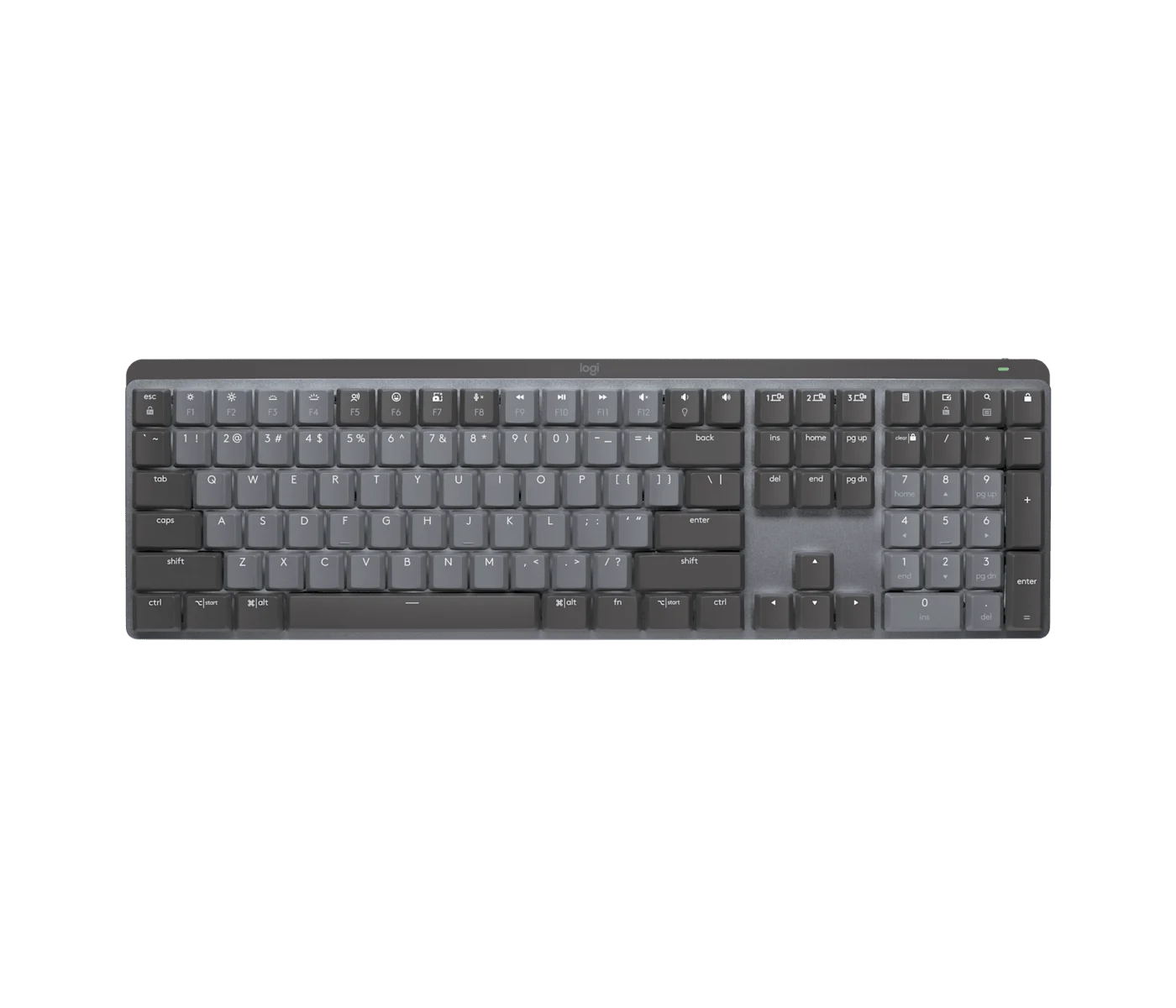 Image credit: Logitech.
Key specs: Layout: full-size low-profile; Switch variant: Tactile Quiet; Connections: Bluetooth and Logi Bolt; Device switching: three Easy-Switch channels; USB-C: charging only. Checked price: $169.99.
Choose it because: You want low-profile mechanical keys, a numpad and convenient switching among three devices. Skip it if: You require USB data or broad firmware-level key remapping.
This is the mechanical MX model, not the scissor-switch MX Keys S. The manufacturer page identifies the full-size layout and switch choices; our link selects Graphite with Tactile Quiet switches. Quiet is Logitech’s variant name, not a measured noise result from PicksLab. A low-profile layout may suit someone moving from a laptop, but preference and comfort remain personal.
Logi Options+ supplies supported-key customization and application-specific options on Windows/macOS. Do not equate basic keyboard compatibility on another OS with access to Options+. Logitech’s getting-started guide confirms that USB is for charging, not typing. For a USB-only switch or radio-restricted workstation, choose another board rather than assuming the cable solves it. For wireless device switching without custom firmware ambitions, this is the clearest fit here.
5. Keychron Q1 Max
Buy Keychron Q1 Max on Amazon ->
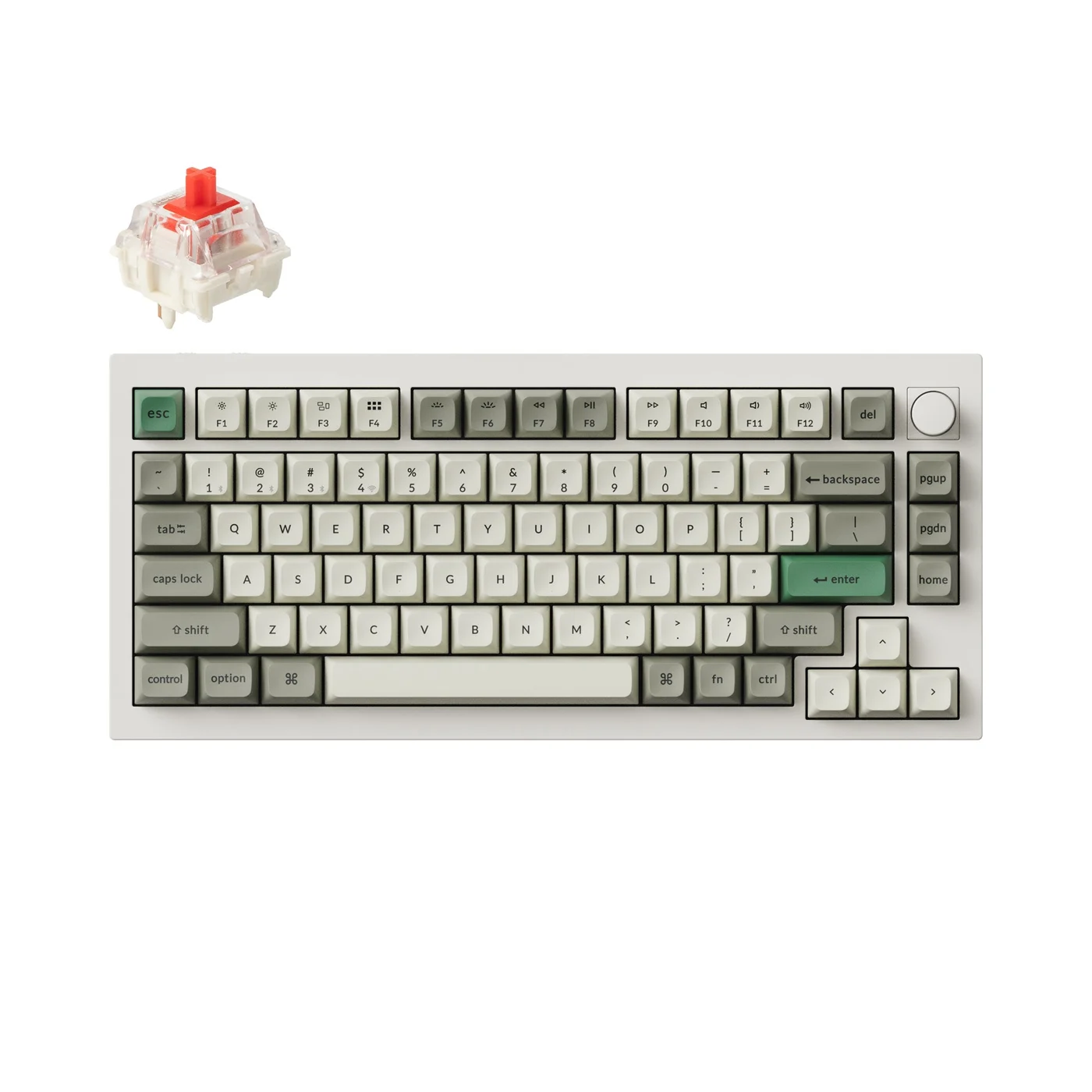 Image credit: Keychron.
Key specs: Layout: 75% with knob; Switches: Gateron Jupiter Red linear; Connections: USB, 2.4 GHz and Bluetooth; Case: aluminum; Keycaps: KSA-profile PBT. Checked price: $229.99.
Choose it because: You want compact QMK customization and an aluminum case. Skip it if: A numpad or lower price matters more than the construction.
The Q1 Max is the compact premium alternative to the V6 Max, not a universal productivity upgrade. Its official specifications distinguish it from the older Q1 Pro: the Max includes 2.4 GHz alongside Bluetooth and USB. The linked fully assembled Shell White version has linear Jupiter Red switches and KSA caps; it is not the barebones, side-printed or magnetic-switch model. The supplied top legends are not shine-through.
Use Keychron Launcher in current Chrome, Edge or Opera with the keyboard connected in wired mode. QMK mappings and separate OS layers let you rearrange ordinary shortcuts without a vendor app running continuously. A mapping still sends keys, not universal IDE knowledge: OS layout and editor bindings determine the result. Pick it when the smaller footprint and aluminum construction justify the premium, not because a heavier case promises faster coding.
Who Should Buy What
- Full-size coding and number entry: V6 Max keeps the numpad and navigation cluster with QMK configuration.
- Compact wired Windows desk: BlackWidow V4 75% removes battery/radio management from the decision.
- Wireless plus simple recorded sequences: K65 Plus has onboard macro recording; check its Fn navigation first.
- Low-profile, multi-device work: MX Mechanical favors wireless switching over extensive firmware customization.
- Compact aluminum QMK board: Q1 Max is the premium route without a numpad.
If your limit is below this shortlist’s checked prices, our Keychron alternatives under $100 covers a separate budget decision; verify its current offers. If you are equipping a development machine as well, the local-AI desktop guide separates hardware needs from keyboard preferences.
FAQ
Is a 75% keyboard better for programming than a full-size keyboard?
Only if its saved desk space is worth the missing keys to you. Both can have arrows and a function row, but compact boards vary in dedicated Home, End and Insert access. Check the exact layout and manual against your debugger and editor shortcuts. A developer who also uses spreadsheets or numerical tools may prefer full-size.
Can I remap a keyboard without installing software on my work laptop?
Keychron Launcher offers browser-based configuration for the two Keychron models here, using a supported browser and wired connection. That still requires device-access permission. Stored key mappings and software-dependent application actions are different things; confirm what persists on your model, and follow your employer’s policy rather than trying to bypass restrictions.
Can a wireless keyboard work through its charging cable?
Sometimes, but not automatically. The MX Mechanical’s cable only charges it. Both Keychron models and the Corsair support USB data; the Corsair manual requires its mode switch to be off for wired operation. Check the manufacturer’s connection instructions instead of treating a USB-C socket as proof.
Are tactile or linear switches better for coding?
Neither guarantees faster or more accurate coding. Tactile switches add a bump; linear switches have a smoother stroke without that bump. Noise also depends on the whole keyboard and how it is used. We have no comparative typing or sound tests, so choose your preferred mechanism and check return terms rather than buying on an unsupported comfort claim.
Bottom Line
Start with the computer’s restrictions and the keys you use. The Keychron V6 Max is our default full-size recommendation at its checked price because it combines a familiar layout with programmable mappings. The other picks solve specific differences in size, construction or wireless workflow. None needs to make you a faster programmer to be a better fit for your desk.
This article contains affiliate links. PicksLab may earn a small commission at no extra cost to you. Our recommendations are based on the review method described in this article.