Affiliate disclosure: PicksLab earns commissions on qualifying Amazon purchases at no extra cost to you. The AIGAMEPC link includes Creator Connections campaign tracking; eligible purchases may earn an additional commission.
TL;DR - Our top pick: MSI Aegis R2 AI C2NVR9-1452US is our researched starting point for a complete 16GB-GPU desktop: an RTX 5070 Ti, 32GB system RAM and 2TB SSD without the higher checked prices of the RTX 5080 systems below. Do not buy any of these just to run a cloud-backed OpenClaw assistant. Start with a computer you already own if it meets your other needs.
The best prebuilt PC for local AI is not necessarily the one with the most expensive CPU or the largest advertised “AI TOPS” number. The first question is where the model runs. A desktop that connects to a hosted model is doing a different job from one that keeps the model in its own GPU memory. This guide compares complete Windows towers for the second job, including an entry-level option for smaller experiments.
Listed from lowest to highest checked price, not ranked by performance. Prices are for the exact new-item configurations linked below, checked on Amazon US on September 18, 2026, before tax. Prices, sellers, shipping and availability can change; the price at checkout applies. MSI remains our researched starting recommendation for a 16GB-GPU desktop.
| Pick | Checked Price (USD) | Best For | The Important Limit |
|---|---|---|---|
| AIGAMEPC Apex, Ryzen 7 5700X / RTX 5060 | $1,099.99 | Lower-cost gaming plus small-model experiments | 8GB GPU memory and 16GB system RAM |
| MSI Aegis R2 AI C2NVR9-1452US | $2,554.00 | A 16GB-GPU starting point with air cooling | Not a large-model workstation |
| Skytech King 95 ST-KING95-1789-W-AM | $2,899.99 | An AMD 12-core system for mixed desktop work | Same 16GB GPU capacity as the MSI |
| iBUYPOWER Y40 PRO Y40BI9N5801 | $3,099.99 | An Intel/RTX 5080 gaming and creator crossover | RTX 5080 still has 16GB, not 24GB or 32GB |
| ASUS ROG GM700TZ-PS787 | $3,199.99 | An AMD X3D/RTX 5080 alternative | Networking documentation needs confirmation |
Before Buying: An Agent Host Is Not a Local Model Server
If you want OpenClaw to manage tasks through a hosted AI provider, start with the existing machine. OpenClaw can also connect to a separate local-model server; the agent and GPU do not have to share one computer. Our OpenClaw game-server administration guide explains that workflow. A new GPU is not a prerequisite for letting an assistant read logs or run approved maintenance jobs.
If you want the model itself to run on your desktop, choose the model and workload before the tower. OpenClaw’s local-model guidance distinguishes a model merely loading from completing useful agent turns. Model weights, conversation history, tool definitions and other running applications all compete for resources. An 8GB GPU can be useful for small-model learning without being a sensible long-context agent server.
If the only missing part is a GPU, compare an upgrade first. Our standalone NVIDIA GPU guide covers cards rather than complete desktops. For a compact host using remote inference, see the home-server mini-PC comparison. Buying a whole gaming tower solves assembly and component-selection work; it does not automatically solve model selection or agent reliability.
What You Gain by Moving from 8GB to 16GB
GPU memory holds the working model and associated data; system RAM is a separate pool. Adding 32GB of desktop RAM does not turn an 8GB graphics card into a 40GB GPU. Some runtimes can split work across CPU and GPU memory, but that is a different operating mode, not equivalent GPU capacity.
| Exact Desktop | Checked Price (USD) | GPU / VRAM | System RAM / SSD | CPU Cooling / PSU | Buying Consequence |
|---|---|---|---|---|---|
| AIGAMEPC Apex | $1,099.99 | RTX 5060 / 8GB | 16GB DDR4 / 1TB | Air / 650W Bronze | Narrower model/context budget; check exact motherboard before planning upgrades |
| MSI C2NVR9-1452US | $2,554.00 | RTX 5070 Ti / 16GB | 32GB DDR5 / 2TB | Air / 750W Gold | More memory headroom than the 8GB option, without paying for a 5080 |
| Skytech King 95 #1789-W | $2,899.99 | RTX 5070 Ti / 16GB | 32GB DDR5-6000 / 2TB | 360mm liquid / 850W Gold | Different CPU, case and cooling; not more GPU memory than MSI |
| iBUYPOWER Y40BI9N5801 | $3,099.99 | RTX 5080 / 16GB | 32GB DDR5-5200 / 2TB | 240mm liquid / 850W Gold | A GPU-tier upgrade, not a memory-capacity upgrade |
| ASUS GM700TZ-PS787 | $3,199.99 | RTX 5080 / 16GB | 32GB DDR5 / 2TB | Liquid / 850W Gold | AMD X3D alternative; ASUS documents a 64GB system-memory maximum |
The 16GB cards have twice the advertised VRAM capacity of the RTX 5060 here. That does not guarantee twice the model size or speed: precision, architecture, context and runtime overhead matter. NVIDIA specifies 16GB for the RTX 5070 Ti, while the exact ASUS and iBUYPOWER configurations below also specify 16GB for their RTX 5080. Paying more within this shortlist does not escape that ceiling.
Ollama’s context guidance explicitly warns that longer context requires more memory. Its guidance for agent and coding workloads is substantially more demanding than a short chat. Do not assume that a model answering one sentence establishes that it can handle your repository, long conversation or multiple simultaneous users. If your chosen workload already exceeds 16GB of GPU memory, none of these is our recommendation for keeping it entirely on one GPU.
1. AIGAMEPC Apex: Ryzen 7 5700X and RTX 5060
Buy AIGAMEPC Apex on Amazon ->
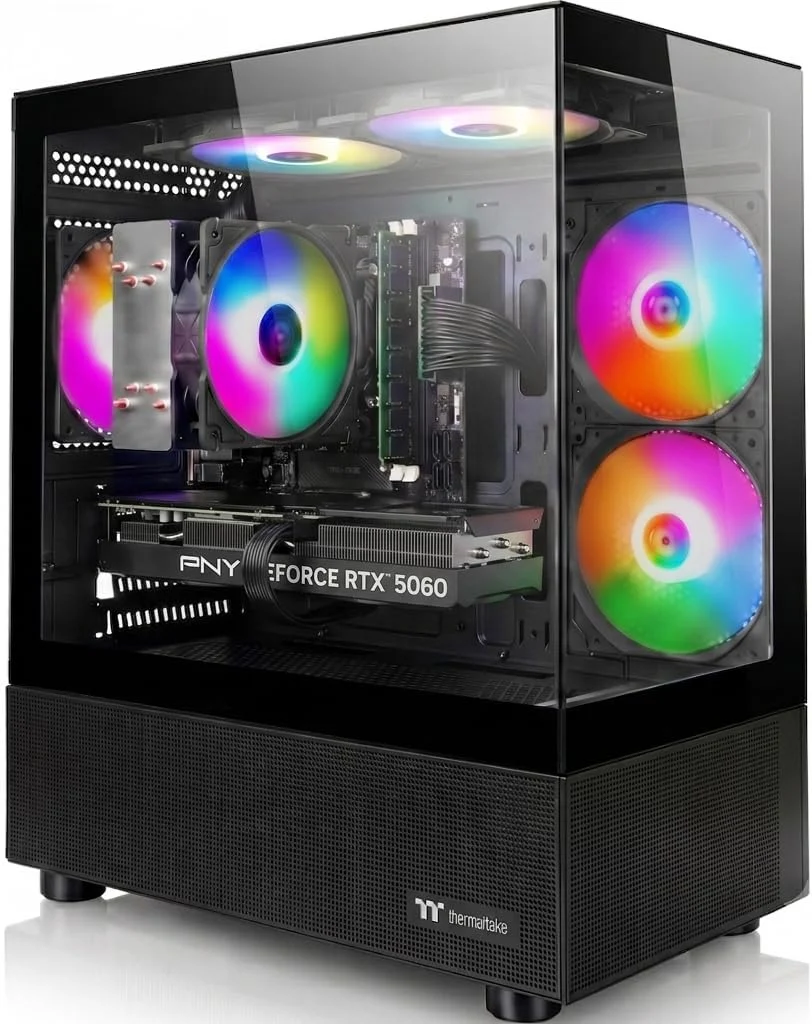 Image: AIGAMEPC Apex, exact ASIN B0H4ZBFD7W. Manufacturer image, not our test unit.
Key specs: CPU: AMD Ryzen 7 5700X; GPU: RTX 5060 8GB; RAM: 16GB DDR4; Storage: 1TB M.2 NVMe; PSU: BX3 650W 80 Plus Bronze; OS: Windows 11 Home.
Checked price: $1,099.99 new on September 18, 2026. Sold by AI&GAMEPC; shipped by Amazon.
Choose this for a lower-cost complete desktop and small-model experimentation. The manufacturer’s exact-ASIN page corroborates the main configuration. It provides a substantially lower entry price than the four 16GB-GPU towers, but its 8GB VRAM and 16GB system RAM are meaningful compromises, not footnotes.
Skip it if a large local model or long-context agent is the reason you are buying. A small quantized model may be a sensible starting experiment, but we have not measured model fit or speed on this PC. The manufacturer page does not identify the motherboard, memory-slot layout or exact graphics-card vendor. Do not assume a particular RAM ceiling, spare slot or future CPU upgrade. Request those details and written warranty terms before purchase if expansion or service coverage determines the decision.
Use Ollama for Windows for the local-model route. Windows 10 or later and a current compatible NVIDIA driver are required; install the model runtime separately. The campaign connection did not earn this PC our top recommendation: it earns a narrow entry-level comparison slot, with the memory limits visible. We received no sample and have not tested the system.
2. MSI Aegis R2 AI C2NVR9-1452US
Buy MSI Aegis R2 AI on Amazon ->
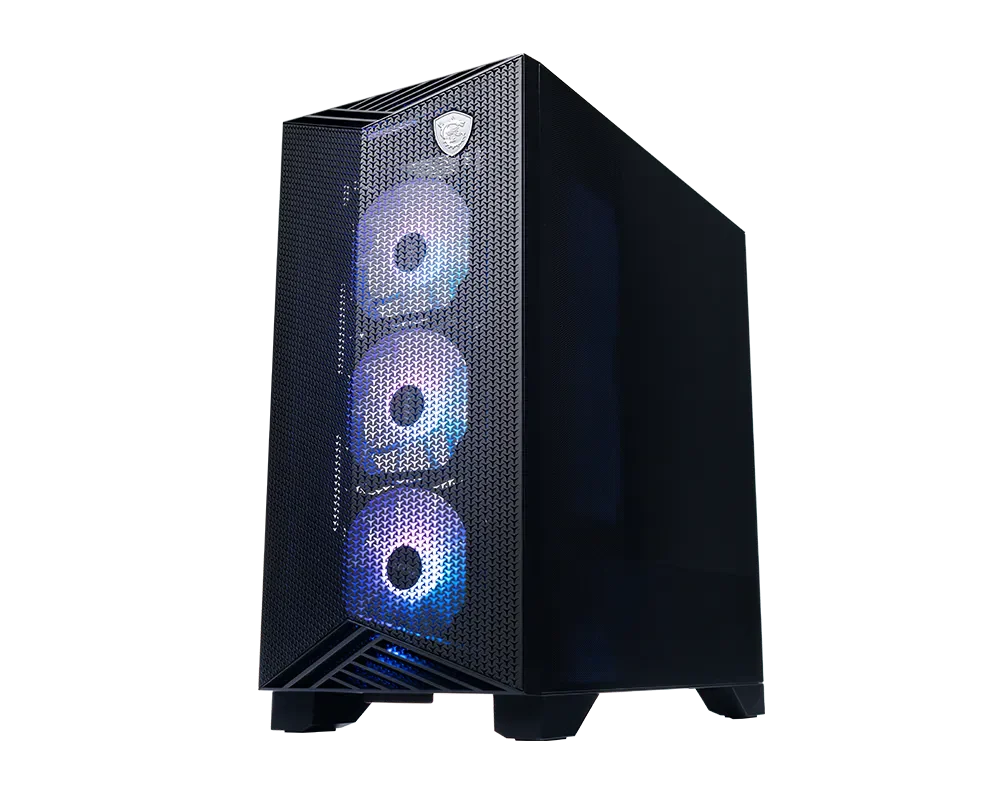 Image: MSI Aegis R2 gallery. Chassis view; use the exact SKU’s specifications for installed components.
Key specs: CPU: Intel Core Ultra 9 285; GPU: RTX 5070 Ti 16GB; RAM: 32GB DDR5; Storage: 2TB Gen4 NVMe; CPU cooling: air; PSU: 750W 80 Plus Gold.
Checked price: $2,554.00 new on September 18, 2026. Sold and shipped by Amazon.com.
Choose this for a complete 16GB-GPU system without a liquid CPU cooler. At our September 18 check, its new Amazon offer was below the checked Skytech and both RTX 5080 configurations. That makes it the starting point within this shortlist, not proof of market-wide best value or measured inference performance. MSI’s exact C2NVR9-1452US specification documents the storage, cooling and 5Gbps LAN; do not substitute another Aegis configuration based on the family name.
Skip it if your chosen model and context already need more than 16GB of GPU memory. The Ultra 9 processor does not remove that limit, and air cooling is not evidence of silence or low power draw. MSI lists expansion connectors, but their physical shape does not establish lane allocation or room for a second thick graphics card. Confirm the installed motherboard, connector availability and power requirements before planning that upgrade.
For local inference, Ollama for Windows is one supported software route. Windows 10 or later and a current compatible NVIDIA driver are required; install the model runtime separately. This is a hardware compatibility assessment, not a tested OpenClaw appliance.
3. Skytech King 95 ST-KING95-1789-W-AM
Buy Skytech King 95 on Amazon ->
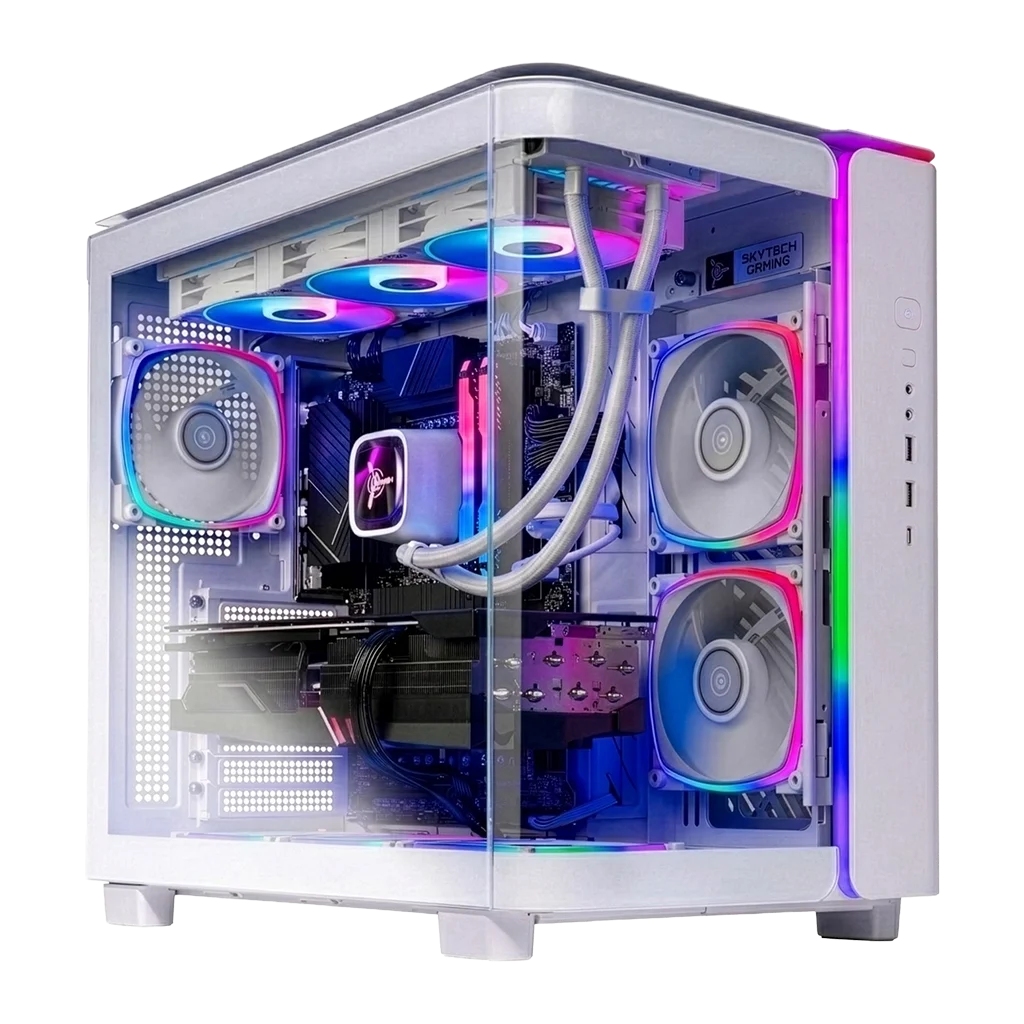 Image: Skytech’s #1789-W product page. Skytech notes that component brands and ports can vary from illustrations.
Key specs: CPU: AMD Ryzen 9 9900X3D; GPU: RTX 5070 Ti 16GB; RAM: 32GB DDR5-6000; Storage: 2TB Gen4 NVMe; CPU cooling: 360mm AIO; PSU: 850W Gold ATX 3.0.
Checked price: $2,899.99 new on September 18, 2026. Sold and shipped by DOLICA.
Choose this when a Ryzen 9 platform and a large showcase case are also part of the purchase. The exact Skytech configuration gives you an AMD alternative to the MSI, with a B650 motherboard and liquid CPU cooling. It is a mixed-use desktop choice, not evidence that X3D cache improves your chosen language model.
Skip it if the extra spending is supposed to buy more GPU memory than the MSI. Both have a 16GB RTX 5070 Ti. The King 95 also measures roughly 11.81 inches wide, so check the desk or shelf rather than treating it as a small server. Our checked offer came from DOLICA; confirm the seller’s eligibility for Skytech warranty service before relying on the manufacturer’s advertised coverage. Exact board partners and unused expansion slots are not established by a chassis photo.
The Ollama Windows download supplies the runtime, not the PC builder. Windows 10 or later and a current compatible NVIDIA driver are required; install the model runtime separately. Keep the model service private rather than exposing it directly to the internet.
4. iBUYPOWER Y40 PRO Y40BI9N5801
Buy iBUYPOWER Y40 PRO on Amazon ->
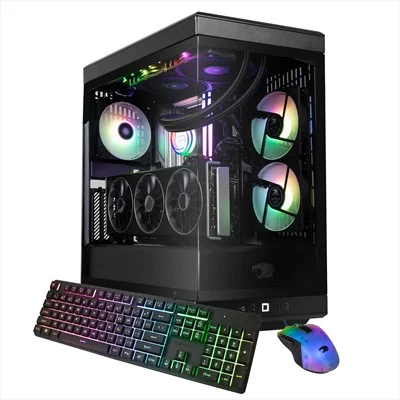 Image: iBUYPOWER Y40BI9N5801 retail support page. Manufacturer configuration illustration.
Key specs: CPU: Intel Core Ultra 9 285; GPU: RTX 5080 16GB; RAM: 32GB DDR5-5200; Storage: 2TB M.2 NVMe; CPU cooling: AW4 240mm liquid; PSU: 850W 80 Plus Gold.
Checked price: $3,099.99 new on September 18, 2026. Sold and shipped by Adorama.
Choose this when you want an RTX 5080 tower for gaming or creator work as well as local AI. Its SKU-specific support page identifies the B860 WiFi motherboard class, memory speed and cooler. Importantly, this is the Ultra 9 285, not a 285K configuration borrowed from another Y40 listing.
Skip it if you are paying for a 5080 because you expect more VRAM than a 5070 Ti. Both have 16GB here. The higher GPU tier may suit other work, but we have not measured tokens per second, rendering time or gaming performance on these towers. Our checked offer was sold by Adorama. Verify the exact retail warranty and return terms; do not assume iBUYPOWER’s direct custom-build policies apply unchanged.
For the local runtime, use Ollama for Windows. Windows 10 or later and a current compatible NVIDIA driver are required; install the model runtime separately. The desktop arrives as a general-purpose PC, not with your model, agent permissions or backups configured.
5. ASUS ROG GM700TZ-PS787
Buy ASUS ROG GM700 on Amazon ->
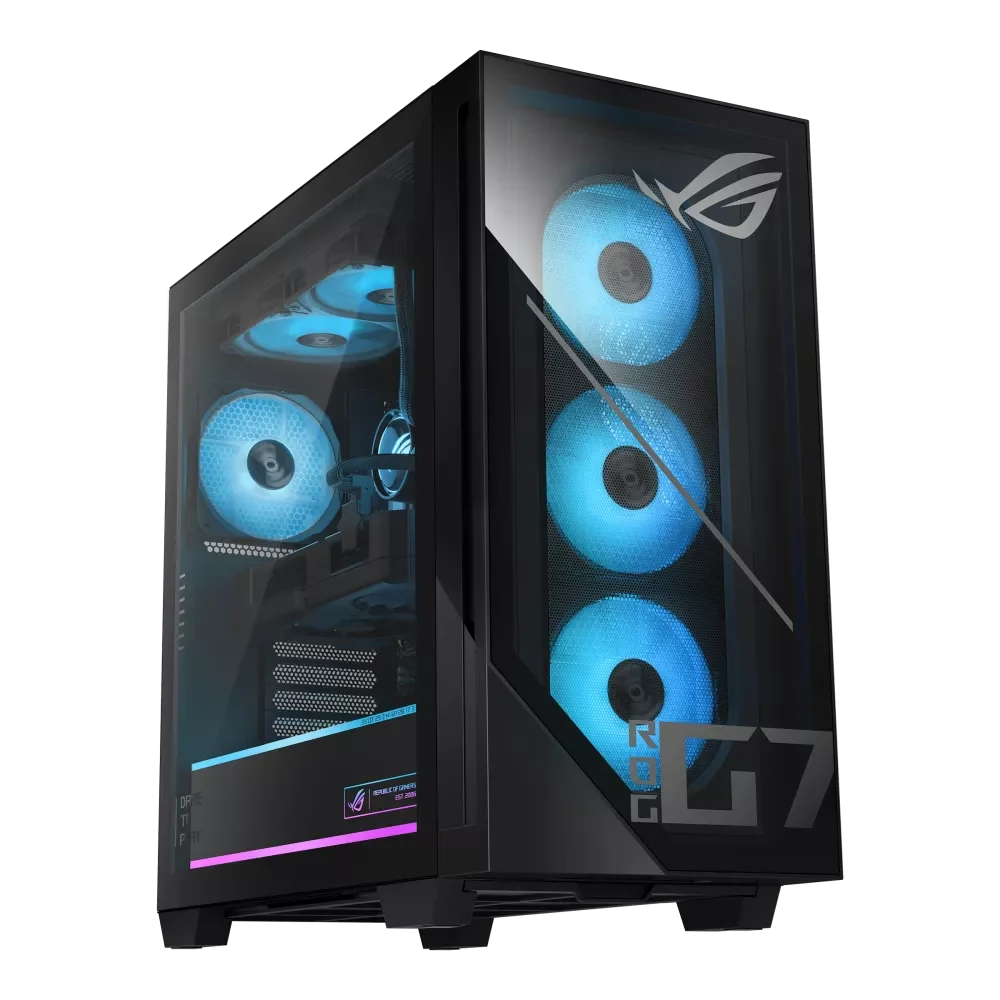 Image: ASUS GM700 specifications, PS787 configuration. Internal appearance can vary by configuration.
Key specs: CPU: AMD Ryzen 7 9800X3D; GPU: RTX 5080 PRIME 16GB; RAM: 32GB DDR5; Storage: 2TB Gen4 NVMe; PSU: 850W 80 Plus Gold; Documented RAM maximum: 64GB.
Checked price: $3,199.99 new on September 18, 2026. Sold and shipped by Amazon.com.
Choose this for an AMD X3D and RTX 5080 combination with a documented memory-upgrade ceiling. ASUS’s PS787 specification columns list two 16GB modules, four DIMM slots and a 64GB maximum. That is useful planning information, but 64GB system RAM still does not enlarge the 16GB GPU’s memory.
Skip it if a specific Ethernet speed or PCIe lane layout is essential and the seller cannot confirm it. The Amazon listing advertises 2.5Gbps Ethernet, while ASUS’s PS787 table says Gigabit Ethernet; the two PS787 entries also differ in PCIe-generation wording. We are not resolving those conflicts by choosing the more attractive claim. For an ordinary single-GPU desktop, the CPU/GPU/RAM/storage specifications are consistent; for a network-heavy or multi-GPU server, get the installed motherboard details first.
Use Ollama for Windows for a local-model starting point. Windows 10 or later and a current compatible NVIDIA driver are required; install the model runtime separately. The X3D CPU makes this an alternative platform choice, not a tested AI-speed winner over the Intel system.
Check Model Fit Before Calling the PC an AI Server
Ollama lists these RTX 50-series GPUs as supported, but support is not a model-capacity guarantee. Install the current official runtime and a driver supporting your exact GPU. Load the exact model and quantization you intend to use, set your intended context length, and run a representative task with the other applications you expect to keep open.
Then inspect the running model:
ollama psThe official FAQ explains the PROCESSOR column: 100% GPU indicates full GPU loading; a CPU/GPU split indicates offloading. Compare that result with your requirements rather than treating any successful response as a pass. Also test the longest realistic conversation and, for an agent, actual tool use. A short prompt cannot certify a server for a full working session.
OpenClaw currently documents both native Windows and WSL2 routes. Follow its current platform instructions rather than buying hardware around an old claim that Windows is unsupported. Keep agent permissions narrow, retain backups, and do not give an experimental local model unrestricted access to your only copy of important data.
How We Selected These PCs
This is an expert-researched configuration comparison, not a hands-on performance test. We checked exact model numbers, manufacturer specifications, current US new-item purchase controls and official runtime documentation on September 18, 2026. Four systems were discovered through Brave; the owner-supplied AIGAMEPC campaign listing was verified directly against Amazon and the manufacturer’s exact-ASIN page after search discovery failed. That exception is not a claim of independent testing or a reason to prefer its hardware.
The shortlist is deliberately limited to NVIDIA Windows towers with documented configurations. It is not an exhaustive ranking of workstations, Apple unified-memory systems, used GPUs or every prebuilt on sale. None is certified here for a particular large model, noise target, continuous-load temperature or unattended uptime. Manufacturer pictures show the products, not benchmark evidence.
Who Should Buy What
- A first 16GB-GPU desktop: Start with the MSI Aegis R2 AI, provided your workload fits that memory ceiling.
- A lower entry price and small experiments: Consider the AIGAMEPC Apex, accepting its 8GB GPU and limited expansion documentation.
- An AMD Ryzen 9 mixed-use tower: Compare the Skytech King 95, without paying extra under the impression that it adds VRAM.
- An RTX 5080 for other demanding desktop work too: Compare iBUYPOWER’s Intel configuration with ASUS’s AMD configuration; both remain 16GB-GPU systems.
- Cloud-backed OpenClaw only: Start with your current machine and the setup guide, not a new gaming tower by default.
FAQ
Does OpenClaw need a gaming PC?
No. Hosting the assistant while using a remote model is different from running inference locally. Games, virtual machines or other services may impose their own CPU and RAM requirements, but OpenClaw alone is not a reason to buy an RTX 5080 desktop. Choose the inference location first.
Is an RTX 5060 with 8GB enough for local AI?
It can be useful for smaller models and learning the software, but suitability depends on the exact model, quantization and context. We would not choose the AIGAMEPC’s 8GB card for a purchase motivated by large-model or long-context agent use. A more expensive CPU or more system RAM does not remove its GPU-memory limit.
Does the RTX 5080 fit larger models than the RTX 5070 Ti?
Not simply because its model number is higher. The desktop configurations here use 16GB on both GPUs. Differences in compute and bandwidth can matter to a particular workload, but they do not create extra VRAM. Look beyond this shortlist if your workload needs more GPU memory.
Are these PCs ready to run an AI agent out of the box?
They are complete PCs, not configured agent appliances. You still need the model runtime or hosted-provider connection, your chosen model, agent setup, access controls and backups. Verify the shipped configuration and the seller’s return terms before installing upgrades or assuming a demanding workload will fit.
Bottom Line
Our starting recommendation is the MSI Aegis R2 AI C2NVR9-1452US for buyers who specifically want a complete 16GB-GPU Windows desktop. The AIGAMEPC is a less expensive route into smaller experiments, while Skytech, iBUYPOWER and ASUS offer different CPU, cooling and GPU-tier combinations. None should be bought on the assumption that a gaming specification sheet guarantees a capable autonomous agent.
This article contains affiliate links. PicksLab may earn a small commission at no extra cost to you. Our recommendations are based on the review method described in this article.