Affiliate disclosure: PicksLab earns commissions on qualifying Amazon purchases via the pickslab-20 tag, at no extra cost to you.
Your computer still runs everything you need, but the drive is full. Maybe it’s holding years of photos, a growing video library or backups from everyone in the house. Replacing the whole computer just to add storage feels wasteful, and a collection of separate USB drives isn’t much of an improvement. A four-bay direct-attached storage enclosure puts those disks in one box and connects them to the computer you already own.
The important difference isn’t the number of bays. The QNAP TR-004 can manage RAID inside the enclosure, the TerraMaster D4-320 presents four separate disks, and the OWC Mercury Elite Pro Quad uses the computer and, in the selected bundle, SoftRAID software. That choice determines setup, replacement-host requirements and costs after purchase.
TL;DR - Our hardware-RAID pick: QNAP TR-004 makes sense when you want the enclosure to manage a redundant array. The cheaper TerraMaster D4-320 is the direct purchase for separate disks. Pay for the OWC software bundle when you want its supported Mac/Windows management features, not simply a faster USB connection.
Price And What You Are Buying
Ordinary new US offers checked November 2, 2026, ordered by price. All three are diskless: drives, the host computer and an independent backup are extra. No coupon, business-only or Prime-exclusive reduction is included. Shipping and tax depend on destination; a Prime delivery badge isn’t a Prime-only product price. QNAP is sold and shipped by Amazon.com; TerraMaster and OWC are sold by their brand sellers and shipped by Amazon.
| Product | Price checked Nov 2 | Storage approach | Main reason to buy |
|---|---|---|---|
| TerraMaster D4-320 | $170.99 | Four separate SATA disks; no hardware RAID | Add bays without buying a RAID controller |
| QNAP TR-004 | $219.00 | Hardware RAID or individual disks | Manage the array outside the host OS |
| OWC Mercury Elite Pro Quad with SoftRAID | $399.99 | Host-managed storage; selected three-year Premium bundle | Software-based array management and monitoring |
The OWC link is specifically the 0TB with-SoftRAID bundle, not a populated array or the cheaper enclosure-only configuration.
Feature Comparison
| Product | Shared connection | Who manages the disks? | Ownership limit |
|---|---|---|---|
| TerraMaster D4-320 | USB 3.2 Gen 2, up to 10Gbps | Individual disks; RAID needs suitable host software | No built-in RAID or network service |
| QNAP TR-004 | USB 3.2 Gen 1, up to 5Gbps | Hardware controller, DIP switches or External RAID Manager | No online RAID migration/capacity expansion; no hot-swap in Individual mode |
| OWC Mercury Elite Pro Quad with SoftRAID | USB 3.2, up to 10Gbps | Computer software, not hardware RAID | SoftRAID’s OS, licence and feature requirements apply |
These are shared link ceilings, not measured file-copy speeds or bandwidth per disk. Type-C doesn’t make a connection Thunderbolt. A slower host port also limits the faster enclosures.
1. TerraMaster D4-320
Buy TerraMaster D4-320 on Amazon ->
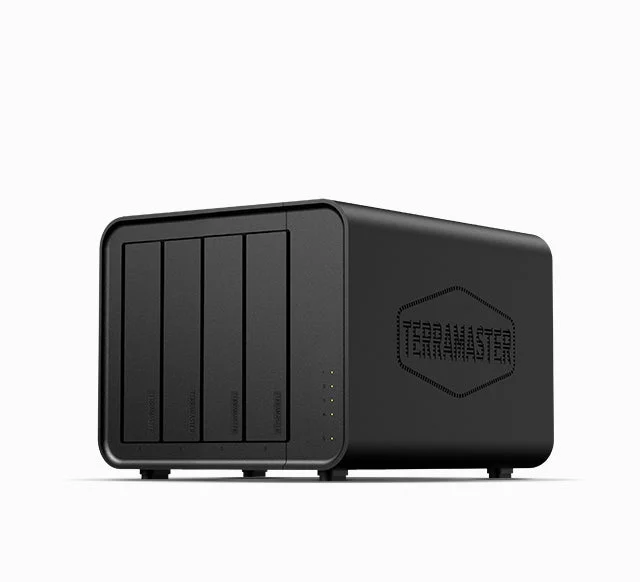 Image: TerraMaster. Drives aren’t included.
Key specs: Drive bays: four; Drive types: 3.5-inch SATA HDD, 2.5-inch SATA HDD or SSD; Interface: USB 3.2 Gen 2 up to 10Gbps; Built-in RAID: none; Included data cable: 0.8m USB-C to USB-C.
The $170.99 D4-320 gives a small computer somewhere to put large SATA drives. The computer sees separate disks, so you can organize a media library on one and a backup destination on another without creating an array. Four bays consolidate the boxes and power connections; they don’t automatically combine capacity into one protected volume. It is the least expensive choice here when you want separate disks rather than an enclosure-managed array.
TerraMaster’s specifications explicitly say SINGLE DISK and no RAID. Normal disk access is driverless on supported Windows, Mac and Linux systems; RAID or scheduled backup needs separate host software. The product page links optional Windows TPC Backupper, but a backup application and a RAID implementation are different things. Confirm support for your OS and USB disks before choosing software. The included C-to-C cable also needs a compatible host port; a Type-A-only PC needs an appropriate data cable.
Skip it if you expect hardware RAID without configuring software on the computer. The saving isn’t useful if you then need another enclosure to get that feature. Advertised transfer rates aren’t our measurements; installed disks, host port and workload determine actual results.
2. QNAP TR-004
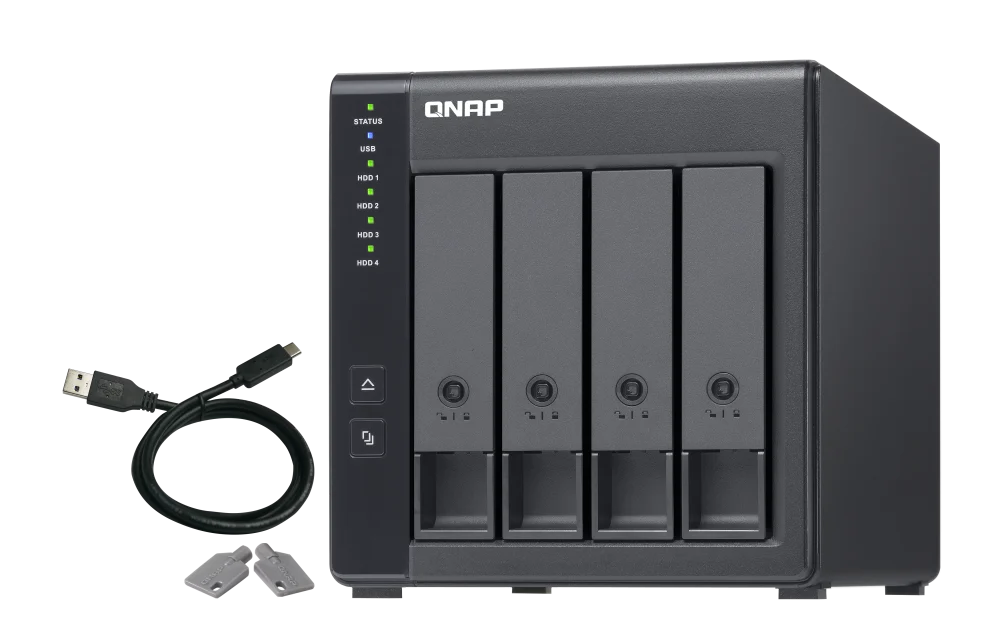 Image: QNAP. Desktop TR-004, not rackmount TR-004U.
Key specs: Drive bays: four; Drive types: 3.5-inch SATA HDD, 2.5-inch SATA HDD or SSD; Interface: USB 3.2 Gen 1 up to 5Gbps; Hardware modes: Individual, JBOD, RAID 0, RAID 1/10 or RAID 5.
At $219.00, the TR-004 costs $48.01 more than the TerraMaster offer. That buys a different architecture, not a faster USB link. Rear DIP switches select the controller’s mode. In RAID mode, the enclosure handles the array instead of requiring a software RAID implementation on the PC. It is the practical choice here when hardware RAID is the requirement, not maximum link bandwidth. QNAP’s mode descriptions distinguish combined JBOD storage from Individual disks.
RAID 5 can preserve access after one member disk fails, but it won’t rescue a deleted folder or stolen enclosure. QNAP lists RAID migration and capacity expansion as unsupported. Plan the array before loading it; don’t expect a painless online conversion from two disks to a larger RAID 5. Back up before initialization or mode changes. QNAP also excludes hot-swapping in Individual mode. Its hardware specifications document 3Gb/s SATA slots, even with backward-compatible SATA 6Gb/s drives.
For configuration and status, QNAP External RAID Manager lists Windows 8.1+, Windows Server 2012 R2+ and macOS 10.13+. These are vendor compatibility floors, not advice to run an unsupported OS. The utility is offered for Windows and Mac, not Linux; disk access doesn’t establish management-app support. Check current Mac system-extension requirements before making the utility essential to your purchase. DIP-switch setup doesn’t require it merely to choose a hardware mode. Skip it if you need a 10Gbps USB link or easy online array expansion. Owner feedback includes wake-up/configuration concerns: test your host and sleep settings, rather than treating anecdotes as a measured failure rate.
3. OWC Mercury Elite Pro Quad With SoftRAID
Buy OWC Mercury Elite Pro Quad with SoftRAID on Amazon ->
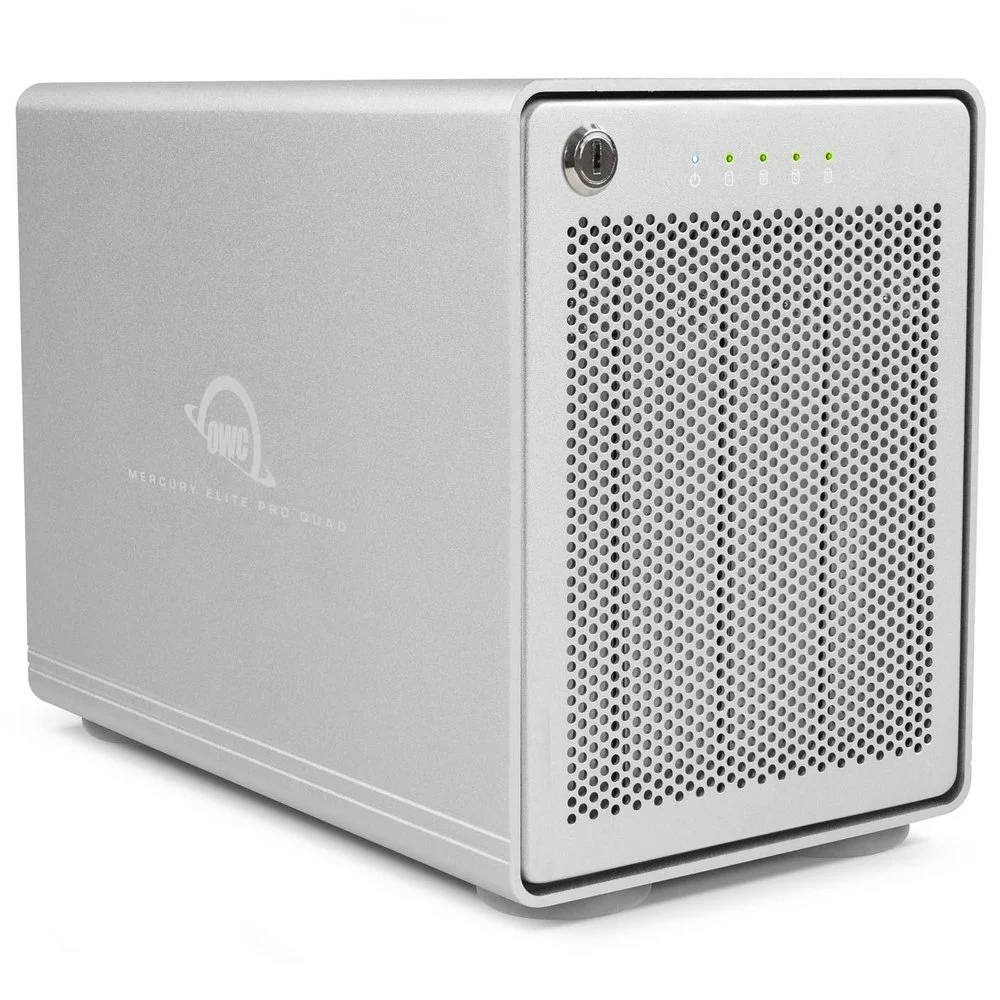 Image: OWC. The enclosure photograph doesn’t depict a software licence or included disks.
Key specs: Drive bays: four; Drive types: 2.5-inch or 3.5-inch SATA; Interface: USB 3.2 up to 10Gbps; RAID implementation: host software; Selected bundle: 0TB with three years of SoftRAID Premium.
The $399.99 bundle is for someone who wants to manage storage through SoftRAID, rather than a hardware controller. It offers array creation and monitoring on supported Mac and Windows systems. It is worth considering when you want SoftRAID’s management and monitoring rather than a hardware-controlled array. You’re paying for that workflow and the selected software entitlement, not four disks or a Thunderbolt connection.
OWC’s product page says selected configurations include three years of Premium; the selected Amazon with-SoftRAID offer specifies that entitlement. Don’t transfer it to an enclosure-only SKU. SoftRAID requires a supported Mac or Windows installation; Premium activation and the current download requirements apply to array creation and monitoring. Use the official downloads for your OS. This isn’t our recommendation for a Linux software-RAID host.
OWC’s general installation guide lists macOS 10.14+ for Intel Macs, macOS 11.3+ for Apple silicon and Windows 10 64-bit or later. Its Premium requirements exclude Windows ARM. These broad floors don’t establish every feature in every release: match the downloaded version to your current, supported OS, and check the additional conditions before choosing newer RAID levels.
Skip this bundle if you only want independent disks or aren’t willing to maintain the host software. Premium renewal is currently advertised from $79.99/year, not a guaranteed future price. OWC’s expiry explanation says existing volumes retain read/write access after Premium ends, while monitoring, alerts and new-volume creation lose Premium functionality. That isn’t an automatic file lockout, but it isn’t lifetime monitoring either. Check terms and OS compatibility before renewal or an OS upgrade.
Four 8TB Drives Do Not Always Mean 32TB Of Usable Space
Suppose you buy four identical, compatible 8TB drives. Before formatting and filesystem overhead, separate disks provide 32TB across four volumes. Four-drive RAID 5 provides 24TB, because the equivalent of one drive is used for distributed parity. RAID 10 provides 16TB, trading half the raw capacity for mirrored pairs. These are capacity calculations, not drive recommendations or speed tests.
QNAP supplies the controller for its supported hardware modes. TerraMaster supplies no RAID implementation; an array needs suitable host software. OWC’s selected route puts management in SoftRAID. If you need 20TB of usable array space, four 8TB disks in RAID 10 won’t meet it even though the cartons add up to 32TB. Our RAID capacity calculator helps compare layouts; it doesn’t establish drive, enclosure or filesystem compatibility.
When An Enclosure Is Not Enough
A DAS isn’t a NAS. These boxes don’t provide independent network file services or run a game server. The attached computer must stay on and run the sharing, media-server or backup software. Our mini-PC home-server guide covers the host; the two-bay NAS comparison considers a separate appliance.
All disks here share the enclosure’s USB cable, power supply and host connection. RAID doesn’t remove those common failure points. Keep an independent copy of important files and test restoring it. Don’t pull an active array member just because a box advertises hot-swap: follow its failed-drive replacement procedure. Back up existing disks before moving them or accepting any initialize/format prompt.
Internal SATA storage is another option when the computer has room; a single external backup drive may be enough for one PC. Sabrent’s four-bay enclosure is another separate-disk approach, outside this three-model offer comparison. It isn’t being declared inferior or unavailable. Cable capability also matters: our USB-C cable guide separates charging from the data connection these enclosures need.
Research Verdict
Our editorial fit ratings score the documented purchase, not physical performance. Each criterion earns 0, 1 or 2 points: role fit (2 when the stated disk-management job is documented); setup (2 for driverless separate-disk access, 1 for additional controller/software configuration); link headroom (2 for a 10Gbps interface, 1 for 5Gbps); cost/inclusions (2 for a complete storage purchase, 1 for a diskless offer up to $250, 0 above that); and ownership flexibility (2 with no material management/expansion dependency, 1 with the shared enclosure connection, array limits or ongoing software responsibilities described here). Zero means the criterion isn’t met, not that the product is unsafe. An unresolved essential compatibility fact would stop the recommendation rather than earn a speculative score.
| Product and rated use case | Role / 2 | Setup / 2 | Link / 2 | Cost / 2 | Ownership / 2 | Fit rating |
|---|---|---|---|---|---|---|
| D4-320: separate disks on an existing host | 2 | 2 | 2 | 1 | 1 | 8/10 |
| TR-004: enclosure-managed RAID | 2 | 1 | 1 | 1 | 1 | 6/10 |
| OWC bundle: supported SoftRAID workflow | 2 | 1 | 2 | 0 | 1 | 6/10 |
TerraMaster loses points because disks/backup are extra and the enclosure remains a shared connection, not because separate disks secretly provide redundancy. QNAP’s deductions reflect configuration work, the slower link and expansion restrictions; its hardware RAID can still be the feature that makes it the right purchase. OWC’s price, software setup and continued monitoring responsibilities lower its score, while its 10Gbps link and documented software route earn credit. The cost bands and point weights are our editorial choices, not laboratory thresholds. These ratings don’t compare noise, reliability or rebuild speed, and a higher total doesn’t make one storage architecture suitable for a different job.
FAQ
Can I use one of these without buying a NAS?
Yes. They attach to a compatible computer over USB. The computer supplies the OS, network sharing and applications. You still need compatible SATA disks and an appropriate host connection; these offers aren’t complete storage systems.
Does RAID replace a backup?
No. Redundant RAID can help with a supported member-disk failure, but it isn’t an independent copy against deletion, corruption, theft or shared-enclosure failure. Back up important files separately and verify restoration.
Will a Thunderbolt port make the QNAP run at Thunderbolt speed?
No. Through a compatible USB connection the TR-004 still uses its USB 5Gbps interface. The TerraMaster and OWC models use USB 10Gbps. Actual transfer speed also depends on disks, cable, host and workload.
Can I add drives later without rebuilding everything?
Adding a separately managed disk to an empty bay differs from expanding an array. QNAP documents no online RAID migration/capacity expansion for the TR-004. Host-software options have their own rules. Plan first and back up before layout changes.
Bottom Line
Choose TerraMaster D4-320 for separate disks, QNAP TR-004 for enclosure-managed RAID, or the OWC SoftRAID bundle when its software earns the extra cost. More room for files can keep a working computer useful. Getting the storage layout and backup right matters more than filling every bay on day one.
This article contains affiliate links. PicksLab may earn a small commission at no extra cost to you. Our recommendations are based on the review method described in this article.