Affiliate disclosure: PicksLab earns commissions on qualifying Amazon purchases via the pickslab-20 tag, at no extra cost to you.
TL;DR - Our top pick: The KLIM Wind is our starting point for a simple USB-powered desk setup because its two fan-pair controls and documented footprint make placement straightforward. It is not a measured cooling-performance winner. For a bottom-intake gaming laptop that fits a foam seal, compare the IETS GT500 V1; for software-controlled fan curves on Windows, consider Razer.
A laptop that slows down halfway through a game is frustrating. But buying the pad with the highest RPM is not a diagnosis. A blocked intake, a failing internal fan or a laptop that is not heat-limited will not become the same problem just because the shopping page calls its cooler powerful.
This is a researched comparison of manufacturer manuals, exact variants, controls and current US purchase paths, checked September 12, 2026. We have not measured these six pads on a common laptop. There are no PicksLab temperature, noise, frame-rate or longevity test results behind the ordering.
| Pick | Best For | Important Difference |
|---|---|---|
| havit HV-F2056 | Basic USB-powered support | Three equal-size fans; simple switch |
| KLIM Wind | Simple adjustable desk airflow | Four fans controlled in pairs |
| TopMate C11 | Selecting front/rear fan groups | Six fans, three group modes, RGB side lighting |
| IETS GT500 V1 | Compatible bottom-intake gaming laptops | Foam seal, wall power and three-port hub; no RGB |
| Razer Laptop Cooling Pad | Windows software fan curves | Synapse 4 controls; three magnetic frames |
| llano V12 RGB | On-pad speed display and lighting | Sealed blower with physical controls; not V12 Ultra |
Check Your Laptop Before Buying
First, try the free fix. Use a hard, clear desk and follow your laptop maker’s instructions for inspecting vents and diagnosing overheating. Dell’s troubleshooting guidance starts with ventilation, maintenance and diagnostics, not an accessory purchase. A pad is not a repair for a broken internal cooling system. If raising the display is the real goal, our laptop-stand guide covers a different purchase decision.
Next, map the intake, not just the screen diagonal. Open the service manual for your exact laptop model and identify where cool air enters and hot air leaves. An open mesh pad places fans below the chassis. A sealed blower needs its foam opening aligned with suitable bottom intakes, without its seal covering those vents. The same 16-inch screen size can sit above very different feet, chassis dimensions and vent layouts.
Check three physical boundaries before ordering: the pad’s supporting surface must hold the laptop feet; the foam opening must leave the intended intakes clear; rear and side exhausts must still have clearance. IETS explicitly lists bottom cooling or ventilation holes as a compatibility requirement. Do not read its general size range as proof that every laptop in that range fits. Razer supplies a separate frame for fanless/ventless machines, but that does not establish the same cooling benefit as forcing air into a vented gaming laptop.
Finally, count cables and choose your controls. A USB pad draws power from a host port. The IETS, llano and Razer blowers need their supplied wall-power arrangements; their USB connections serve peripherals or control, not laptop charging. A compact dorm desk with one accessible outlet is a different buying problem from a permanent gaming station.
| Your Setup | Sensible Starting Point | What Would Change the Choice? |
|---|---|---|
| Laptop mainly needs a stable, ventilated desk surface | Open USB pad or passive stand | If elevation alone solves the problem, skip the extra fans |
| Bottom-intake gaming laptop; clear fit around foam opening | IETS GT500 V1 or llano V12 RGB | If feet or intakes sit on the seal, do not force the fit |
| Want temperature-based fan curves, not manual adjustment | Razer with supported Windows/Synapse setup | macOS/Linux users should not assume the Windows software features work |
| Need fast storage, monitors or laptop charging from extra ports | A proper dock | The pad’s hub is not a replacement for a laptop docking station |
These are fit-based selection rules, not benchmark predictions. Comparing fan count or RPM across different fan diameters and housings cannot tell you how many degrees your laptop will lose.
Feature Comparison
| Model | Fan and Placement | Power | Controls and USB |
|---|---|---|---|
| havit HV-F2056 | Three 110 mm fans; open mesh | 5 V USB | Physical switch; two USB sockets, one used for power |
| KLIM Wind | Four fans; open mesh | 5 V USB | Two rollers control fan pairs; two USB 2.0 sockets, one used for power |
| TopMate C11 | Two 100 mm plus four 70 mm fans | 5 V USB | Three fan-group modes, six speed levels; dual USB |
| IETS GT500 V1 | Sealed turbofan; check bottom-intake fit | Included 12 W adapter | Variable speed; three-port USB hub; no RGB on V1 |
| Razer RC21-02300 | 140 mm fan; three magnetic frame choices | Included 36 W adapter | Buttons plus Synapse 4; three USB-A 2.0 ports |
| llano V12 RGB | 140 mm blower and foam seal | 36 W external power | On-pad speed display and controls; three-port hub |
1. havit HV-F2056
Buy havit HV-F2056 on Amazon ->
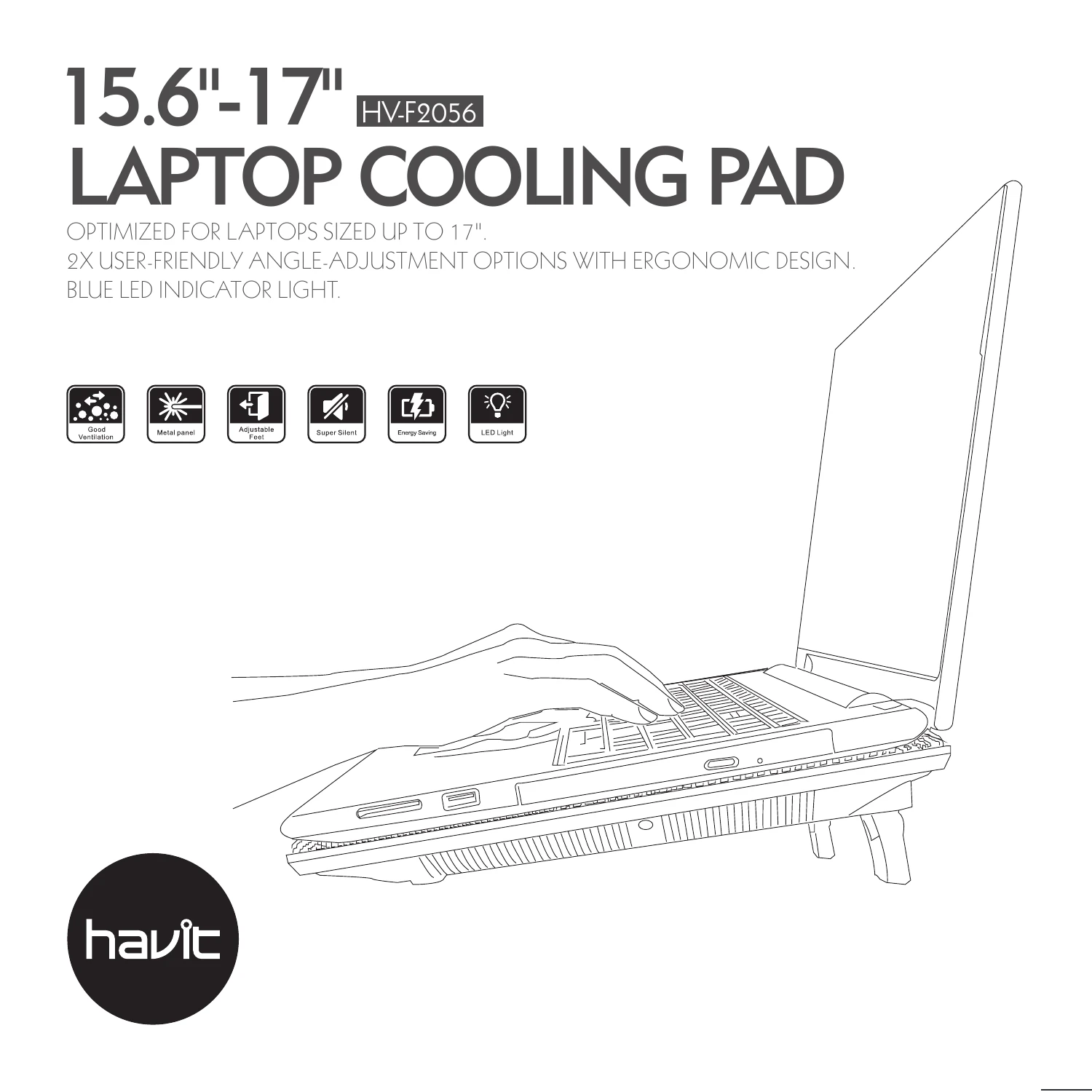
Illustration credit: HAVIT user manual, cover. This is a manufacturer diagram, not a PicksLab photograph; its promotional noise labels are not our test findings.
Key specs: Fans: three 110 mm units; Power: 5 V DC via USB; Footprint: 380 x 280 mm; Height settings: two.
Choose it for a basic USB-powered pad without an app or separate wall adapter. The manufacturer manual identifies three equal-size fans, not one large fan flanked by two small ones. Its simple plug-in-and-switch-on routine suits someone who wants a modestly raised, ventilated surface and does not need to tune individual fan groups.
Skip it if you need independently adjustable fan zones or a sealed blower. Its 380 x 280 mm footprint is worth measuring against your laptop feet before buying, even when the display falls within the stated 15.6-17-inch range. One USB socket is consumed by the power cable, so two sockets do not mean two extra ports. We have not established that this pad is silent, lowers temperatures by a particular amount or improves gaming performance.
2. KLIM Wind
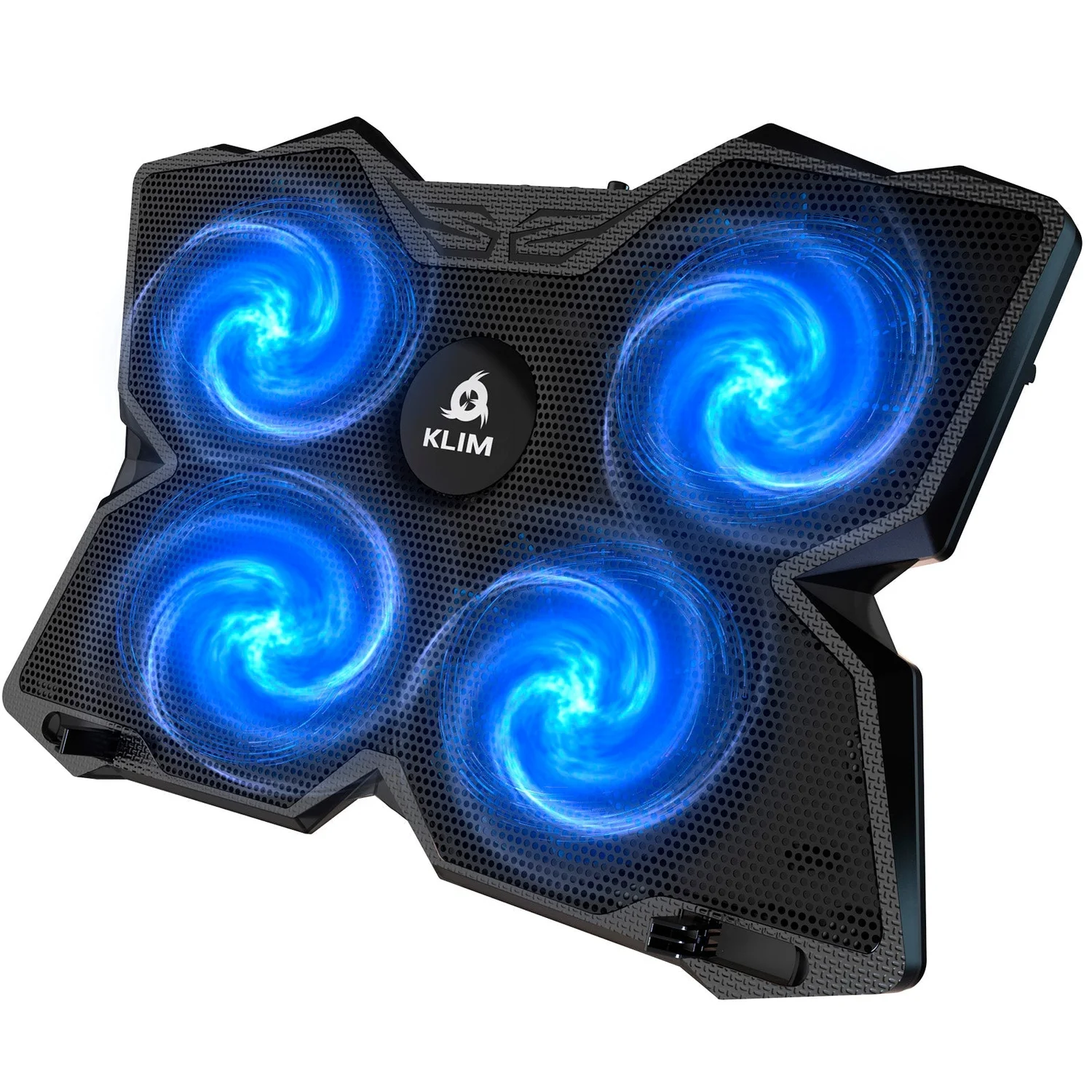
Image credit: KLIM Technologies, blue model media. Check the selected color at checkout; the manufacturer store may default to cyan.
Key specs: Fans: four; Footprint: 401 x 272 mm; Power: 5 V USB; Adjustment: two rollers controlling fan pairs; USB sockets: two USB 2.0.
Choose it for physical fan-pair adjustment without software. That is the useful distinction from the HAVIT: you can adjust the two pairs with rollers instead of relying on a single on/off routine. KLIM’s support guide also documents the footprint, USB connection and two tilt positions, giving you concrete checks before ordering.
Skip it if you need a foam-sealed chamber or automatic temperature-based control. Larger advertised screen sizes may overhang this pad; check where the feet land rather than accepting the broad compatibility slogan. KLIM’s current product and support materials disagree on precise fan RPM, so we do not use a single RPM figure or repeat its cooling-speed and lifespan promises. The recommendation is about simple controls and fit, not proven superiority over HAVIT.
3. TopMate C11
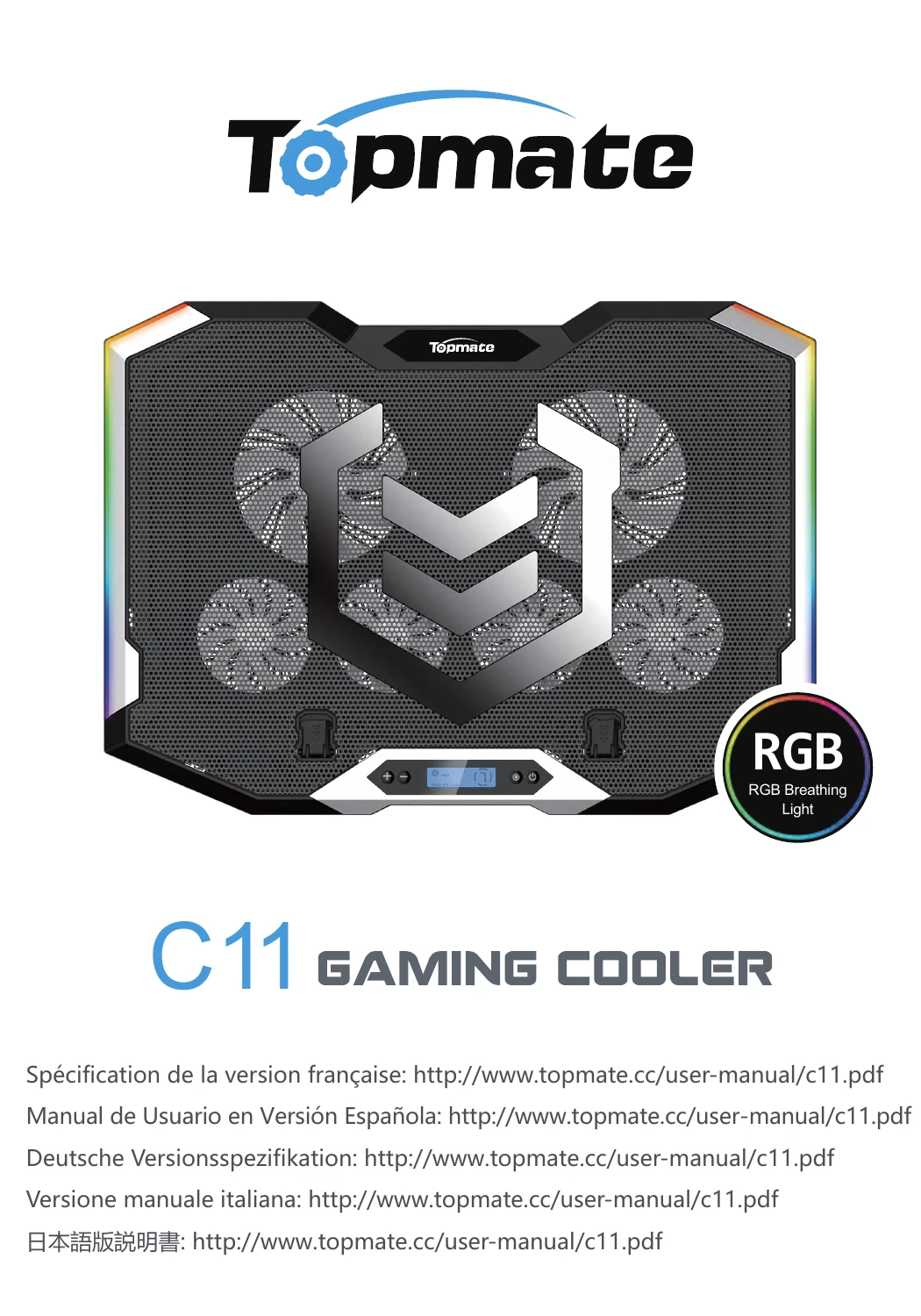
Image credit: TopMate C11 manual, cover. Manufacturer illustration, not hands-on photography.
Key specs: Fans: two 100 mm and four 70 mm units; Footprint: 410 x 296 mm; Power: 5 V DC; Fan-group modes: three; Speed levels: six.
Choose it when selecting fan groups and lighting matters. The C11 manual explains how to run all six fans, the four lower fans or the two upper fans. That is a more useful distinction than simply saying it has more fans. The blue fan lighting on the Amazon variant should not be confused with the side strips, which have seven selectable RGB modes and a separate light-off action.
Skip it if you want one uncomplicated switch or dislike illuminated desk accessories. The pad’s wider footprint takes more desk space than the HAVIT, and its mode buttons add decisions that a simpler pad avoids. More fans and speed levels are not evidence of lower noise or better cooling. Use the manual’s rated 5 V supply requirement, not retailer suggestions to increase voltage for more speed.
4. IETS GT500 V1
Buy IETS GT500 V1 on Amazon ->
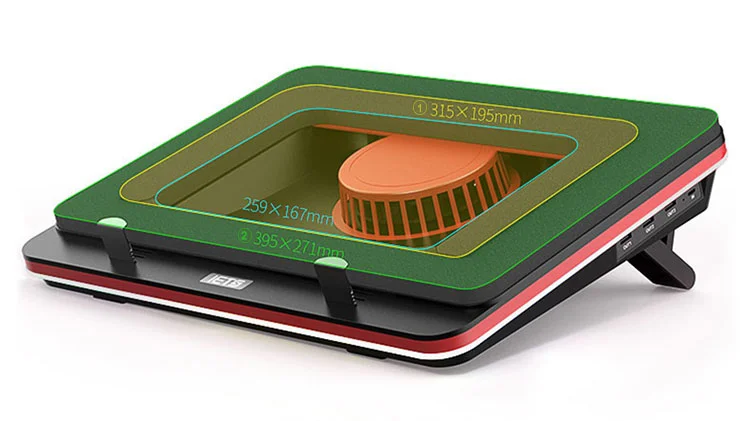
Diagram credit: IETS, GT500 foam-fit illustration. Dimensions shown are manufacturer annotations, not our measurements.
Key specs: Variant: V1 with USB hub, no RGB; Power adapter: 12 W; Housing: 400 x 312 x 70 mm; Height positions: seven; Advertised maximum fan speed: 5,000 RPM.
Choose it for a stationary gaming laptop with bottom intakes that fit inside the foam opening. The seal and blower make it a different category from an open mesh USB pad. IETS’ variant table matters here: this link selects V1, which has the three-port hub but no RGB. B0, S2 and V2 do not have an identical combination of fan rating, lighting, hub and adapter.
Skip it if the foam would cover your laptop’s intake or you require USB-only power. It needs its wall adapter; plugging in the hub does not eliminate that requirement. IETS itself warns noise-sensitive buyers about higher fan speeds, so do not buy on the assumption that headphones make the noise irrelevant to everyone in the room. We cannot substantiate a universal temperature drop, and the maximum RPM is a manufacturer rating rather than a comparative result.
5. Razer Laptop Cooling Pad
Buy Razer Laptop Cooling Pad on Amazon ->
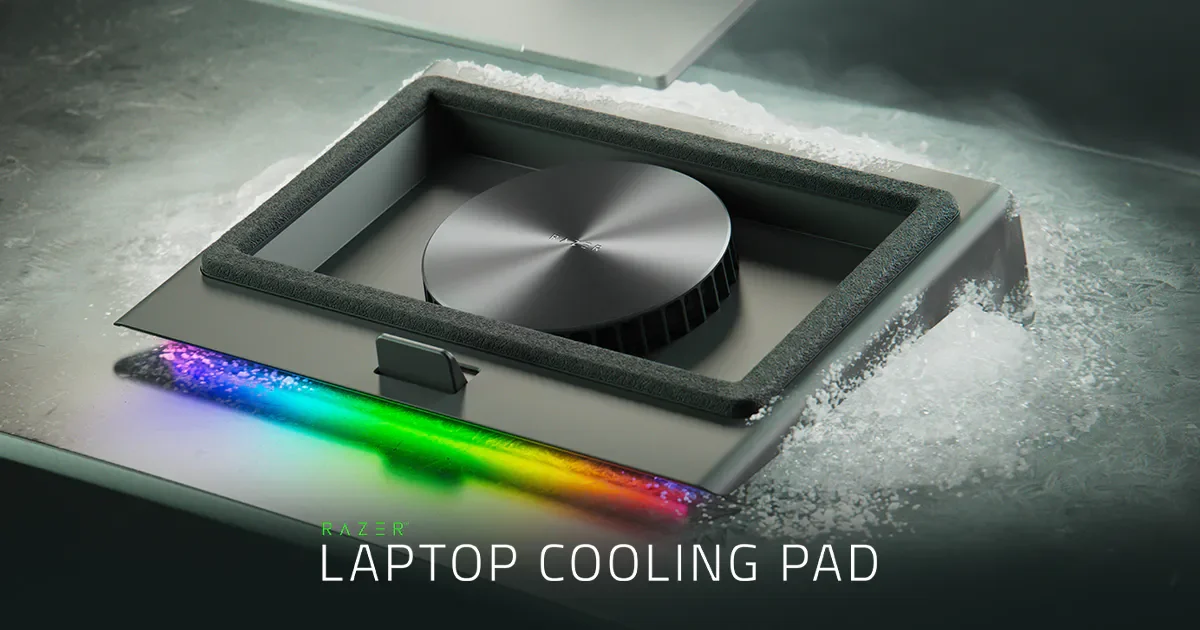
Image credit: Razer. Manufacturer promotional image; the ice effect does not depict how the pad actually cools.
Key specs: Model: RC21-02300; Fan: 140 mm; Included power adapter: 12 V / 3 A / 36 W; USB hub: three USB-A 2.0 ports; Frames: three magnetic options.
Choose it for configurable fan curves on a supported Windows setup. The master guide distinguishes the cooling pad’s physical requirements from its software requirements. Connect the supplied adapter and USB data connection, then use Razer Synapse 4 for automatic mode, custom curves and lighting. The guide specifies Windows 10 64-bit or higher and an internet connection for software installation.
Skip it if Windows software control is not useful to you. Physical support for a Mac laptop does not mean Synapse’s Windows features are available on macOS or Linux. Razer’s separate HyperBoost feature is also restricted to selected Razer Blade models and appropriate firmware, not every computer on the pad; consult the current compatibility list. The included frame options cover different laptop layouts, but no frame guarantees a performance gain. Our verified Amazon offer included new third-party stock, so inspect seller and delivery details before buying.
6. llano V12 RGB
Buy llano V12 RGB on Amazon ->
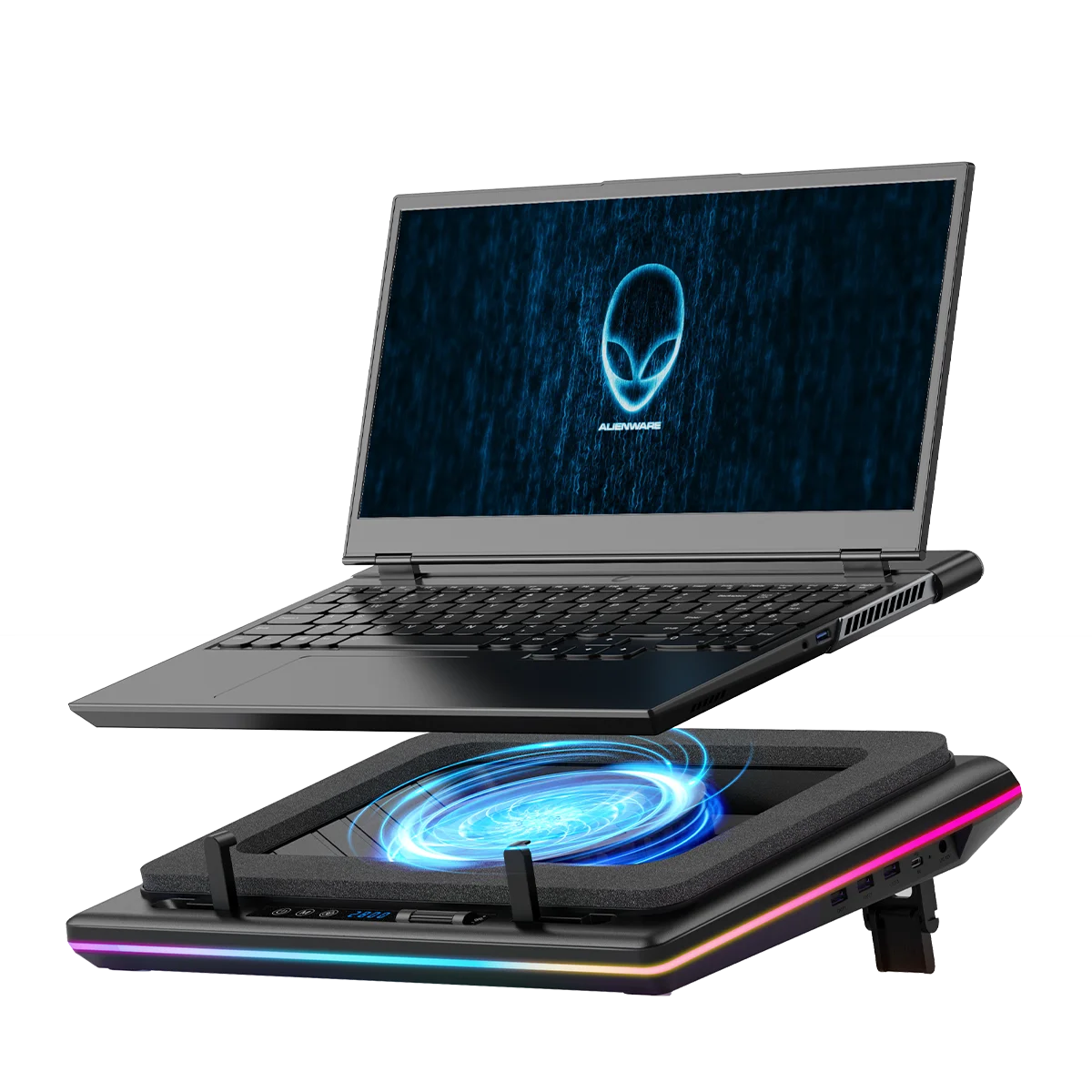
Image credit: llano, black V12 RGB.
Key specs: Fan diameter: 140 mm; Power: 36 W external supply; USB hub: three downstream ports; Controls: on-pad speed display and lighting controls; Construction: foam-sealed blower.
Choose it for a sealed blower with a visible speed display and physical controls. The V12 product description documents those controls, the 140 mm fan and hub; llano’s cooler overview identifies its 36 W power requirement. It is an option for a permanent gaming desk where you are willing to check the seal against the laptop’s underside and keep an extra power adapter connected.
Skip it if you need automatic software fan curves or a compact USB-only travel accessory. This link is the ordinary black V12 RGB, not V12 Ultra; do not transfer the Ultra’s software or USB 3.0 claims to it. Likewise, a dust filter needs maintenance rather than making a laptop dustproof forever. We have not established that this unit is quieter than IETS or that either is the better cooler on your particular laptop.
Who Should Buy What
- For a simple adjustable USB desk pad: start with the KLIM Wind and check the footprint.
- For selectable fan groups and lighting: compare the TopMate C11, using its manual rather than fan-count assumptions.
- For a compatible bottom-intake gaming laptop: consider IETS GT500 V1, provided the seal fits and wall power is practical.
- For Windows software fan curves: choose Razer only if you will use the documented Synapse features.
- For a speed display without buying for software: compare the regular llano V12 RGB, not the similarly named Ultra.
FAQ
Will a cooling pad increase my frame rate?
Not necessarily. A laptop limited by temperature might benefit from improved airflow, but a game limited by its GPU workload, settings or another bottleneck may not. Compare the same workload and settings with the pad off and on, keeping room conditions similar; look at sustained behavior, not a single instantaneous temperature. We have no controlled test establishing an FPS gain for these six products.
Can I use one of these on a bed or my lap?
Treat these as desk accessories. Their fans also need clear intake space, and bedding can obstruct that airflow. Start with a stable hard surface and follow both the laptop and pad manuals. A cooling pad is not a reason to ignore the laptop maker’s ventilation or skin-contact warnings.
Does a 17-inch compatibility label prove my laptop fits?
No. Measure chassis dimensions and locate the feet, intake vents and exhaust openings. For a foam-sealed pad, inspect where the seal meets the underside. Screen diagonal alone cannot establish support or airflow alignment. Razer’s frame options and IETS’ foam diagram are useful precisely because they expose more of this fit problem than a screen-size range does.
Can the cooling pad replace my dock or charger?
No. A peripheral hub is not a promise of monitor output, laptop charging or fast external-storage performance. KLIM and Razer explicitly document USB 2.0 connections here. Keep the laptop on its own appropriate charger and select a dock separately if you need those functions. A cooling pad’s external adapter powers the pad, not the laptop.
Bottom Line
Buy for the underside of your laptop and the way you use your desk. The KLIM Wind is a straightforward starting point for adjustable USB airflow. A foam-sealed IETS or llano needs a more careful fit check; Razer adds a reason to pay for software only when your operating system and workflow support it. None is a substitute for fixing a cooling fault, and none earns a universal performance promise from its specification sheet.
This article contains affiliate links. PicksLab may earn a small commission at no extra cost to you. Our recommendations are based on the review method described in this article.