Affiliate disclosure: PicksLab earns commissions on qualifying Amazon purchases at no extra cost to you.
Getting a camera onto the garage doesn’t have to mean finding an outlet beside it. With a compatible PoE camera, one Ethernet cable carries both its video and its power back to a switch indoors. Add a few more cameras and a ceiling-mounted Wi-Fi access point, and you’ve moved several power bricks out of the rooms where you actually live.
The awkward part is buying the switch. All three here have eight network ports. Two can power only four devices. That difference matters much more than the size of the box when you’re trying to connect four cameras and an access point.
TL;DR - For five powered devices: The NETGEAR GS108PP has eight PoE+ ports and a 123W shared budget. It’s the fit here for four suitable cameras plus one suitable AP on a simple, flat gigabit network. The cheaper TP-Link and Zyxel have local management and VLAN settings, but only four powered ports. None is the answer to every installation.
Prices and the Port You Actually Need
New US offers checked November 12, 2026, in ascending price order. Prices don’t require Prime, a coupon or a trade-in. Tax and delivery depend on your address. TP-Link and NETGEAR were sold and shipped by Amazon; Zyxel was sold by Zyxel and shipped by Amazon. Each had enabled Add to Cart and Buy Now controls. Power supplies are included; Ethernet runs, cameras, recorder and AP are separate.
| Product | Price checked | PoE / total ports | Main difference |
|---|---|---|---|
| TP-Link TL-SG108PE V3 | $59.99 | 4 / 8 | 64W; local VLAN controls |
| Zyxel GS1200-8HPv3 | $59.99 | 4 / 8 | 68W; web controls; check firmware |
| NETGEAR GS108PP | $139.99 | 8 / 8 | 123W; no managed VLANs |
Check the hardware revision, not just the family name. This TP-Link offer says V3; the Zyxel says v3, not the older 60W v2. GS108PP is also not GS108LP or the managed GS308EPP.
What Changes Beyond the Power Budget?
| Product | Per-port power | Network speed | Configuration | Important limit |
|---|---|---|---|---|
| TL-SG108PE V3 | Up to 30W at the PoE+ port | 1Gbps per port | Local browser; optional Windows utility | Fifth powered device needs another power source |
| GS1200-8HPv3 | Up to 30W at the PoE+ port | 1Gbps per port | Local HTTPS browser interface | Update affected firmware before use |
| GS108PP | Up to 30W at the PoE+ port | 1Gbps per port | Unmanaged; no configuration app | Cannot configure camera VLANs on this switch |
All three use standards-based 802.3af/at PoE, not an arbitrary passive-power output. A device requiring 802.3bt PoE++, a proprietary injector or a higher per-port allowance needs a different solution. The 30W figure is at the switch; cable losses mean the receiving device has less available. Match the device’s stated PoE requirement rather than comparing two unrelated wattage labels.
Four Cameras and One AP: Count Ports Before Watts
Imagine four cameras that each require 10W at the switch, plus an access point requiring 20W at the switch. These are explicit planning assumptions, not measurements of a camera kit.
The total is 4 x 10W + 20W = 60W. Allow another 15W in this example for expansion and margin and you’re shopping for at least 75W. Use your devices’ maximum requirements, including night illumination, heaters and startup behavior, and the maker’s cable allowance. Don’t substitute their midday idle consumption.
Now count connections: four cameras, one AP and one cable back to the router use six Ethernet ports, of which five must supply power. TP-Link’s and Zyxel’s four powered ports fail that requirement even before considering the margin. GS108PP has the ports and shared budget for these assumptions, leaving two ports unused. Its 123W total still doesn’t mean eight simultaneous 30W loads; that would require 240W.
With just four of those cameras, the example changes to 40W, four powered ports and a fifth connection for the uplink. Both cheaper switches become plausible, subject to the exact camera requirements. Adding an AP later is the expensive surprise to plan for now.
The home router remains the router. Reserve its connection in your count; these models don’t give you a bonus ninth uplink. For footage retention, our camera-storage calculator answers a separate question: how much recording storage your chosen stream needs.
1. TP-Link TL-SG108PE V3
Buy TP-Link TL-SG108PE V3 on Amazon ->
Price checked: $59.99, new, November 12, 2026.
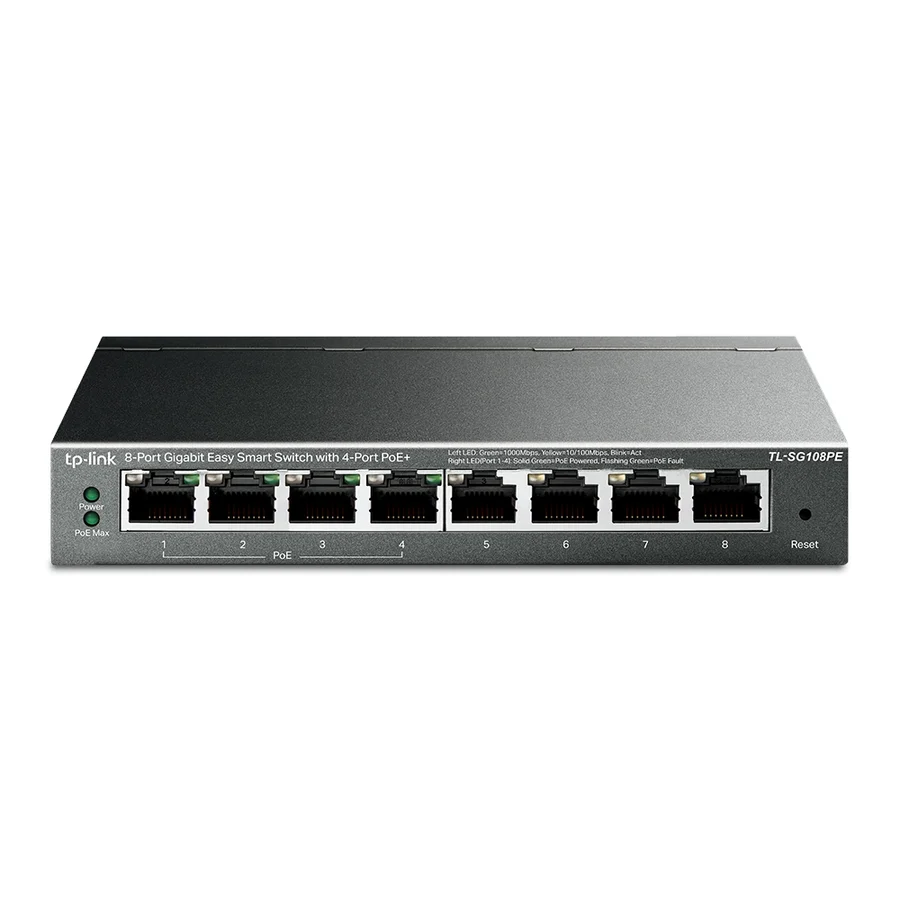
Image: TP-Link V3 product page.
Key specs: Ethernet: eight gigabit ports; Powered ports: four 802.3af/at PoE+; Shared budget: 64W; Per-port output: up to 30W.
The TL-SG108PE V3 is the lower-cost route for up to four powered endpoints when you also want local configuration. VLAN settings let you assign network traffic to separate groups, while monitoring and prioritization help administer the connections. Buying the switch alone doesn’t isolate cameras: the router, uplink and VLAN rules must agree on where traffic can go.
Its official V3 downloads provide firmware and instructions. Configure through the local browser interface; the optional Easy Smart Configuration Utility is for Windows. No cloud controller is required for local management. Match firmware to the exact region and hardware revision. Skip it if you need five devices powered from this one box.
2. Zyxel GS1200-8HPv3
Buy Zyxel GS1200-8HPv3 on Amazon ->
Price checked: $59.99, new, November 12, 2026.
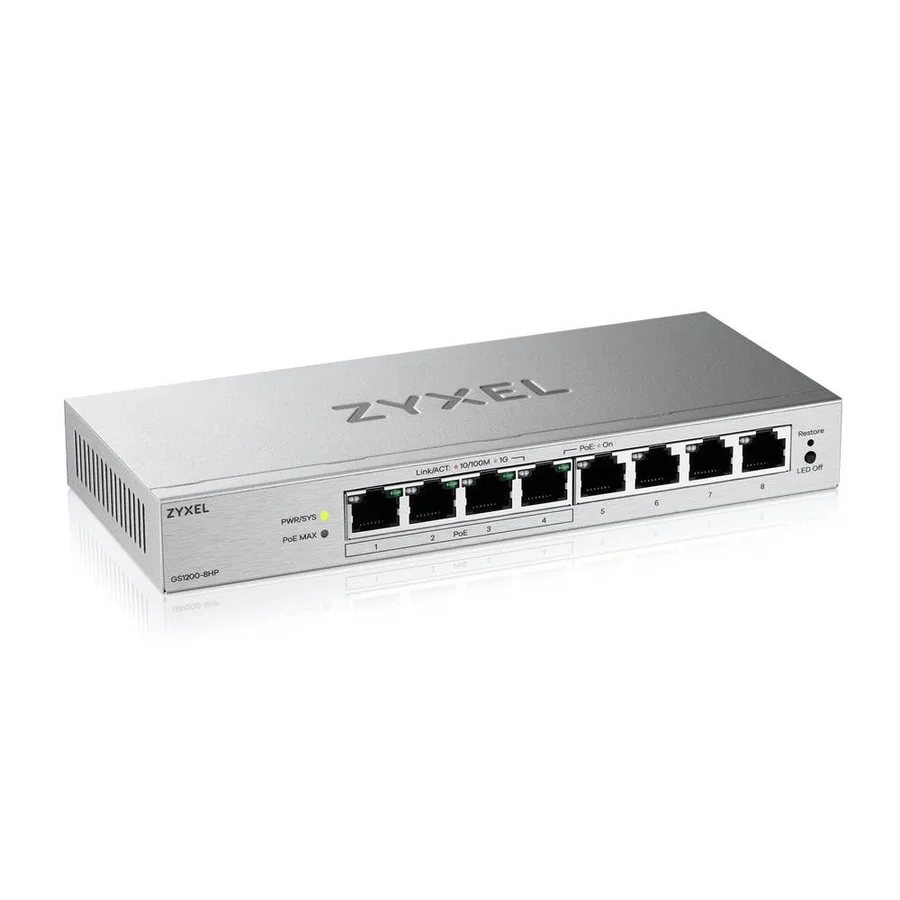
Image: Zyxel’s exact v3 model page. Regional retail terms differ; the linked Amazon offer is US.
Key specs: Ethernet: eight gigabit ports; Powered ports: four 802.3at PoE+; Shared budget: 68W; Cooling: fanless.
Zyxel gives a four-device setup a slightly larger shared budget than this TP-Link and provides browser-based VLAN, QoS and PoE controls. The v3 manual explains local HTTPS access, device discovery, password changes and firmware upload. Local browser management doesn’t require a cloud subscription; use the device-label credentials and change the password during setup.
There is a material maintenance condition. Zyxel’s GS1200v3 security advisory identifies GS1200-8HPv3 firmware 1.00(ACPV.2)C0 and earlier as affected, with 1.00(ACPV.4)C0 listed as the patch. Verify installed firmware and obtain the current exact-model release through Zyxel’s download library before deployment. Don’t expose its management interface to the internet. Skip it if you won’t check firmware before connecting it.
3. NETGEAR GS108PP
Buy NETGEAR GS108PP on Amazon ->
Price checked: $139.99, new, November 12, 2026.
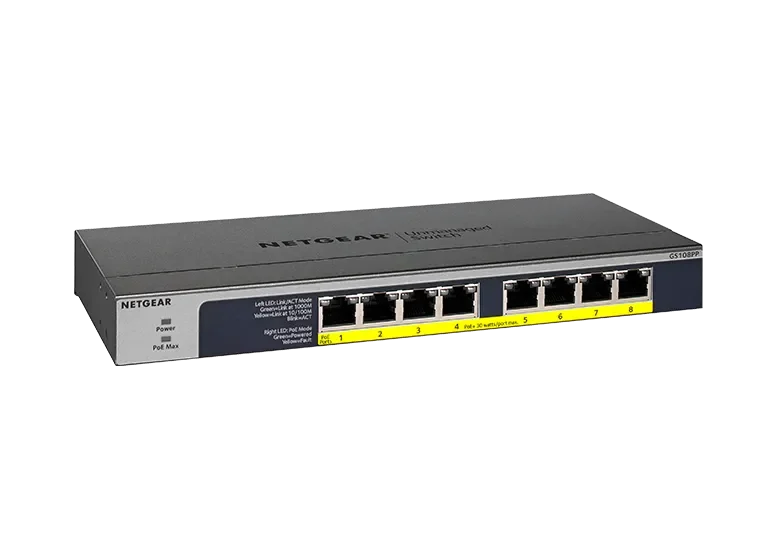
Image: NETGEAR.
Key specs: Ethernet: eight gigabit ports; Powered ports: eight 802.3af/at PoE+; Shared budget: 123W with supplied power adapter; Per-port output: up to 30W.
GS108PP solves the fifth-powered-device problem without making you administer another interface. The included supply supports the 123W shared budget, and the installation guide covers connections, power priority and PoE troubleshooting. There’s no configuration software or account. Eight powered ports, rather than simply eight sockets, are what you’re paying for here.
It is unmanaged, so skip it if you need to configure camera VLANs on this switch. A larger power budget doesn’t supply those controls, PoE++ or multi-gigabit networking. An AP with a 2.5Gbps Ethernet interface will be limited by this gigabit connection if compatible; this isn’t our 2.5GbE switch guide. For VLANs and five powered devices together, look at a suitably budgeted managed switch instead.
Which Setup Makes Sense?
For one camera, a compatible standards-based injector may be sufficient; you don’t automatically need another switch. For four cameras on an existing network, TP-Link is the straightforward managed starting point, with Zyxel an alternative after the firmware check. For four cameras plus an AP, GS108PP fits the worked flat-network example.
A camera NVR with built-in compatible PoE ports may already do the power job. Check that before buying redundant equipment, including how its camera-side network connects to other devices. Our subscription-free doorbell guide separates Ethernet/PoE from Wi-Fi models; being a Wi-Fi camera doesn’t make a product PoE-capable.
For a larger managed installation, TP-Link’s Omada PoE range and Ubiquiti’s switching range are relevant alternatives. They are not additional Amazon-verified picks in this three-model comparison. Check powered-port count, exact supply budget and router/controller requirements rather than buying on the family name.
FAQ
Can an eight-port PoE switch power eight cameras?
Only if eight ports actually supply compatible PoE and the shared budget covers the cameras’ requirements. Two switches here have eight network ports but only four powered ones. You also need a connection back to the router or recorder, unless the topology provides that another way.
Will PoE damage a non-PoE laptop or computer?
Standards-based 802.3af/at equipment detects a compatible powered device before supplying PoE. A normal data-only endpoint can use the port without requesting that power. Don’t transfer that advice to passive injectors or proprietary systems; verify both ends and the wiring.
Does a PoE switch record video or remove camera subscription fees?
No. It supplies network connectivity and compatible power. Recording still needs the camera’s supported storage, an NVR or server software, and any subscriptions depend on the camera platform. Neither a switch nor local storage automatically makes remote access private or subscription-free.
Will the cameras keep working during a power cut?
Not without backup power for every required part of the chain. The switch, router and recorder may all need a suitably sized UPS. Its rating must cover their combined load, including PoE devices; a switch’s spare wattage is not battery capacity. See our UPS comparison for the backup-power decision.
Bottom Line
Count powered devices, total connections, per-device PoE requirements and shared wattage before looking at price. GS108PP fits the five-powered-device example, but its missing VLAN controls are a real tradeoff. If four powered ports are enough, you may not need to spend the extra $80.00.
This article contains affiliate links. PicksLab may earn a small commission at no extra cost to you. Our recommendations are based on the review method described in this article.