Affiliate disclosure: PicksLab earns commissions on qualifying Amazon purchases via the pickslab-20 tag, at no extra cost to you.
TL;DR - Our top pick: JSAUX HB0609 combines a detachable handheld stand, Gigabit Ethernet and three data ports. Buy it as a dock, not as a promise of 4K/120-fps gaming or a bundled 100W charger.
We compared current manufacturer specifications and US purchase options on September 28, 2026. We did not bench-test HDMI negotiation, charging wattage, display frame rate or fit with a protective case. The useful distinction here is between a dock’s input rating, the power it can pass to a handheld, and a video port’s maximum signal format. Those numbers are not interchangeable.
| Pick | Best for | Video port ceiling | Network / stand |
|---|---|---|---|
| JSAUX HB0609 | One dock for a handheld and desk peripherals | HDMI up to 4K/120Hz, conditional | Gigabit / detachable |
| Baseus GamerX | Handheld in a protective case | HDMI up to 4K/60Hz | Gigabit / adjustable |
| UGREEN Revodok 15598 | Lowest-cost Ethernet hub | HDMI up to 4K/30Hz | Gigabit / none |
| NewQ 4-in-1 | Portable clip-on stand | HDMI up to 4K/60Hz | None / integrated |
| Cable Matters 201310 | Display-first desk hub | HDMI up to 4K/120Hz, conditional | Gigabit / none |
Power and Port Comparison
| Pick | USB data ports | Advertised PD input | Purchase constraint |
|---|---|---|---|
| JSAUX HB0609 | 2 USB-A + 1 USB-C, 5Gbps | 100W | 100W charger sold separately on dock-only listing |
| Baseus GamerX | 3 USB-A, 5Gbps | 100W | Maker says no ROG Ally 30W Turbo support |
| UGREEN Revodok 15598 | 3 USB-A, 5Gbps | 100W | Up to 85W to host; USB-C PD port is charge-only |
| NewQ 4-in-1 | 2 USB-A 3.0 | 100W max | No Ethernet |
| Cable Matters 201310 | 2 USB-A, 5Gbps | 100W pass-through | No cradle or included power adapter |
A 100W Input Is Not 100W to the Handheld
The 100W figure on a dock usually describes the charger input or PD pass-through ceiling, not what a Steam Deck will draw. The charger must be bought separately unless the specific offer includes one. UGREEN’s specification for the 15598 is unusually clear: a 100W input reserves 15W for the hub and can pass at most 85W to the host. That makes a 100W input label a poor shortcut for comparing delivered power. For the JSAUX, its manufacturer page says a 100W charger is needed for ROG Ally/Ally X 30W Turbo, while the dock-only package is not a charger bundle. Baseus explicitly excludes ROG Ally 30W Turbo support. These are maker claims, not our compatibility test.
HDMI Ceiling Is Not a Game Frame-Rate Promise
The JSAUX and Cable Matters HDMI specifications list up to 4K/120Hz, but that is a port signal ceiling under compatible host, display and cable conditions. It does not mean a Steam Deck will render a particular game at 120 frames per second in 4K. The UGREEN 15598 is a different class: its maker lists 4K/30Hz, so it should not be bought for a 4K/60Hz desktop display workflow. Cable Matters’ model 201310 page has more detailed output-mode and host conditions; check those before assuming a high-refresh setup will work.
1. JSAUX HB0609
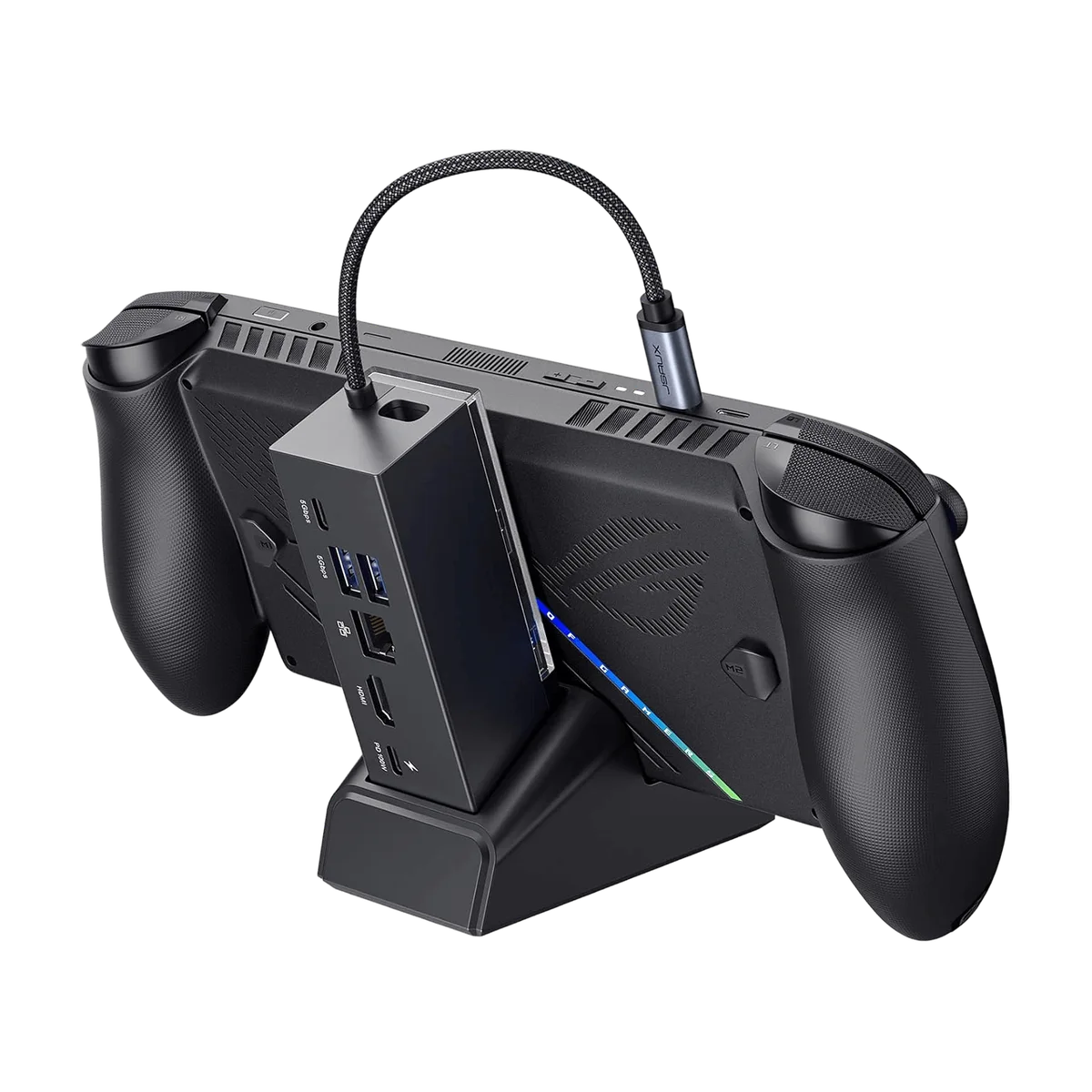 Image: JSAUX, HB0609 dock product page.
Key specs: Video: HDMI up to 4K/120Hz under compatible conditions; Data: two 5Gbps USB-A and one 5Gbps USB-C; Network: Gigabit Ethernet; Power: up to 100W PD input. Source: JSAUX HB0609 specifications.
This is our best documented all-round connection set under the price ceiling. The detachable stand lets the hub live behind a display later, and the data USB-C is useful for a modern SSD or accessory. The photographed stand is part of the HB0609 family; confirm the selected Amazon dock-only variation rather than assuming a charger is included.
The maker’s 4K/120Hz number is a supported output ceiling, not a measured Steam Deck gaming result. For a ROG Ally or Ally X buyer, JSAUX specifies a separate 100W charger for 30W Turbo. Skip it if you already have a stand and need the smallest possible travel hub, or if you expect the dock-only listing to supply wall power.
2. Baseus GamerX 6-Port
Buy Baseus GamerX on Amazon ->
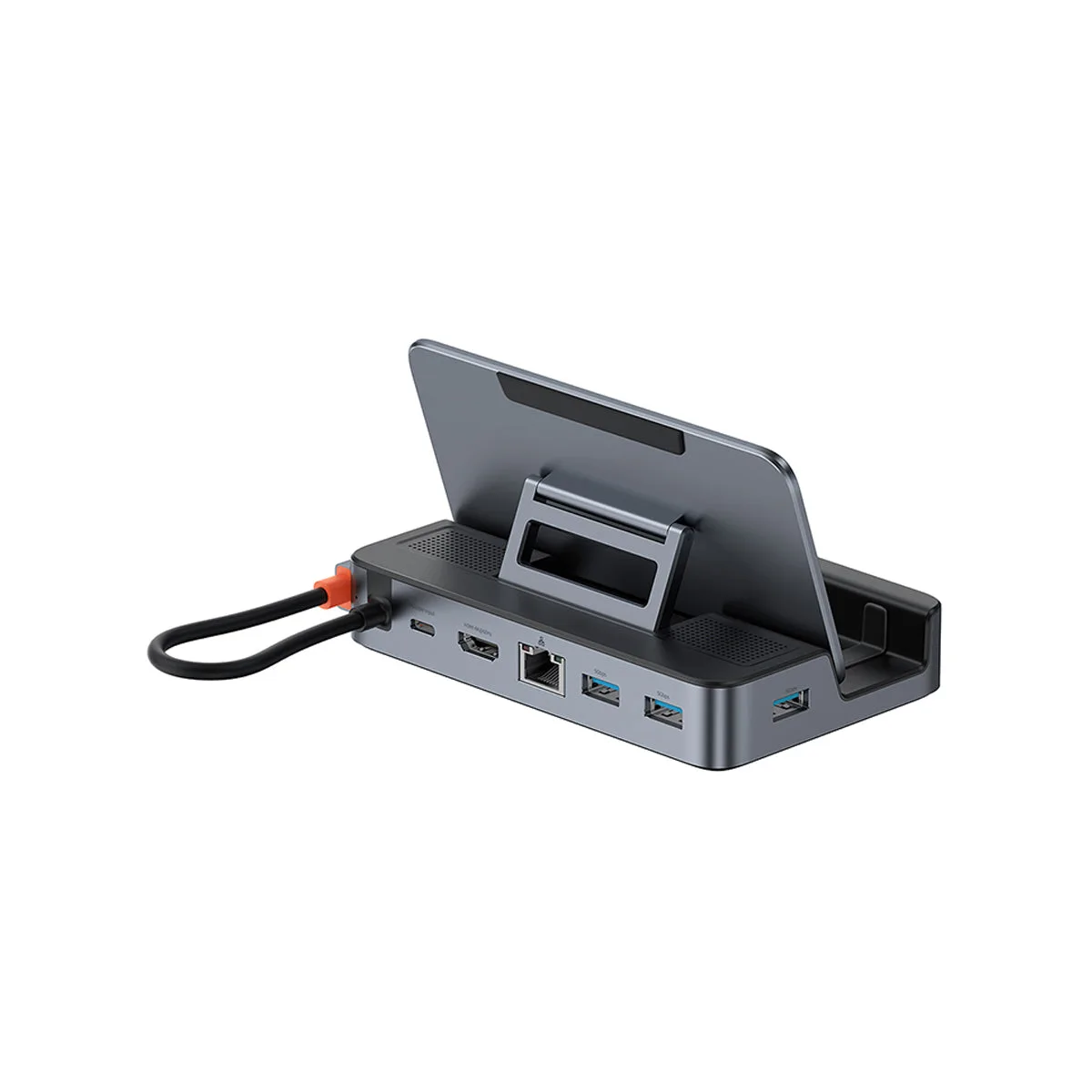 Image: Baseus, GamerX product page.
Key specs: Video: HDMI up to 4K/60Hz; Data: three USB-A 5Gbps ports; Network: Gigabit Ethernet; Power: 100W maximum PD input. Source: Baseus GamerX specifications.
The adjustable stand is the meaningful reason to choose GamerX. It accommodates a handheld in more than one thickness configuration, which is worth checking if you leave a protective case on the device. It trades the JSAUX’s data USB-C for a third USB-A port.
Skip it if you specifically need ROG Ally 30W Turbo: Baseus says this dock does not support that mode. Its 4K/60Hz HDMI ceiling is adequate for many external displays, but do not infer actual game frame rates from it.
3. UGREEN Revodok 6-in-1 15598
Buy UGREEN Revodok 15598 on Amazon ->
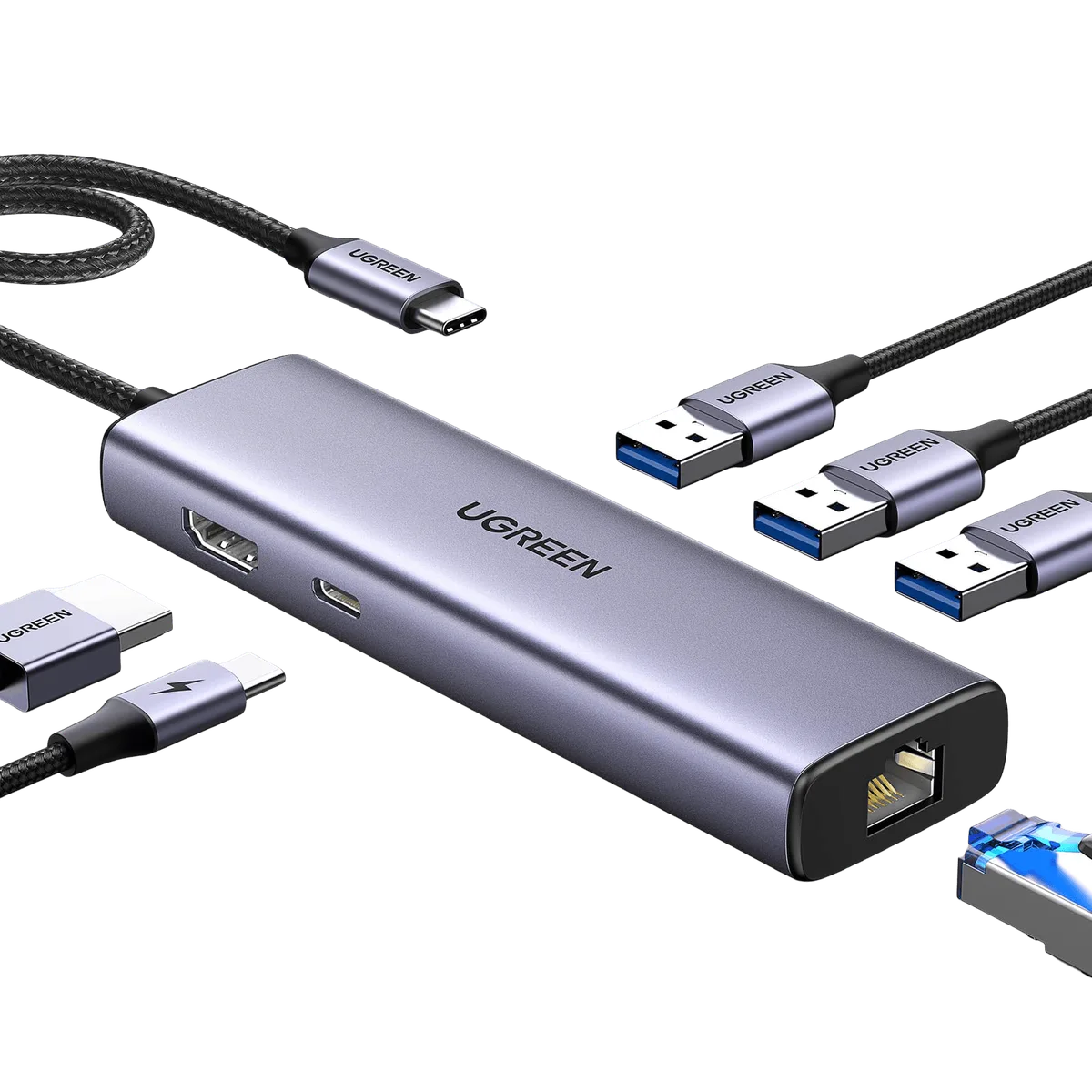 Image: UGREEN, model 15598 product page.
Key specs: Video: HDMI up to 4K/30Hz; Data: three USB-A 5Gbps ports; Network: Gigabit Ethernet; Power: 100W PD input with up to 85W delivered to host. Source: UGREEN 15598 specifications.
This is a hub, not a cradle. It makes sense if your Steam Deck already has a stand and you chiefly need wired networking plus several USB-A peripherals. The maker clearly distinguishes 100W input from the maximum 85W host pass-through, and its PD USB-C is for charging rather than USB data.
Skip it if 4K/60Hz output or an integrated stand matters. The 4K/30Hz HDMI ceiling is a real constraint for desktop use, even if the handheld’s own screen is unaffected.
4. NewQ Portable 4-in-1
Buy NewQ Portable 4-in-1 on Amazon ->
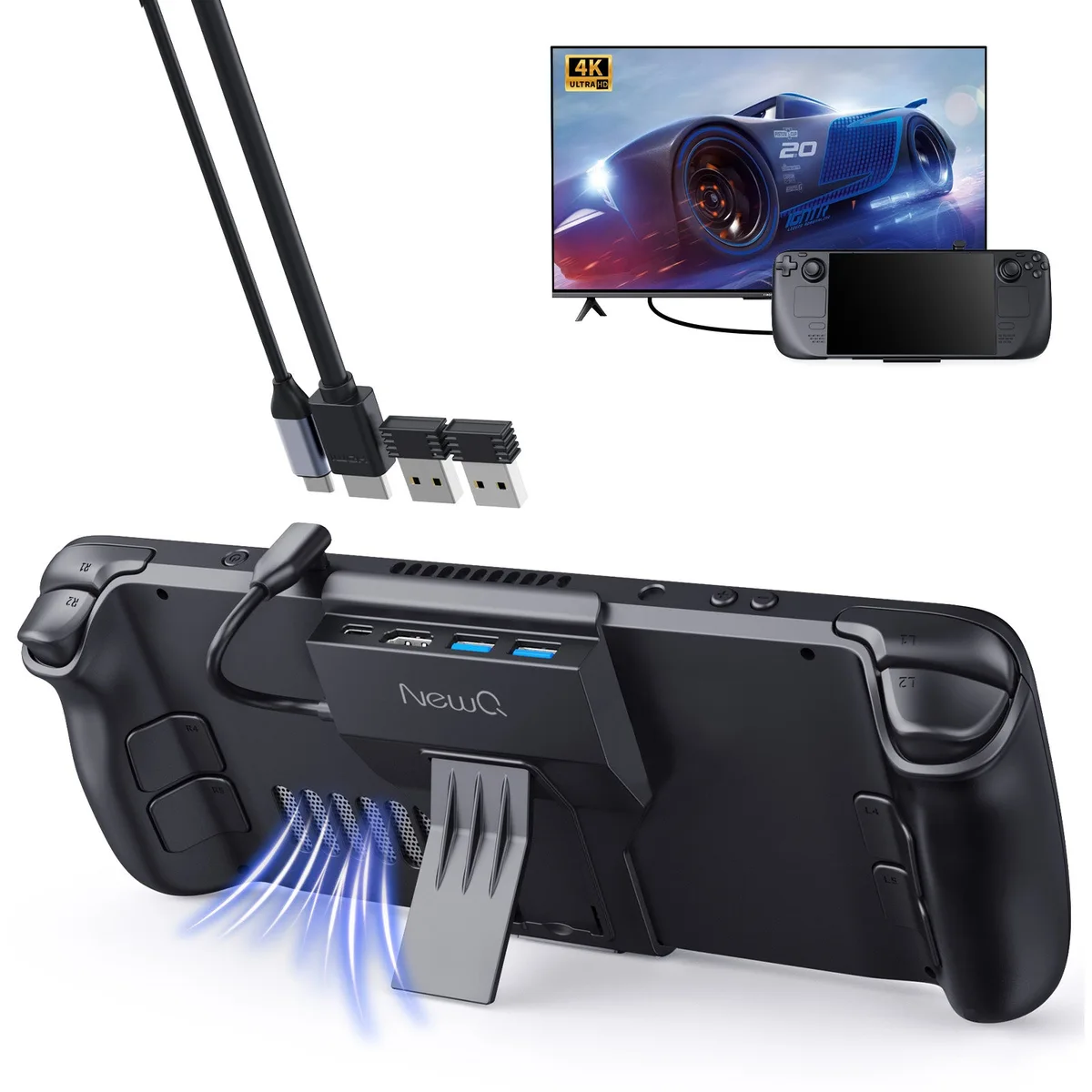 Image: NewQ, portable Steam Deck dock product page.
Key specs: Form: clip-on dock with integrated stand; Video: HDMI up to 4K/60Hz; Data: two USB-A 3.0 ports; Network: no Ethernet. Source: NewQ model/ASIN overview.
The clip-on body keeps the dock with the handheld instead of leaving a separate box and cable on the desk. The manufacturer overview identifies this specific ASIN and describes the stand, HDMI and USB configuration. Check case clearance before buying: clip-on hardware is more sensitive to the device’s outer shape than an open cradle.
Skip it if wired Ethernet, more than two USB data devices or a full-size stationary stand is part of the plan. The manufacturer’s promotional photo includes a Steam Deck for scale; the linked Amazon offer is for the dock, not a bundled handheld.
5. Cable Matters 201310
Buy Cable Matters 201310 on Amazon ->
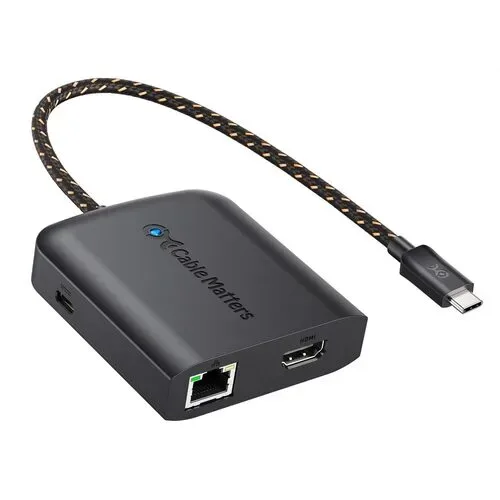 Image: Cable Matters, model 201310 product page.
Key specs: Video: HDMI up to 4K/120Hz under compatible host/display conditions; Data: two USB-A 5Gbps ports; Network: Gigabit Ethernet; Power: up to 100W PD pass-through. Source: Cable Matters 201310 specifications.
Choose this compact adapter when display capability and Ethernet matter more than a handheld cradle. Cable Matters documents exact output conditions and offers a manual, which helps a buyer check the host-display chain before purchase. The adapter does not include a stand or wall charger.
Skip it if you want an all-in-one dock that holds the Steam Deck upright. Its high video ceiling is not proof that a given handheld, display, cable or game will actually operate at that mode.
Who Should Buy What
- For one desk dock: JSAUX HB0609 has the broadest documented mix of stand, Ethernet and USB-A/USB-C data.
- For a handheld in a case: Baseus GamerX has the adjustable stand; verify thickness and skip it for Ally 30W Turbo.
- For a basic Ethernet hub: UGREEN 15598 works if 4K/30Hz is acceptable and you already own a stand.
- For a carry-along clip-on: NewQ 4-in-1 keeps the dock attached but omits Ethernet.
- For a compact display adapter: Cable Matters 201310 makes sense if the manufacturer’s output-mode conditions match your setup.
If handheld storage is also limiting, compare microSD cards for 4K recording and game libraries. A dock does not replace a portable charger chosen for the host’s real power needs, and external-screen buyers should check our portable monitor comparison for actual input compatibility.
FAQ
Does a 100W dock charge the Steam Deck at 100W?
No. The 100W figure usually refers to the dock’s power input or pass-through ceiling. The host negotiates the power it supports, and the dock itself may reserve some input power. UGREEN specifies up to 85W host output from a 100W input on the 15598. The wall charger is generally a separate purchase.
Does 4K/120Hz HDMI mean Steam Deck games will run at 120 fps in 4K?
No. It is a maximum output format under compatible display, cable and host conditions. Rendering frame rate depends on the game, settings and handheld. Treat the HDMI specification as a connection limit, not a gameplay benchmark.
Can I use these docks with a ROG Ally or Ally X?
Check the individual maker’s condition. JSAUX says its HB0609 needs a 100W charger for ROG Ally/Ally X 30W Turbo. Baseus says the GamerX does not support Ally 30W Turbo. We did not test either combination, so do not generalize one model’s claim to the rest of the list.
Which dock includes an Ethernet port?
JSAUX HB0609, Baseus GamerX, UGREEN 15598 and Cable Matters 201310 list Gigabit Ethernet. NewQ’s portable clip-on model does not. If Ethernet is essential, check the exact selected variant before paying.
Bottom Line
The JSAUX HB0609 is the best documented general-purpose choice here, provided you already have or separately buy a suitable charger. Choose the Baseus GamerX for its adjustable stand, the UGREEN 15598 only if 4K/30Hz suffices, or the NewQ when carrying a dock matters more than Ethernet. Buy to the documented connection you need, not the largest number on the box.
This article contains affiliate links. PicksLab may earn a small commission at no extra cost to you. Our recommendations are based on the review method described in this article.