Affiliate disclosure: PicksLab earns commissions on qualifying Amazon purchases at no extra cost to you.
TL;DR - Our top pick: ViewSonic VA1655 is our practical starting point because it accepts both USB-C video and mini-HDMI. That fallback matters more than a promise that one cable works with every laptop. For a smaller bag, consider the Lenovo ThinkVision M14, but only after confirming compatible USB-C video output.
A portable monitor can keep a reference document beside your work, put chat on a separate screen, or make a temporary desk less cramped. The wrong connection choice can also leave you staring at a powered-on display that says no signal. Check the laptop first, then choose the screen size and extras. A USB-C socket alone does not establish video output, charging capacity or touch support.
| Pick | Best For | Deciding Difference |
|---|---|---|
| ViewSonic VA1655 | Ordinary second-screen work | USB-C video plus mini-HDMI fallback |
| Lenovo ThinkVision M14 | A smaller travel screen | 14-inch display; USB-C-only connection |
| ASUS ZenScreen MB16ACV | A laptop needing USB-A display support | USB-A mode requires a driver |
| ARZOPA Z1FC Black | Work plus higher-refresh gaming | 16.1-inch, up-to-144-Hz display |
| ViewSonic TD1655 | Touch on a compatible computer | Ten-point touch; macOS needs vTouch |
Which Connection Will Work With Your Laptop?
Separate video, power and optional USB data. Those are different requirements even when one cable carries all three. This matrix translates the manufacturers’ connection instructions into a shortlist. It is not a claim that we physically tested every laptop combination.
| Your Laptop or Requirement | Suitable Route | Check Before Ordering |
|---|---|---|
| USB-C explicitly supports DisplayPort Alt Mode or compatible Thunderbolt video | Native USB-C input on these monitors | Video-capable cable, sufficient power and laptop external-display limit |
| HDMI output but no USB-C video | VA1655, Z1FC or TD1655 over mini-HDMI | HDMI carries the picture; separate USB or an approved adapter supplies power |
| USB-A only, with permission to install software | MB16ACV hybrid USB-A mode | Current DisplayLink driver supports your OS and workplace policy permits it |
| A locked-down work laptop | Prefer native USB-C video or HDMI | Do not buy around a driver installation that IT will block |
| Touch input over HDMI | TD1655 plus a USB data connection | HDMI alone cannot return touches; check OS support too |
| Charging the laptop through the screen | A documented power-delivery arrangement | Required charger, cable and output; two sockets alone prove nothing |
Start with the laptop manufacturer’s port specifications. If they say only USB data or charging, do not assume DisplayPort video. ASUS’s USB-C function guide explains why the connector shape is insufficient. Use the supplied full-featured display cable when available, not a spare charging cable of unknown capability.
For HDMI, the VA1655 manual requires separate power and says the laptop’s USB output must exceed 10 W for the illustrated USB-A-powered setup. Otherwise, follow its external-adapter arrangement. A stable picture at low brightness does not establish enough power for every setting.
Also check the laptop’s external-display limit, particularly if a dock or another monitor is connected. Adding a screen does not remove that limit. Our USB-C KVM guide for Mac and Windows separates native video from driver-based paths when the setup also needs to serve two computers. For a handheld gaming setup, the Steam Deck dock comparison separates HDMI signal limits from actual game frame rates and dock power input from host charging.
Feature Comparison
| Model | Screen / Resolution | Video Inputs | Check Separately |
|---|---|---|---|
| VA1655 | 15.6-inch viewable / 1920 x 1080 | USB-C; mini-HDMI | External supply for documented laptop-charging mode |
| ThinkVision M14 | 14-inch / 1920 x 1080, 60 Hz | USB-C DisplayPort Alt Mode | No HDMI fallback; no adapter in PSREF bundle |
| MB16ACV | 15.6-inch / 1920 x 1080 | Hybrid USB-C; USB-A with driver | Automatic rotation is Windows software-dependent |
| Z1FC Black | 16.1-inch / 1920 x 1080, up to 144 Hz | USB-C; mini-HDMI | Actual refresh depends on source, cable and selected mode |
| TD1655 | 15.6-inch viewable / 1920 x 1080, 60 Hz recommended | USB-C; mini-HDMI | Touch needs USB data; macOS needs vTouch |
How We Selected These Monitors
This is an expert-researched guide, not a hands-on panel test. We checked manufacturer specifications, connection documentation, exact models and new-item Amazon purchase paths on September 14, 2026. We have not measured brightness, color accuracy, input lag, battery-life impact or stand durability. Manufacturer refresh and brightness figures are specifications, not our test results.
The choices solve different connection or portability problems. For a fixed desk, compare screen height and available space with our laptop stand guide. For handheld-console output through HDMI, our Steam Deck docking-station comparison covers the other half of that connection.
1. ViewSonic VA1655
Buy ViewSonic VA1655 on Amazon ->
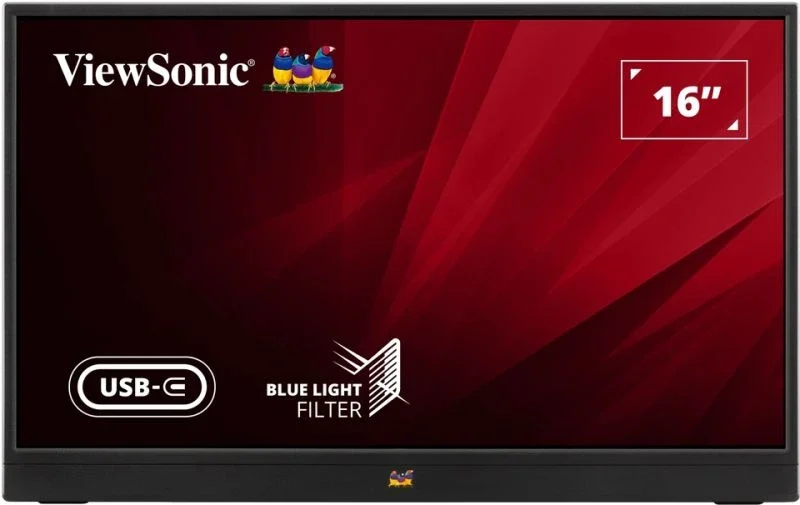 Image: ViewSonic.
Key specs: Viewable screen: 15.6 inches; Resolution: 1920 x 1080; Ports: two USB-C, mini-HDMI and audio out; Stand tilt: 30-53 degrees.
Choose it for a straightforward second screen with an HDMI fallback. Its official manual documents the stand and both connection routes. It can move between a compatible USB-C laptop and an older HDMI-equipped machine. It is not a two-computer switch: the manual warns against connecting two powered computers simultaneously.
Native video and on-screen controls do not require a companion app. USB-C still needs video output and enough power; HDMI needs separate power. The manual describes power delivery back to a notebook when an adapter is connected. That is a specific setup, not a promise that any phone charger can charge your laptop through the screen.
Skip it if touch input or high-refresh gaming is the reason for buying. The TD1655 and Z1FC address those requirements. We also would not select it for color-critical work based solely on a listing; this guide contains no calibrated panel measurements.
2. Lenovo ThinkVision M14
Buy Lenovo ThinkVision M14 on Amazon ->
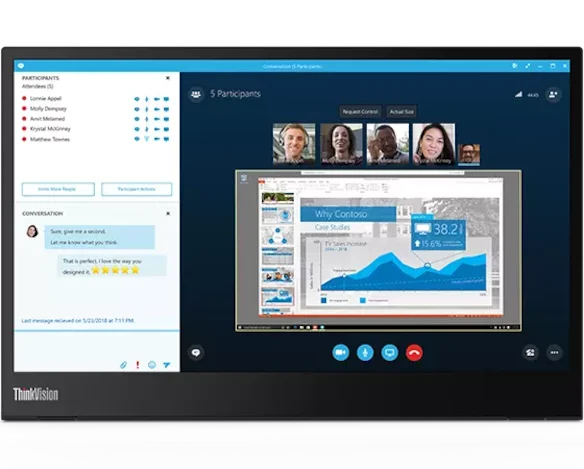 Image: Lenovo.
Key specs: Screen: 14 inches; Resolution and refresh: 1920 x 1080 at 60 Hz; Listed brightness: 300 cd/m2; Listed weight: 0.598 kg.
Choose it when a smaller screen and lower carrying weight matter. Lenovo’s M14 specification sheet lists a hinged base, USB-C cable and sleeve. This original M14 is not the touchscreen M14t. At identical resolution and scaling, a smaller panel means physically smaller text as well as less bulk.
Skip it if your usable video output is HDMI only. The M14 uses USB-C DisplayPort Alt Mode, so it is less forgiving of an unverified port than the VA1655. Lenovo’s specified bundle has no power adapter. Basic native video does not depend on Lenovo’s optional display-management software. Its official product and support page provides the starting point for model documentation and optional utilities; check OS support before installing them.
We recommend its documented size and weight, not unmeasured brightness or calibration advantages. If you will leave it on a desk most days, the carrying benefit may be less important than a larger panel or an HDMI fallback.
3. ASUS ZenScreen MB16ACV
Buy ASUS ZenScreen MB16ACV on Amazon ->
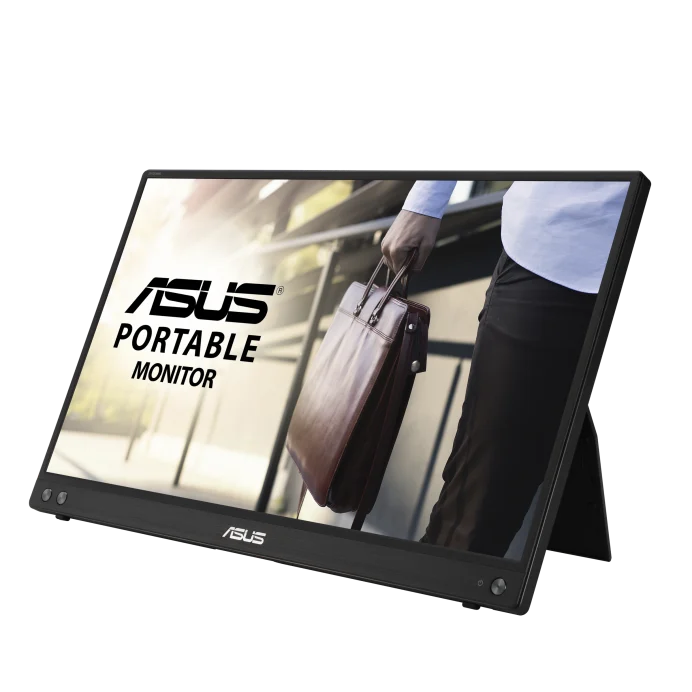 Image: ASUS.
Key specs: Screen: 15.6-inch IPS; Resolution: 1920 x 1080; Connection: hybrid USB-C and driver-assisted USB-A; Listed weight: 0.9 kg.
Choose it for its documented USB-A display option. ASUS’s MB16ACV documentation distinguishes native USB-C operation from hybrid USB-A operation. The latter requires DisplayLink software; an ordinary USB-A-to-C cable does not become a native video cable. This is useful when an older laptop permits installation of the supported driver.
Skip it if you cannot install the required driver on your USB-A-only laptop. Use the MB16ACV driver and utility downloads, select your actual operating system, and confirm an appropriate DisplayLink download before buying. The Windows 11 64-bit selection currently offers the MB Series USB Monitor Driver; ASUS says native Type-C DisplayPort Alt Mode does not require that driver. No browser-only setup route is established here.
Two software limitations can change the purchase decision. ASUS warns that protected media or apps may block playback on the monitor in USB 3.0 mode, so this is not an unconditional streaming-screen recommendation. Automatic rotation also requires ASUS DisplayWidget on Windows; manually selecting portrait orientation is a separate OS setting.
The fold-out stand supports portrait or landscape placement, but this is not an HDMI monitor or a battery-equipped touchscreen. Those features belong to other models, not the MB16ACV merely because it shares the ZenScreen name. For an HDMI-first laptop, the VA1655 or Z1FC is the more direct route.
4. ARZOPA Z1FC Black
Buy ARZOPA Z1FC Black on Amazon ->
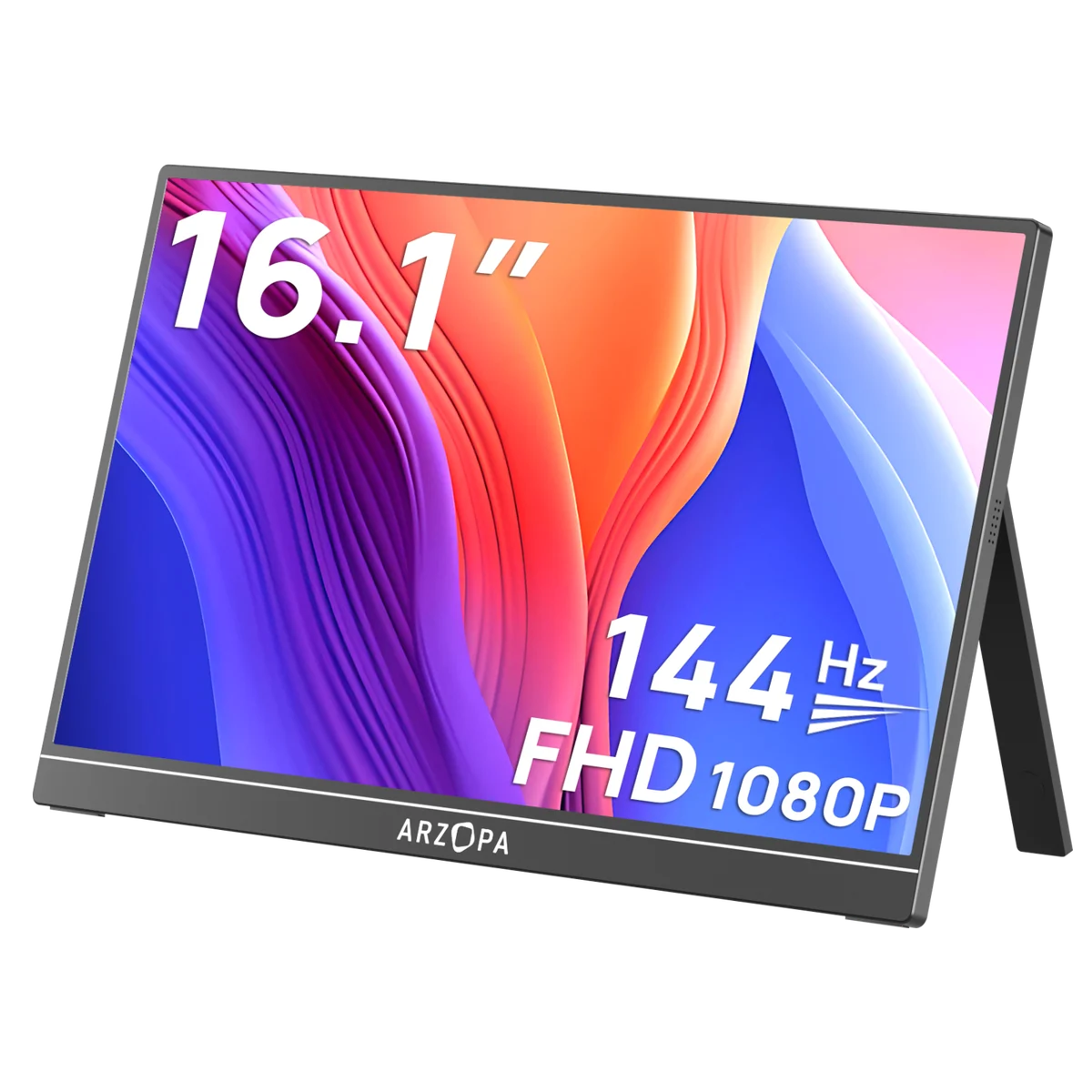 Image: ARZOPA’s black Z1FC page. The purchase link is the US Amazon black variant.
Key specs: Screen: 16.1-inch IPS; Resolution: 1920 x 1080; Maximum refresh: 144 Hz; Video connections: USB-C and mini-HDMI.
Choose it when higher refresh is useful alongside ordinary laptop work. ARZOPA’s US model overview identifies the panel and connections. We verified the black US Amazon variant. A separate gray-with-sleeve listing was unavailable during research and is not the link used here.
Skip it if you expect 144 Hz from every connected device automatically. Your source must output a supported mode, the cable must carry it, and the OS may need the higher refresh selected. The refresh specification is not a measured response-time result. A broad color-gamut claim also does not establish calibrated accuracy, so we do not rank it for professional color work on that basis.
Native video and on-screen controls do not require a companion app. ARZOPA’s manual and connection guide center covers model-specific setup. Use HDMI plus separate power if your laptop cannot output USB-C video. Do not infer laptop-charging passthrough merely from the number of ports.
5. ViewSonic TD1655
Buy ViewSonic TD1655 on Amazon ->
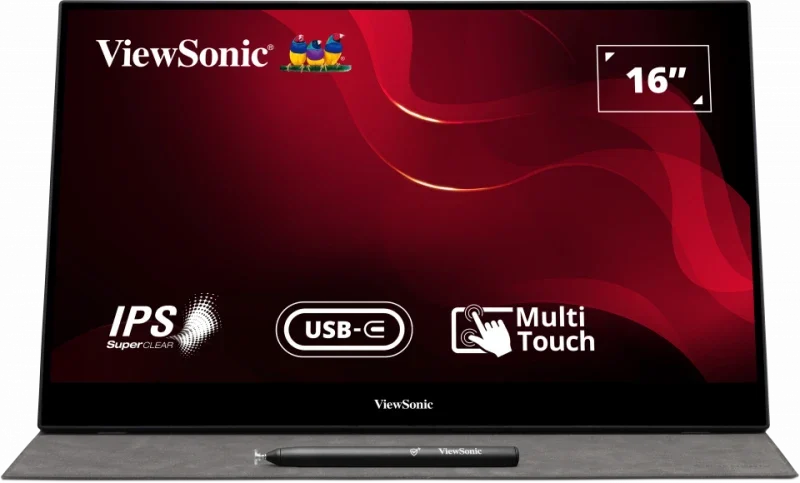 Image: ViewSonic.
Key specs: Viewable screen: 15.6 inches; Recommended mode: 1920 x 1080 at 60 Hz; Touch input: ten simultaneous points; Stand tilt: 20-60 degrees.
Choose it when touching the second screen is part of your actual workflow. The TD1655 manual describes USB-C operation and an HDMI route with a separate USB data cable for touch. A picture appearing over HDMI does not establish that the computer can receive taps from the screen.
Skip it if you only need a place for documents and chat. Touch adds a compatibility check and is not evidence of an active drawing-tablet digitizer. Its included passive pen should not be mistaken for a pressure-sensitive art stylus. The manufacturer page specifically excludes touch feedback on iOS and iPadOS.
macOS touch requires ViewSonic’s vTouch software and a USB data connection. Use the official vTouch download and compatibility page, check your OS version and follow its permissions instructions. Windows touch setup and calibration are covered in the manual. Check basic video, touch and rotation independently rather than trusting a blanket “Mac compatible” label.
Who Should Buy What
- A general laptop second screen: Start with VA1655, then choose USB-C video or HDMI plus power.
- Minimum bag bulk: Consider ThinkVision M14 after confirming USB-C video capability.
- USB-A is the available route: Check MB16ACV driver requirements before ordering.
- Work and higher-refresh gaming: Consider Z1FC Black, without assuming every source reaches 144 Hz.
- Touch is genuinely necessary: Check the TD1655’s OS and data requirements.
FAQ
Why does my portable monitor turn on but show no signal?
Power and video are separate. A charging-only USB-C cable or data-only laptop port can supply power without a picture. Check the laptop’s video specification, cable, selected monitor input and OS display settings. If the monitor has HDMI, a supported HDMI-plus-power arrangement can provide a fallback; the M14 does not have that input.
Does every portable monitor work with one USB-C cable?
No. Native one-cable use requires compatible USB-C video output, an appropriate cable and enough power. Some setups need external power; the MB16ACV’s USB-A route additionally needs software. An extra cable is not automatically a bad choice when it gives an older laptop a working second screen.
Will two USB-C ports let the monitor charge my laptop?
Not by themselves. Look for an explicit power-delivery configuration in the exact manual, including adapter and output limits. The VA1655 and TD1655 document adapter-powered notebook charging. A monitor cannot create extra power, and a second port does not establish that your charger will meet the laptop’s needs under load.
Should I pay more for touch or 144 Hz?
Only when it changes the work you do. Touch brings USB data and OS requirements; higher refresh depends on the source. Neither feature is necessary simply to keep notes beside a document, and neither proves better color accuracy or reliability. Buy the feature you can both use and connect.
Bottom Line
The ViewSonic VA1655 is our connection-flexible starting point, not a tested image-quality champion. Choose M14 for a smaller bag, MB16ACV for a supported USB-A route, Z1FC for higher refresh or TD1655 for compatible touch. Confirm the video, power and software path before paying for features your laptop cannot use.
This article contains affiliate links. PicksLab may earn a small commission at no extra cost to you. Our recommendations are based on the review method described in this article.